👋 Introduction
Centralizing your knowledge is Mayday's mission: managing, governing, and capitalizing its value to help your agents and end customers find the right information as quickly as possible. This integration now allows you to connect public websites to your knowledge base 🌐
❓ What is this feature?
This is a new "Public Website" data source available in Mayday Admin’s integration catalog (administration center). It complements existing integrations (such as SharePoint) and allows for indexing and synchronizing compatible public website content to make it accessible and governed within Mayday. This feature is aimed at administrators who wish to centralize external content alongside their internal documents. 🧩
🤔 How does it work?
⚙ Open the integrations catalog
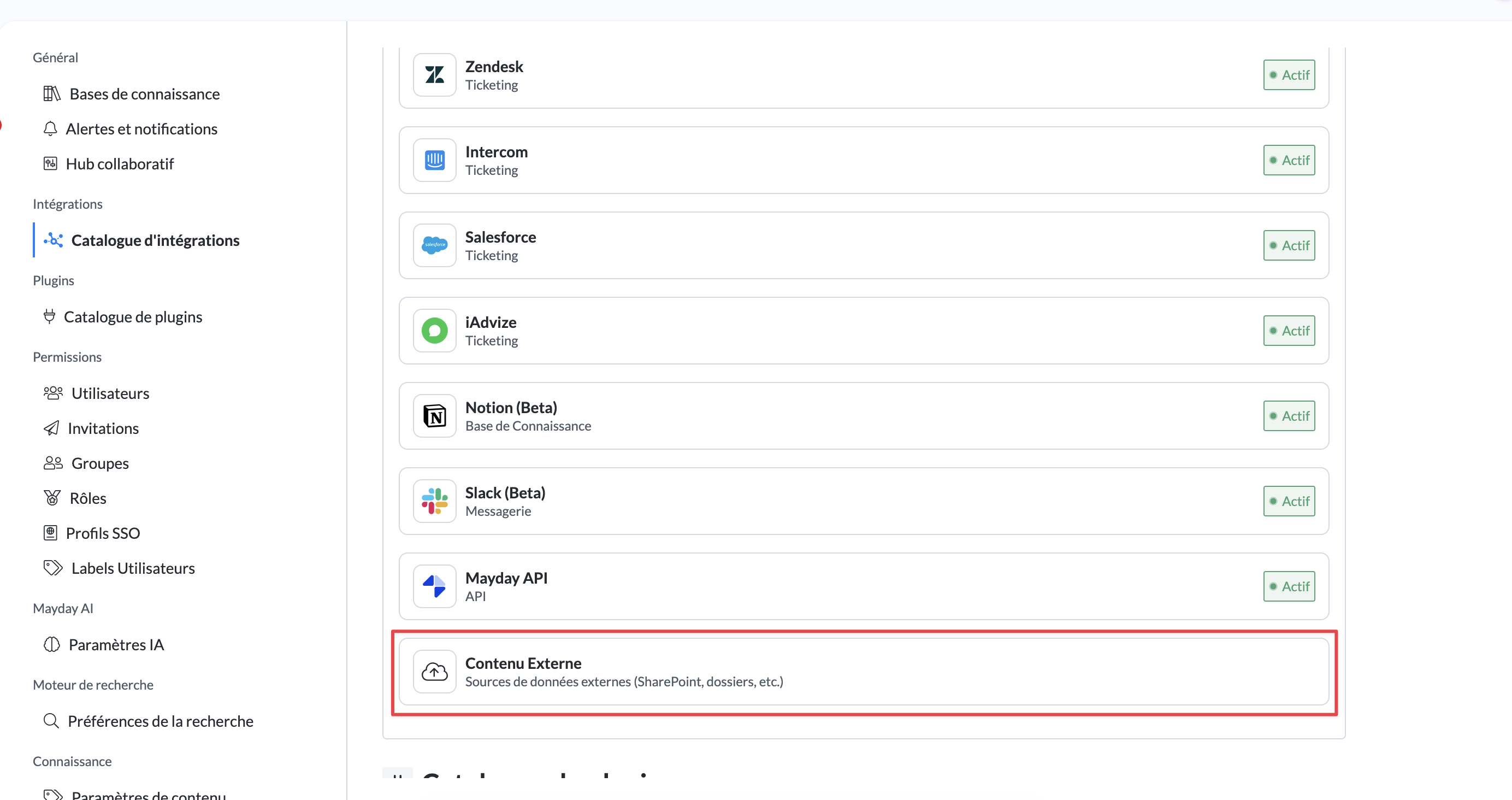
In the integrations catalog, click on External Content.
➕ Create the source
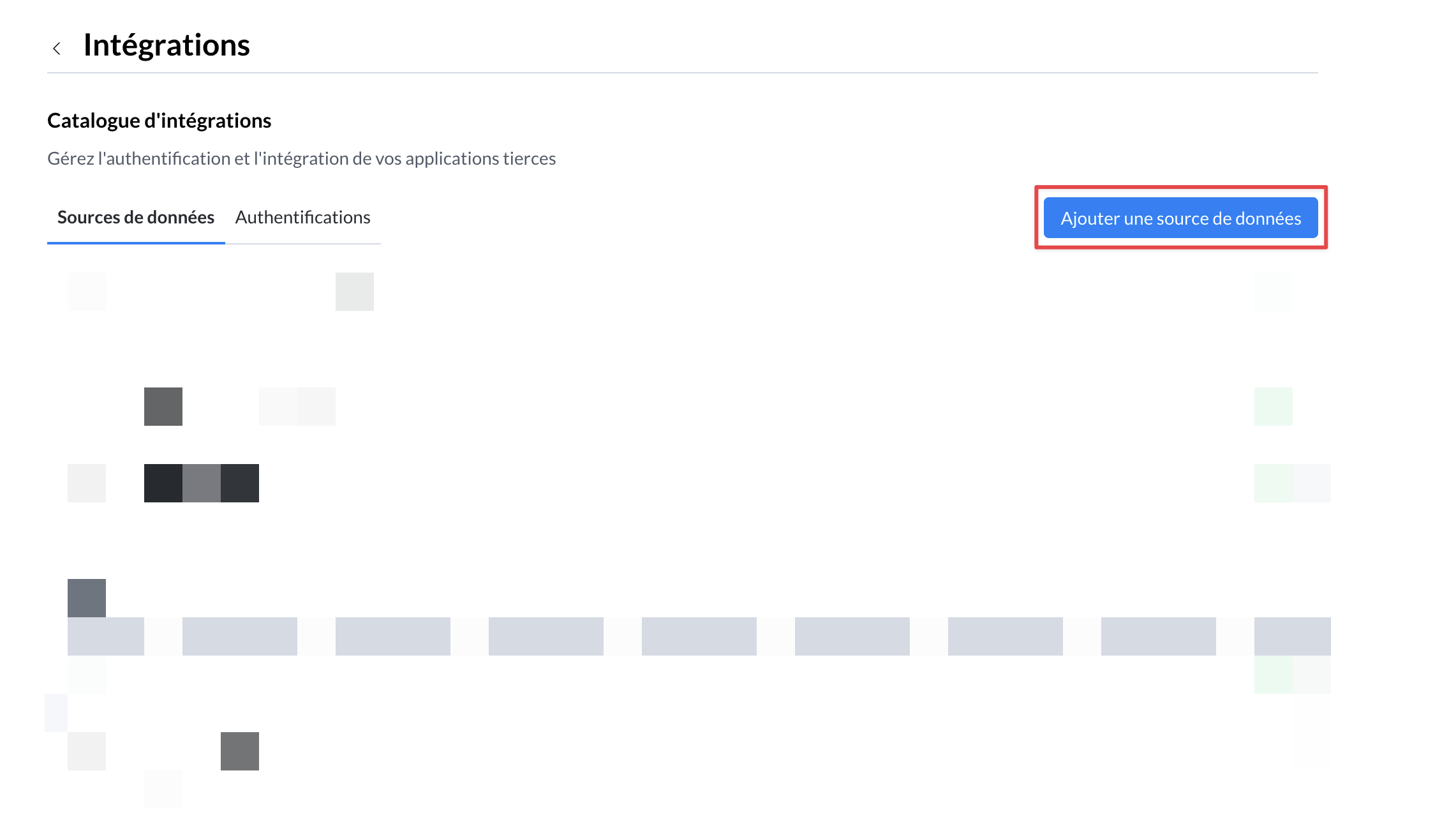
Create a new data source and choose the type Public Website.
👥 Define access
Define the groups that will have access to this data source.
🎯 Define the scope
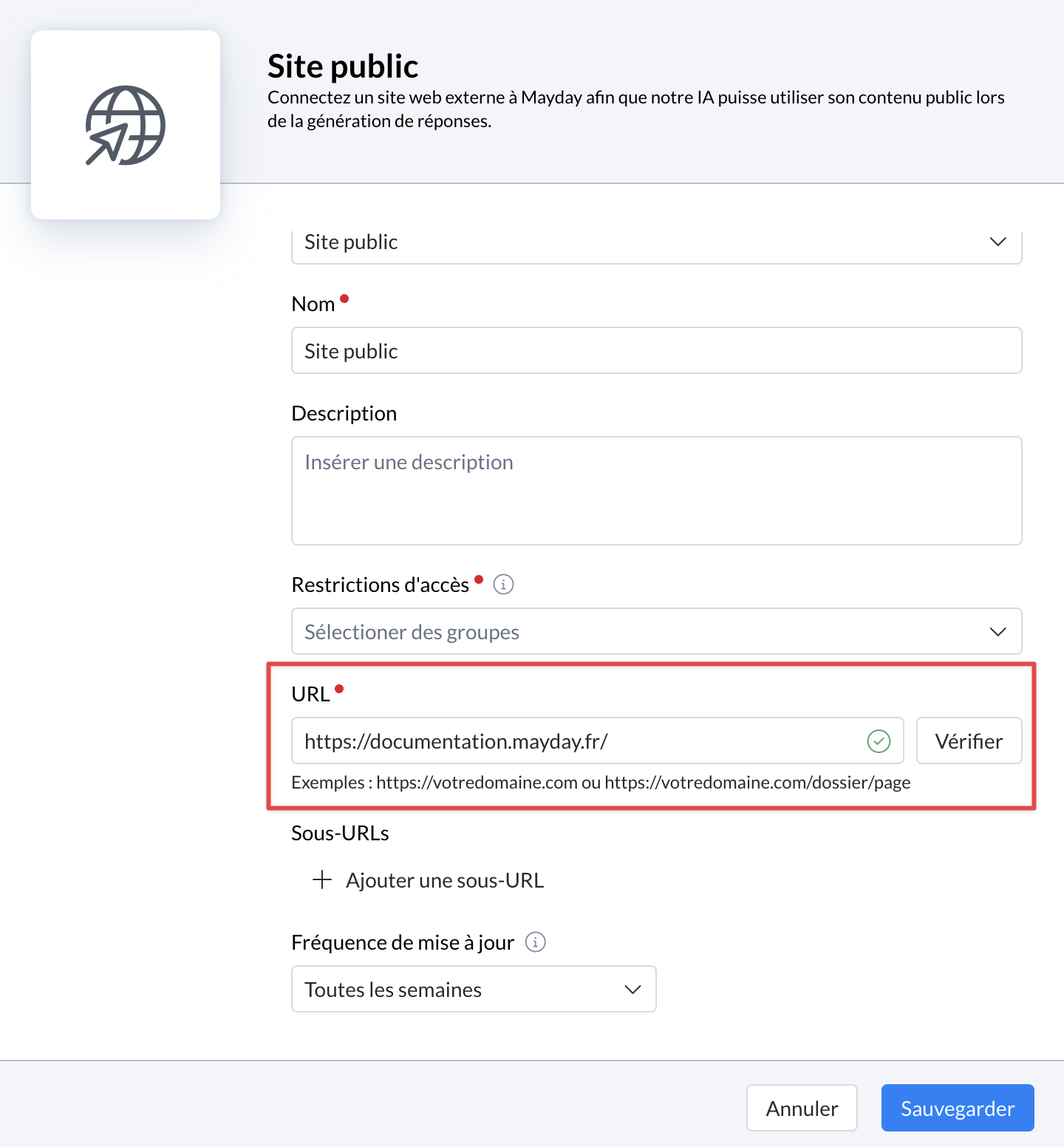
Paste the website’s URL to connect, then click on Verify.
Add sub-URLs if needed to connect only certain sub-parts or sub-domains (for example, a single language or a specific section of a help center).
🔎 Let Mayday verify
Mayday checks that the URL is valid, the website exists, it is indeed accessible, and a
sitemap.xmlis detected.The
sitemap.xmltells us which pages to retrieve, and we verify that technical conditions allow for correctly collecting the website’s information.
⏱ Choose the frequency
Select a synchronization weekly or monthly.
All indexed pages will be updated at this frequency (additions, modifications, deletions).
If information changes infrequently, opt for monthly.
🔄 Start the first synchronization
If the URL is validated and you save, the first synchronization can take 5 to 10 minutes.
💡 Once the URL is validated, a mouseover shows the number of pages detected.
✅ Verify the status
At the end of synchronization, the data source changes to Active status.
🤖 Connect a public website to an AI agent
Once a public website is connected and active, the information it contains can be accessed:
Directly via the search engine.
In the responses provided by AI agents.
To allow an AI agent to access this information, it is necessary to explicitly grant access to the data source:
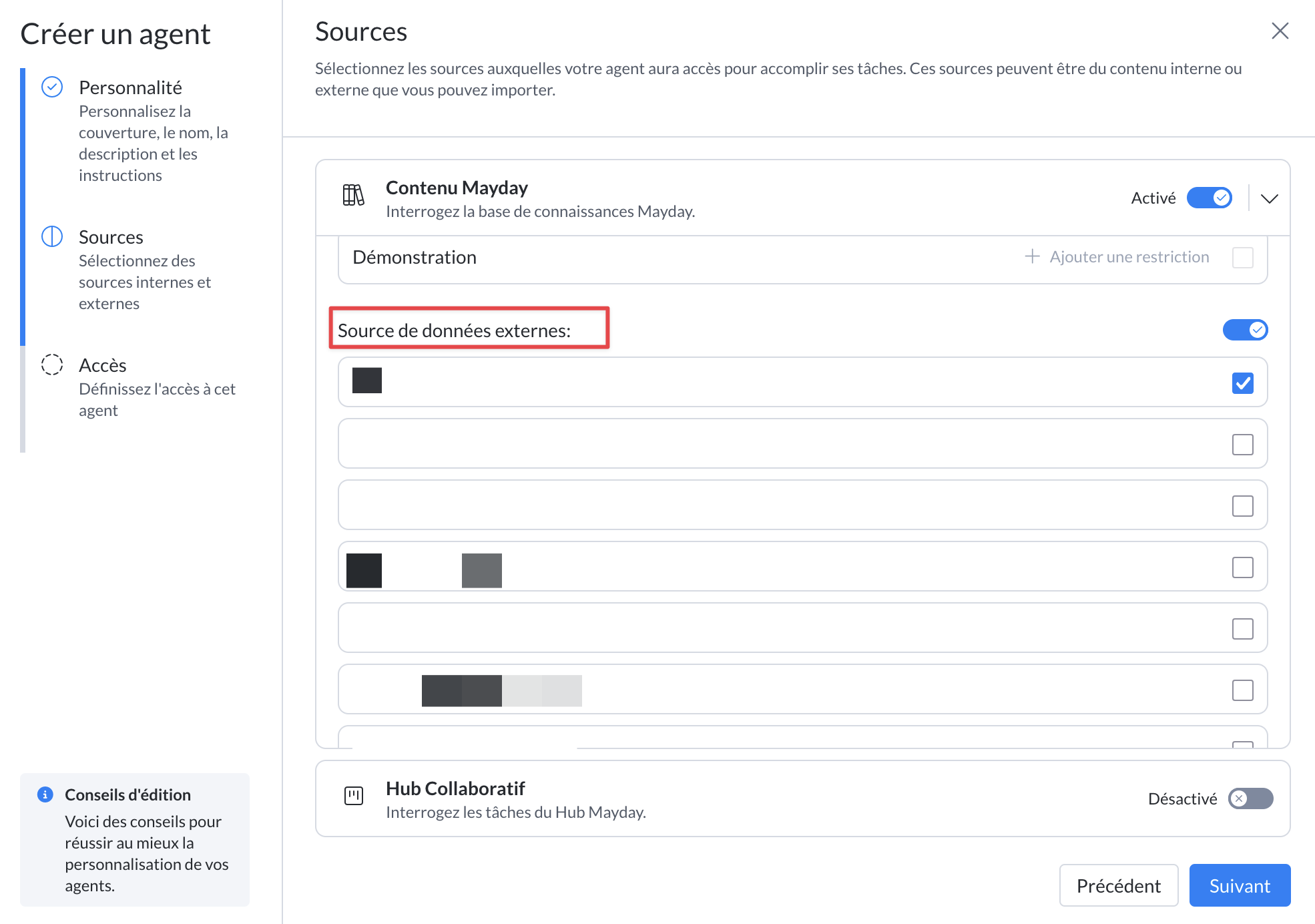
In the agent AI’s “Sources” tab, select the “Mayday Content” source.
Activate the external data source corresponding to the desired public website.
Only groups with access to this source will benefit from the information it contains.
To learn how to customize an AI agent, refer to the corresponding documentation:
⛔ Information and limits
ℹ Important information
The number of pages retrieved per website is limited to 50,000 pages.
Beyond this limit, additional pages will not be retrieved.
⚠ Limits to be aware of
Many websites are not eligible as they prevent the required information retrieval, and we cannot bypass these restrictions.
Examples of ineligible websites:
Websites that are too large, with substantial page volume (example: https://support.apple.com/fr-fr).
Single Page Apps (SPAs), incompatible with this function.
Zendesk Help Centers, which also block this retrieval mode.
Many other websites protected by various methods that do not conform to the standard robots.txt.
✅ URL verification insights
Some ineligible websites can be blocked during URL verification, while others may not.
Cases detectable during verification:
Websites that explicitly refuse scraping via their robots.txt file.
Websites whose sitemap takes more than 60 seconds to load.
Thus, some public websites may be validated but not work subsequently.
Be sure to check the status of the data source a few minutes after starting the synchronization.
💡 Best practices
Favor a monthly synchronization if the website’s content changes little, to avoid unnecessary updates.
Use sub-URLs to limit the scope (by language or section) and comfortably stay below the 50,000 pages limit.
🔭 Coming soon
Extend the coverage of websites to enable connecting as many websites as possible.