📕 Introduction
Discover in this article how to create a category of training labels and add training labels on the Mayday Academy.
Create and assign labels to your training modules to categorize them, group them by theme, or easily sort and filter them!
🏷 How to create a category of training labels?
Go to your Mayday interface. Access the “Training Labels" section from the settings page.
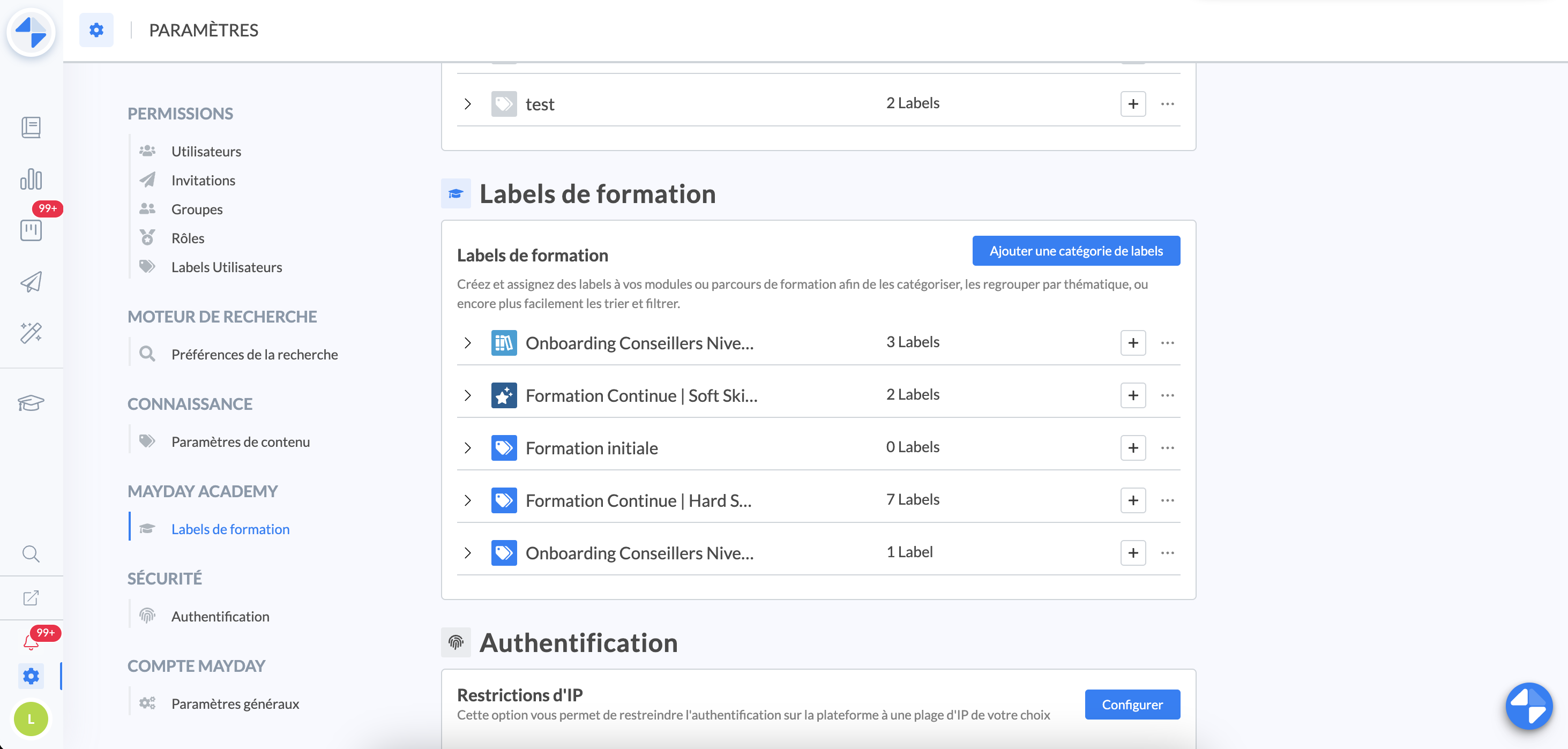
On the settings page, in the "Training Labels” section, click on the “Add a new label category” button at the top right.
📸 Screenshot
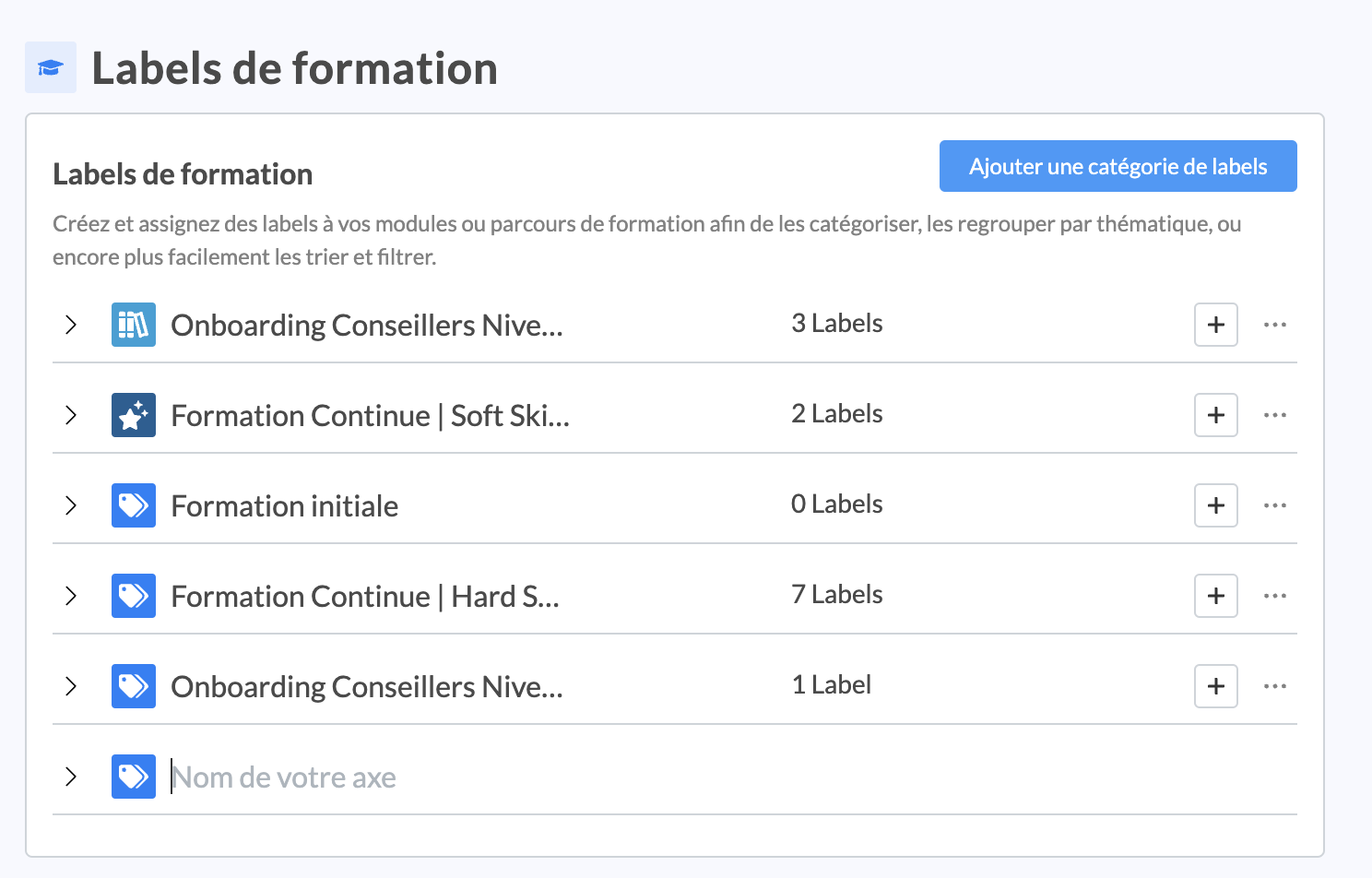
A new field appears and you must define the name of your training label category.
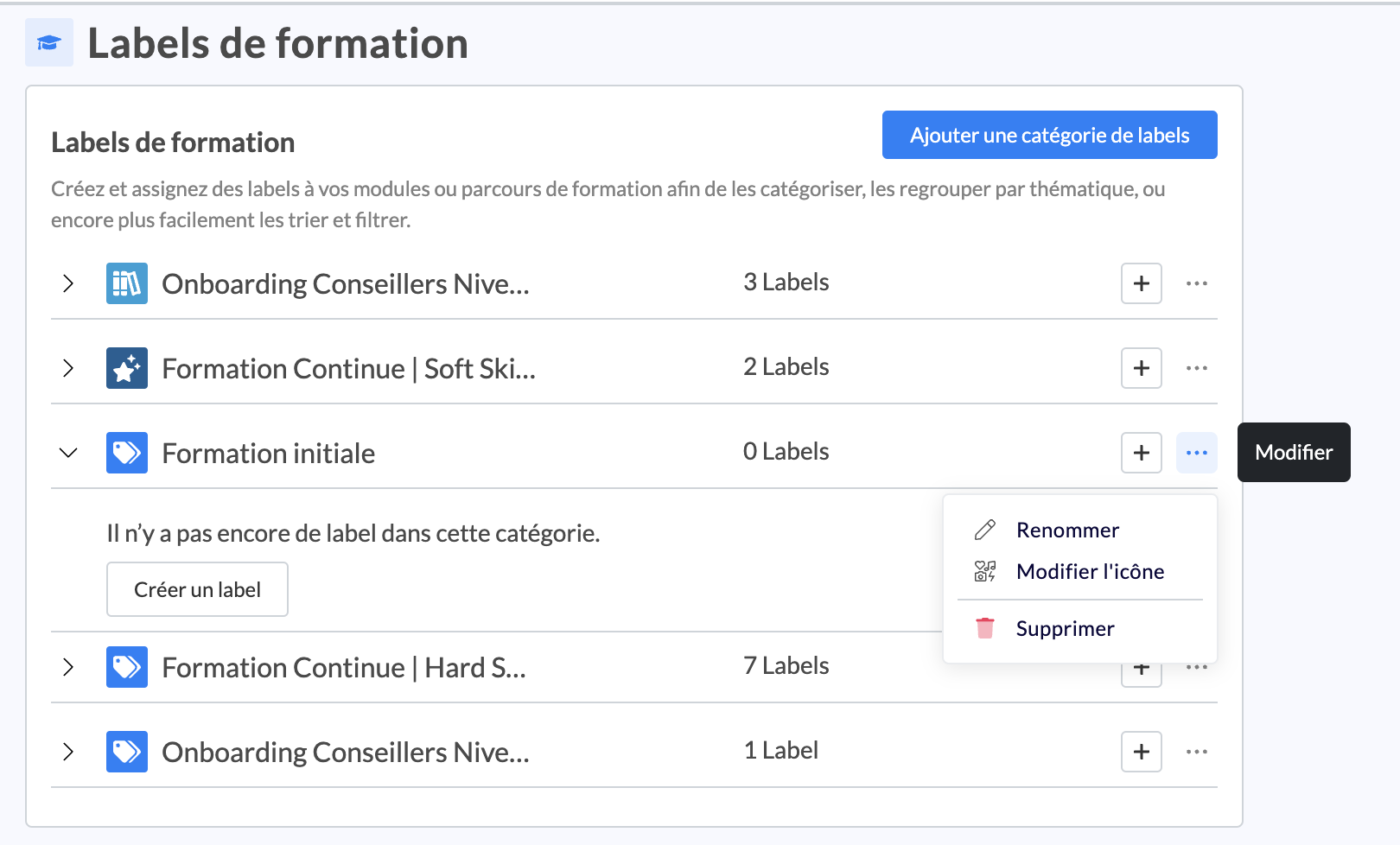
You can also set the icon that suits you to differentiate it by clicking on the three dots to the right of your label category
📸 Screenshot
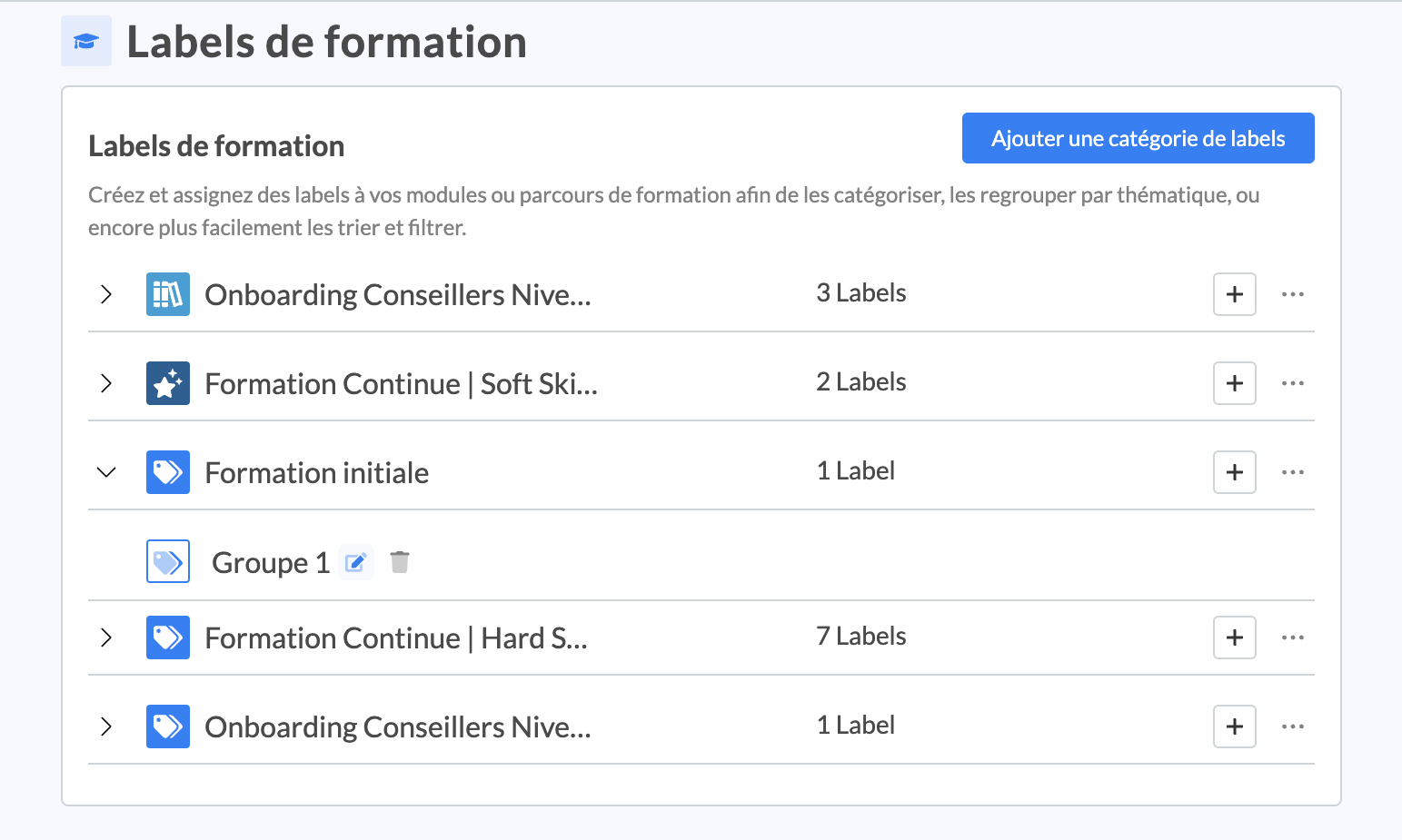
And there you go! Your training label category is created!
You can later rename or delete it.
Deleting a label category involves deleting the labels contained in that category, as well as the links to different users
⚙ How to add training labels to a label category?
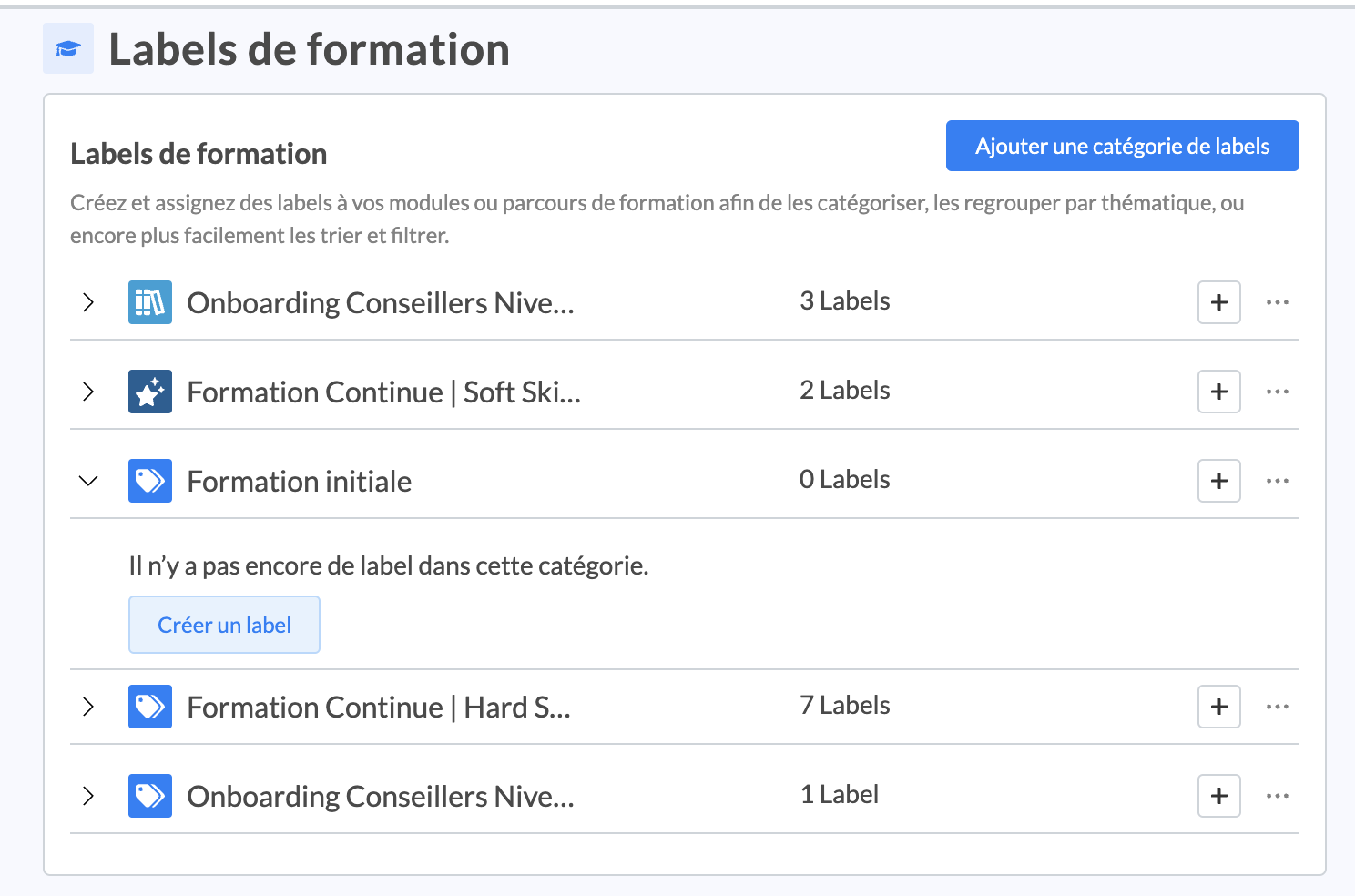
Once your label category is created, you can click the “+” button beside your label category on the right or expand the chevron on “Create a label”.
📸 Screenshot
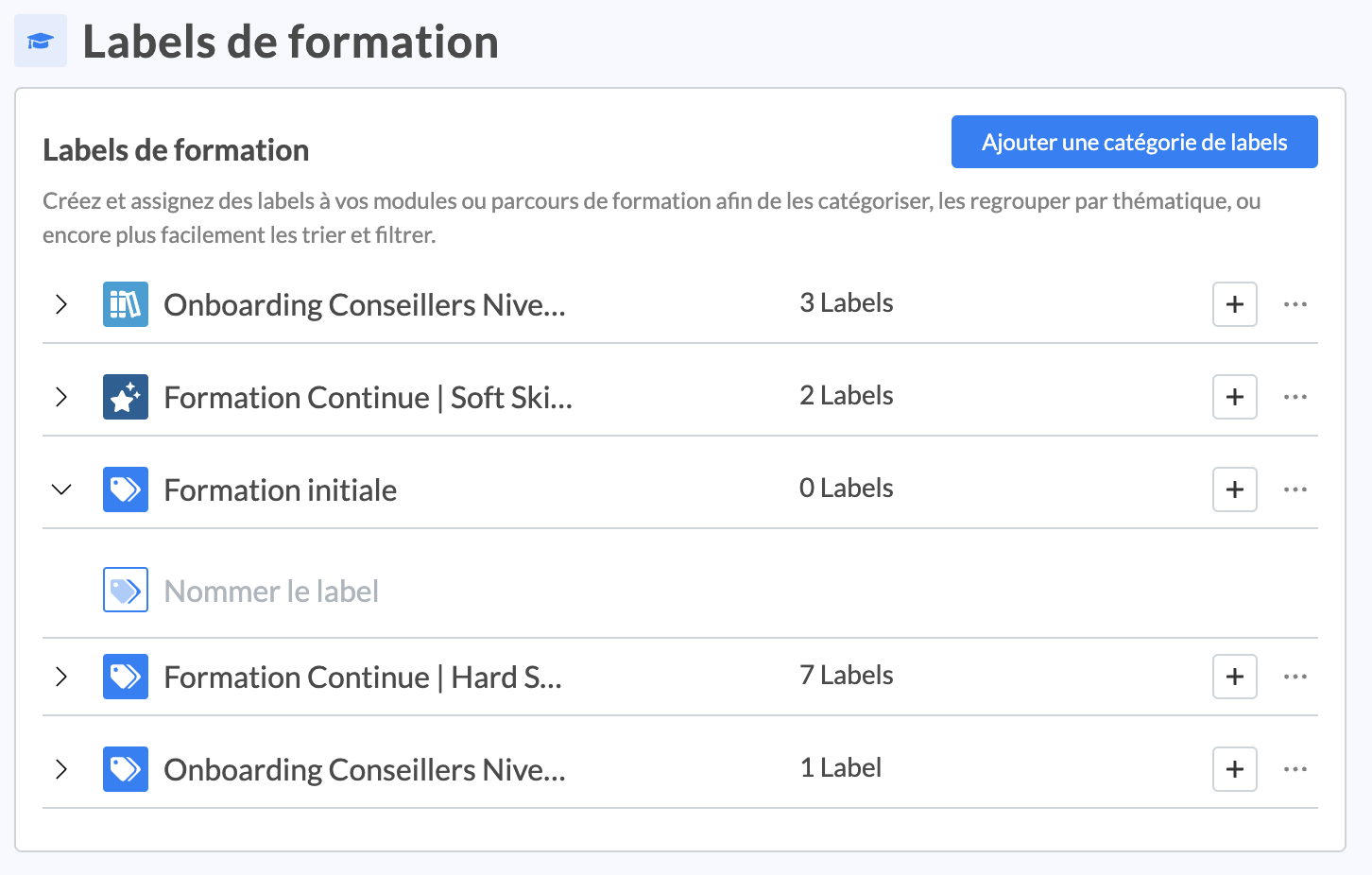
A new field appears and you must define the name of your training label.
📸 Screenshot
You can set the icon that suits you to differentiate it by clicking on the default icon for your label
📸 Screenshot
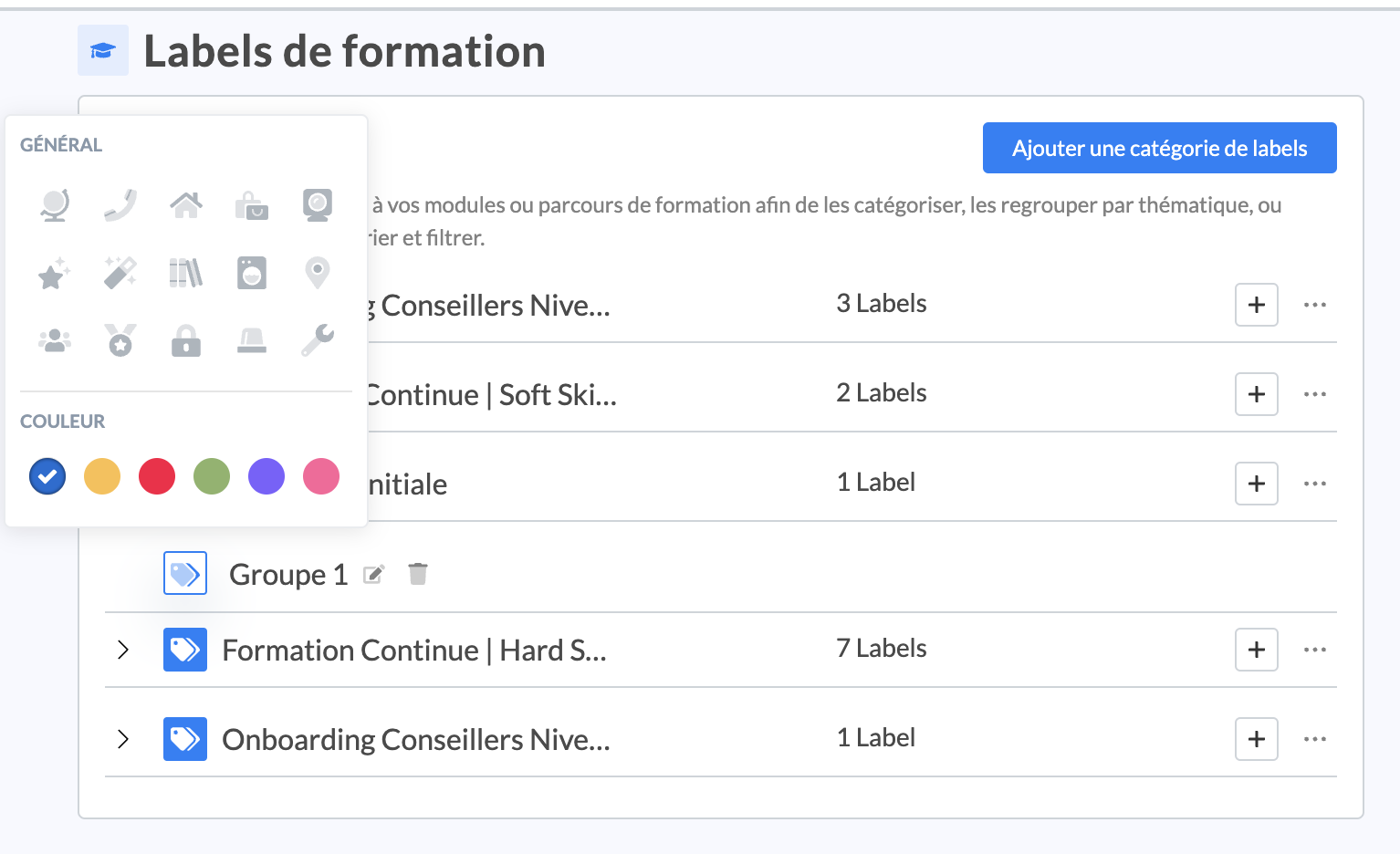
And there you go! Your training label is created!
You can later rename or delete it.
📸 Screenshot