📕 Presentation
Discover in this diagnostic how to create and set up a training path on the Mayday Academy
Go to your Mayday Academy administrator interface to create your first path!
🌟 With this new feature, create customized, tailor-made, and sequenced training for your advisors for gradual and optimal learning.
🔥 Gamify and energize your advisor's training with a visual and playful interface that hopefully will please your advisor!
✨ What do Mayday training paths offer you?
The ability to assemble a series of training modules, Mayday content, taking into account the progression of advisors.
The conditioned advancement of a path, allowing personalized progression based on advisor performance.
A playful interface to structure learning and pace the training to keep your advisors motivated over time!
🎯 For what purpose?
Ensure logical pedagogical progression by sequencing the learning to facilitate the understanding of subjects and develop a set of interdependent skills.
Create personalized training, tailored to the needs and objectives of each learner and maintain their engagement with clear goals and milestones to achieve.
✍ How to create a path?
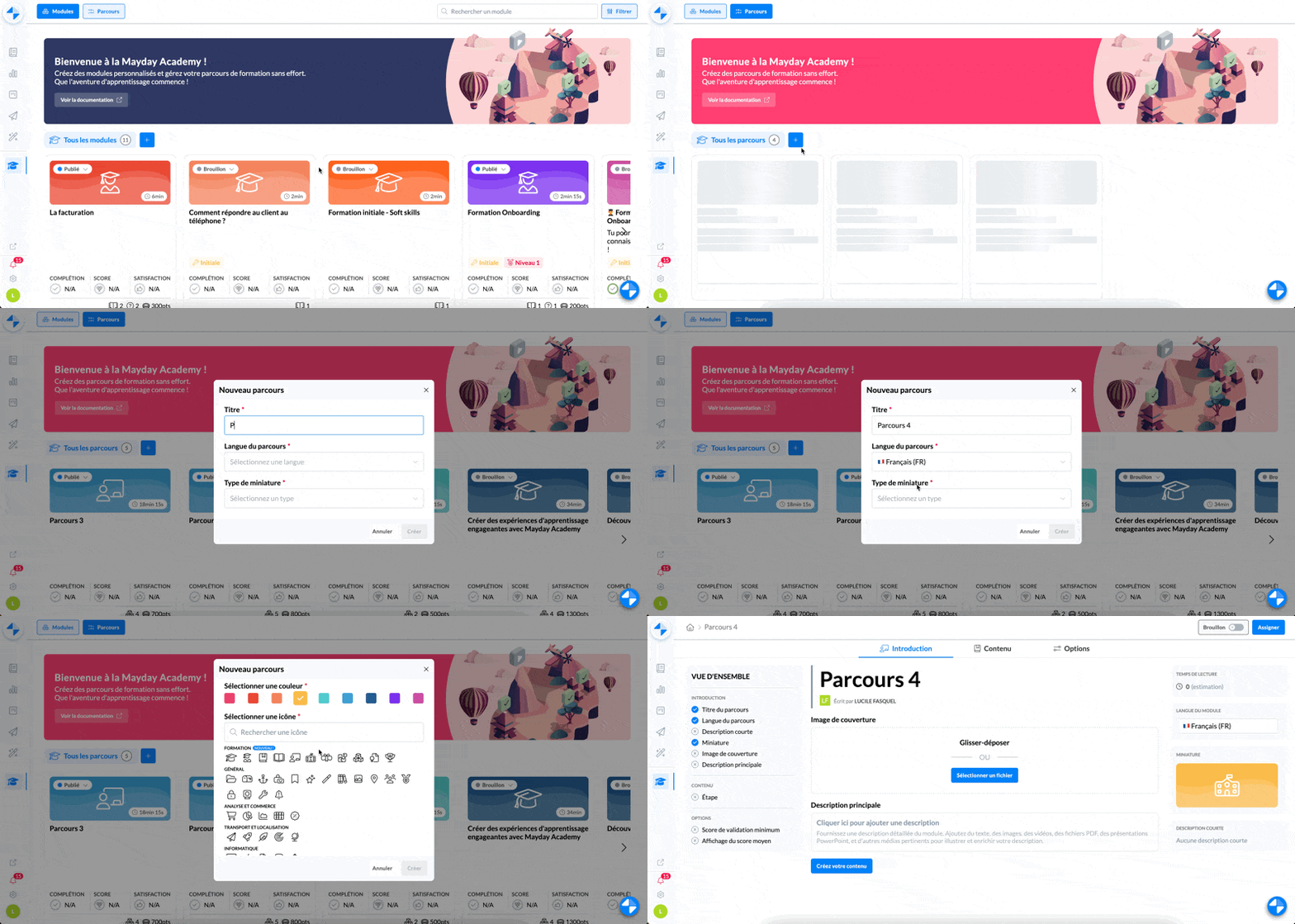
Create a training path on the Mayday Academy
On the homepage, click on the "Paths" tab at the top left of the screen
Click on the "Create" button or on the "+"
To create your path define:
the title of the path
the language of the path
a thumbnail
And there you go! Your path is created!
⚙ How to set up a path?
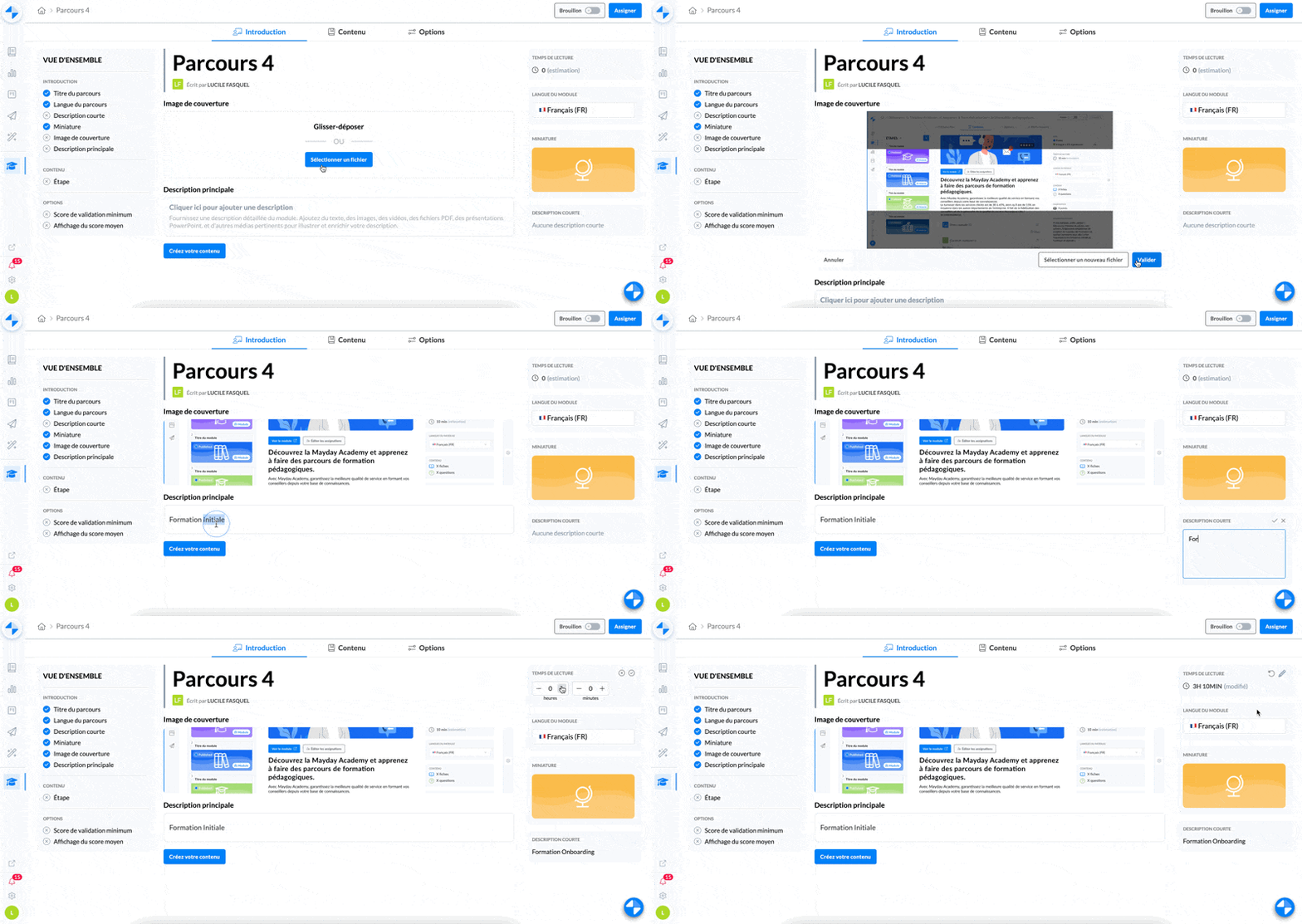
Set up a training path on the Mayday Academy
Define in the "Introduction" section:
a long description
a short description
a cover image
an estimated time to complete this path
By default, this time will be defined by the estimated time of the modules that compose it
. Configure your path options if you wish to define:
Documentation available here:
Attention: changes made to existing paths are automatically updated and visible directly by learners
⚙ How to create the content of my path?
Documentation available here:
⚙ Assign and publish the content of my path?
Documentation available here:
👩🎓 What does the path look like for learners?
Documentation available here: