📍 Find the list of your automations
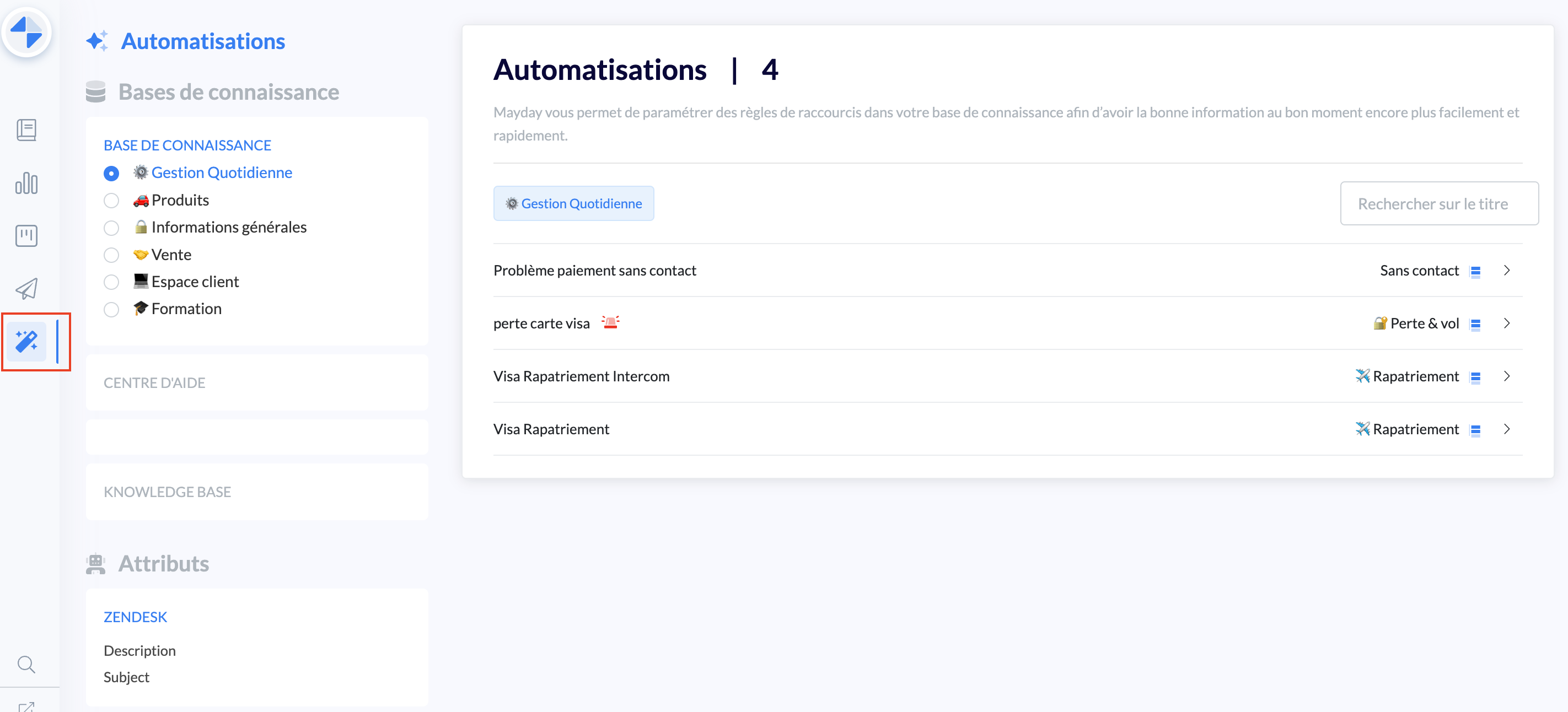
In the "Automations" menu, you can find all the rules applied to your knowledge base.
You can apply a filter by knowledge base and collection to easily search for a rule.
🤖 Displaying an automation on Zendesk
A yellow banner will appear above "Home" to suggest content to the advisor.
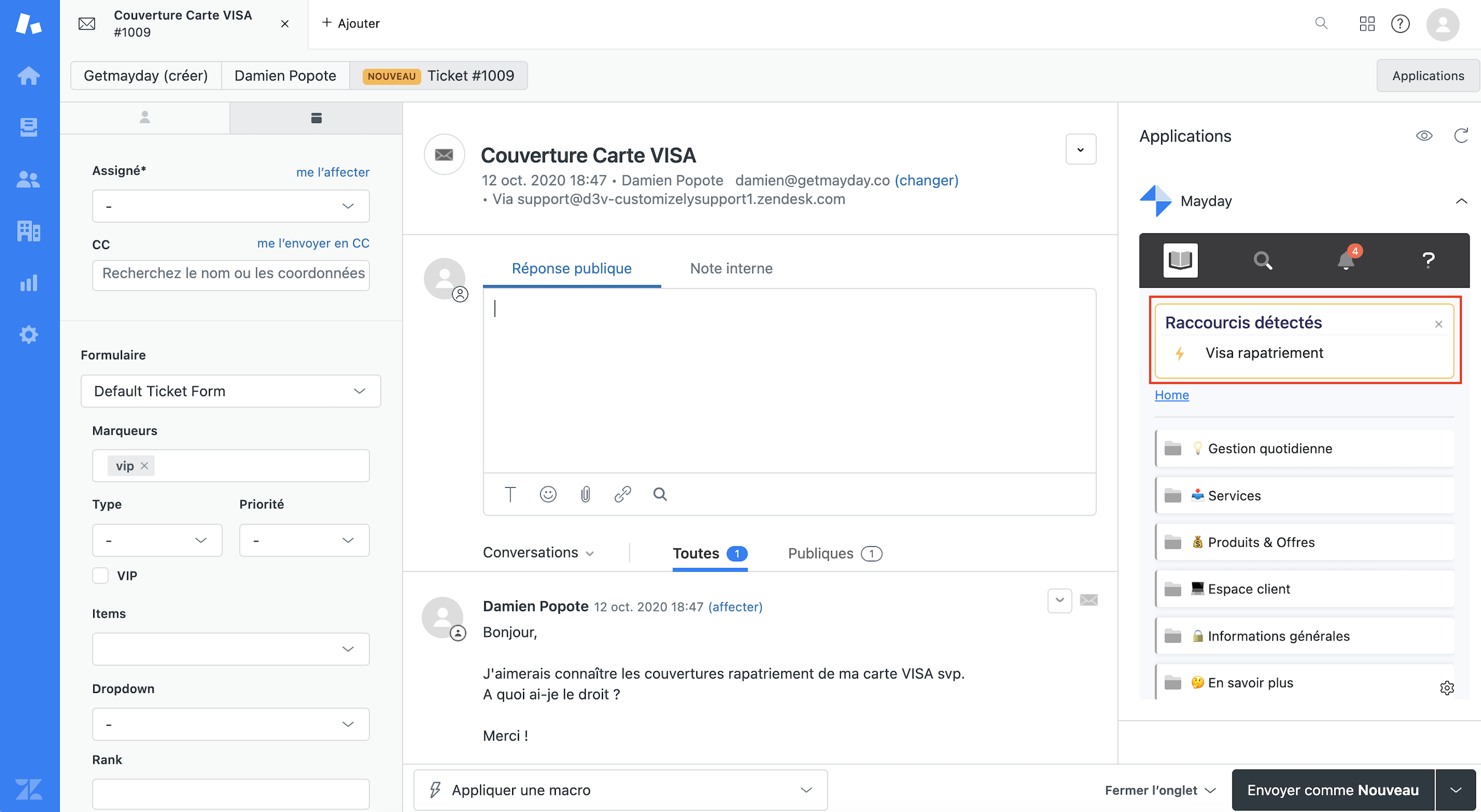
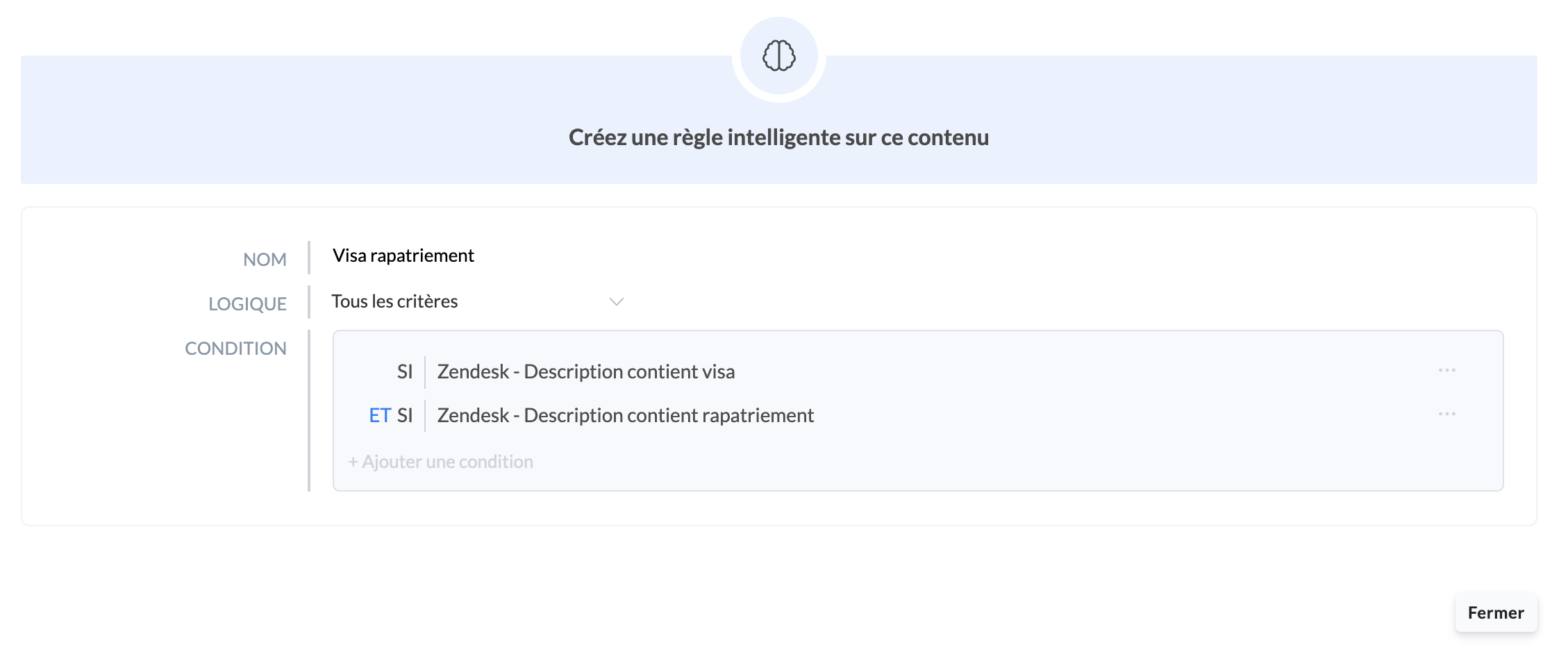
In this example, the customer ticket body contains the keywords "Repatriation" and "Visa".
The configured automation rule is as follows:
🎥 Watch on this video the display of a shortcut linked to an automation on Zendesk!
Next Steps:
Back