Discover in this content how to create multiple language versions for your Selfcare
🎯 Use Case
Your customers are international and you want each of them to view content in another language with one click?
You have the option to add one or more languages to your Selfcare.
⚒ Add a language to your Selfcare
First, go to the settings of your Selfcare (you can refer to this article for guidance: )
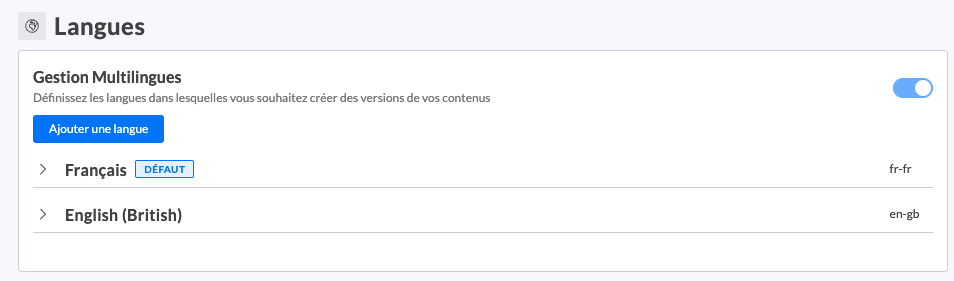
In the “Languages” section, add the language of your choice. Don't forget to provide:
The site title: This is the overall title of your public site in the related language. It is the one that will be attached to the favicon in the browser tabs
The meta description of the public site: The meta description can be defined as the header of a website. The meta description is one of the fundamental elements of your site's SEO.
The new language version of your Selfcare is now created
📸 View the "Languages" section in the settings
It is now necessary to create new versions of your Selfcare content.