Once a new language is added to your account, find how to create multiple language versions of your existing content
⚒ Add a content version
In your administrator interface, you can access the versions of your content in the chosen language.
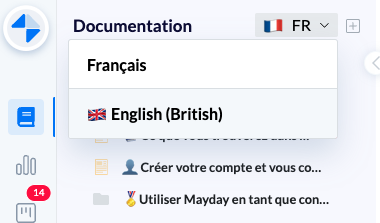
Content that does not yet have a newly created language version is identified by the icon ⚠ next to its title
On the concerned content, click "create En version"

This will automatically create the new version in the chosen language, using the existing content in the initial language.
✨ You can use the Mayday AI auto-translation feature to automatically translate your content. For more information on this feature, you can consult the article
Your content now has 2 language versions.
Content versions are independent : if a change is made to one version, it must also be made to the second version of the content.
✨ Mayday AI nonetheless offers you to synchronize the different versions when a modification is detected, in one click!
