By activating this plugin, you will be able to define content related to the currently reading content in order to guide your readers to quickly access similar and relevant content for them.
⚙ Actions to perform
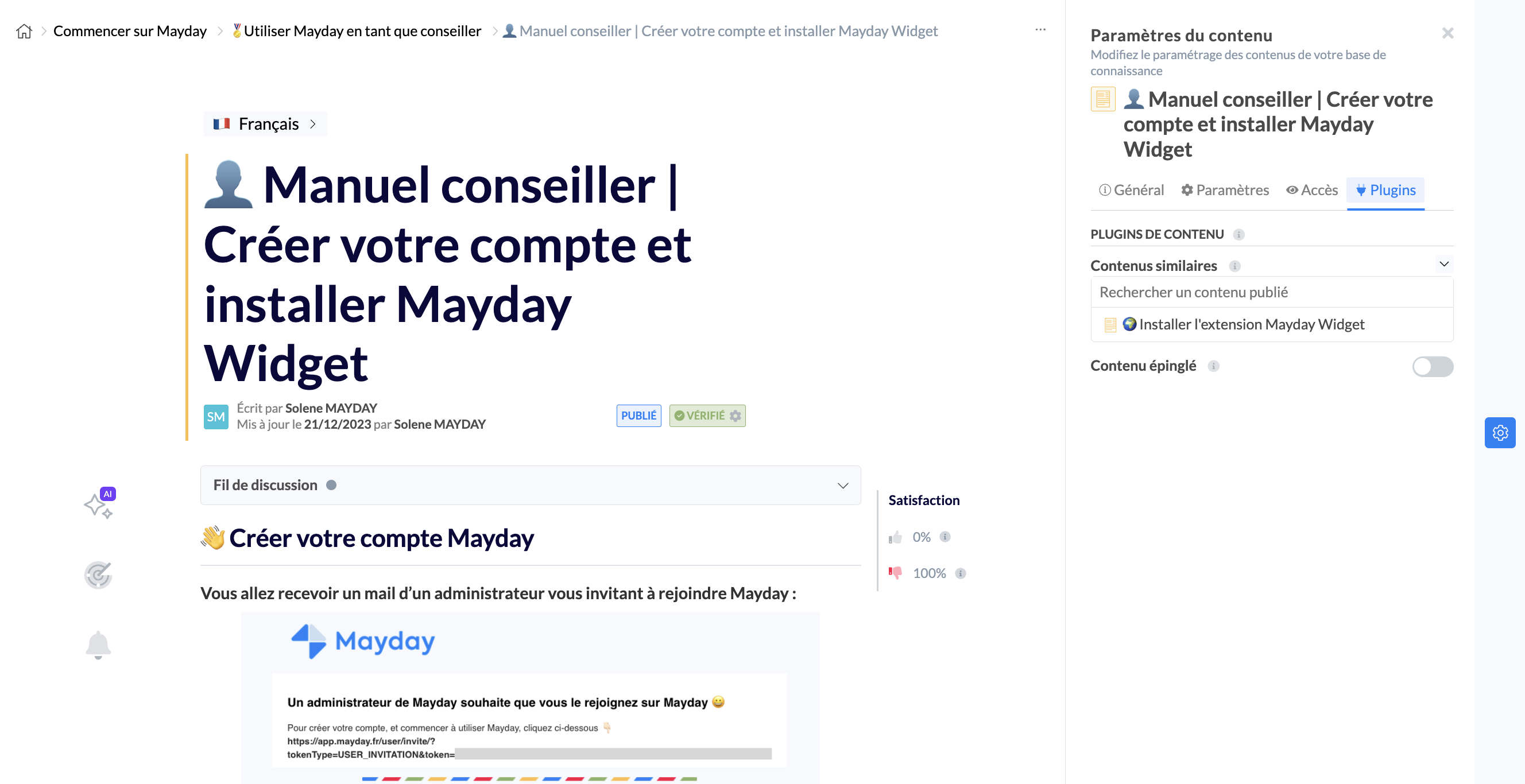
To do this, you need to go to a content, then in the settings of this content in the " Plugins " section. You will be able to associate related content by searching in the library of published content.
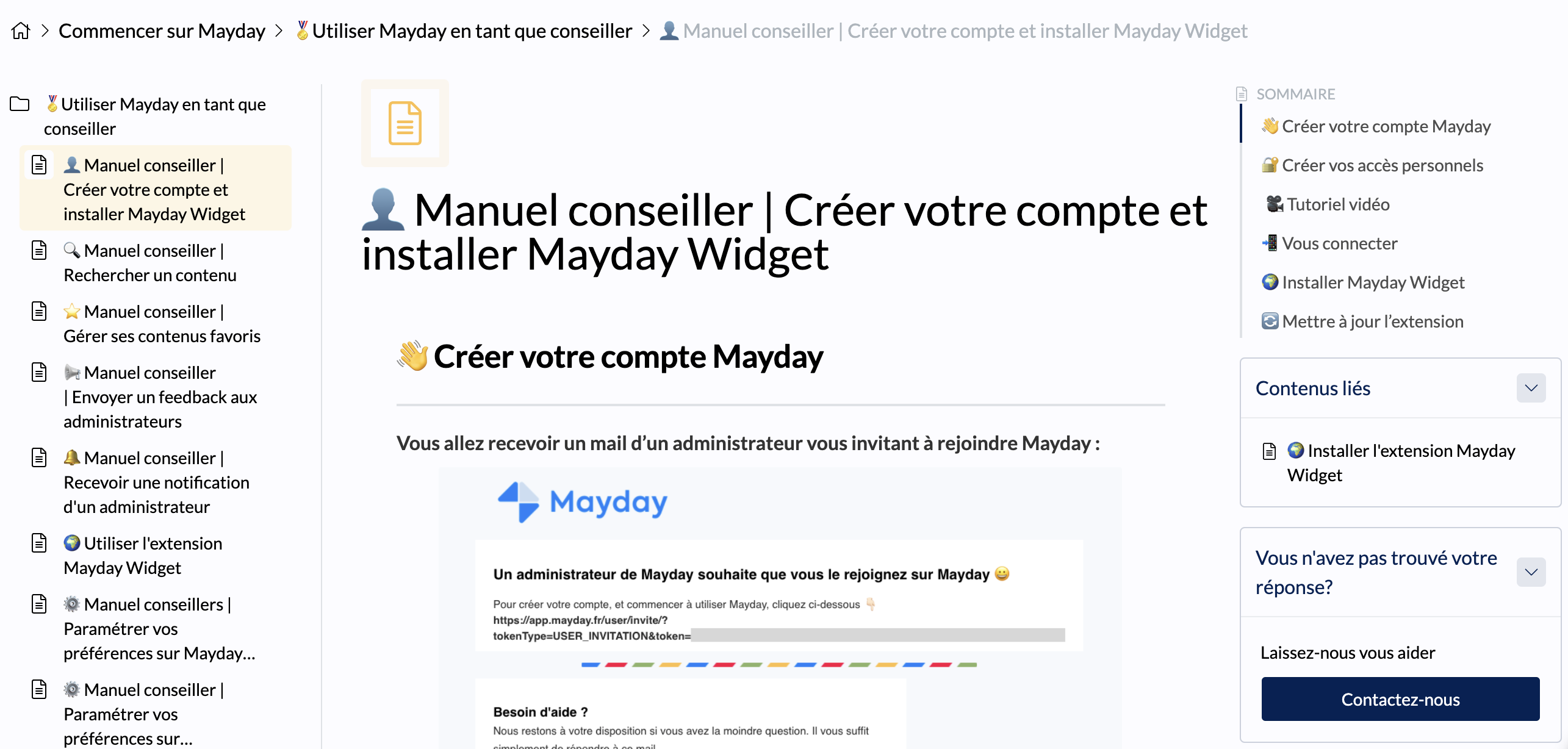
Thus, when reading the content, your customers will see the section "Related content" with the previously configured article.
Next Steps:
Back