By activating this plugin, you will be able to add a contact form to allow your customers to contact your customer service if they have not found the answer to their questions autonomously.
⚙ Actions to perform
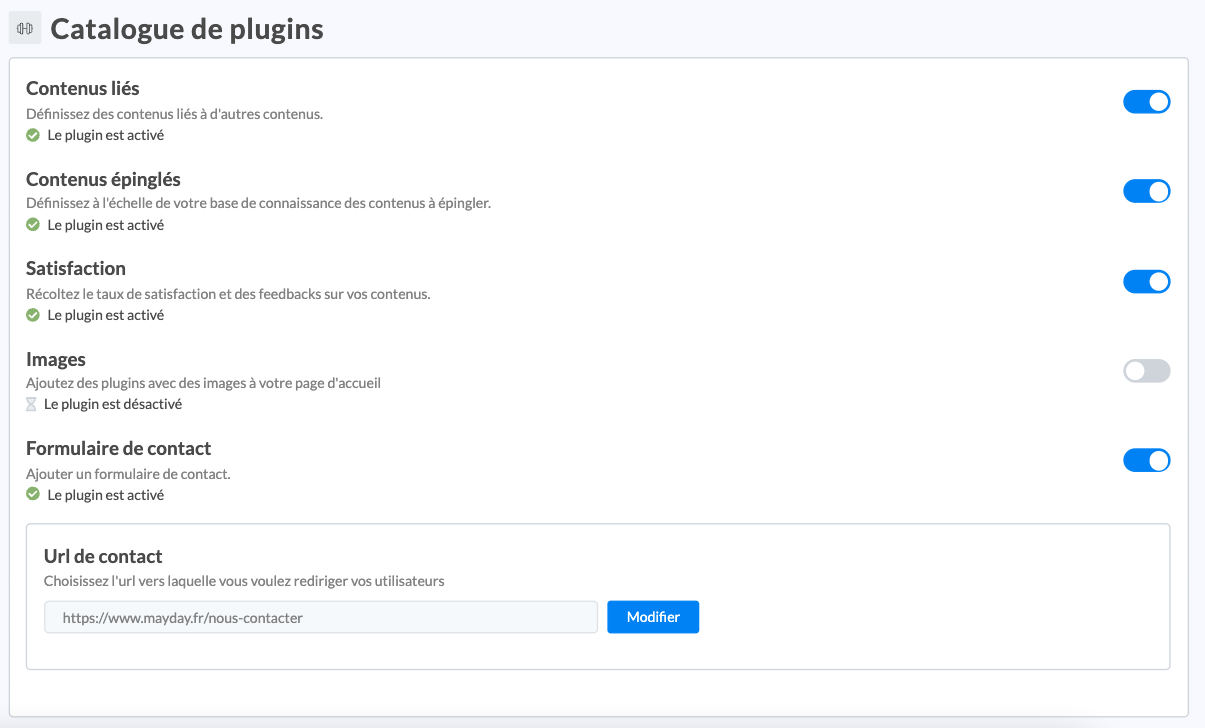
In the Plugin Catalog of the settings of your external knowledge base, please insert the URL to which you want to redirect your users:
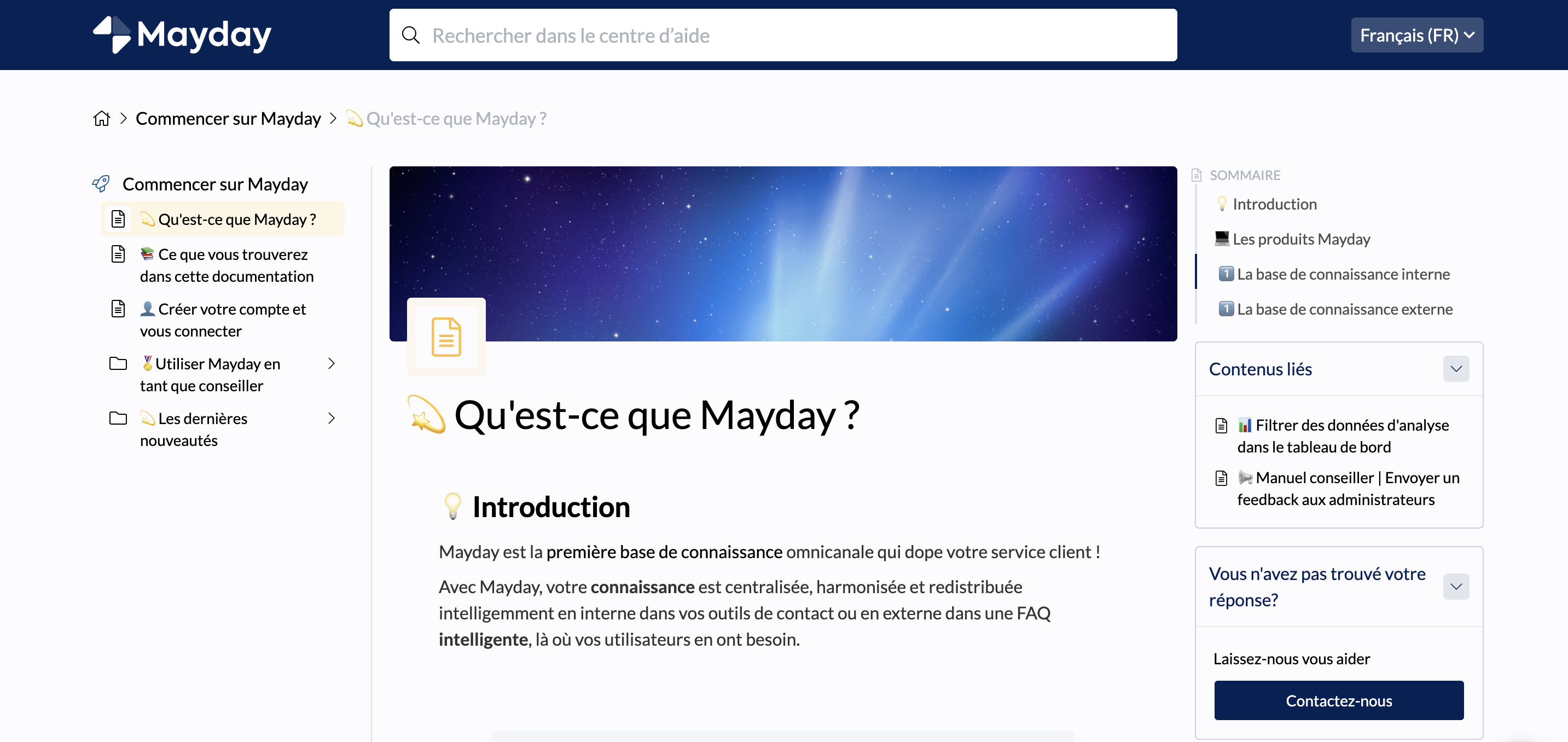
Thus, for each content, your customers will be able to click at any time on the "Contact us" link in the "Did not find your answer?" section to contact your customer service:
Next Steps:
Back