🔍 Configure the search
You have the possibility to change the search engine preferences of your public knowledge base.
📸 View search engine settings
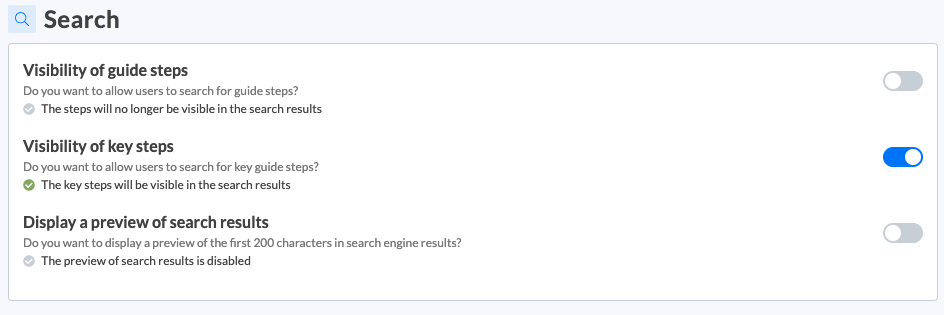
You have the possibility to activate:
Visibility of guide steps: by activating this preference, all the steps of your guides can appear in the search results. On the other hand, if you leave this preference disabled, no guide step will be displayed in the results. You can then choose to display only key steps.
Visibility of key steps: by activating this preference, only the steps that you have identified as key steps can appear in the search results. To define a step as a key step, you can consult the content concerning the creation of a guide in your knowledge bases, in the " 📝 List of features" section.
Preview of search results: by activating this preference, the first 200 characters will be displayed on the search engine results.