🕵♀️ Configure SEO
You have the possibility to configure SEO preferences, in order to ensure the referencing of your public knowledge base.
📸 View SEO settings
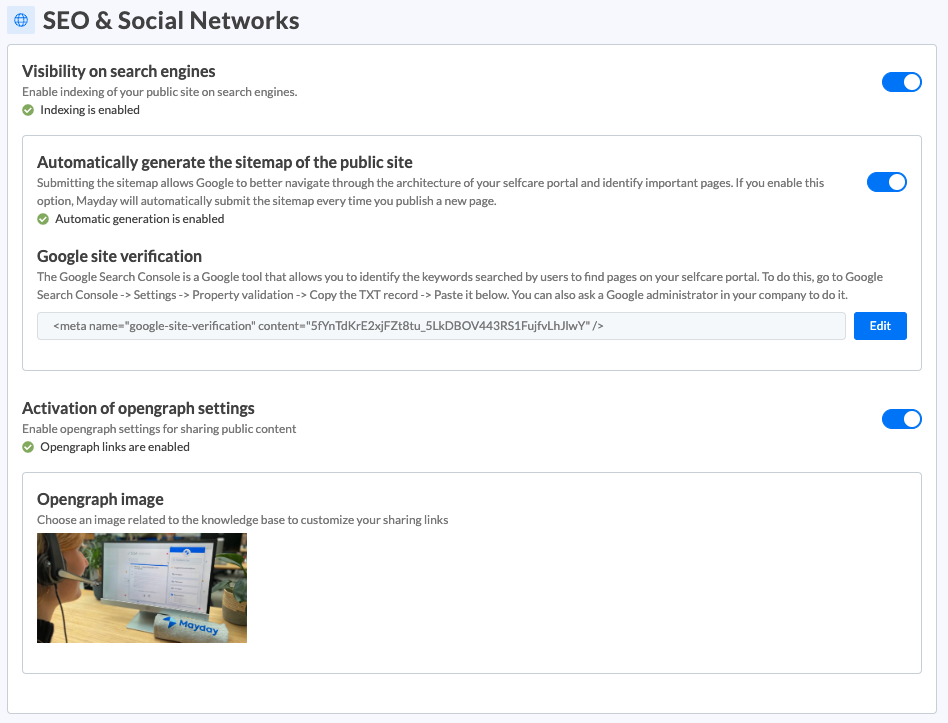
You can choose to activate:
Visibility on search engines: which will allow you to make your Selfcare visible in search engine results
📸 Example
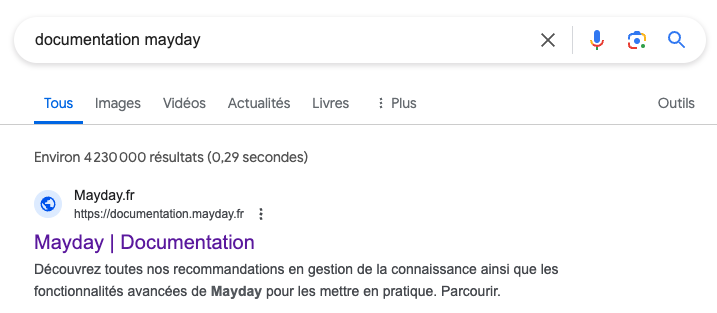
When you activate visibility on search engines, you can:
Automatically generate the sitemap of the public site, which means allowing Google to navigate through the architecture of your Selfcare, and identify important pages.
Activate Google site verification: The Google Search Console is a Google tool that allows you to identify the keywords searched by users to find the pages of your selfcare. To do this, go to the Google Search Console -> Settings -> Property validation -> Copy the TXT record -> Paste it in the dedicated space. You can also ask a Google administrator from your company to do it.
Opengraph settings: this allows you to choose an image that will be visible when you share the link to your Selfcare.