📕 Presentation
Discover on this content the notifications that agents at Mayday Academy can benefit from, whether they are automated or manual notifications.
On Mayday, there are two types of notifications for agents:
Manual notifications: these allow you to write a notification and send it to designated agents, to inform them of important information or news.
Automated notifications: these are notifications that are sent automatically when relevant, for example when a training is assigned to the agent.
🎯 Use cases
Notify agents on Mayday Academy so they are informed when there are trainings to follow, when there is important information, and at many other times.
✍ Send a manual notification to agents
If you wish, you can, from the administration center, write a notification to inform agents of more or less important news.
As a reminder, from the administrator interface, a "Notifications" section is dedicated to sending and tracking manually sent notifications.
For more information, please refer to the dedicated Mayday article on this section:
📥 Discover automated notifications
Automatic notifications are sent to agents at relevant moments during their training experience, such as when they are assigned to a module.
⚙ Configure Mayday Academy notifications
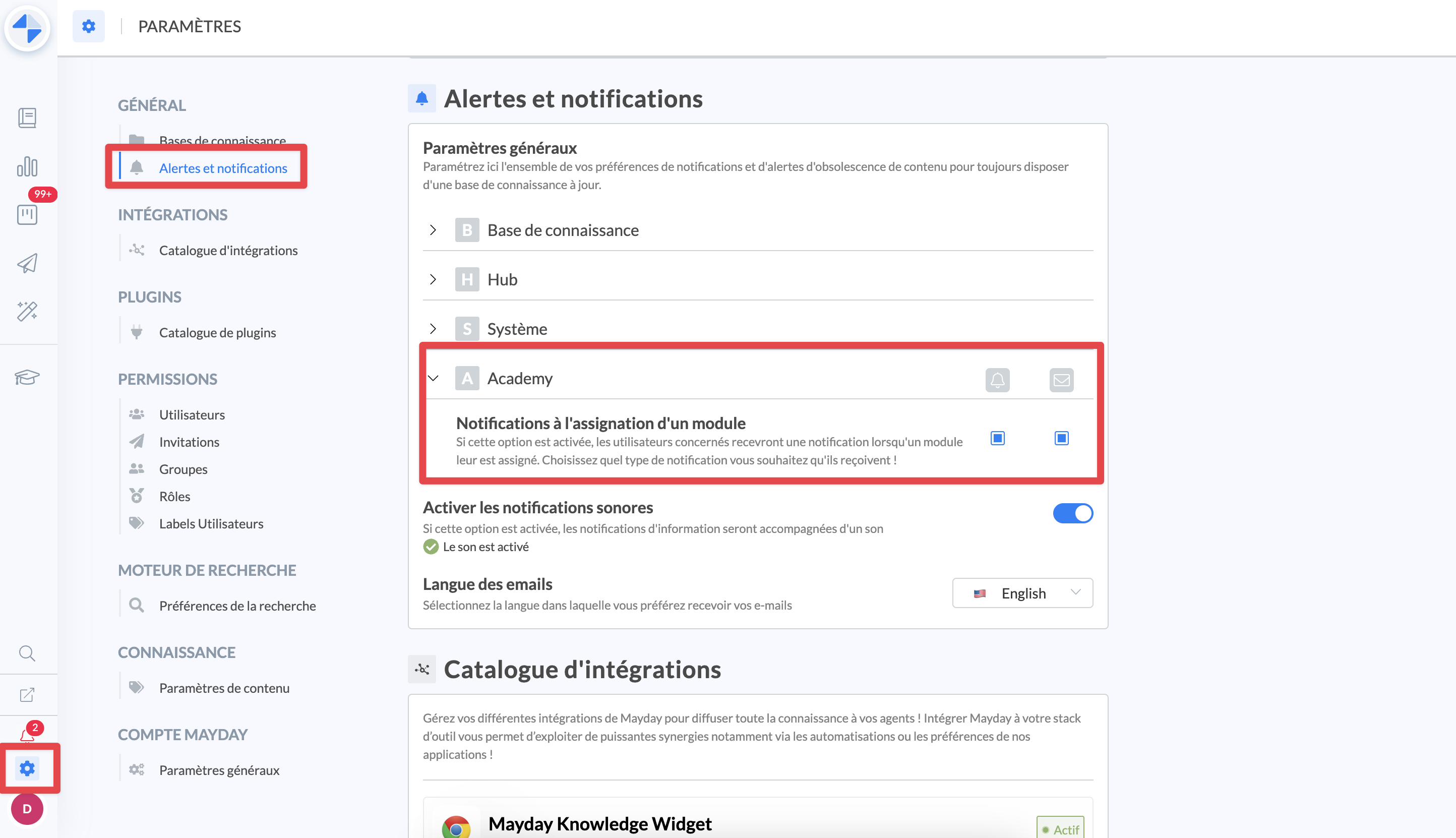
Like with knowledge base notifications, Mayday Academy notifications can be configured:
Admin Center > Settings > General > Alerts and notifications > Academy:
📤 List of available automatic notifications
Each available notification can be enabled or disabled on two channels:
Email: agents will receive an email for each notification
In-App: agents will receive a notification on Mayday
You can also, like with knowledge base notifications, choose:
To enable sound notifications
The language in which emails should be sent
✉ The list of available notifications on Mayday Academy is as follows:
Notification when assigned to a training: when an agent is assigned to a training, they will be notified and can start their training.
Notification when a training is completed (coming soon): when an agent finishes a module, they will be notified and can review their results and the correction.
Notification when a training is completed (coming soon): when all agents assigned to the training have finished the module, the administrator will be notified and can analyze the results.
Encouragement notifications (coming soon): if this notification is enabled, agents will receive encouragement notifications at different moments, such as every 1000 points earned, upon completing the first module, upon completing the fifth module, etc.