Discover on this content how to clone content on Mayday.
We know that creating content can be time-consuming. To simplify things, it is possible to clone one or more contents on Mayday knowledge bases.
🎯 Use cases
Save time creating content by using existing content
Clone content in multiple languages at once
📖 Clone a monolingual content
There are two possibilities:
I want to clone a single content
I want to clone multiple contents at once
1⃣ I clone a single content
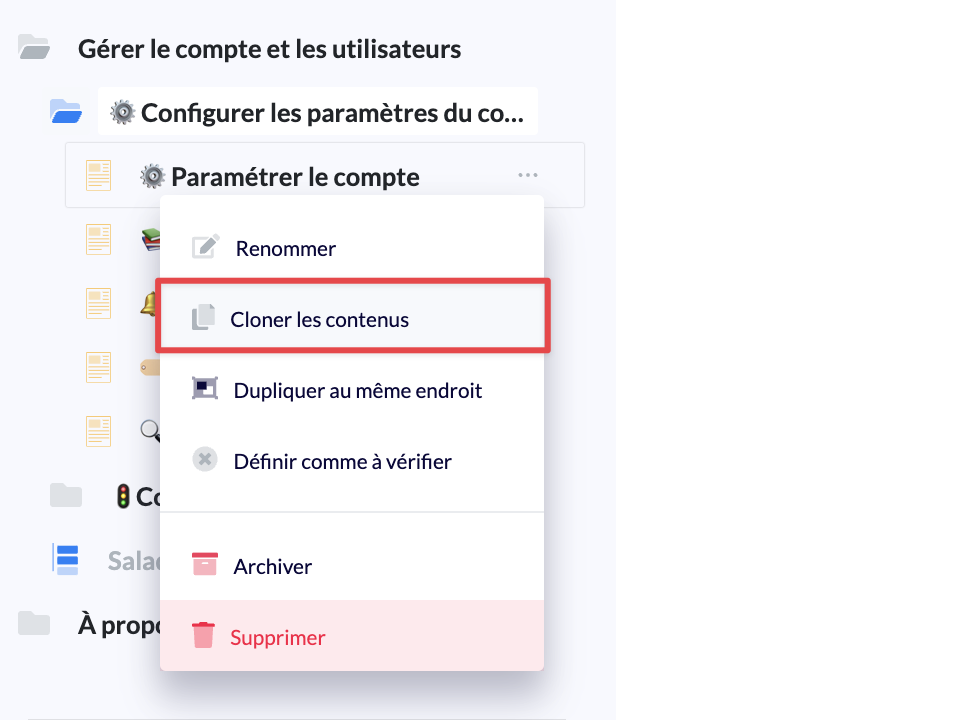
From the options related to this content (the "..." button next to the content title), the option "Clone contents" is available
I must then choose where I want to clone this content, by choosing at minimum a knowledge base and a parent collection.
I can, if I wish, select a collection, a sub-collection, and so on.
This allows me to choose precisely where I want to clone content.
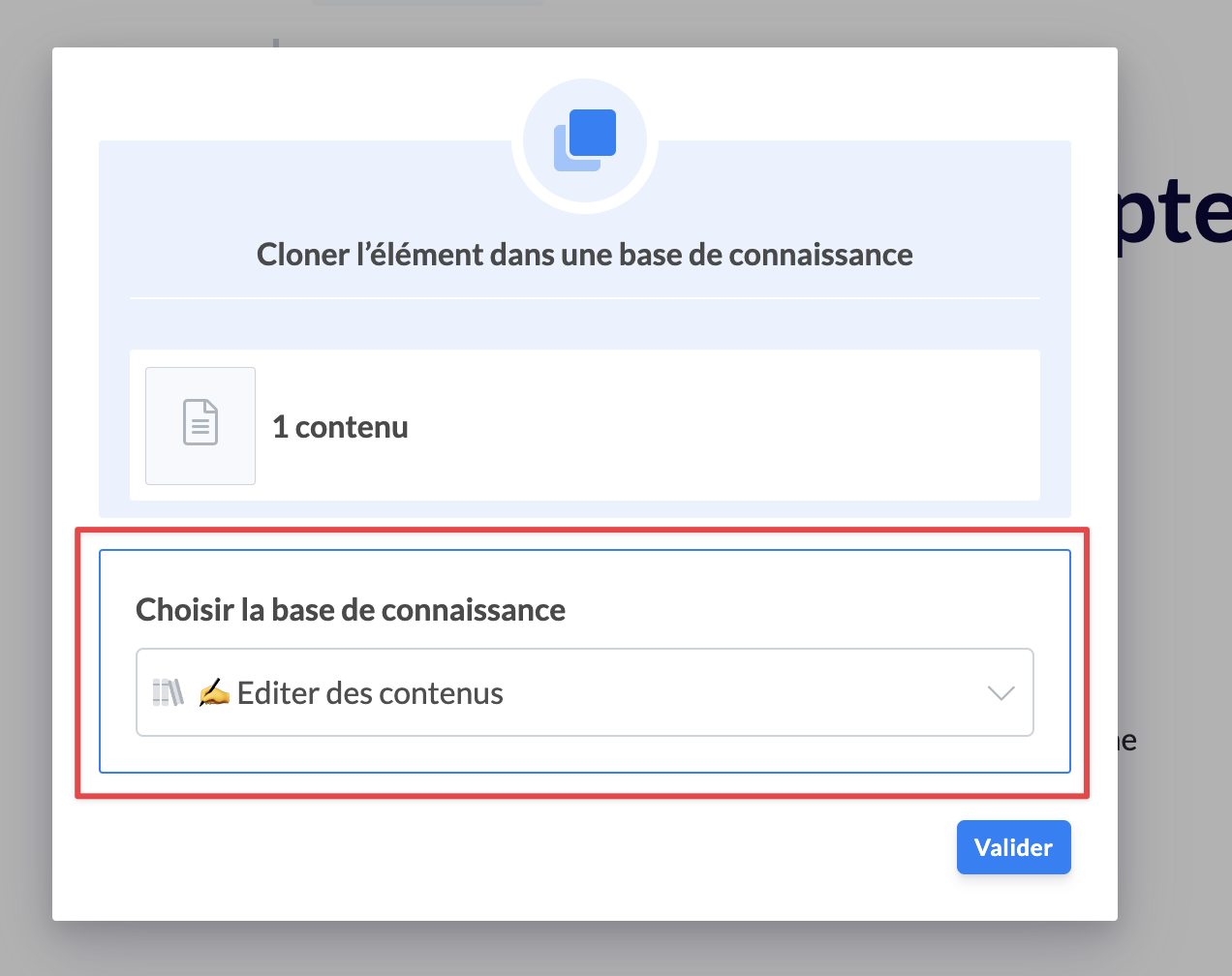
I validate the clone: the content is created in draft format at the specified location
2⃣ I clone multiple contents at once
From the view of a collection, I click on "Select" and I select all the contents that I want to clone
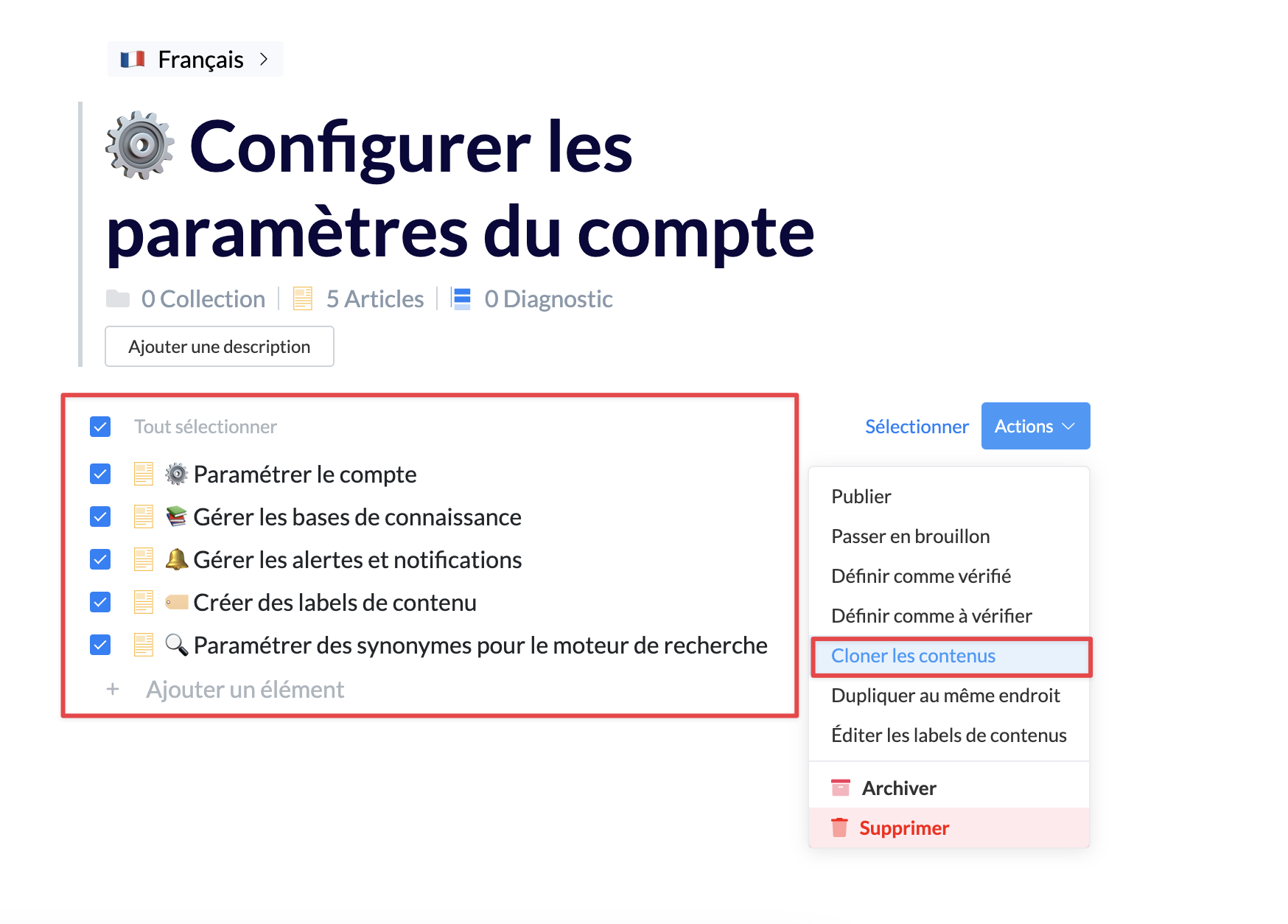
Then, the logic is the same as for cloning content: I choose where I want to clone these contents and I validate.
🌍 Clone a multilingual content
With the arrival of multilingual knowledge bases, there are now many contents in several languages.
When cloning, we will choose where we want to clone content. If the knowledge base of the content to be cloned does not have the same language(s) as the destination knowledge base, which versions of my content will I clone?
Let's take an example:
I have a knowledge base A with three languages: French, English, and Spanish
I have a knowledge base B with two languages: French and Spanish.
I have a knowledge base C with one language: Italian.
If I want to clone content from knowledge base A to B:
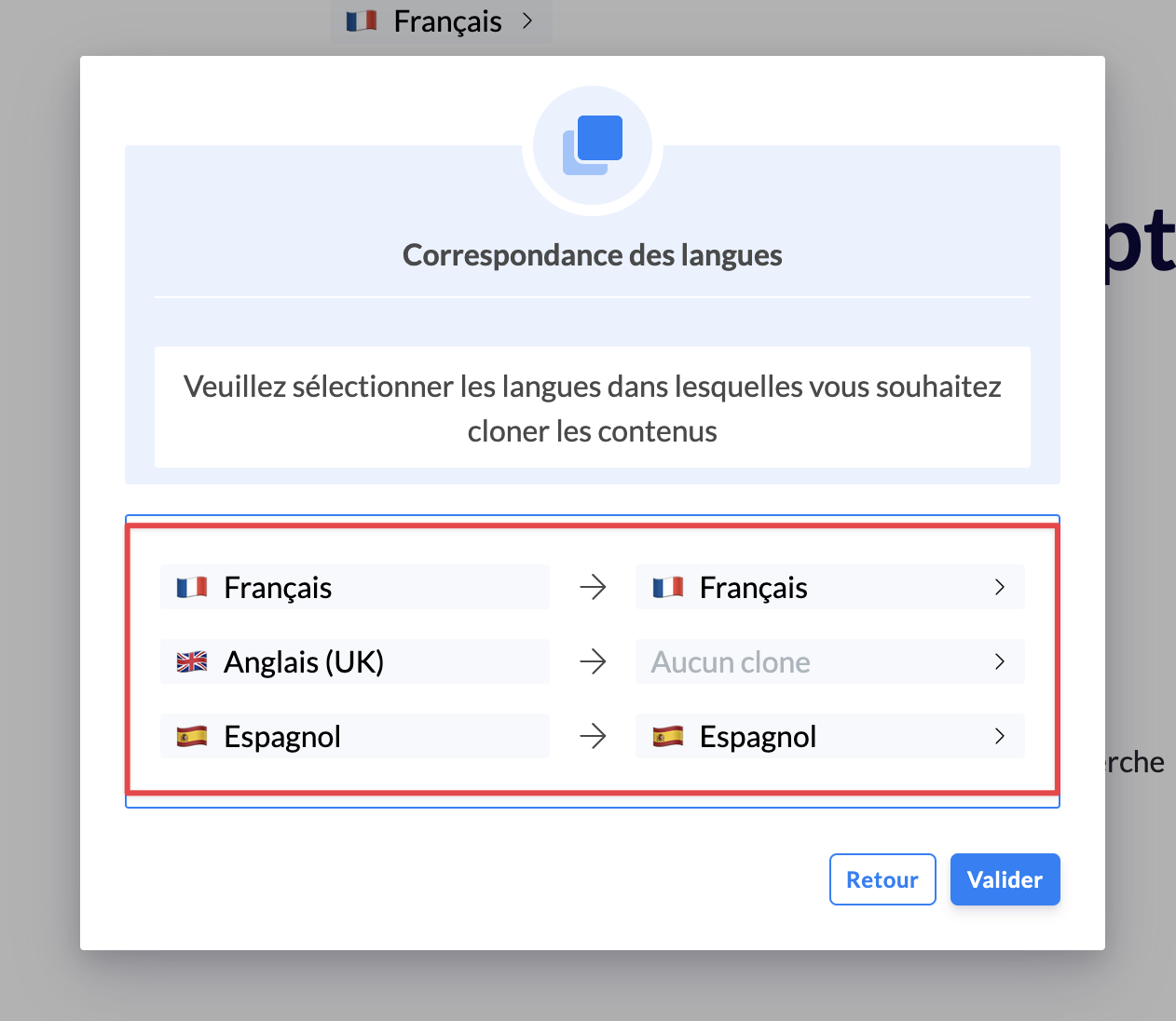
A language-matching step will be proposed to me.
We detect common and different languages.
You can then choose, for each language of the content of knowledge base A, in which language this version will be created in knowledge base B.
For example, as shown below, since English does not exist in knowledge base B, the English version of the content will not be cloned.
If I want to clone content from knowledge base A to knowledge base C, I will then have to choose which language of the initial content to use to create the Italian version of the content in knowledge base C.
If, during a clone, we detect that the content exists exactly in the same languages as the destination location, the language matching step is not necessary and the languages will be preserved as in the initial content.