
In this article, discover our tips to fully leverage Mayday AI, allowing you to edit your training content on Mayday Academy faster and more efficiently 🚀
Mayday AI allows you to edit your content with peace of mind, with two main features:
Ask the AI: allows you to ask Mayday AI for the changes you want in natural language, on all or part of the text.
Defined AI Features: allow you to make precise requests such as generate a summary, translate a text, etc.
Let's discover all of this!
⚡ Ask Mayday AI What You Want
⚙ How to use it?
✨ Take Advantage of Defined AI Features
✍ xx
“Ask the AI”: Save Time and Increase Efficiency with Mayday AI!
Mayday AI helps you write your training content within a sheet, module description, and/or guidelines and corrections for your quizzes and case studies.
We are pleased to introduce “Ask the AI”, a new feature that integrates our open prompt Mayday AI directly into your Academy editor.
💡 An Integrated AI Assistant to Enrich Your Training Content
With Mayday AI, you can now easily and quickly generate:
✅ Clear and structured training sheets
✅ Engaging module descriptions
✅ Precise guidelines and corrections for your quizzes and case studies
🎯 Save time and optimize the quality of your trainings by relying on artificial intelligence to formulate your ideas, refine your content, and structure your educational materials in a few clicks.
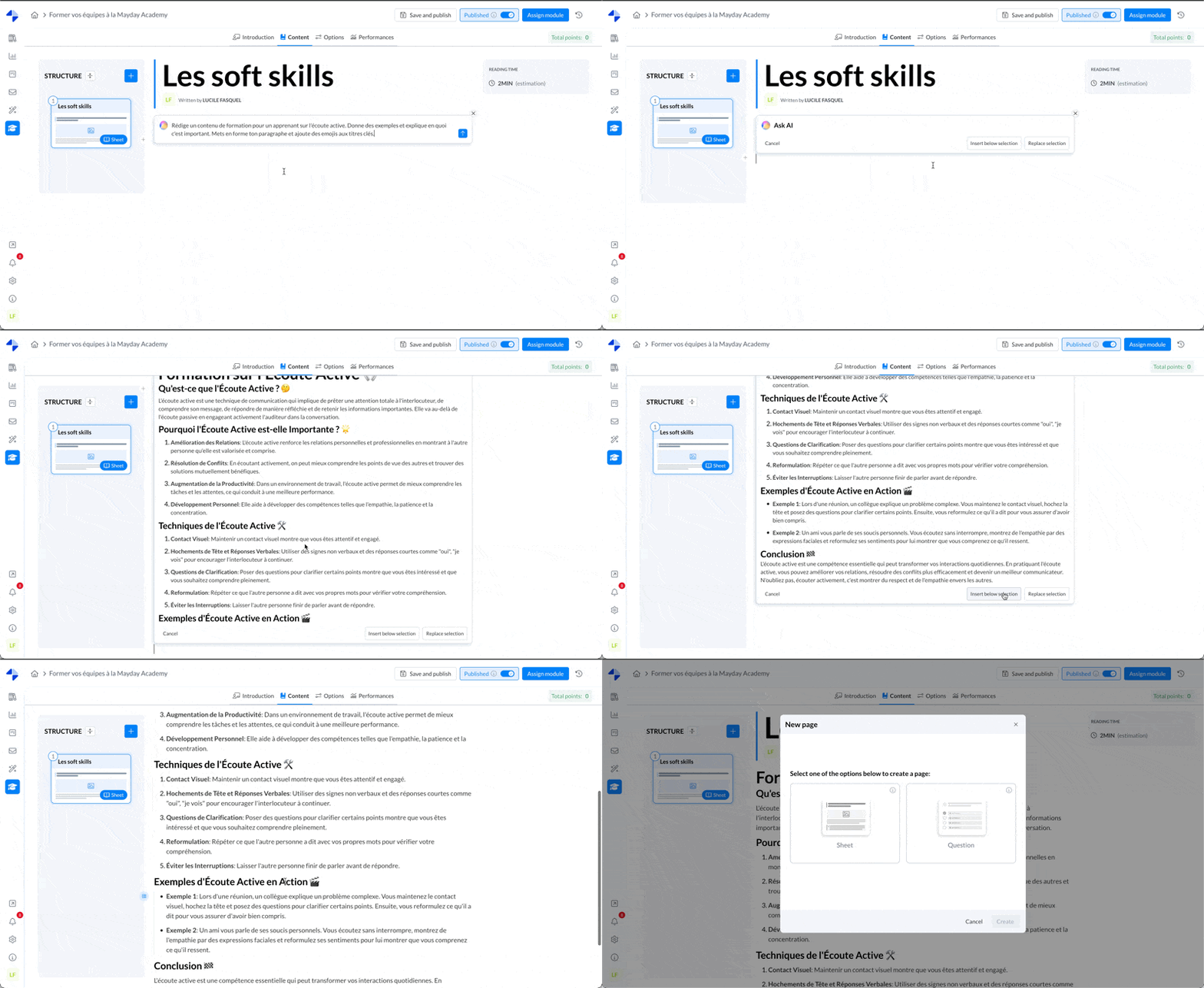
Admin interface - Module - Content