🩹 Solution
📸 View the problem
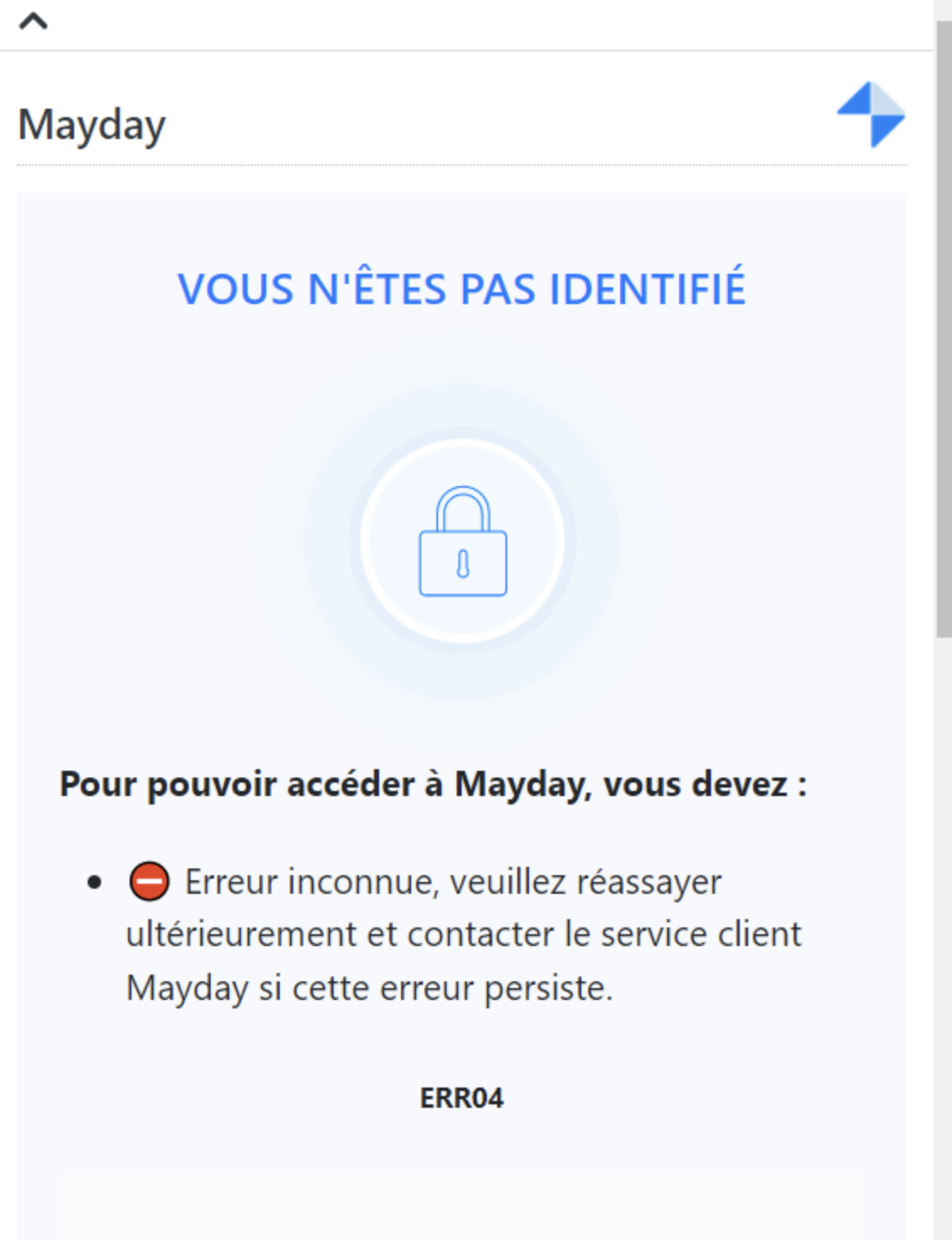
If the error is "ERR04": the user is not authenticated in Mayday.
On Mayday, go to "⚙
Settings" of the account;In the "
Permissions" section, click on "Users" then on "Show details";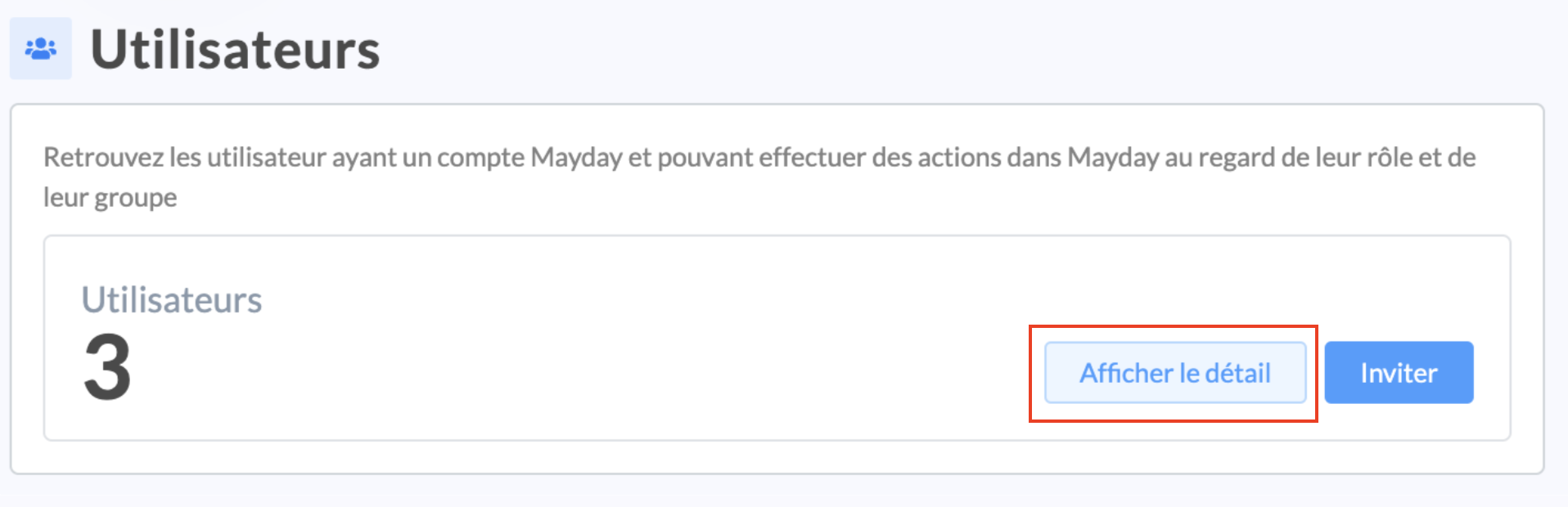
Search for the user in the search bar of the administration center;
On the user's line, click on the two arrows below the "
Actions" section;
Click on the two arrows next to "
Helpdesk Configuration";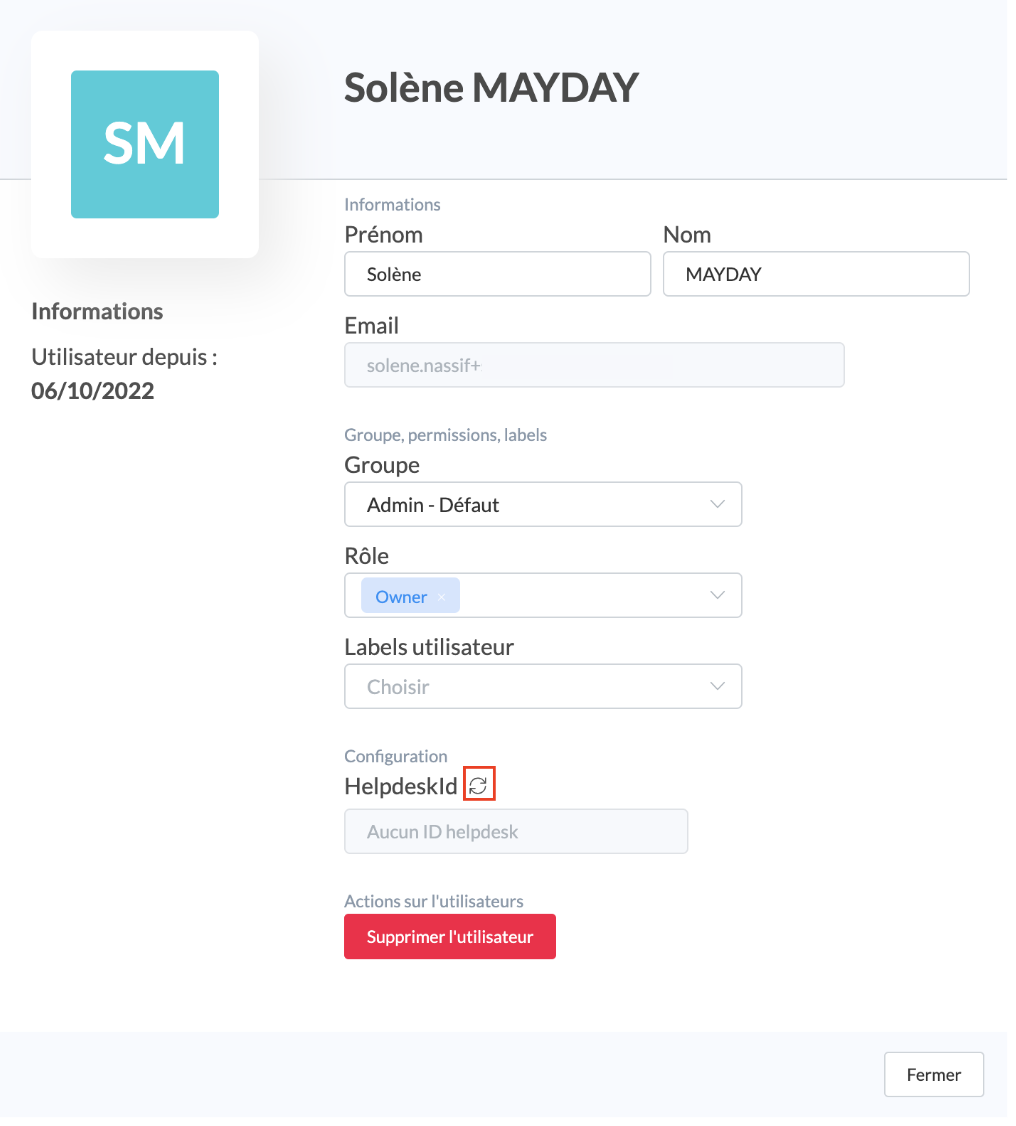
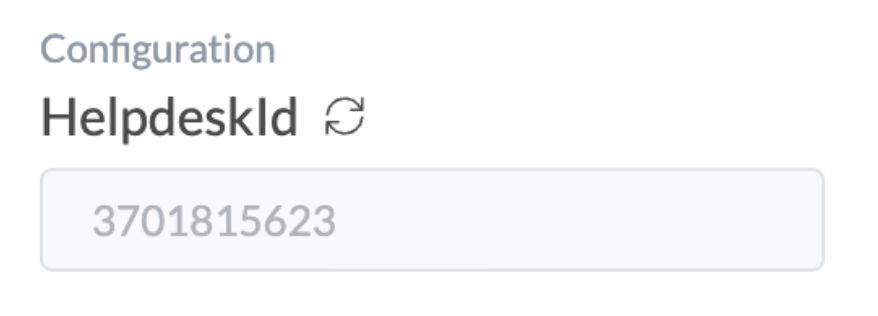
The helpdesk ID should normally appear!
Next Steps:
Back