👋 Introduction
Welcome to our guide on the article export to PDF feature.
This feature is designed to simplify the sharing of your articles by converting them into PDF format.
Please note that this feature is not available for diagnostics, only for articles.
Our PDF export feature allows users to convert their articles into PDF format, making internal sharing easier.
🔍 Export an Article to PDF
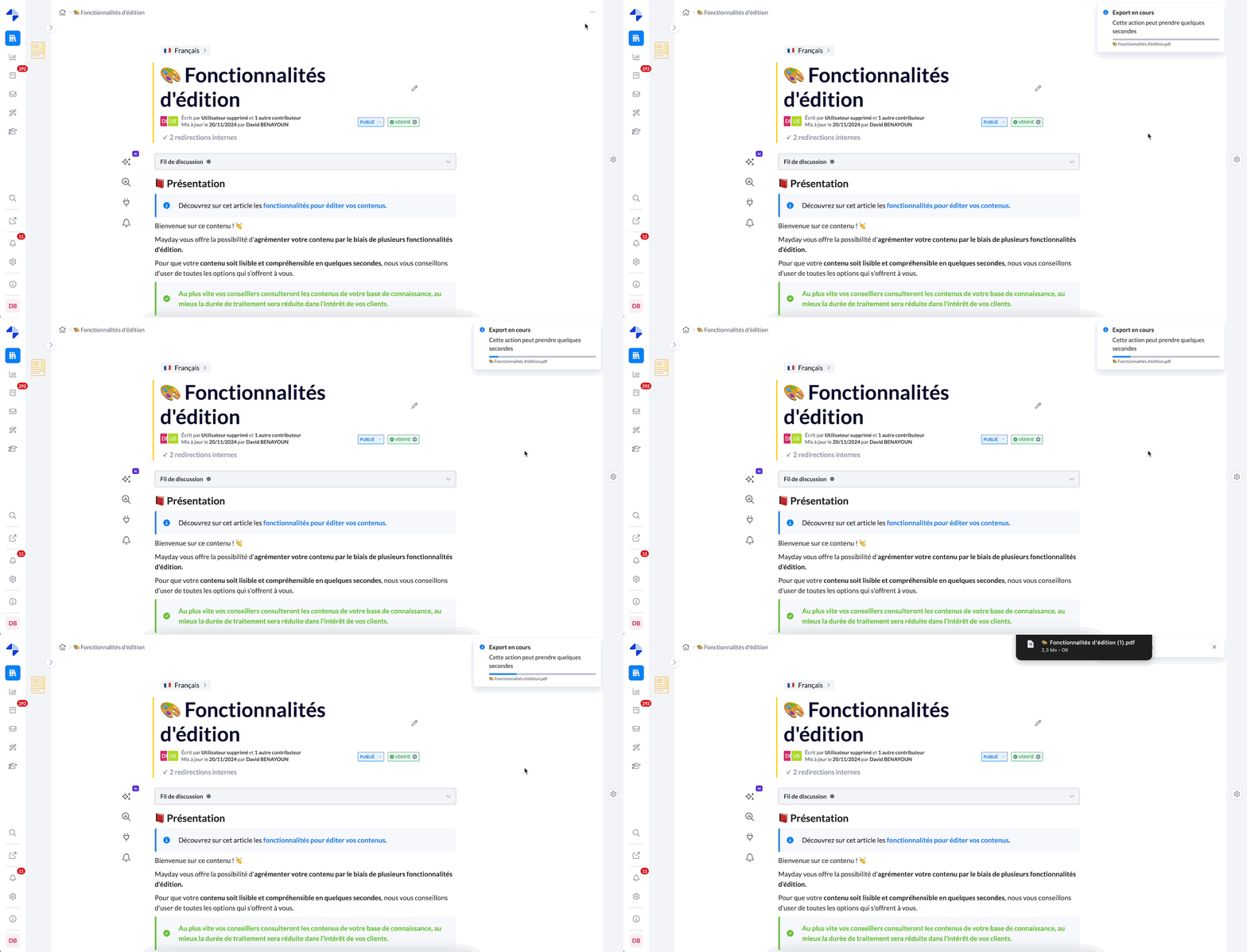
To export an article to PDF, follow the simple steps below:
Go to the article you want to export.
Click on the "..." button located at the top right of the article.
Select the "Export to PDF" option.
📥 Downloading the PDF
Once the export is complete, the PDF file will be automatically downloaded to your computer.
👉 You can then easily share it with your colleagues or use it for your internal needs.