📕 Presentation & Documentation
Discover in this content the available endpoints with the Mayday public API
The Mayday API allows you to take advantage of your multi-channel knowledge base, accessible anywhere and on all your applications.
👉 The full documentation of the Mayday API is available here: Mayday Public API
🎯 Use Cases
🔌 You want to retrieve information or perform actions on Mayday from a third-party application, such as your own.
⚡ You want to automate your processes on Mayday according to your needs.
⚒ How to Activate It?
If you want to access the Mayday API, please contact your CSM contact to submit your request to them.
⚙ Set Up Your API Access
To create access to the Mayday API, use the integration catalog in the preferences of the admin center.
🤩 This allows you to:
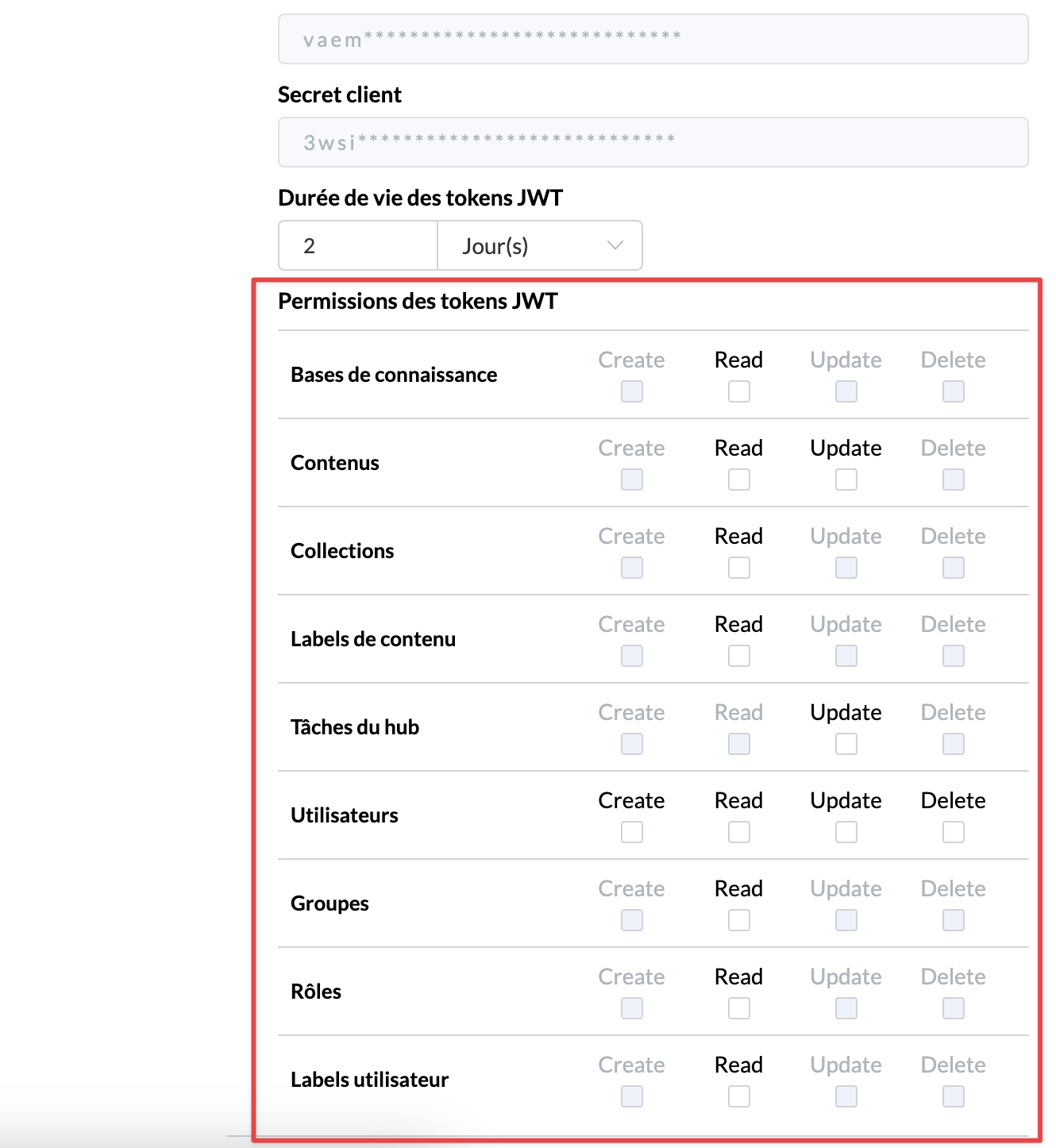
Choose the permissions for this API access, i.e. the API endpoints accessible with this token.
Retrieve your client ID and secret to generate the access token.
⚠ Important : Save this information, it is only accessible once, at creation.
Choose the validity period of JWT tokens.
🤔 How to proceed:
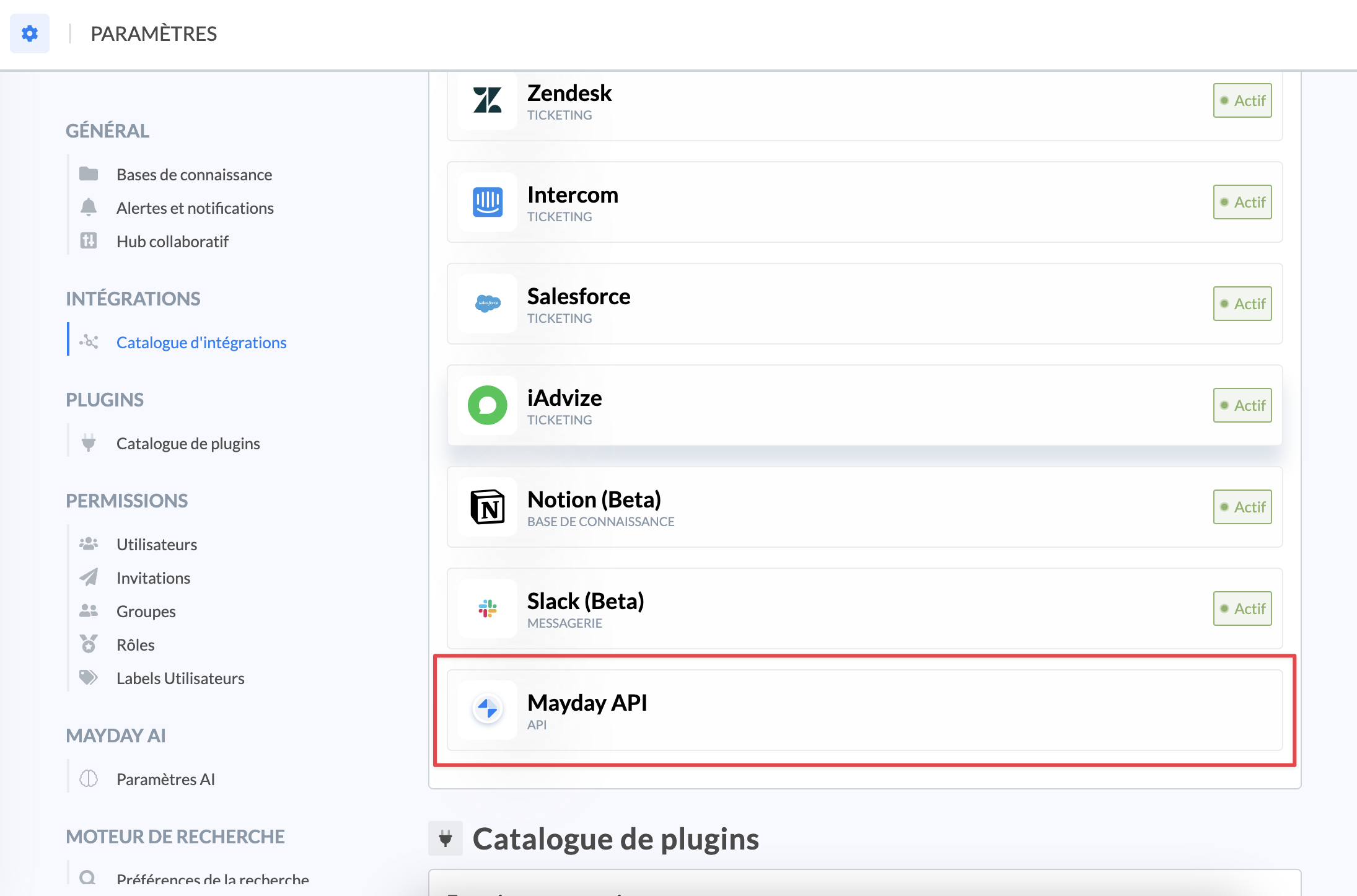
Go to the preferences of the administration center.
Click on "Integration Catalog".
Select "Mayday API".
📸 Where is this option?
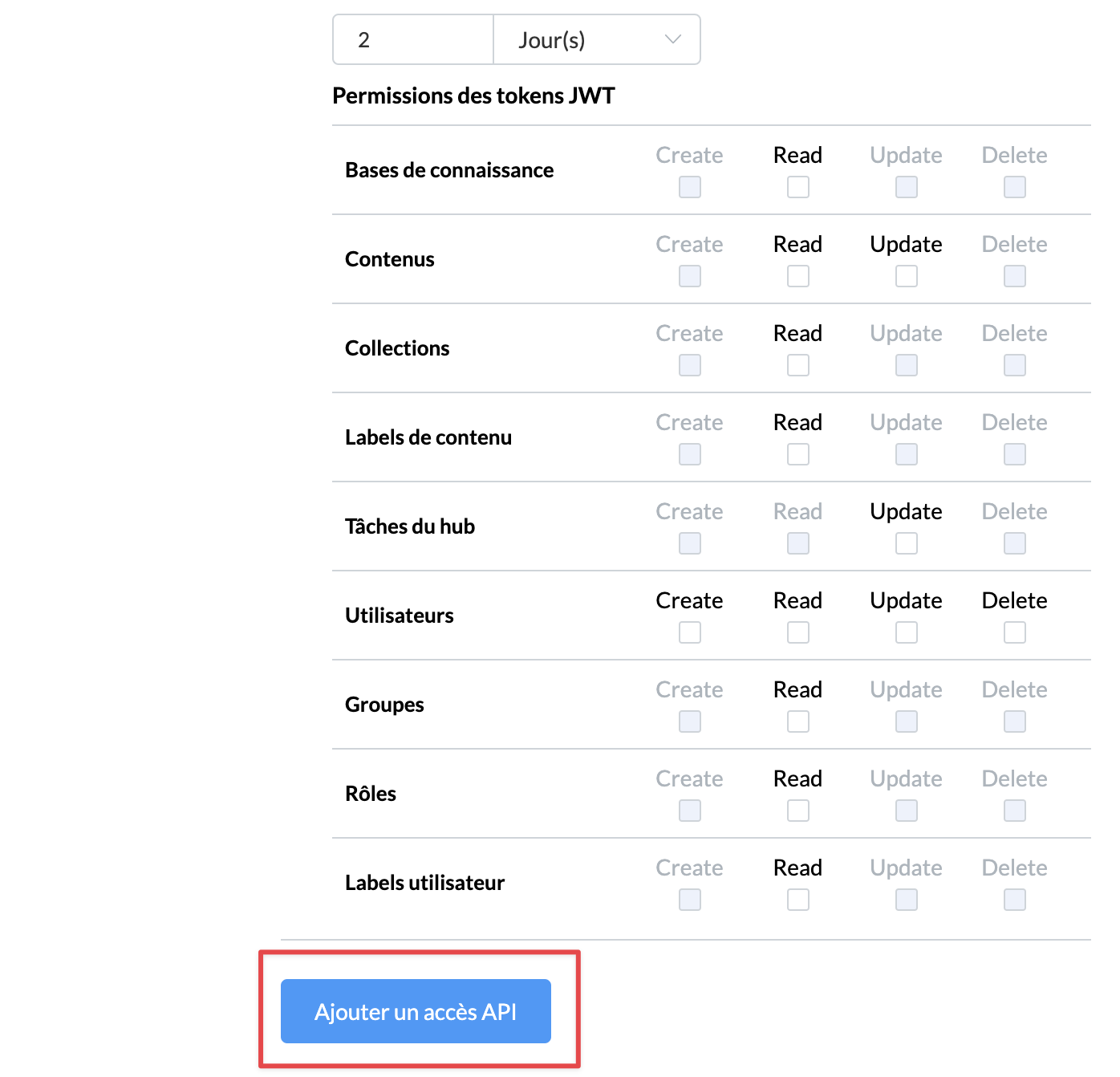
Press "Add API access".
📸 Where is this option?
Take note of your credentials.
Set a duration for the JWT tokens.
Choose the permissions of the tokens.
📸 How to choose these permissions?
It is also possible to remove API access, from this same interface.