👋 Introduction
Do you want to centralize information used in multiple places in your knowledge bases? Shared elements are made for that!
In this article, discover how to create a shared element from the shared elements library or based on existing content.
🤔 How does it work?
You have two methods to create a shared element:
🆕 Creating from scratch
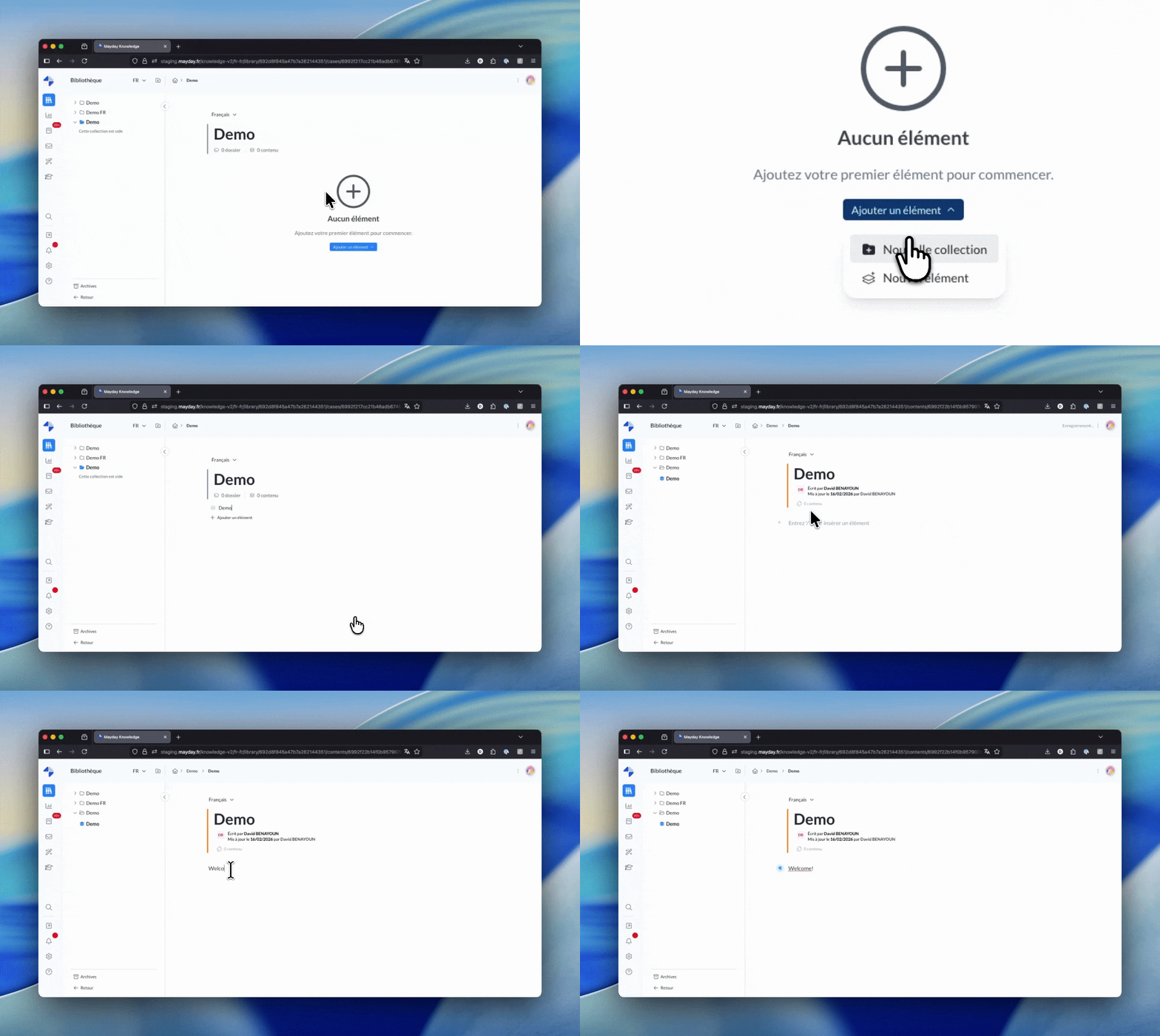
To create a shared element, go to the Shared Elements Library in Mayday.
Steps to follow:
Access the library: Click on the “Shared Elements” button located in the sidebar of any collection
Click "Add content": Creating a shared content works the same way as creating an article.
Enter a clear and explicit title: The title is essential, it allows your colleagues to quickly understand the content and easily find it when inserting.
Write the content to be shared: Use the Mayday editor to write your shared element. You'll have access to all the usual features.
Shared elements can only reference other content using the "mention" format.
Block-level and embedded formats are not supported. Furthermore, it is not possible to mention a shared element within another shared element.
♻ Creating from existing content
Have you already written a great paragraph in an article and want to reuse it elsewhere? No need to rewrite everything!
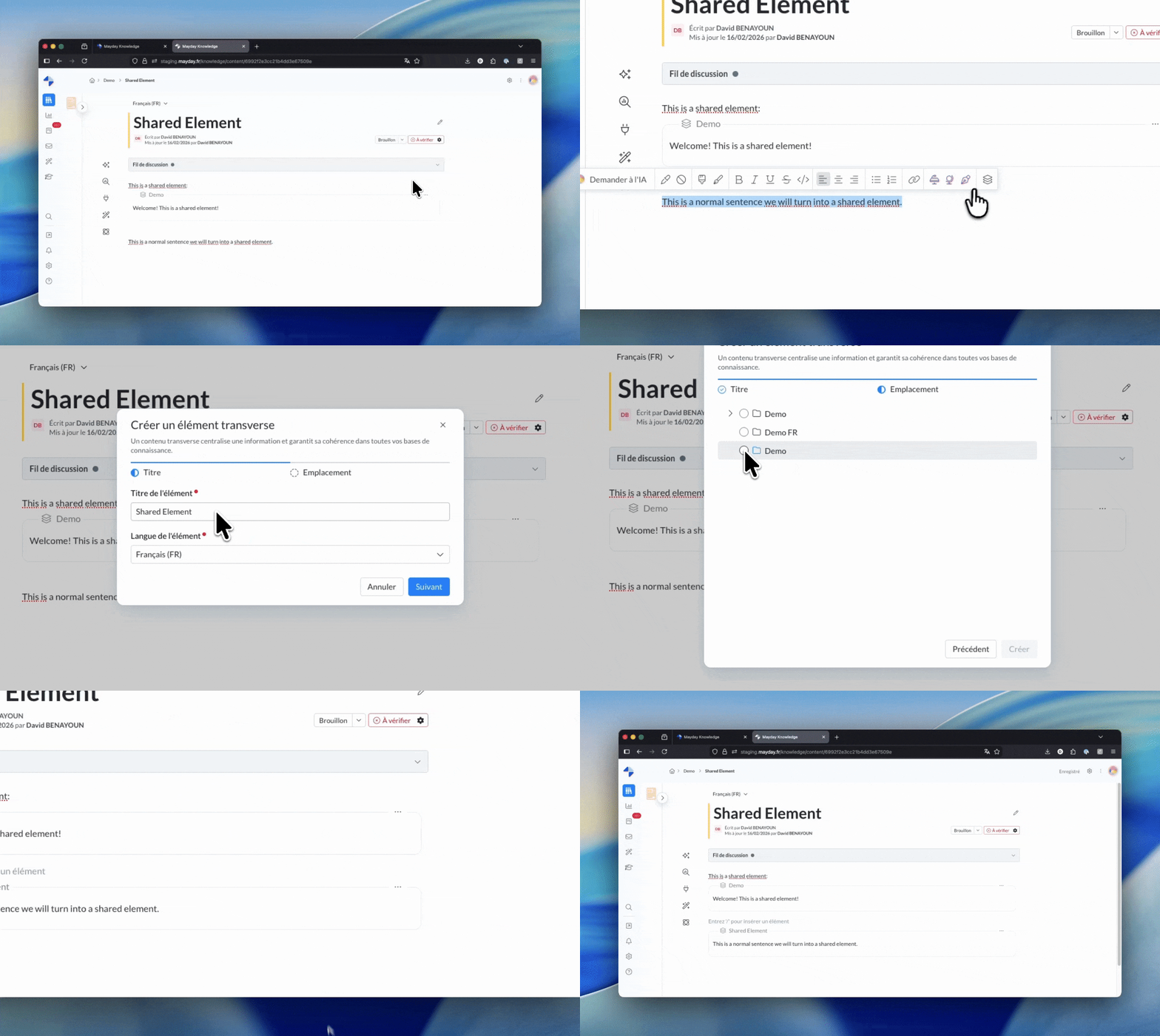
Steps to follow:
Select the content to extract : You can select text, tables, images, and other elements available in the Mayday editor.
Click "Transform into shared element" in the contextual menu that appears.
Give a title to the shared element: As with creating from scratch, choose a clear and descriptive title.
Select the matching language for your content.
Select the collection where you wish to save the shared element.
👉 The benefit for you? You'll never duplicate content. If information is reusable, turn it into a shared element with one click!
It is possible to create a cross-reference element that mentions other content, provided that this reference is in the form of a mention only.
References in the form of block-level content or embedded content are not supported.
✨ Best practices
📝 Writing
Be self-contained: The shared element must be understandable even when removed from its original context.
Avoid local references: No "as mentioned above" or "see the previous section."
Stay concise: An effective shared element gets straight to the point.
🏷 Titling
Use descriptive titles: "Return Policy" is better than "Returns."
Think about searchability: Your colleagues will use the title to find the content.
You're now ready to create your first shared elements! 🎉
ℹ To learn more, refer to the documentation dedicated to shared elements: