Discover in this content how to set up the latest published content plugin
📍Where to set up this plugin?
Available today on Desk - Widget - Zendesk
✨ What is it for?
This plugin allows users to display a list of the latest published content on the knowledge base. The content is sorted chronologically from newest to oldest.
This feature allows users to easily stay informed of new available content and proactively consult it .
💡 Practical Advice : If you make significant changes to content, don't hesitate to put it back in draft status and then republish it to bring it back up in this window.
⚙ Set up this plugin
This plugin can be activated in two ways:
In the plugin catalog section
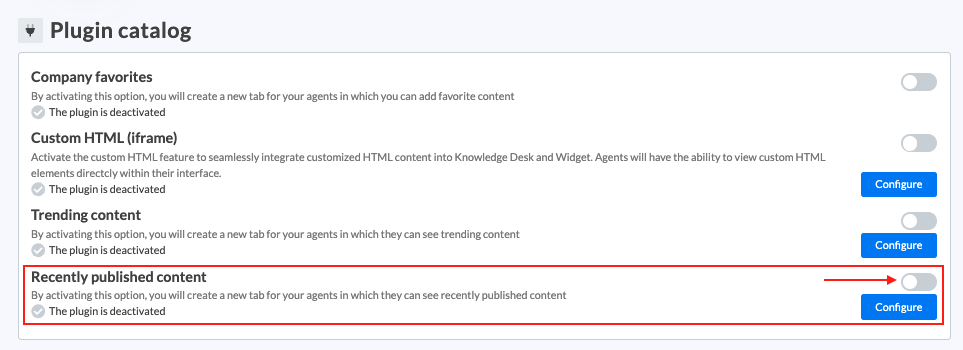
Go to settings in the "Plugin Catalog" section and activate "Latest published content"
📸 Screenshot
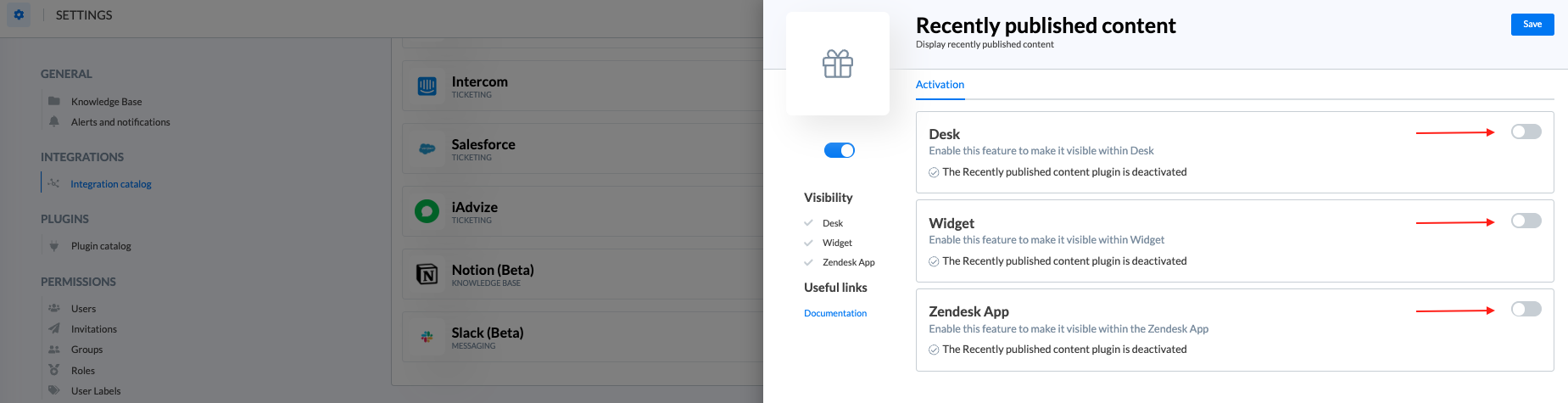
Click on "Configure" and choose the interfaces on which to activate this feature (Desk - Widget - Zendesk app)
📸 Screenshot
In the integration catalog
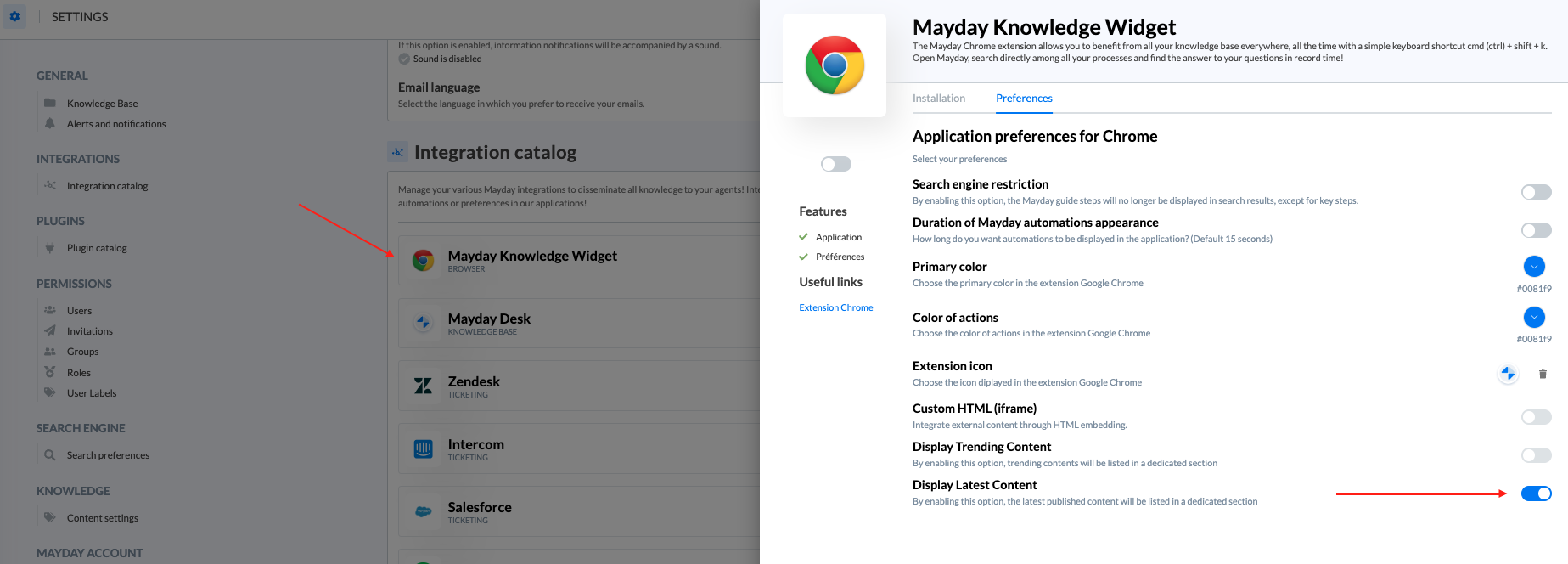
Go to settings in the "Integration Catalog" section and choose the interface on which you want to integrate this feature.
📸 Screenshot
🔎 Specificities
This list is not delimited by knowledge base but respects each user's access restrictions.
This list is delimited by language. That is to say, on a multilingual knowledge base, the list differs depending on the version consulted.