👋 Introduction
The template answers are your best allies to ensure service quality and manage your Average Handling Time (AHT). To avoid the risks associated with scattered or outdated notes stored locally, Mayday now allows you to centralize and access these contents directly from your workspace.
📝 Feature Overview
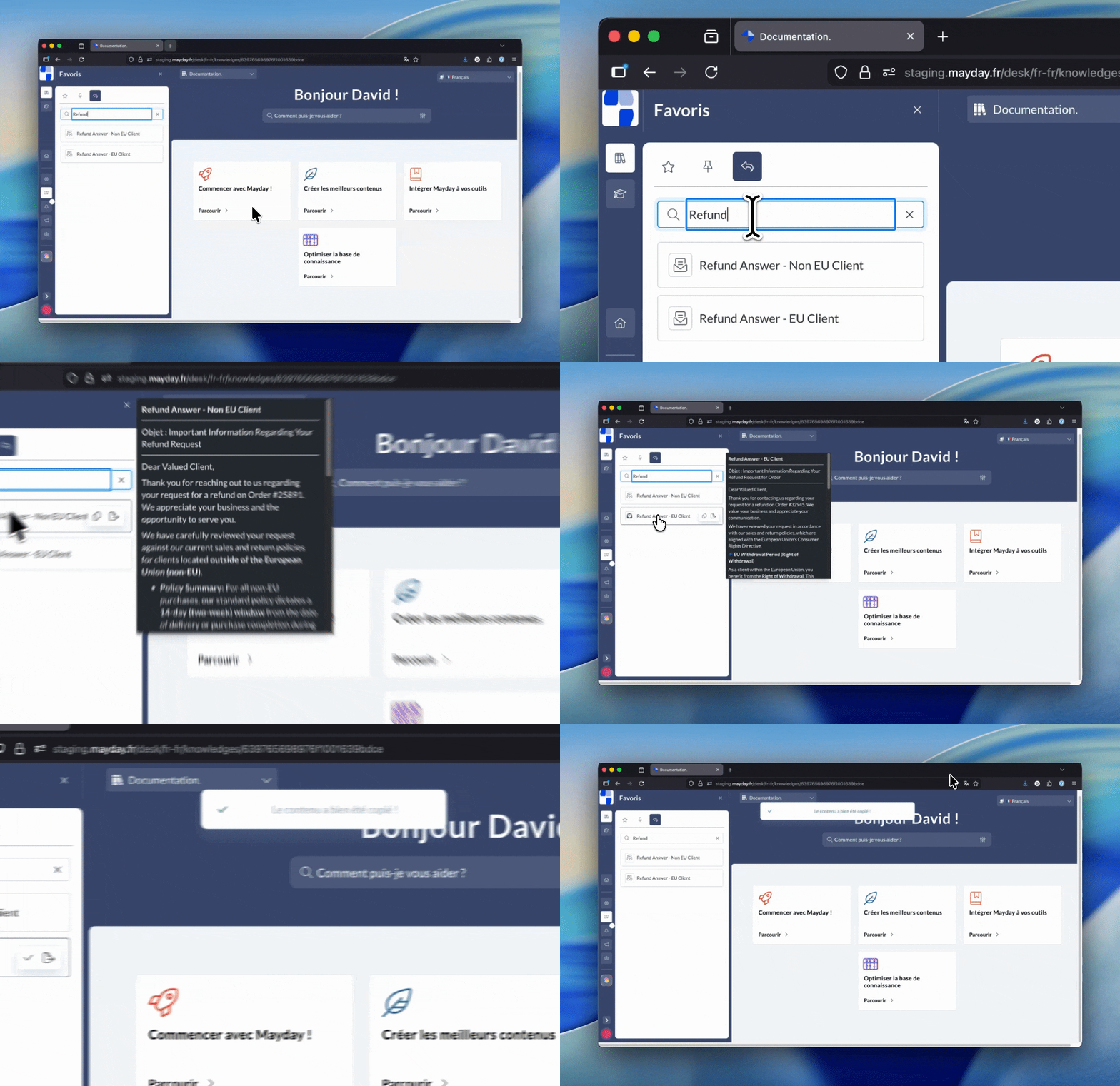
The Template Answers Plugin is a feature available on all platforms used by agents (Mayday Desk, Zendesk App, Mayday Widget, etc.).
It allows you to centralize and make accessible all template responses present in your published Mayday content. It's the perfect tool to ensure perfect consistency in the responses provided to customers while saving valuable time.
🤔 How Does It Work?
Once the plugin is deployed on the agent interfaces, its use is intuitive and designed for quick execution:
Powerful Search: Instantly find a reply thanks to the search engine that scans both the titles and content of the template responses.
Quick Preview: Simply hover over an item with your mouse to read the content without having to click.
One-Click Copy: To insert the reply text directly into your conversation or clipboard.
Full Access: A dedicated button allows you to open the template reply if you need more context.
📍 Where and For Whom?
This feature is mainly aimed at agents for their daily use, but it requires action from administrators to be made visible.
⚙ Required Configuration (Administrator Side):
By default, this feature is disabled.
For the plugin to appear on the agents' interfaces, it needs to be activated and configured, like other plugins.
Go to the Administration Center.
Access the Administrator Preferences.
Access the Plugin Catalog.
Click the button to configure the Template Answers.
Choose the platforms where the plugin will be activated.
Define the user roles that will have access to the plugin.
Enable the Template Answers feature.
Now, eligible agents have access to the plugin on the selected platforms