Discover on this article how to consult a content on Mayday and what actions to take from this content.
👀 Reading the content
Thanks to the table of contents, you can click on the part of the content that interests you to land directly on it.
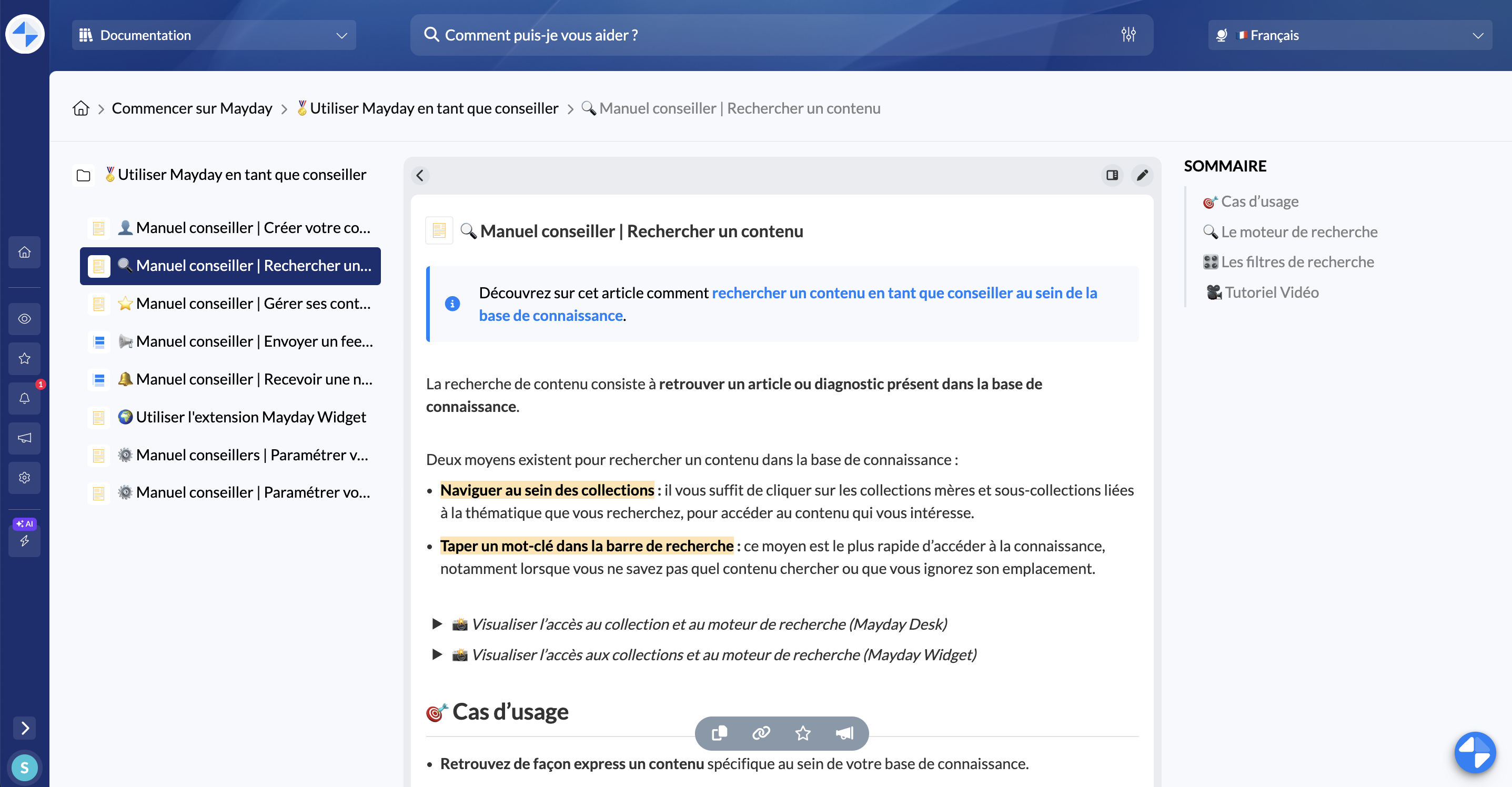
You can read the content in full page and also choose to switch it to the side panel, in order to consult two contents at the same time.
To do this, simply click here: 
You can always switch it back to the main view by clicking here: 
👍 Satisfaction
At the end of the content, you have the possibility to express your satisfaction or dissatisfaction by clicking on one of the two thumbs.
📑 Copy content and their URLs
You can copy the content of an article or a guide by clicking on this icon:

You can copy the URL of an article or guide by clicking on this icon:

You can directly copy the public URL of an article or guide if it is within a public knowledge base (Selfcare):

⭐ Add a content to favorites
To find your favorite contents in one click, you can add them to your favorites library by clicking on this icon: 
📣 Give feedback on a content
To report an error on a content or a suggestion for improvement, you can write feedback on the content being read by clicking on this icon: 
🧩️ Display the flowchart view of a guide (Mayflow)
To view the flowchart of a guide and see the different steps it includes, simply click on the “Show guide structure” icon.

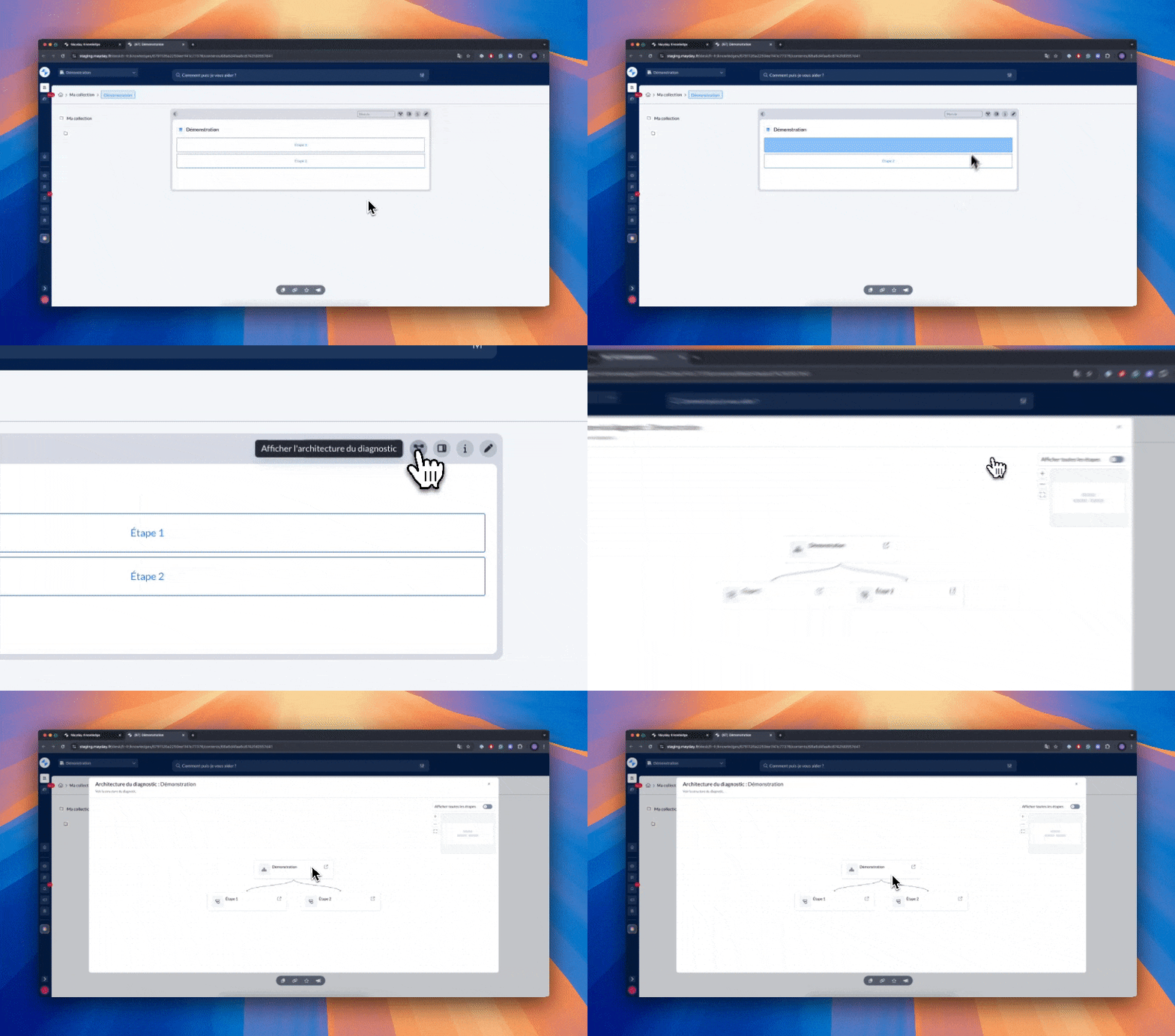
On this view, it is possible to:
Unfold the steps of the diagnosis one by one;
Unfold all the steps of the diagnosis with a single click;
Click on a step to get a preview of its contents.