Discover in this content how to customize the interfaces of your advisors (Mayday Desk, Mayday Widget, and integrations (Zendesk and IAdvize only)
As an administrator, you have the ability to set preferences that will be applied to all users, for each available interface.
⚙Set your preferences on Mayday Desk
📸 View the list of preferences
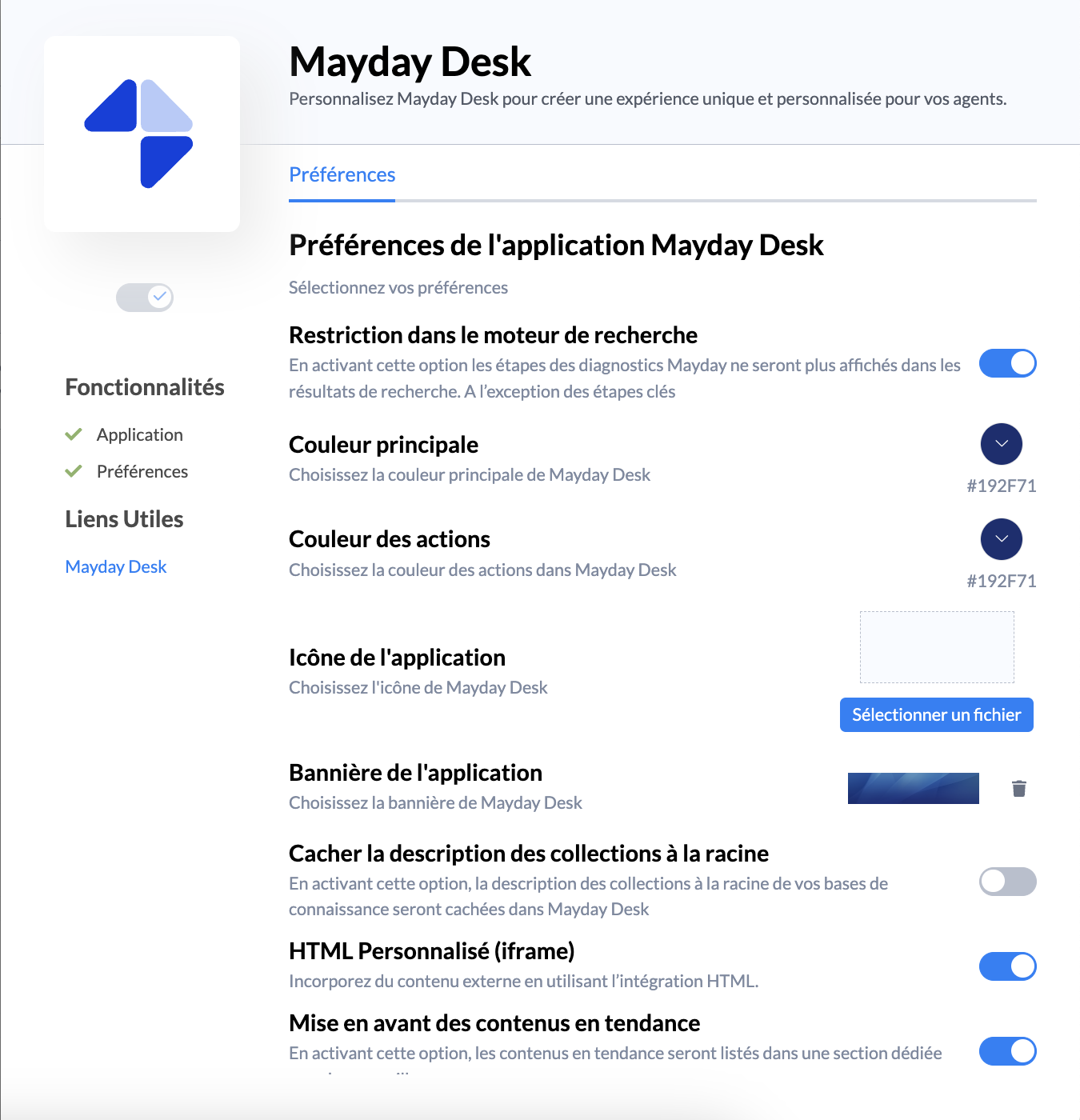
Discover in detail the specifics of each preference:
🔍 Search engine restriction : by enabling this, Desk users will only be able to search for diagnostics and articles. Thus, they will not be able to access diagnostic steps from the search results.
We recommend activating this preference. Indeed, if you do not activate it, advisors will have many search results sometimes irrelevant (diagnostic steps "YES", "Next, etc.)
🎨 Primary color: set the main color of the application
🖌 Action color: set the color of the actions/buttons of the extension
🖼 Application icon: upload your company logo
▭ Application banner: upload a custom banner that will be visible on the users' home interface
Hide root collection descriptions: By enabling this option, the root collection descriptions in your knowledge bases will be hidden in Mayday Desk
Custom HTML (iFrame): Enable this option to provide access to external content using the HTML integration defined in the plugins
📈 Highlight trending content: Enable this option to provide access to the list of trending content
Highlight the latest content published: Enable this option to highlight recently published content
Highlight smart buttons: Enable this option to provide access to configured buttons
⚙Set your preferences on Mayday Widget
See the article dedicated to the Mayday Widget extension
⚙Set your preferences on integrations (Zendesk & IAdvize)
The details of each preference are identical to the Mayday Desk interface, with the exception of 3 additional parameters for the Zendesk integration:
Update Zendesk tags: Enable this option so that the paths taken in the knowledge base are NOT applied as labels (tags) to the conversation in Zendesk
Tagging tickets with the Mayday tag: Enable this option so that as soon as content is opened in the Zendesk Mayday application by the advisor, a Mayday tag will be attached to the Zendesk ticket
Duration of Mayday automations appearance: Define the appearance time (in s) of shortcuts in the application (default: 15s)