👋 Introduction
Did you know that you can customize the AI agents created by Mayday to perfectly match your needs? This feature allows you to benefit from the power of Mayday AI agents while tailoring them to your preferences and specific context.
❓ What is it?
Customizing Mayday AI agents allows you to modify existing agents created by our team to fit your organization. You thus maintain all the robustness and efficiency of Mayday AI agents while adding your personal touch so that they perfectly align with your processes and communication tone.
🤔 How does it work?
➡ To customize a Mayday AI agent, follow these simple steps:
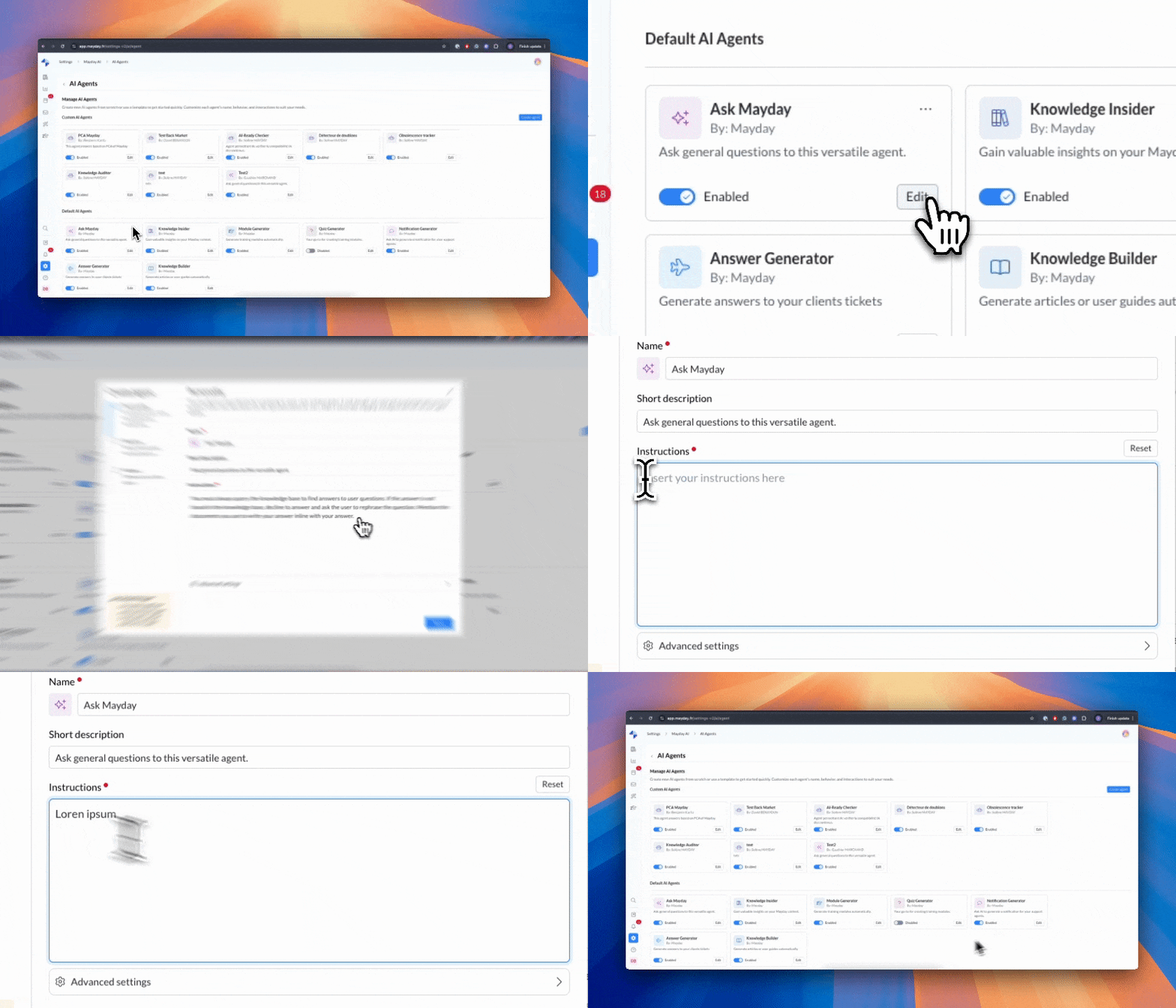
Go to the admin center preferences
Navigate to Mayday AI → Configure → Configure AI agents
Click on "Edit" next to the Mayday agent you wish to customize
Modify the desired elements according to your needs
What you can customize:
The name of the AI agent
Instructions and the prompt (the most important element for adapting the AI agent's behavior)
All settings except data sources
👉 To learn more about customizing a Mayday AI agent, we invite you to consult the following documentation:
Important to remember: Data sources cannot be modified, as they define the fundamental nature of the AI agent. This restriction ensures that the agent maintains its primary function while giving you the freedom to customize its behavior.
Save feature: If you have modified the prompt and wish to revert to the original version, a "Reset" button located above the prompt field allows you to restore the initial instructions defined by Mayday. You can experiment with confidence!
📍 Where and for whom?
This feature is accessible through the Mayday admin center, in the section dedicated to AI agent configuration. It is aimed at administrators who want to optimize existing AI agents according to their specific needs.
🧠 Want to go further?
Do you want to create a fully customized AI agent? This option is also available! All information is available here: