👋 Introduction
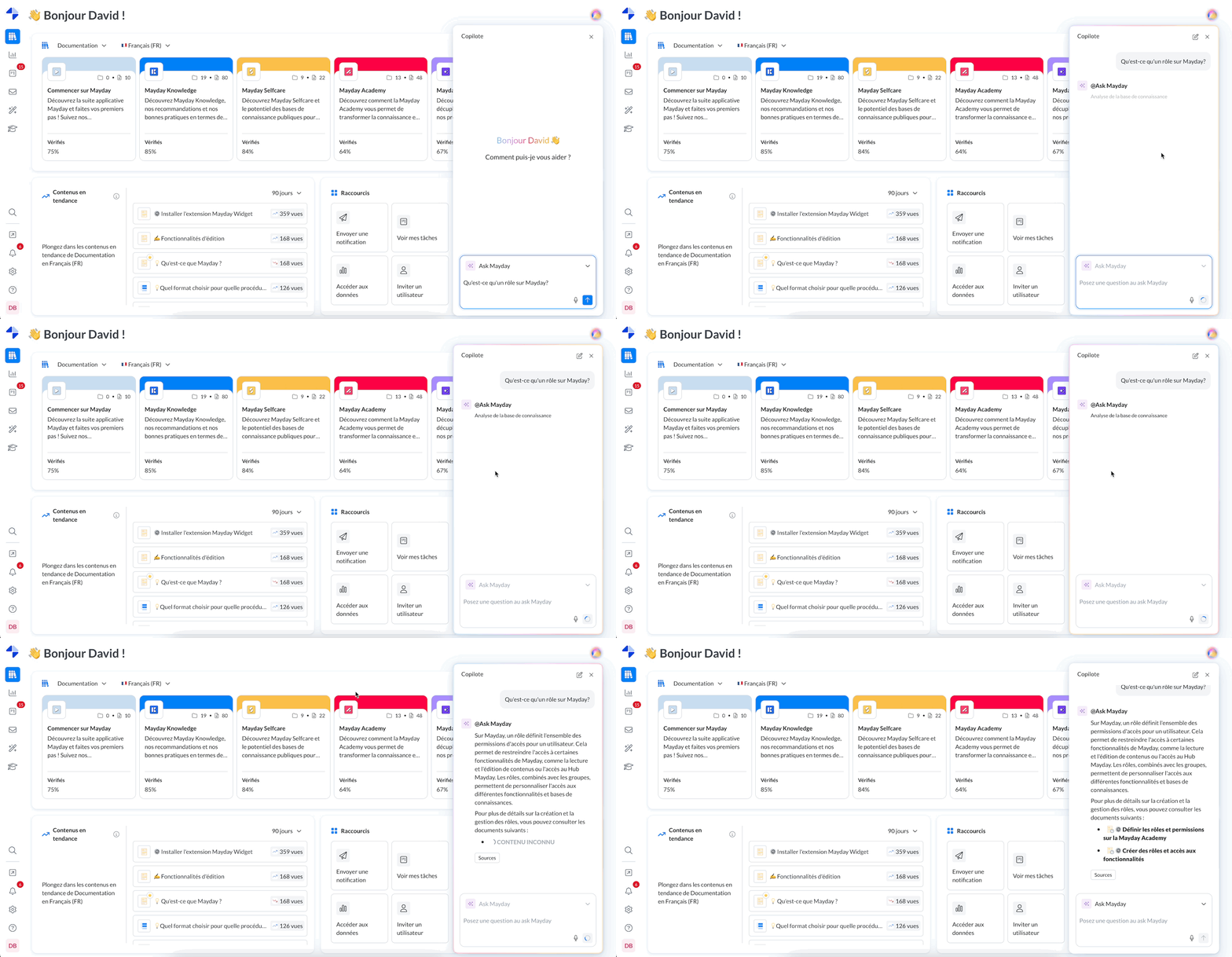
The Ask Mayday is a flagship feature of Mayday, present since 2023. It has evolved to become even more accessible and powerful.
Today, the Ask Mayday becomes an integrated agent within Mayday Genius 🤖. The principle remains unchanged: you ask a question, it responds quickly, clearly, and always based on reliable sources.
To learn more about Mayday Genius, we invite you to consult this document:
🚀 Introduction to the Ask Mayday Agent
The new Ask Mayday agent is available for all companies and users who have historically subscribed to this feature.
🎯 Its promise: to allow you to find the information you need in seconds, without having to manually search through your documentation.
Whether you are a support agent, a manager, or a member of an operational team, Ask Mayday saves you valuable time daily.
🤖 Features
🔎 A Clear Objective
Ask Mayday is designed to answer all questions related to your company's internal processes.
📚 Sources Used
It relies on two types of content, filtered according to the user's access rights:
Mayday Knowledge Bases: only documents visible according to the user's group.
Connected External Sources: such as SharePoint, if they are integrated into Mayday and accessible to the user (via their group).
⚙ Operational Steps
The user asks a question in natural language (no need for technical keywords).
The agent searches all accessible sources.
It provides a clear answer, with the sources used listed transparently.
The user can continue the conversation as long as they wish.
🛠 Customization possible: as with the previous Ask, it is possible to customize this agent (tone, vocabulary, response style, etc.).
For more information, please refer to the following document:
🤩 Use Cases and Examples
🔍 Find Information Quickly
Here are examples of simple queries the agent can handle:
“How to get a refund if the order is over 3 months old?”
“What to do in case of a stolen credit card?”
“What to do if an appointment is canceled less than 24 hours in advance?”
“What are the steps in the onboarding process for a new employee?”
✍ Automatically Draft a Response
Ask Mayday can also assist you in drafting professional messages, based on the provided context:
“A client wants a refund and their order is over 3 months old. Draft a response with a professional tone and sign Mayday Support”
“Formulate an empathetic response to a client unhappy due to a delivery delay”
“Write a clear message to inform a client that they cannot be refunded”
💡 Other Use Cases
Quickly train a new employee by allowing them to ask questions directly to the agent
Retrieve internal procedures: “What is the escalation procedure in case of a major technical incident?”
👌 Usage Tips
✅ Formulate Precise Questions
The more specific the question, the more relevant the answer will be.
✅ Good example:
“What is the procedure to close an inactive client account?”
❌ Less good example:
“Client account?”
🗣 Ask Your Questions in Natural Language
The agent is designed to understand natural language. Feel free to ask your questions as you would in a real conversation.
🔁 Continue the Discussion
Ask Mayday works like a real conversation: if the first answer is not enough, you can:
Rephrase the question
Add additional information
Request an example or a reformulation
🧠 Tip: the context is preserved throughout the exchange.
💬 Express the Intent of Your Request
Mentioning the goal of your question helps the agent tailor its response.
Examples:
“I want to draft an email to a client, can you help me?”
“I'm looking for an internal procedure for an audit report”
“I need to explain this process to a new employee”