👋 Introduction
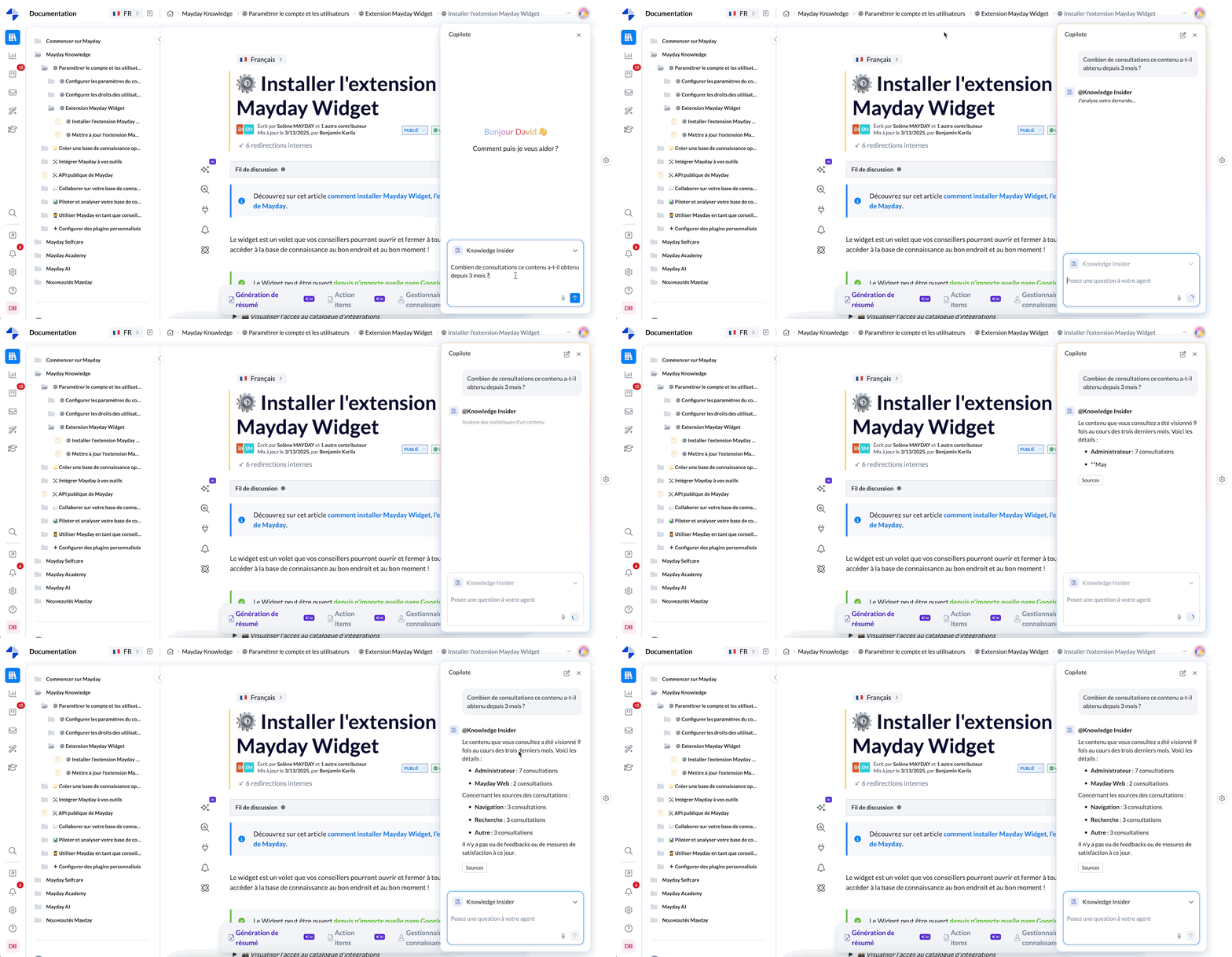
As explained during the presentation of the Mayday Genius, the goal is clear: to provide you access to specialized agents who can assist you with specific tasks based on your role.
The Knowledge Insider is one of these agents. It acts as your co-pilot on the knowledge base when you are an administrator or editor.
It helps you to better understand your content, analyze data (consultations, feedback, user activity), and manage update tasks...
In short, it is your super-assistant for managing knowledge in Mayday🚀
To learn more about Mayday Genius, we invite you to consult this document:
🚀 Presentation of the Knowledge Insider agent
The Knowledge Insider is accessible to all users with editing rights on at least one knowledge base.
🎯 Its promise: to enable you to obtain key insights and contextualized information about your content, without having to navigate between the Hub, the Dashboard, and the knowledge bases.
👉 In short, no need to juggle between tools. The Knowledge Insider centralizes everything to save you valuable time on:
Content updates
Feedback management
Identifying missing or outdated content
Tracking your teams' activities
🤖 Features
🔎 A clear objective
The agent is designed to answer all questions you might have about your content in Mayday, based on:
The content itself
External content
Usage data
User feedback
Actions performed in the Hub or on the Dashboard
Etc.
📚 Sources used
Here are the types of sources the agent analyzes to formulate its responses:
Internal knowledge bases: titles, content, metadata (creation, last modification, publication, author, etc.)
Connected external sources: like SharePoint, if integrated into Mayday.
Mayday Dashboard: usage statistics (consultations, authors, readers…)
Mayday Hub: tasks, feedback, suggestions, assignments, status, priority, etc.
🔐 Note: the agent only uses data that the user has access to. If you do not have access to the Hub or the Dashboard, these sources will not be considered.
⚙ Operational steps
Ask your question in natural language to the Knowledge Insider Agent.
The agent identifies the context and sources to query.
It provides you with a clear, concise, sourced answer.
You can continue the conversation to refine the answer, delve deeper into a point, or explore another issue.
💡 Tip: If you are on a specific content when asking a question, the agent will automatically understand the context of that content.
🛠 Customization possible: it is possible to customize the Knowledge Insider (sources used, tone of responses, style, etc.).
For more information, see the following document:
🤩 Use cases and examples
📊 Getting insights on the Mayday database
“What are the 10 most consulted contents this week?”
“Which recently published contents perform the best?”
“Which knowledge bases are the least consulted?”
“When was this content last accessed?”
“Which contents have remained inactive for over 3 months?”
📣 Saving time managing feedback
“How many feedback have we received this month?”
“How many unresolved feedback are currently assigned to me?”
“Which feedback were not addressed this month?”
“What feedback relate to this content since January?”
“Propose an update to this content based on user feedback”
“Which contents received the most negative feedback this week?”
“Which feedback require an urgent response?”
✍ Benefiting from administrative insights
“Who are the 5 most active users in content creation this quarter?”
“Who last modified this content?”
“Which users processed the most feedback in March?”
“Which contributors haven't published anything for 2 months?”
🧠 Identifying actions to prioritize
“Which contents are the most obsolete based on the last modification date?”
“List the contents to be prioritized for updates based on feedback”
“What tasks have been pending in the Hub for over 7 days?”
“Compared to SharePoint files that deal with the same subject as this content, are there any missing elements in this content? If so, propose a new version including them.”
If SharePoint is connected to Mayday.
👌 Usage tips
✅ Ask precise questions
The more precise you are, the more relevant the agent will be in its response.
👍 Good example:
“What tasks have been pending in the Hub for over 7 days?”
👎 Less good example:
“Pending tasks?”
🗣 Ask your questions as you would to a human
The agent understands natural language. You can address it as you would a colleague.
Example :
“Can you tell me who modified this content recently?”
“What actions should I prioritize this week?”
🔁 Continue the conversation
The Knowledge Insider keeps the thread of the conversation. If you need more details:
Ask a follow-up question
Rephrase
Request an example or summary
📍 Use the navigation context
If you ask a question from a specific content, the agent automatically understands the context. This allows it to provide even more targeted answers.
Example :
“What feedback have been received on this content?” asked from the content page