⚙ Choose your preferences
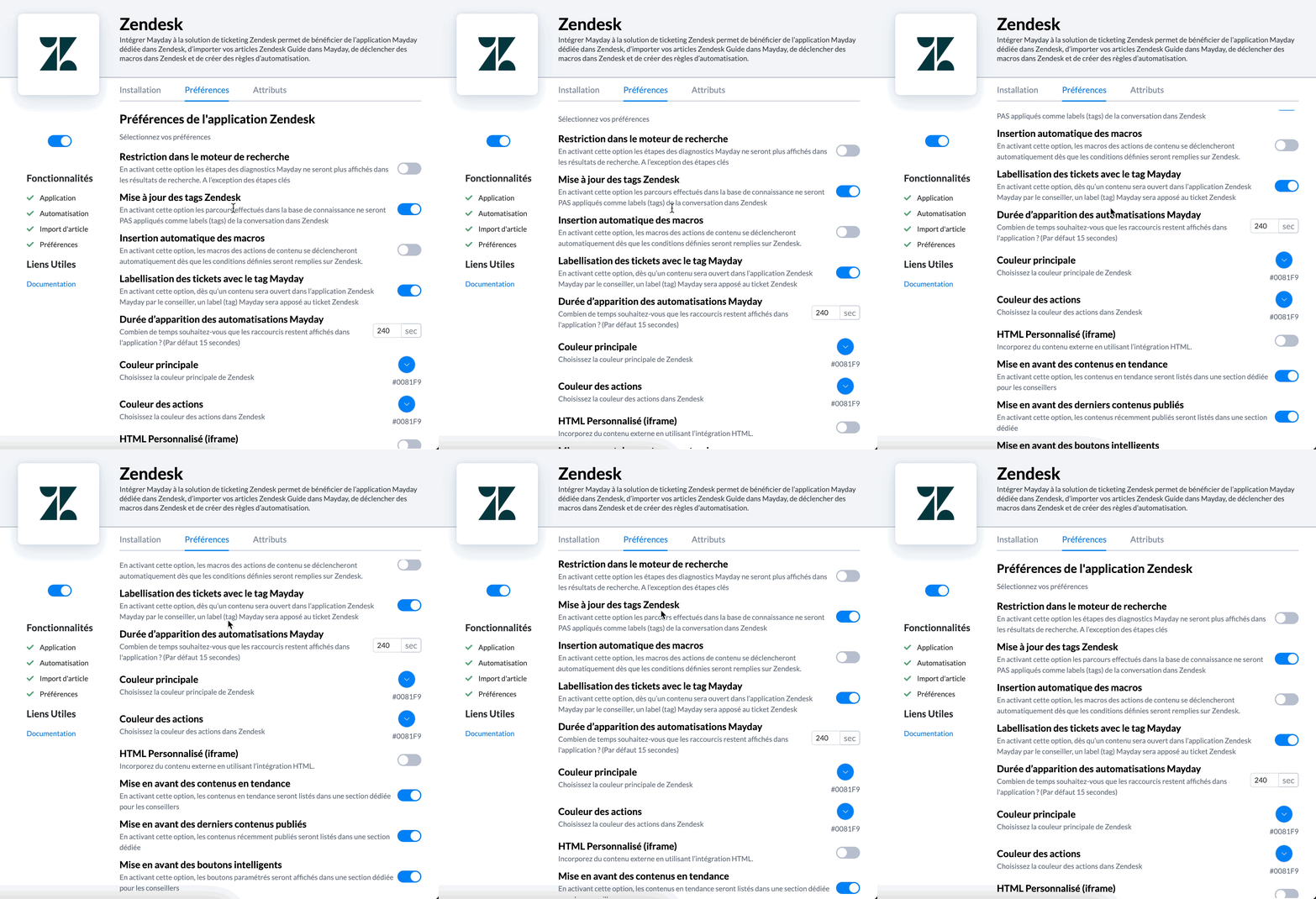
In the "Preferences" section, set your preferred options for all users:
🔍 Search engine restriction : by activating it, users of the chrome extension and full-page version will only be able to search for guide and articles. Thus, they will not be able to access guide steps from search results.
We recommend activating this preference. Indeed, if you do not activate it, advisors will have many search results, sometimes irrelevant (guide steps "YES", "Next", etc.)
📌 Zendesk Tag Update: when activated, no tag will be added to the Zendesk ticket as the advisor navigates through the knowledge base.
▶ Automatic Macro Insertion: when activated, Zendesk macros associated with Mayday content will be automatically triggered when the advisor opens the content via the Mayday Zendesk application. This does not apply if the content contains multiple macros.
🏷 Ticket Labeling with Mayday Tag: when activated, every time an advisor opens Mayday content on a ticket via the Mayday Zendesk application, the tag "Mayday" will be automatically added to the ticket. This allows tracking of tickets where Mayday content has been used.
⏱ Duration of Mayday Automations Appearance: when activated, you can set a display time for the automations received on the Mayday Zendesk application.
By default, scheduled automations are visible for 15 seconds. We encourage you to increase this appearance time.
🎨 Colors: set the main color of the Zendesk application, as well as the color of actions.
🔌 Smart Plugins: choose which plugins you want to activate on the Zendesk application, such as custom HTML, trending content, or the latest published content. For more information:
❓Question
Did the integration work?