📕 Presentation
Discover in this content how to assign a training module on Mayday Academy to allow your agents to follow a training.
On Mayday Academy, there are certain conditions for agents to access a training.
For this, the training module must meet one of the following conditions :
Be published and accessible to all agents on Mayday Academy as a public module.
Or be assigned to specific agents as a private module, limiting access to those who need it on Mayday Academy.
Let's discover all this👇
🎯 Use case
Assign a module on Mayday Academy to define the agents who will have access and be able to follow this training.
Option 1⃣ : Make the module public
If a module is public, all agents who have access to Mayday Academy will be able to follow it.
If you are looking to offer off-the-shelf trainings that your agents can follow at their leisure, the public module is the ideal solution.
👉 Essentially, the public module is a catalog of trainings accessible to all agents on Mayday Academy.
It allows you to make available generic and optional trainings that meet specific skill development needs. In addition, it is perfect for mandatory trainings that are intended for all agents.
To do this:
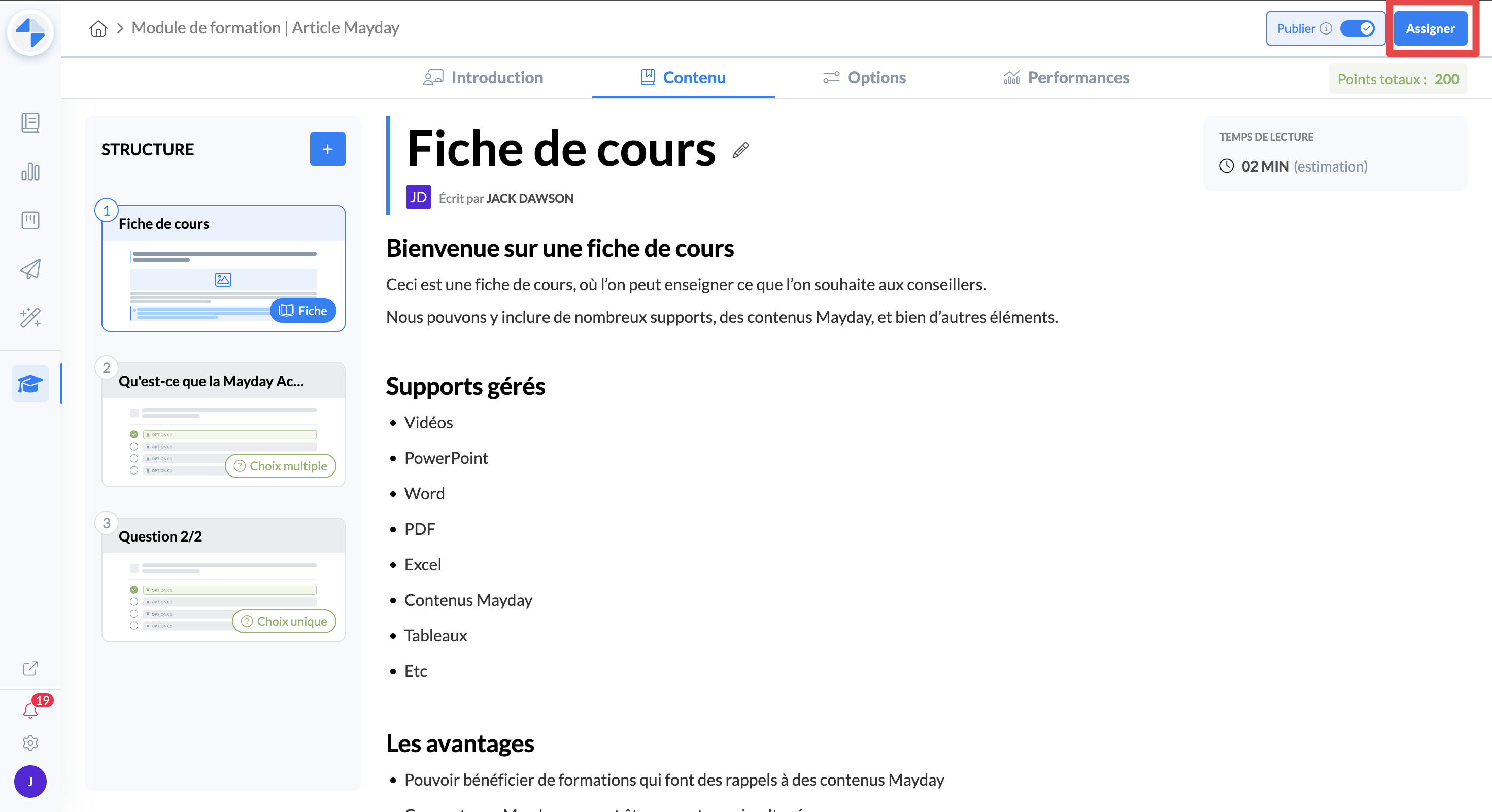
Click on “Assign” at the top right of the view of a training module
Once the assignment modal is open, select “All users” at the top left
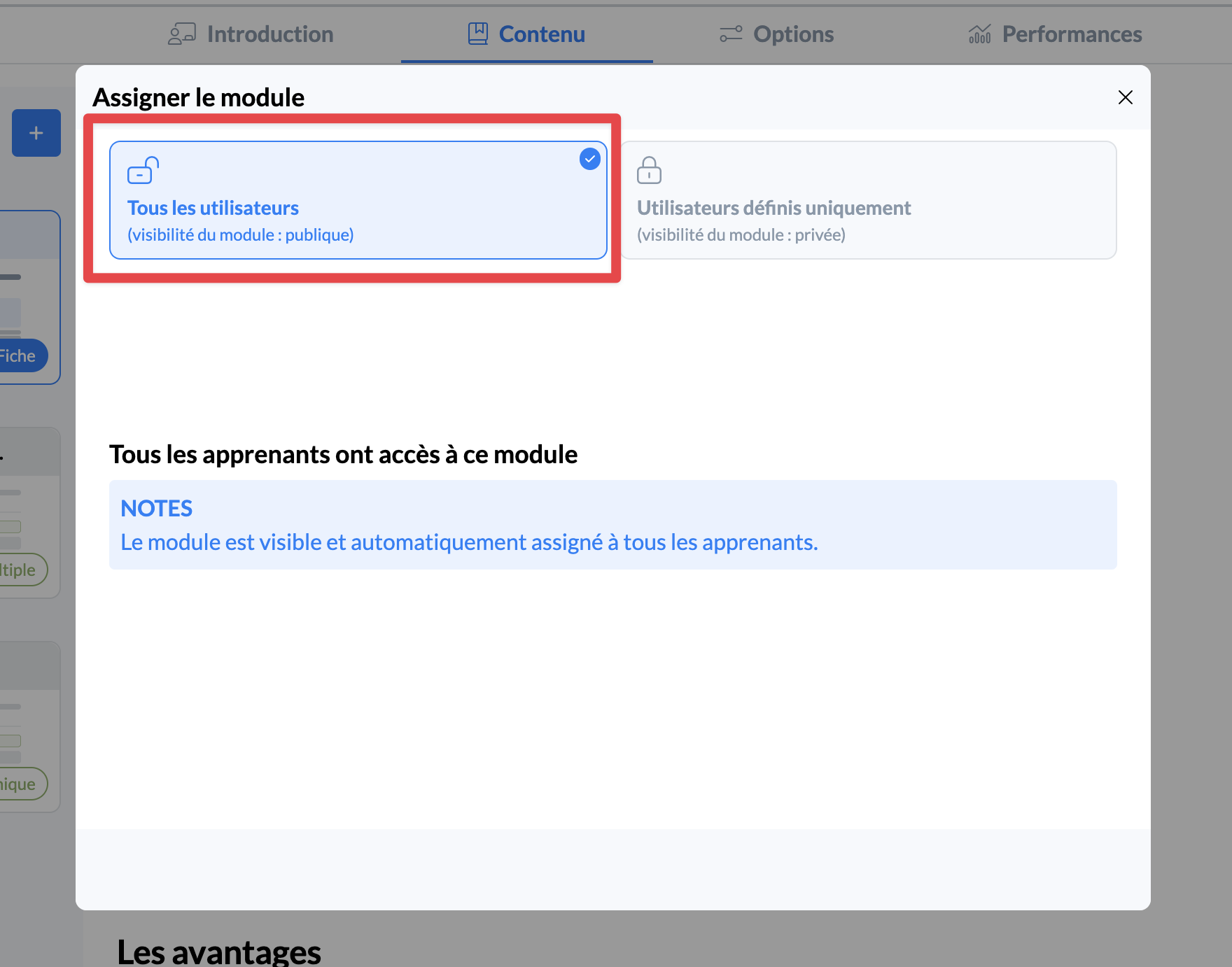
Once selected, the module is then visible and assigned to all agents with access to Mayday Academy.
Attention : In the “Performance” section, learners will only be listed once they have started the training module, which will not be the case for private modules.
Option 2⃣ : Assign agents to a private module
If a module is private, only assigned agents will have access to it on Mayday Academy.
If you are looking to offer specific trainings specific to certain agents, teams, or potentially to new hires in the middle of onboarding, the private module is more suitable.
To do this:
Click on “Assign” at the top right of the view of a training module
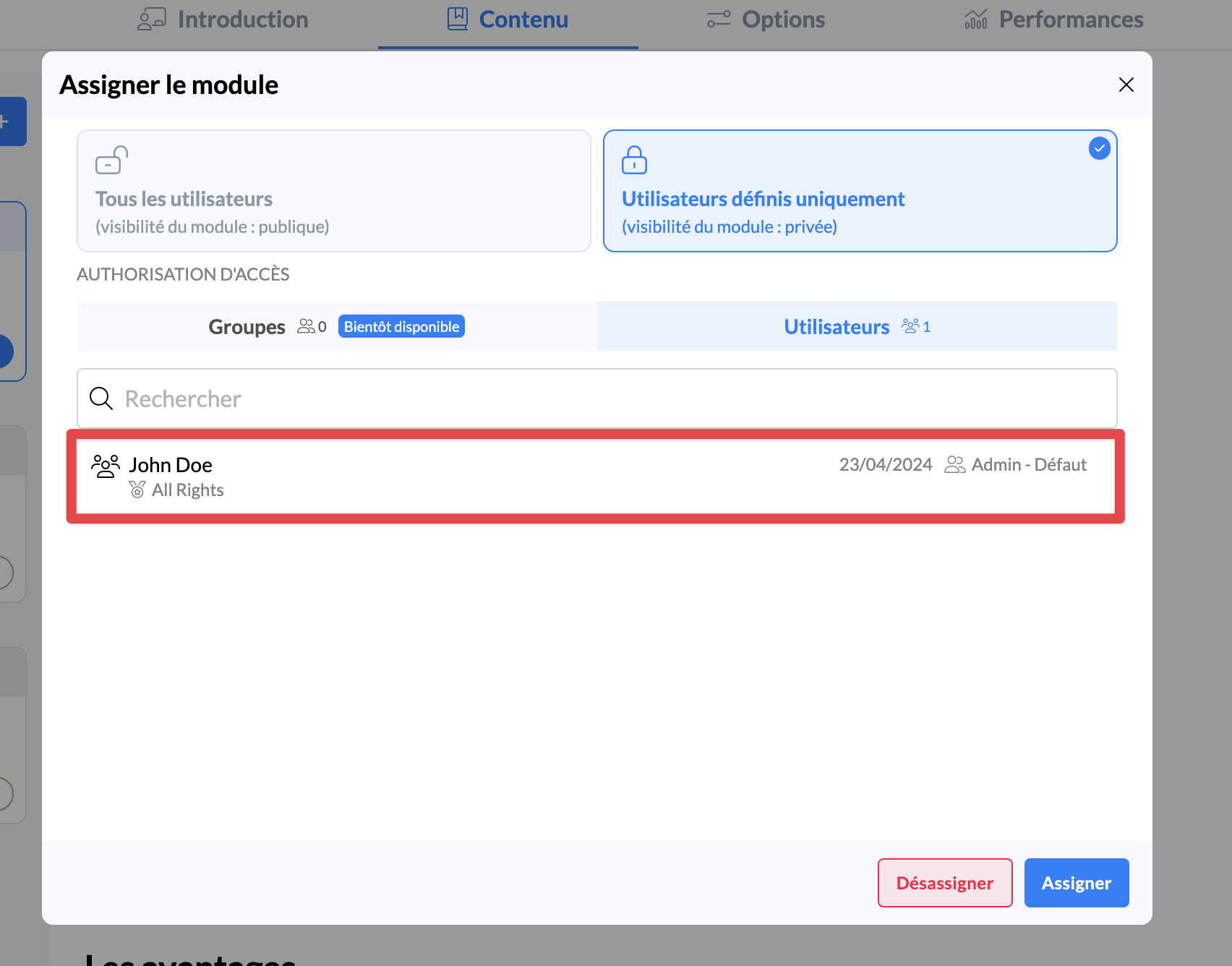
Once the assignment modal is open, select “Defined users only” at the top right
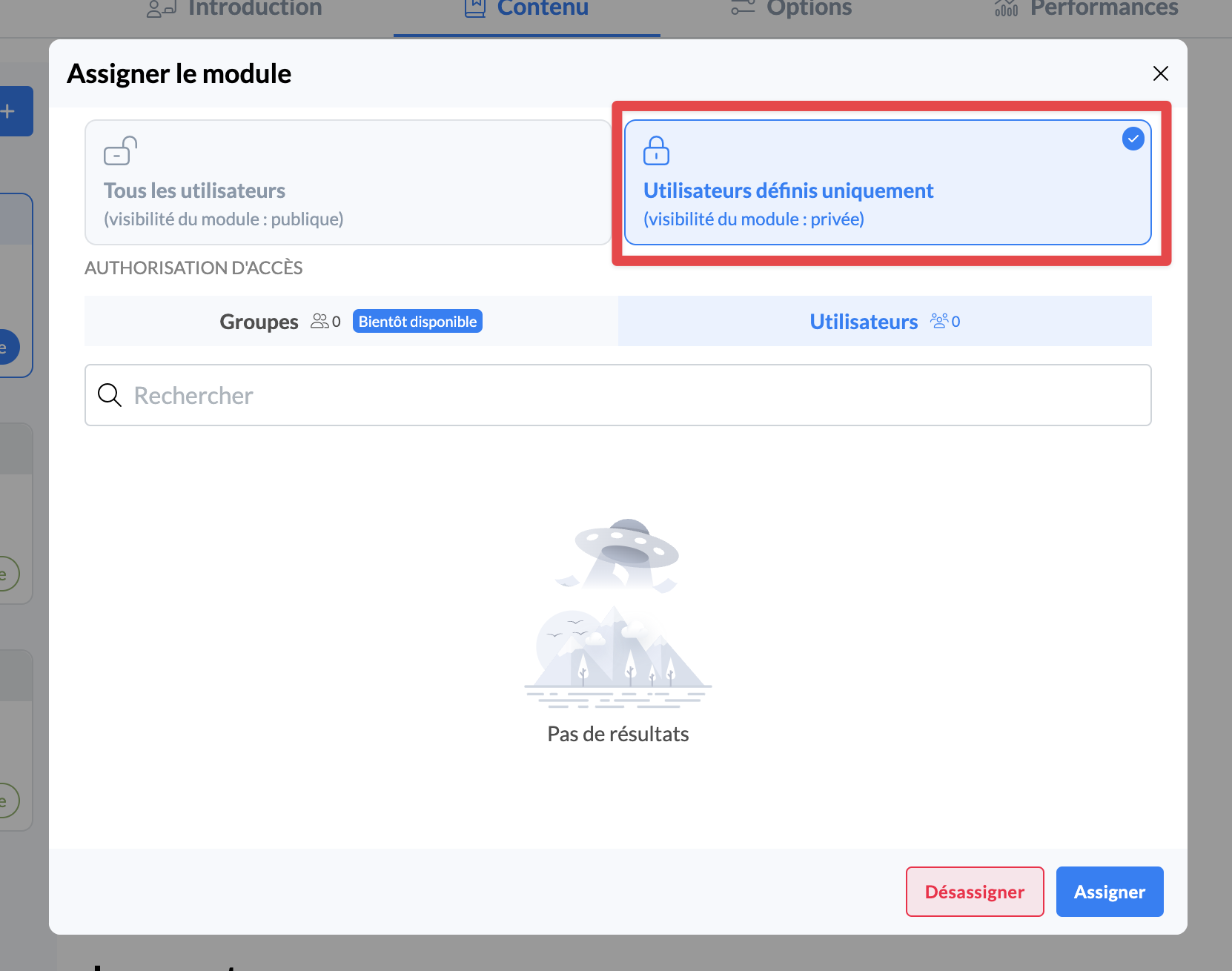
Then, you can choose to see the list of assigned learners, unassign them, or assign new ones with the “Assign” button at the bottom right
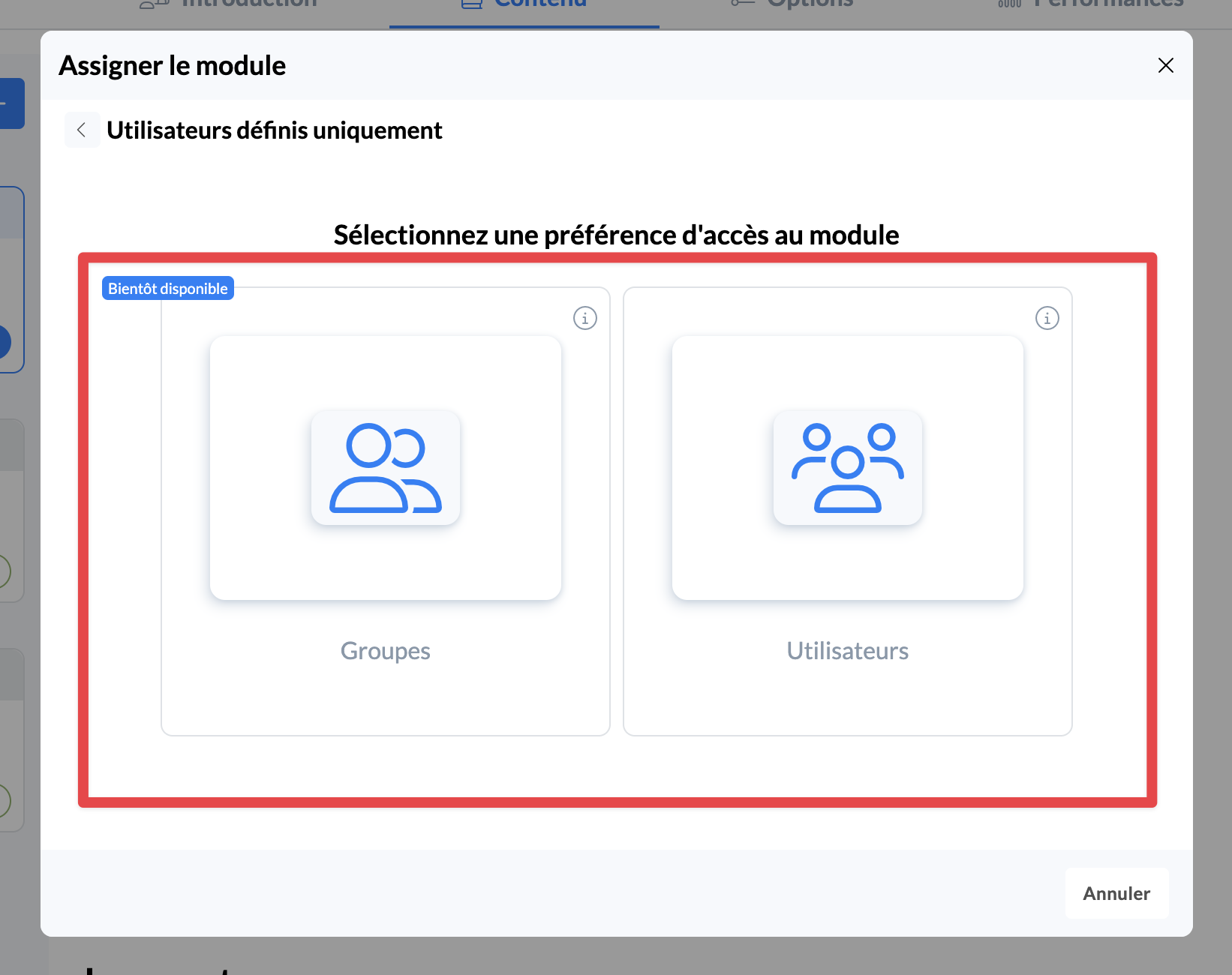
You can then choose between assigning defined users (unsynchronized), or directly from Mayday groups (synchronized)
👤 Assigning defined users
If you decide to assign users, you can then choose the users to assign from the list of those who have access to Mayday Academy
In addition, you can use Mayday groups, roles or user labels to quickly filter among the users you want to assign. For example, you can assign all agents with the same role in one click.
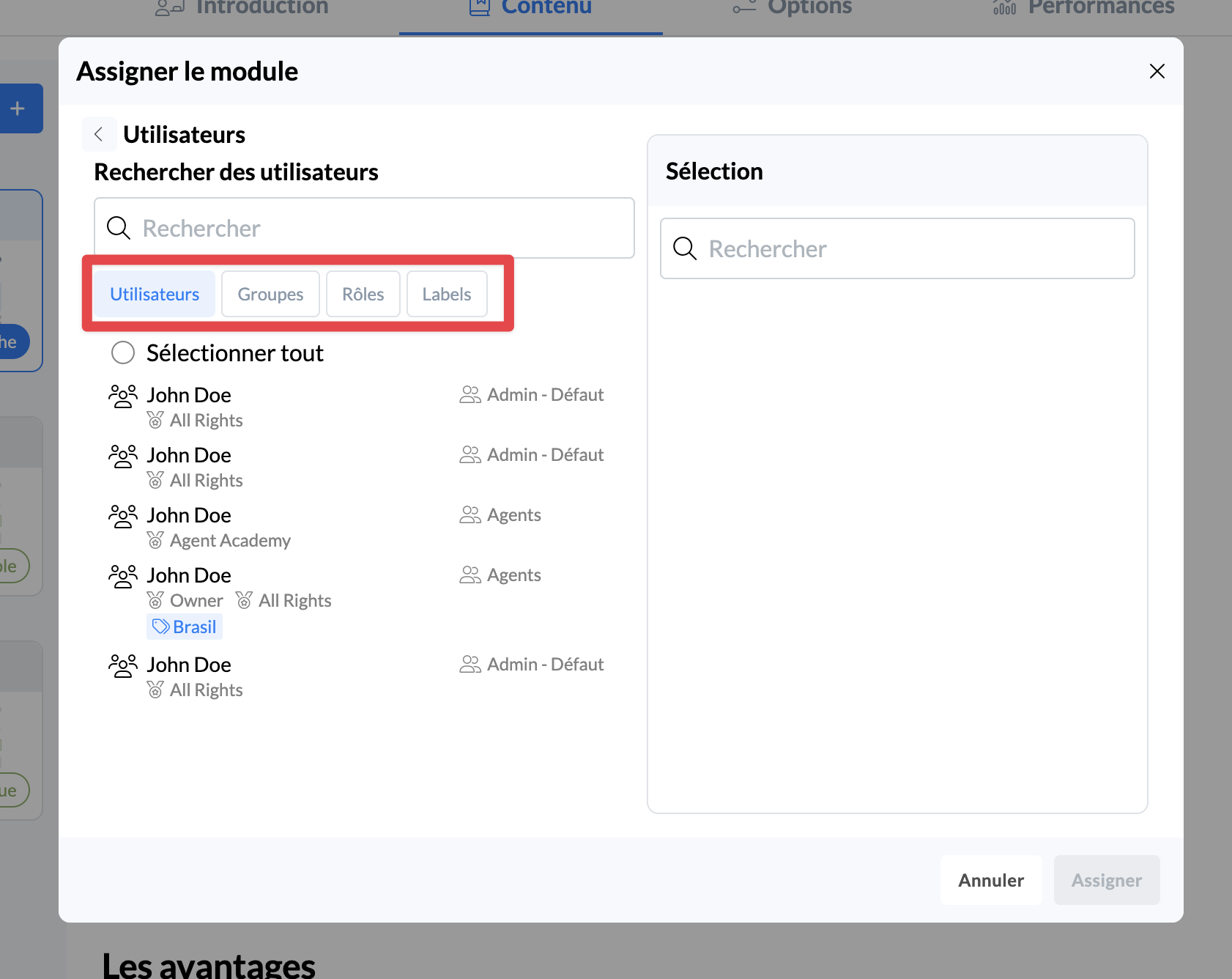
Attention : This is a non-synchronized assignment. Thus, if groups, roles or labels were used during the assignment, and these groups, roles or labels evolve over time (users added or removed, deletion, etc.), this will have no impact on the assignment.
Once assigned, users will receive a notification and will be able to launch the module on Mayday Academy 🎉
👤 Assigning Mayday groups | Available soon
If you decide to assign Mayday groups, you can then choose from among the Mayday groups.
This assignment allows you to directly assign Mayday groups. In other words, if you want to assign a team to a common training, the group assignment is the ideal option.
Unlike user assignment, Mayday group assignment is synchronized, which means that if a user is added or removed from a group, this will be reflected in their module assignment.
Once assigned, users will receive a notification and will be able to launch the module on Mayday Academy 🎉
⛔ Unassign from a module on Mayday Academy
If you wish, you can unassign an agents from a module, which will remove their access to the module on Mayday Academy.
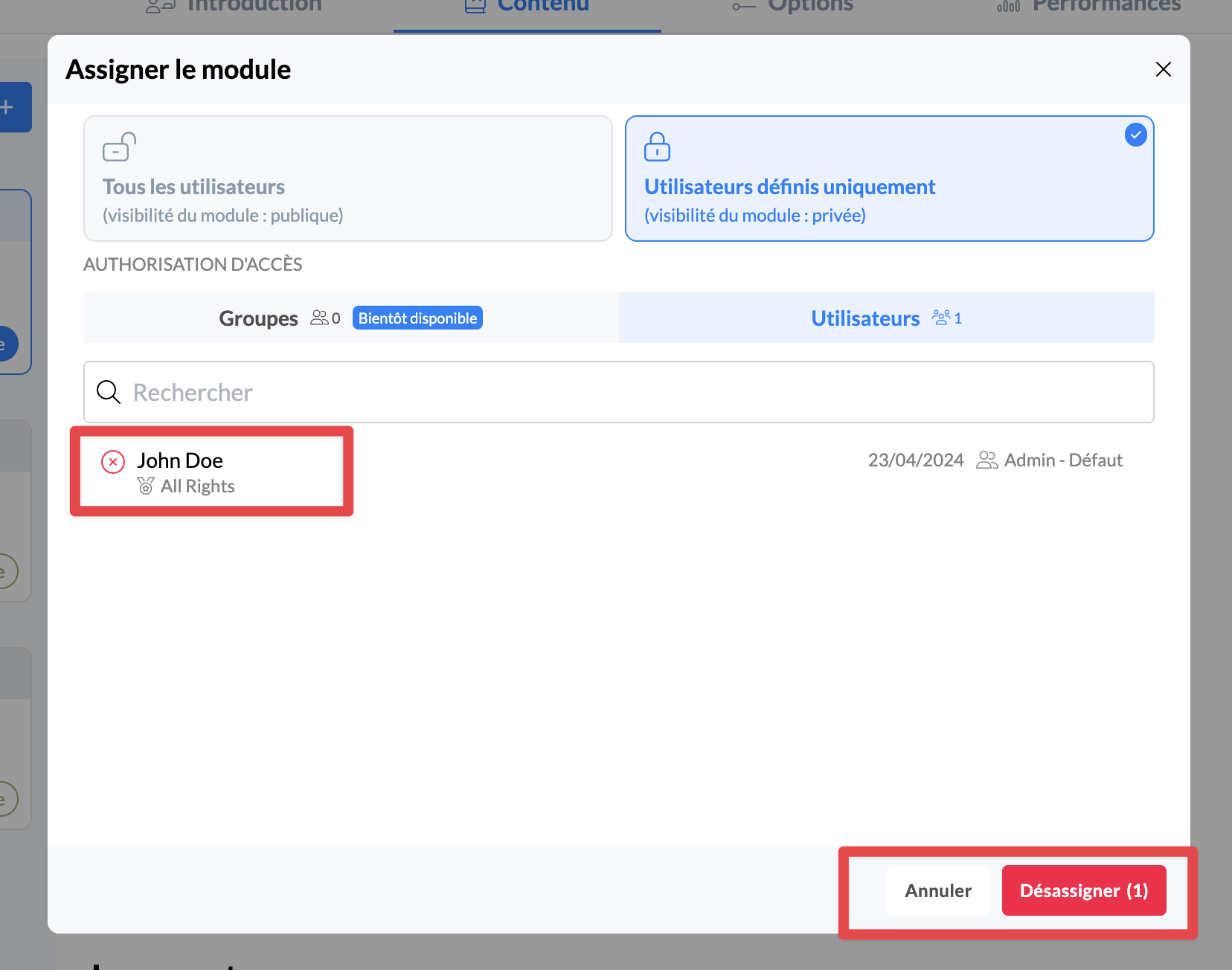
Once unassigned:
The agent will no longer have access to the module on Mayday Academy, regardless of their progress
All data for this agent on this module will be deleted
The learner will no longer appear in the “Performance” tab and their results will no longer be taken into account in the overall metrics
❓ Questions / Answers
I assigned an agent by mistake, what can I do?
If you assigned an agent by mistake, you just need to unassign them. This will remove their access to the module, and do so instantly.
If I unassign and then reassign an agent, what happens?
If an agent is unassigned and then reassigned to a module:
They will have to start the module from scratch because all their previous progress will be erased.
They will follow the latest version of the module, which may differ from the one they were initially assigned to.
If I assign a module to an agent and then modify that module, what happens?
If a module is assigned to a learner and it is modified, here's what happens:
If the learner has already started the module, they will still have access to the initial version and will not see the modifications.
If they have already completed the module, they will consider it completed, with the version to which they were assigned.
If they have not yet started the module, they will automatically follow the new version as soon as they launch it.
Thus, if you want the learner to follow the latest version of the module, even if they have already started or completed the old version, you must unassign and then reassign them.