📕 Presentation
Discover in this content how to publish a training module on Mayday Academy to allow your agents to follow a training if they are assigned to it.
On Mayday Academy, agents can access learning modules only if certain conditions are met.
Indeed, the training module must meet one of the following conditions:
Be published and accessible to all agents on Mayday Academy as a public module.
Or be assigned to specific agents as a private module, thus limiting access to those who need it on Mayday Academy.
Let's discover all this👇
🎯 Use cases
Publish a module on Mayday Academy so that the training is visible to the agents who are assigned to it.
🔴 By default, a module is in draft mode
Just like an article in the knowledge base is, by default, in draft mode when created, the same goes for a training module or path.
When a module or path is created, it is in draft mode, which means that no user with read access will be able to see this module, even if assigned to it.
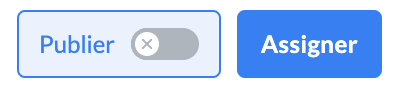
🟢 Publish a module
If a module is published, all agents who have access to it will see it on Mayday Academy
Once your module is ready, you can decide to publish it.
This means that an agent will be able to see it if:
They have access to Mayday Academy
The module is assigned to the agent
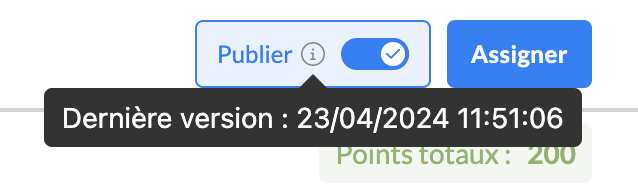
When a module is published, you can get information on the published version by hovering over the ℹ within the "Publish" button.
✍ Edit a published content
If a published module is edited, the changes will be visible to administrators who edit the module, but not to the agents to whom this module is assigned.
Unlike knowledge base content, changes made to training modules or paths are not automatically published.
As soon as a modification is made to a published module, the "Save and Publish" button is displayed:

As long as this button is not clicked, the changes made will not be published on the learner's side. Once clicked, the published version is updated on the learner's side.
⚠ Warning: learners who have already started this module or path will not see the changes
Indeed, if a learner has started or completed this module, the changes made will be invisible to them.
However, learners who have not yet started this module will have access to the latest version of the module.
🔴 Put a module in draft mode
If a published module is put in draft mode, it will no longer appear on the learner's side. Whether the learner has started the module or not, it will now be invisible to them.
Indeed, if a module is in draft mode, no one will be able to see it, regardless of their status:
Not started
In progress
Completed
⚠ Warning: if a module is unpublished, modified, and then republished, learners who have already started it will still have access to the old version
If you want the learner to have access to the latest version of the module even if they have already started it, simply unassign and then reassign them to the module or path.