📕 Presentation
Discover in this content how to create a question in a module, in order to test the learners' knowledge.
Once your module is created and configured (see the article ), you can start structuring the content of your module.
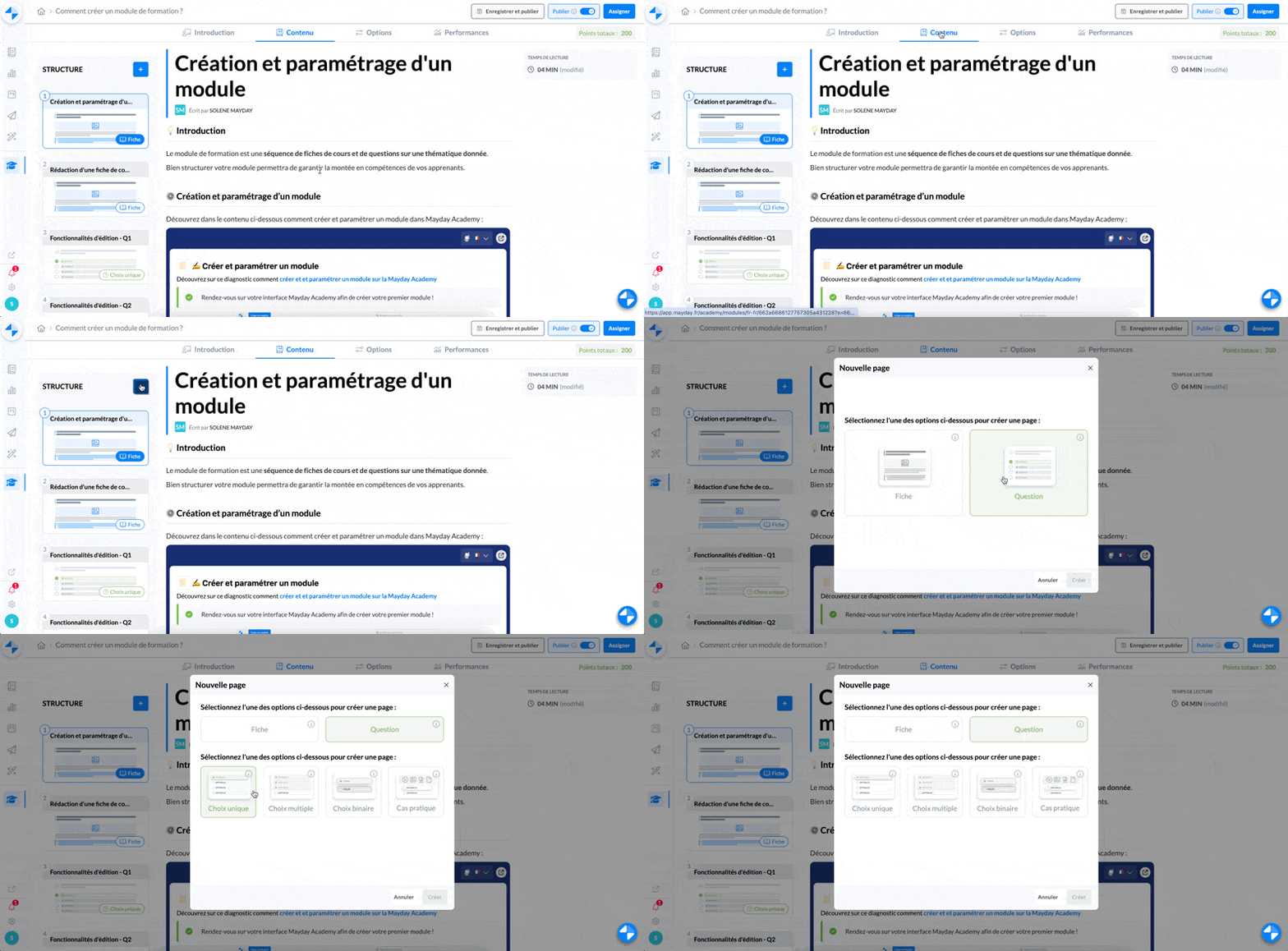
You have the possibility to create sheets (see the article ), but also a question.
The question allows you, at certain key moments of the module, to test the learners' knowledge.
There are 4 types of questions that can be created:
The single choice question: it allows learners to choose one correct answer from several proposals.
The multiple choice question: it allows learners to choose several correct answers from the proposals
The binary choice question: it allows learners to choose one correct answer from 2 proposals (for example: True/False)
The case study: it allows learners to choose one or more correct answers from several proposals, based on a case you present (from an image, a video, or any other type of format)
🆕 Create a question
To create a question in a module:
Go to the "content" tab
Click on the "+" in the drop-down menu of your different contents associated with the module on the left.
Choose the type of question you want to create