📕 Presentation
The multiple choice question allows learners to choose one correct answer among several options.
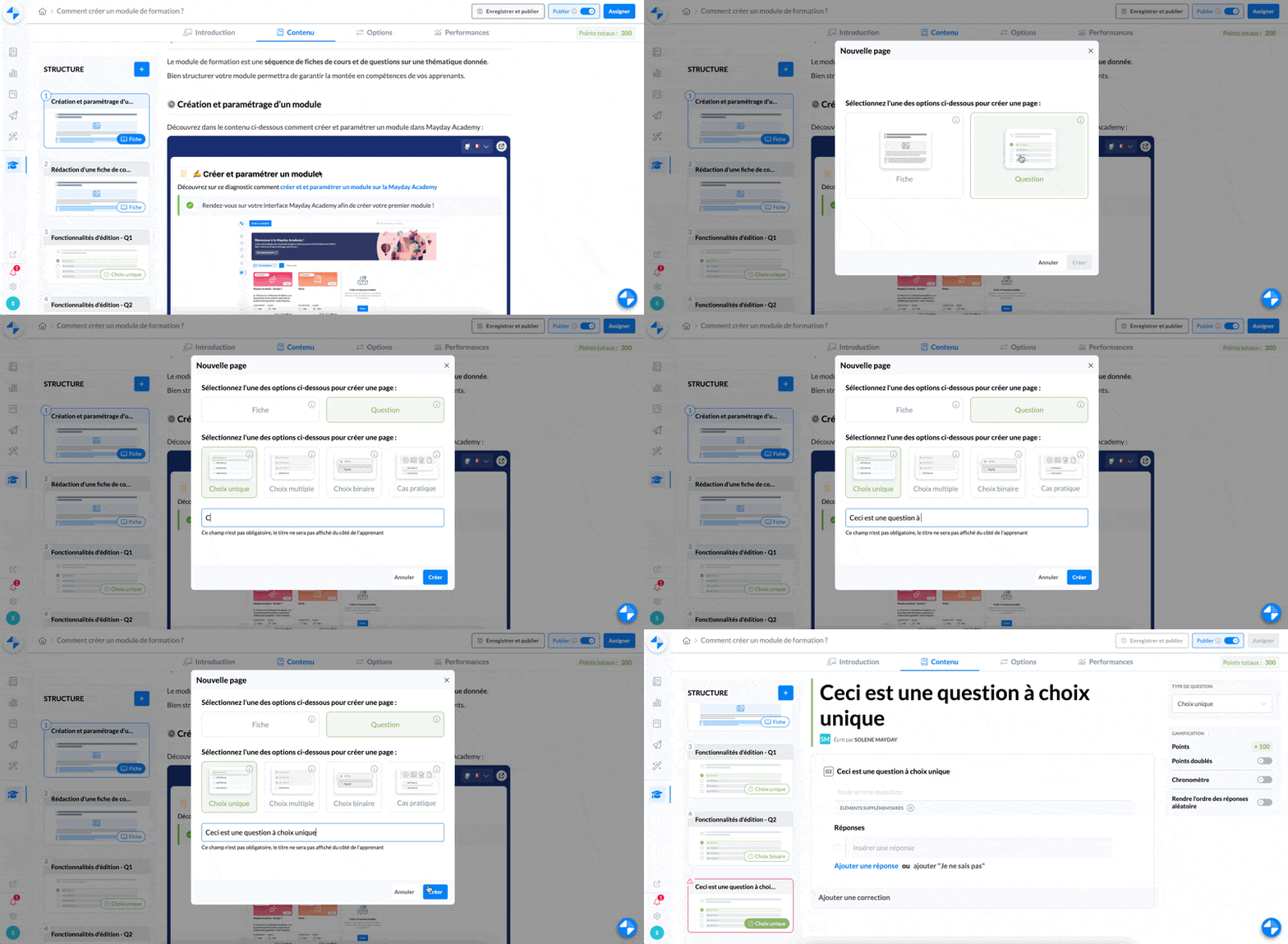
⚙ How to create a multiple choice question
Select the multiple choice question
Type the title of your question
Click on "Create"
Your multiple choice question is created.
📸 View the creation of a multiple choice question
✍ How to write a multiple choice question
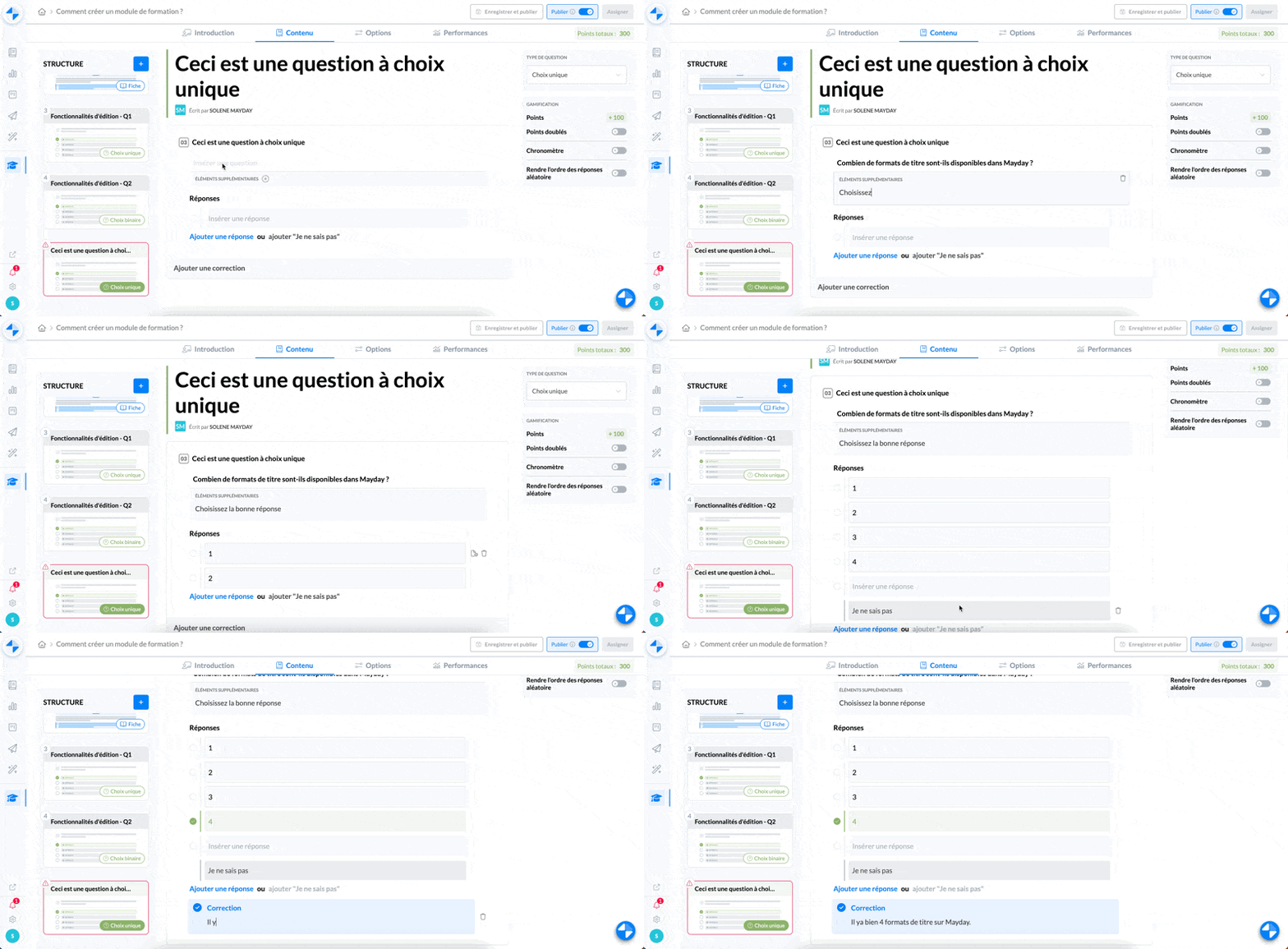
Once your question is created and inserted into your module, you need to write its content:
Type the desired question
If necessary, you can add additional information
Add the answer options (you can also add an option "I don't know")
Select the correct answer
Add if necessary a correction that will be displayed after the learner's validated choice
📸 View the writing of a multiple choice question
⚙ Set the options
You have the possibility to set the options of a multiple choice question, in the right-hand box of your question.
📸 View the options of a multiple choice question
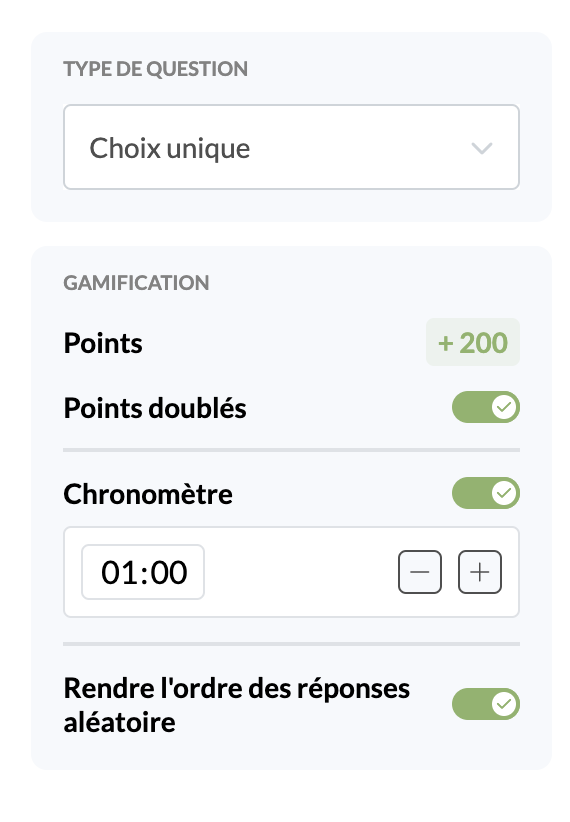
You have the possibility to:
Convert the question to a multiple choice question
Double the points earned for a correct answer to the question
Set a timer that will start when learners open the question
Make the order of the proposed answers random