📕 Presentation
The binary choice question allows learners to choose the correct answer from 2 options (for example: True/False)
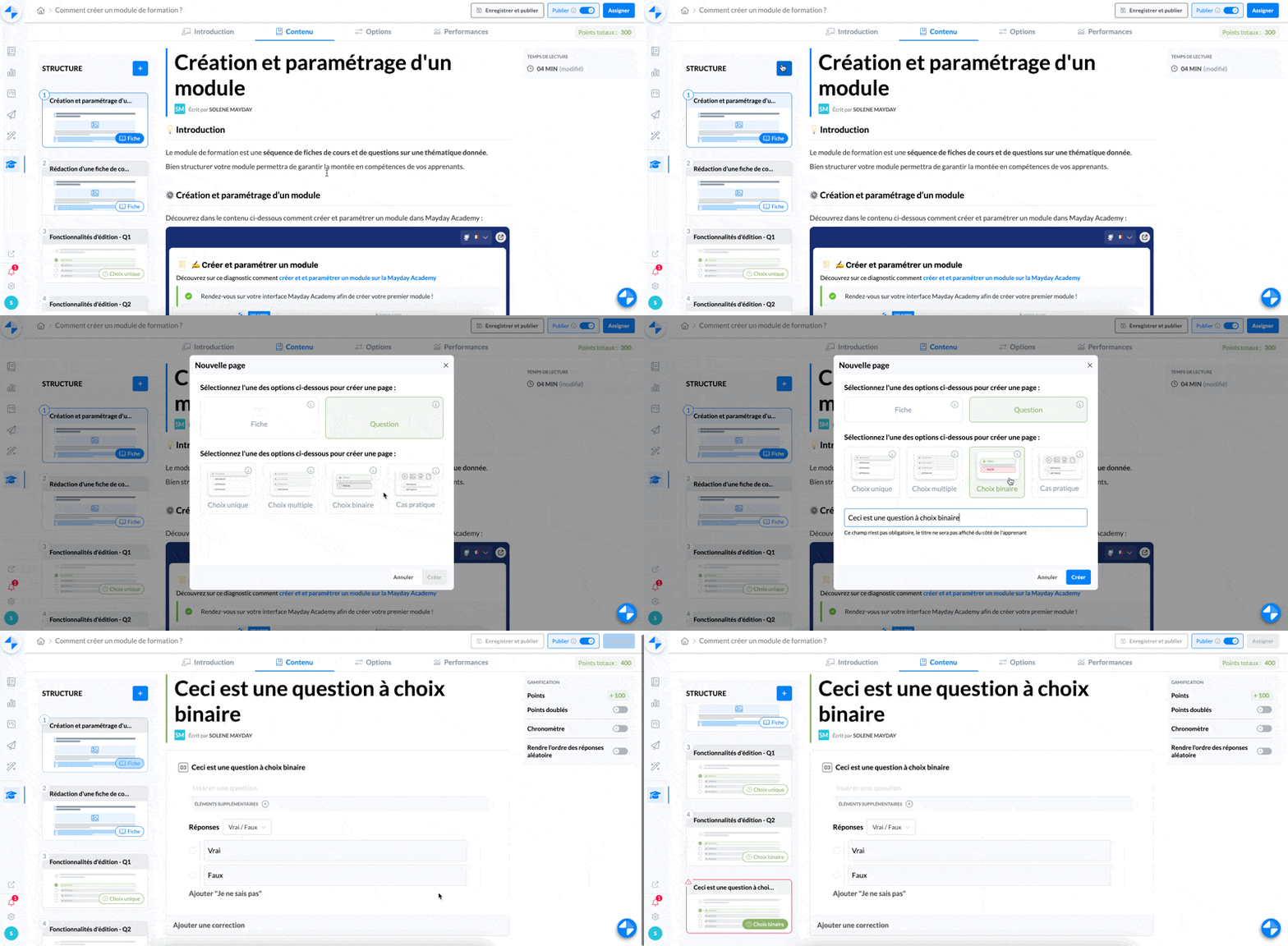
⚙ How to create a binary choice question
Select the binary choice question
Type the title of your question
Click on "Create"
Your binary choice question is created.
📸 View the creation of a binary choice question
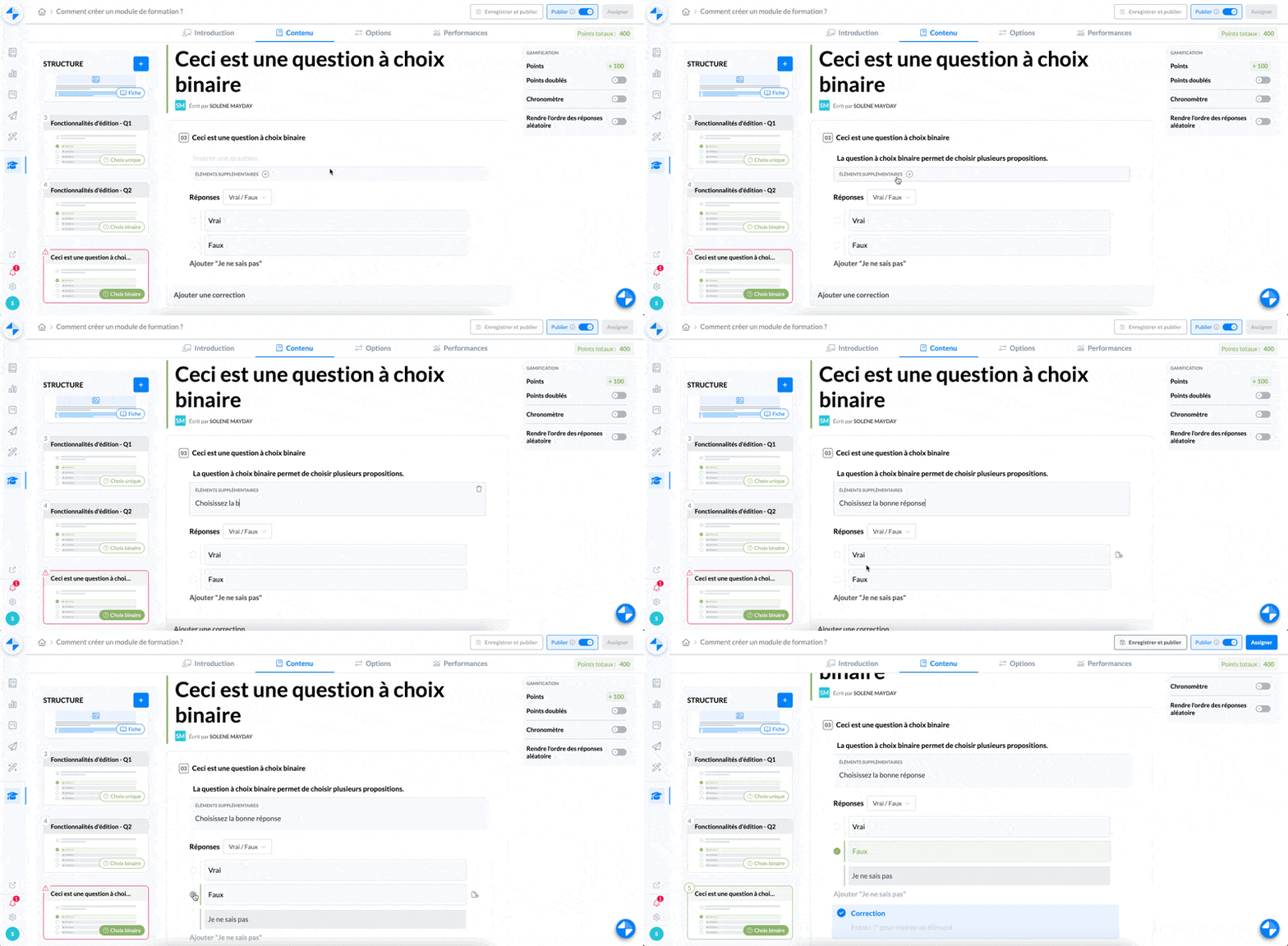
✍ How to write a binary choice question
Once your question is created and inserted into your module, you need to write its content:
Type the desired question
If necessary, you can add additional information
Select the answers you want to add (True/False; Yes/No; or custom)
If you want custom answers, enter the proposals
Select the correct answer
Add a correction if necessary, which will be displayed after the learner's choice is validated
📸 View the writing of a binary choice question
⚙ Set the options
You have the possibility to set the options of a binary choice question, in the box on the right of your question.
📸 View the options of a binary choice question
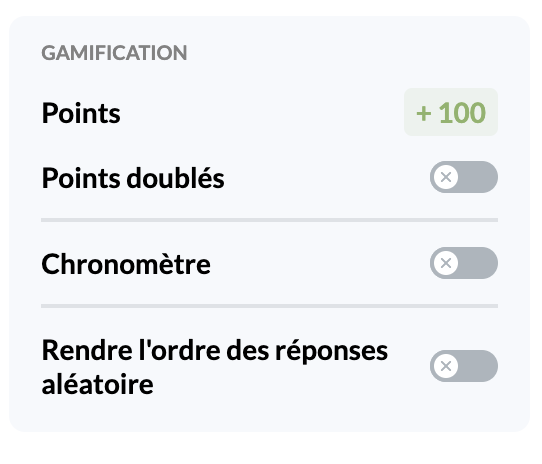
You have the possibility to:
Double the points earned for a correct answer to the question
Set a timer that will start when learners open the question
Make the order of the proposed answers random