👋 Introduction
Mayday offers flexible management of access to AI agents to ensure that each user has the right agents according to their role and responsibilities. This feature allows you to precisely control who can use which AI agents in your organization.
❓ What is it?
Access management for AI agents is a permission system that allows you to define which users can see and use the different AI agents available on Mayday. This feature is based on the user role system and offers two complementary approaches to configure these accesses intuitively.
🤔 How does it work?
You have two ways to define access to AI agents:
🔑 First way: From user roles
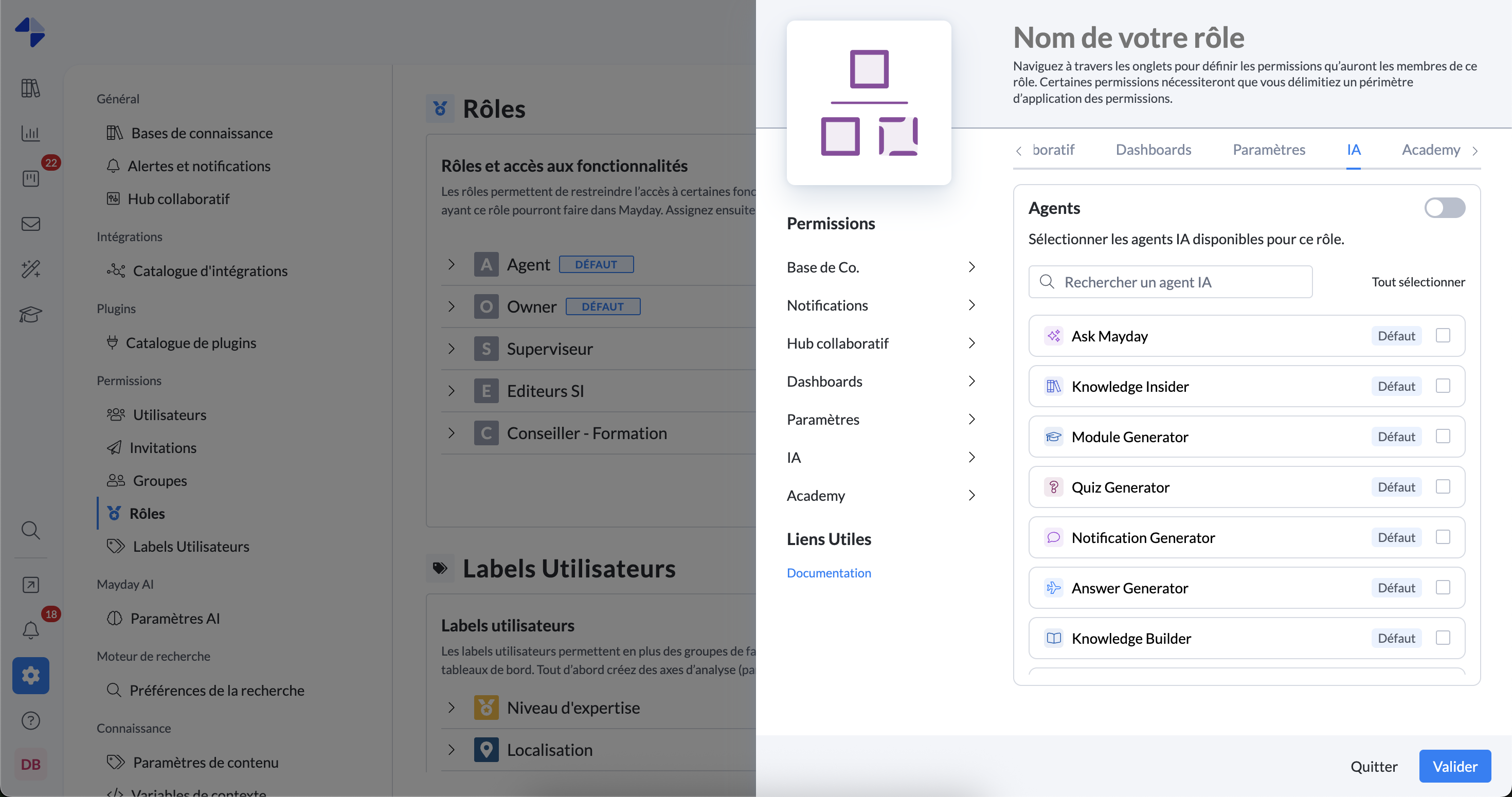
Access user role management in the admin center
Open the role's "AI" tab that you want to configure
You will see the complete list of available AI agents:
First, the Mayday default agents
Then all the custom agents of your organization
Important: Even disabled agents are displayed in this list
This approach allows anticipation: if you grant access to a disabled agent and it is enabled later, users will automatically have access to it
By default, a new role has access to no AI agents.
Therefore, remember to select the appropriate AI agents when creating the role.
⚙ Second way: From editing an AI agent
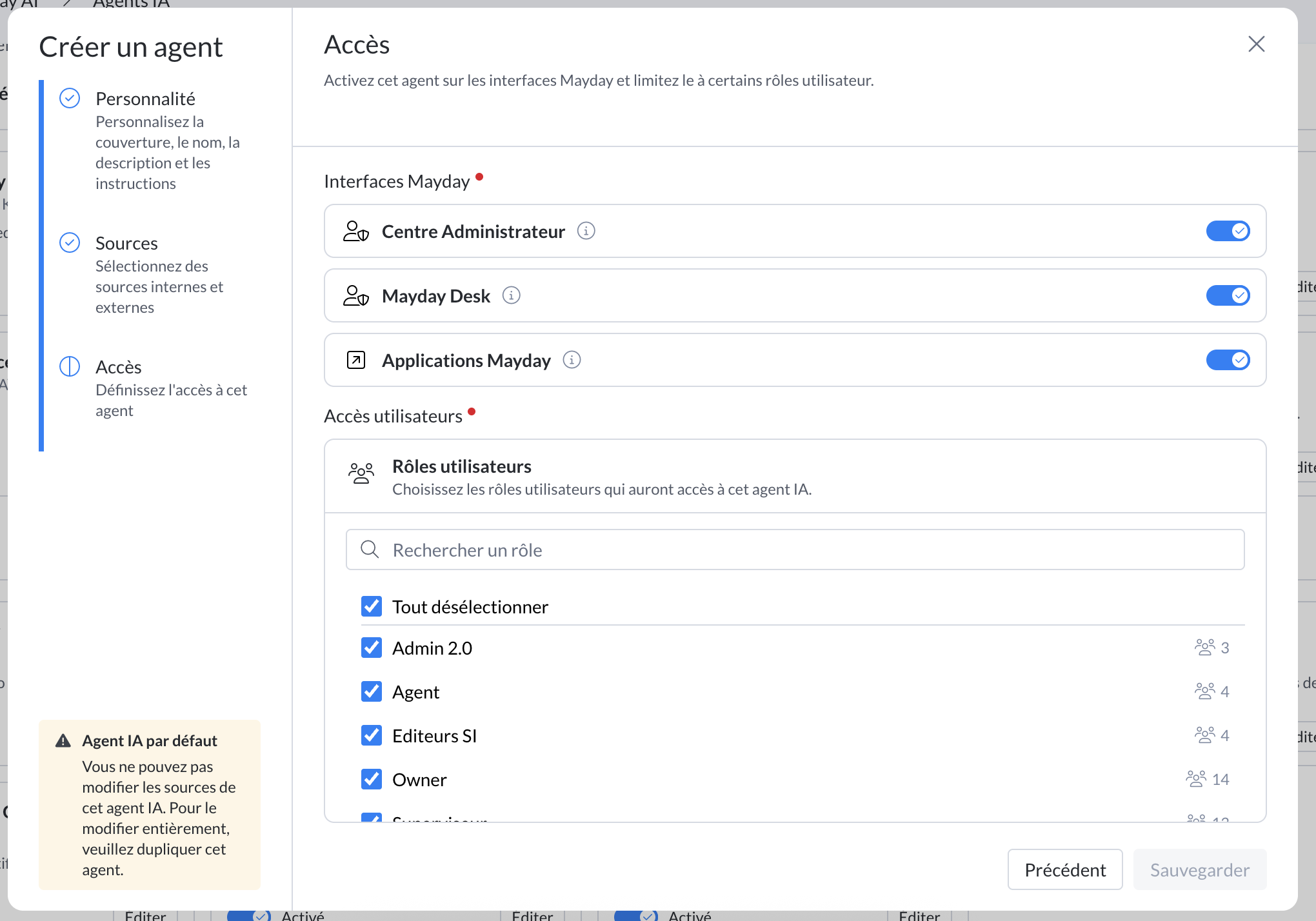
Open the AI agent you wish to configure
Go to the "Access" tab
There you will find the list of all roles in your organization
You can directly add or remove roles from this interface
Once saved, these changes will be automatically visible in the configuration of the concerned roles
📍 Access conditions
For a user to see and use an AI agent, three conditions must be met simultaneously:
✅ The AI agent must be activated at a global level
✅ The user must have access to it through their role
✅ The AI agent must be activated on at least one interface the user has access to