👋 Introduction
The future belongs to AI agents, and at Mayday, we’re already on our way 🤖💡
👉 The Mayday Genius is your new intelligent co-pilot on Mayday: a centralized hub of AI agents, accessible everywhere, designed to help you save precious time on all your daily tasks.
It is currently available on all Mayday platforms!
 What is the Mayday Genius?
The Mayday Genius gives you access to two types of AI agents:
Default agents, created by Mayday, to meet your recurring needs.
Customizable agents, which you will soon be able to adapt to your internal processes or create from scratch 🛠
🎯 The goal: to save you time on Mayday, thanks to artificial intelligence.
🤔 How to use the Mayday Genius?
The Mayday Genius is available everywhere, on all Mayday platforms (Admin Center, Mayday Desk, Widget, Zendesk app, and iAdvize app).
To trigger the Mayday Genius, several entry points are available to you:
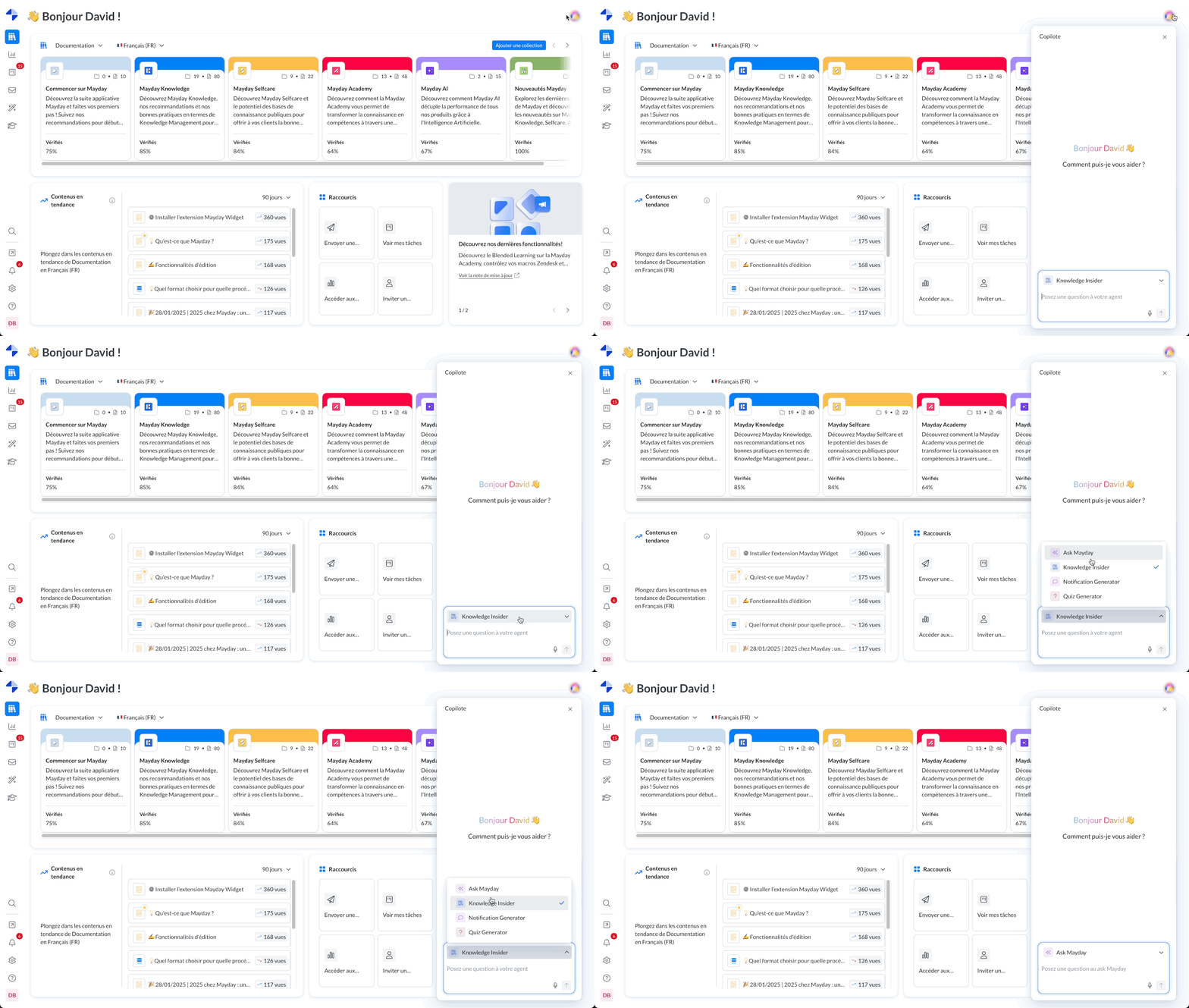
From the button
 at the top right of the Admin Center, or via the navigation bar on advisor platforms.
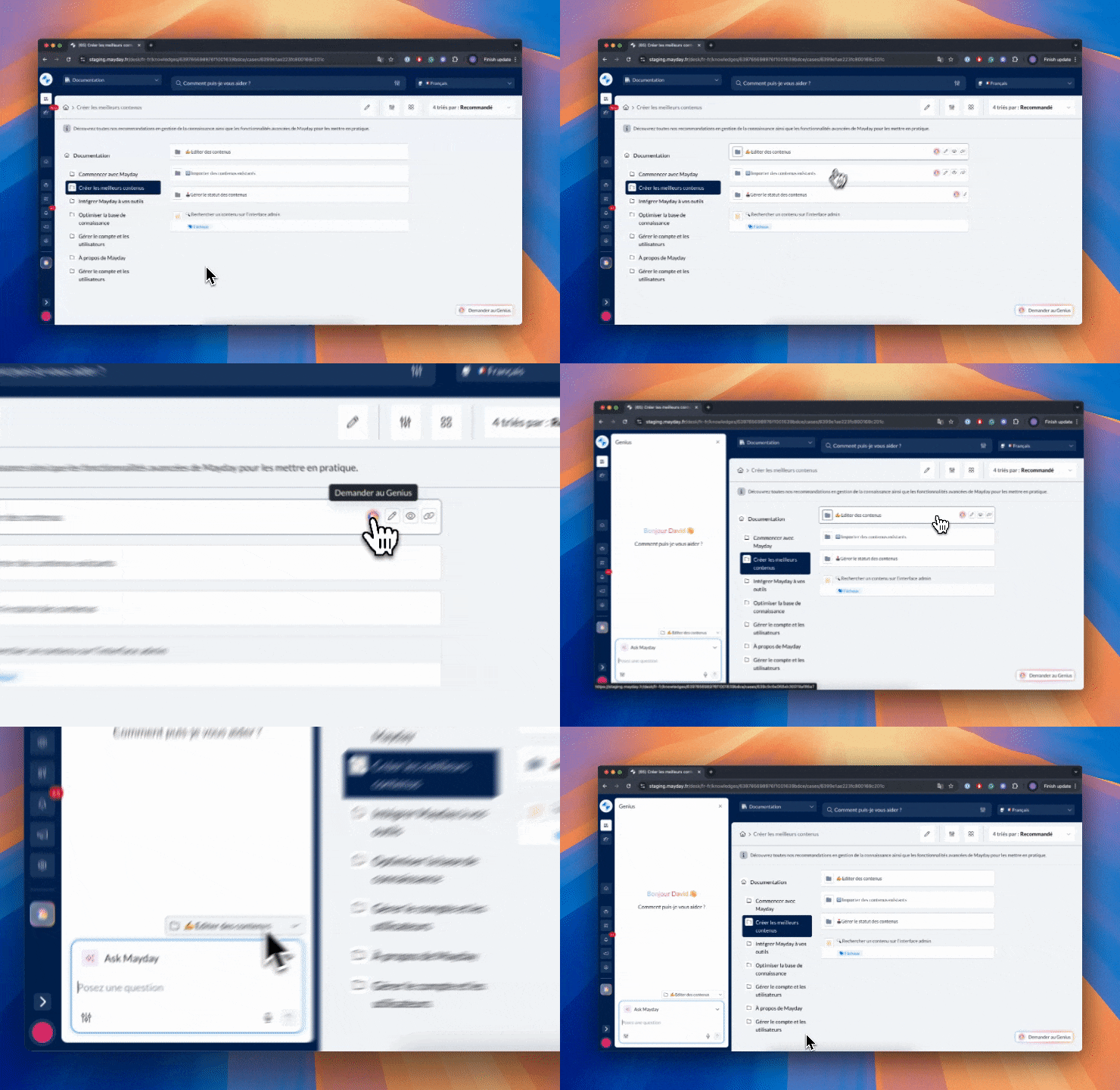
From the navigation on the advisor side: the "Ask Genius" buttons at the collection and content level allow you to trigger Genius, already filtered on the relevant collection or content.
📸 Screenshot
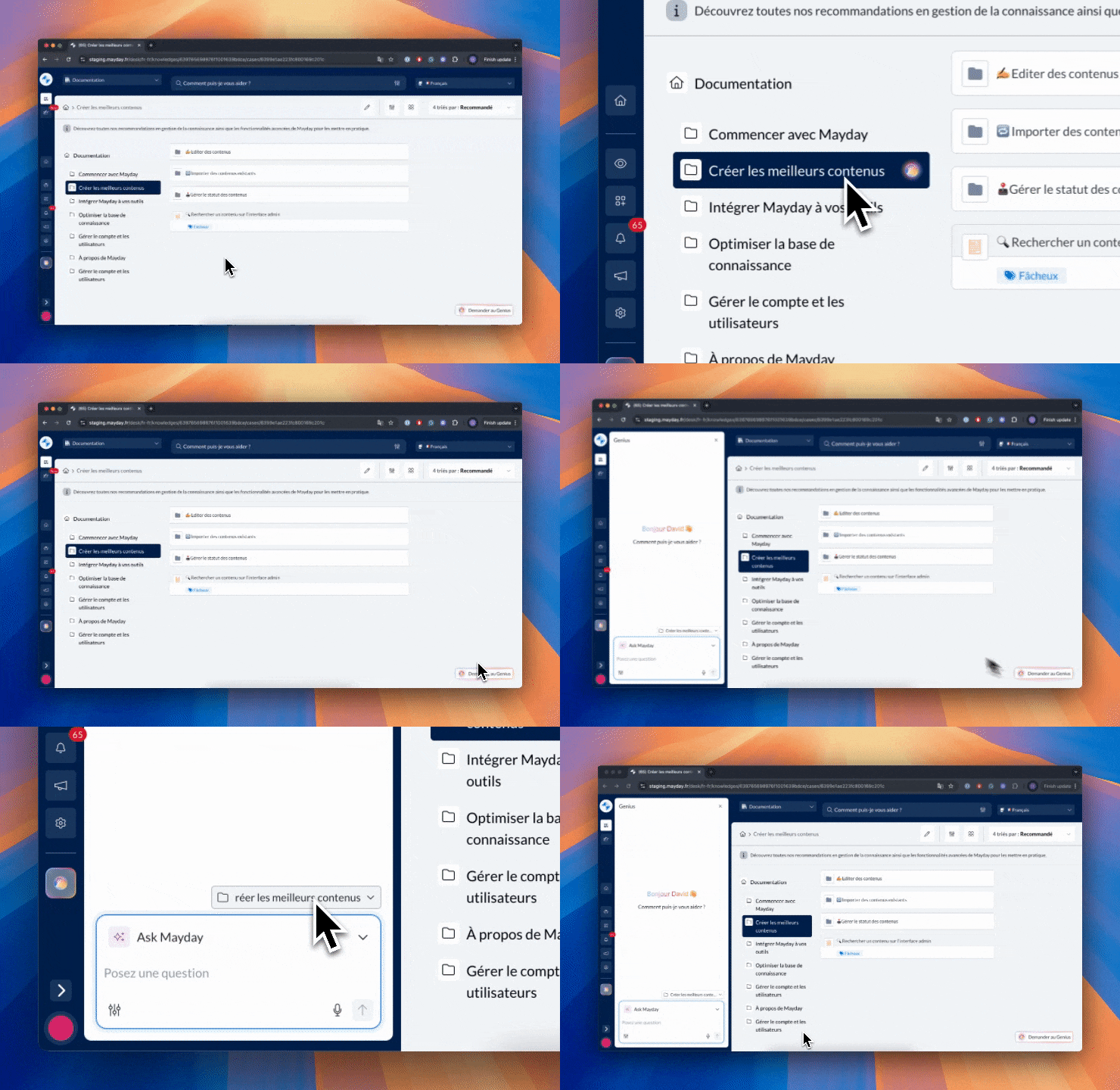
From the "Ask Genius" button at the bottom right on the advisor side: it allows you to trigger Genius, already filtered on the relevant collection or content.
📸 Screenshot
Then, simply:
Ask your question in natural language.
Choose the AI agent best suited to your needs.
Get an instant, clear, and contextualized answer.
Continue the conversation as much as needed: the agent is there to help you.
Use the suggested actions if they match what you want to do.
📍 Where and how does the Mayday Genius work?
Genius is accessible from every page of all Mayday interfaces.
💬 Only one conversation at a time is active: whether you change pages or open several tabs, your ongoing discussion remains the same. This allows you to easily pick up where you left off, without losing anything.
Except for the Chrome extension / Zendesk App / iAdvize App: to allow you to analyze several tickets on different tabs, conversations with Mayday Genius are not shared between tabs.
⚠ Conversations are not shared between different interfaces: in other words, a conversation on Mayday Desk is not shared with the Mayday Widget, for example.
🔄 Parallel conversations are not available: you cannot start several discussions at the same time.
Except for the Chrome extension / Zendesk App / iAdvize App.
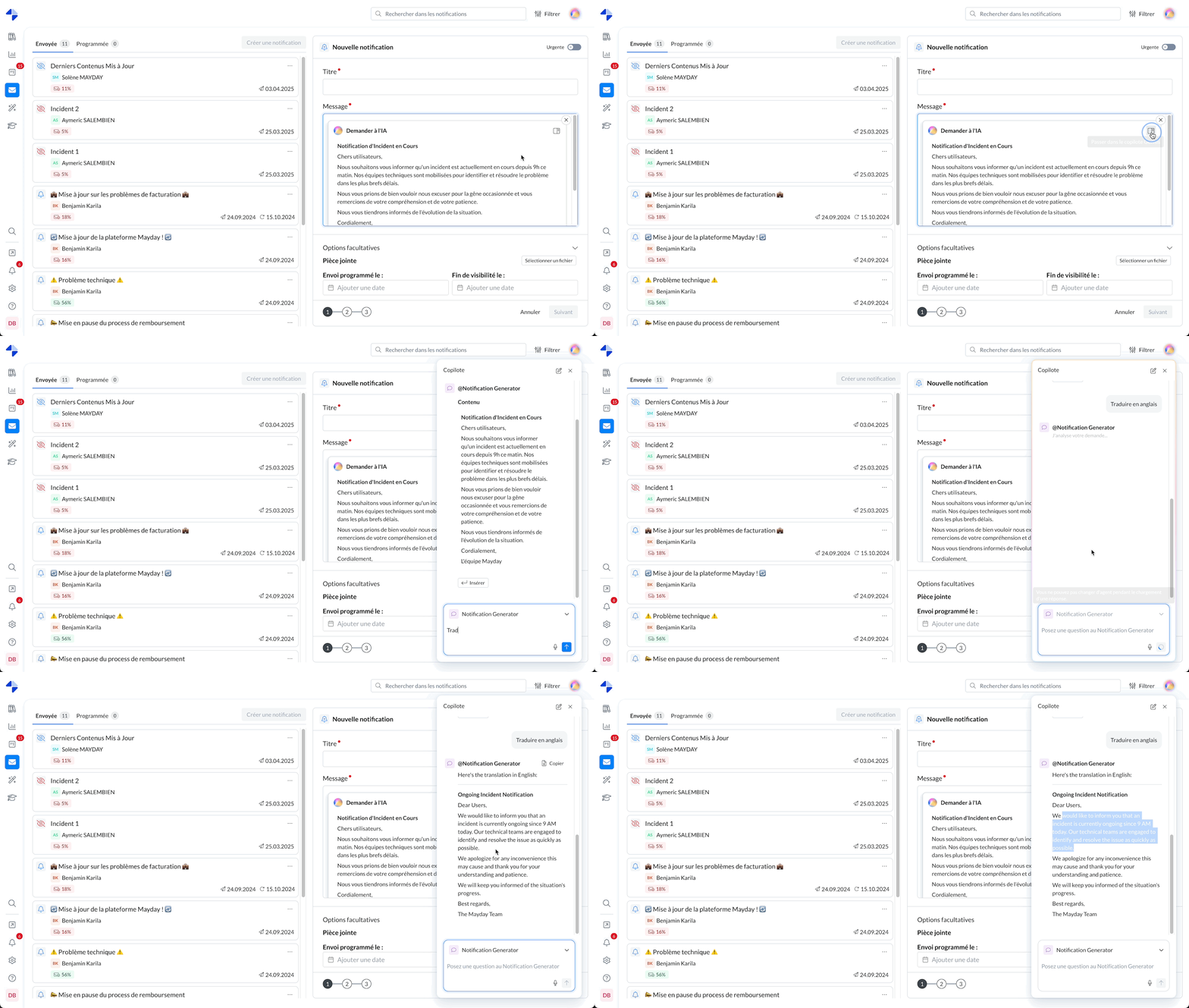
🤖 Are you using the “Ask AI” feature? You can continue this conversation directly in the Genius, to refine or deepen the answer if it doesn’t fully satisfy you.
Here’s a demonstration:
🧩 How does an AI agent work?
Each Mayday agent is structured around three key elements:
🎯 A goal (or prompt)
This is the agent’s mission, its personality, and its role. For example: “I am a knowledge base expert, I provide insights on its content.”
🛠 Tools
These are the data or resources the agent has access to:
Mayday knowledge base
Integrations (Sharepoint, Files…)
Dashboard data
Hub feedback
Internet access
And many more!
⚡ Actions
Beyond answers, an agent can also offer concrete actions related to its role: writing, analysis, notification generation, content creation, etc.
🤖 Agents available today
Access to each agent depends on the products your company has access to, as well as each user’s permissions.
Here are the agents currently available by default:
💬 Ask Mayday
Accessible only if the company has activated Ask Mayday.
Generalist agent, it knows everything about your Mayday environment and your knowledge base. Ask it any question!
🔗 Read the documentation on the Ask Mayday agent:
🎟 Answer Generator
Accessible only if the company has Mayday Genius and has activated the integration on the tool where the feature is desired (Intercom, Zendesk, etc.).
Offer your clients a responsive and personalized experience thanks to the Answer Generator agent. This agent instantly formulates responses to your tickets from your tools (Intercom, Zendesk, etc.), using your Mayday content and connected sources. Your team can then refine the answer or interact with the AI to go further.
👉 A clear, quick, and ready-to-send answer, directly integrated into your workflow!
🔗 Read the documentation on the Answer Generator agent:
📚 Knowledge Insider
Accessible only if the user can edit the knowledge base via their role.
Content specialist, it explores your knowledge bases, feedback, consultation data, and many other sources to provide clear and actionable insights on your knowledge bases and content!
🔗 Read the documentation on the Knowledge Insider agent:
🎓 Module Generator
Accessible only if the company has access to Mayday Genius.
With the Module Generator, create complete training modules in one click, ready to be deployed in the Mayday Academy.
From a simple text request, existing Mayday content, an external file, or other sources, the agent automatically generates a structured, clear, and immediately usable module 🎓
The module is directly in Mayday format and can be published in the Academy in one click… in just a few seconds.
🧠 Quiz Generator
Accessible only if the company has access to Mayday Genius.
Generate in one click questions to integrate directly into your Academy modules, based on a specific request, existing Mayday content, an external file, or many other sources!
📢 Notification Generator
Accessible only if the user has access to the notification center.
Do you have a message to share? This agent helps you write clear and impactful notifications.
🔗 Read the documentation on the Notification Generator agent:
🏗 Knowledge Builder
Accessible only if the company has Mayday Genius.
Creating content on Mayday is essential to share the right knowledge, but it is often a long and repetitive task for your editors.
That’s why the Knowledge Builder was designed: an AI agent that facilitates and speeds up the creation of Mayday articles and diagnostics.
It quickly transforms any source — free text, document, or existing content — into clear, structured content ready to be published on Mayday.
🔗 Read the documentation on the Knowledge Builder agent:
🌟 The agents you will build
Above, you’ll find the agents we have created for you.
But every use case is unique, and we want to fully support them.
That’s why Mayday also offers you the possibility to create your own AI agents, perfectly adapted to your needs 👀
👉 Discover all this here:
📚 Want to know more?
Our team is here to support you 🤝
Contact your Mayday CSM for any help! 🤩