👋 Introduction
The Mayday AI agents are designed to save you time on your daily tasks. They assist you in finding information, taking action, responding to a customer, etc. To keep them useful and relevant, your feedback is essential.
Thanks to a simple 👍 / 👎 mechanism accompanied by comments, you help your administrators and Mayday to continuously improve the quality of the AI agents' responses. 💬✨
🤩 Feature Presentation
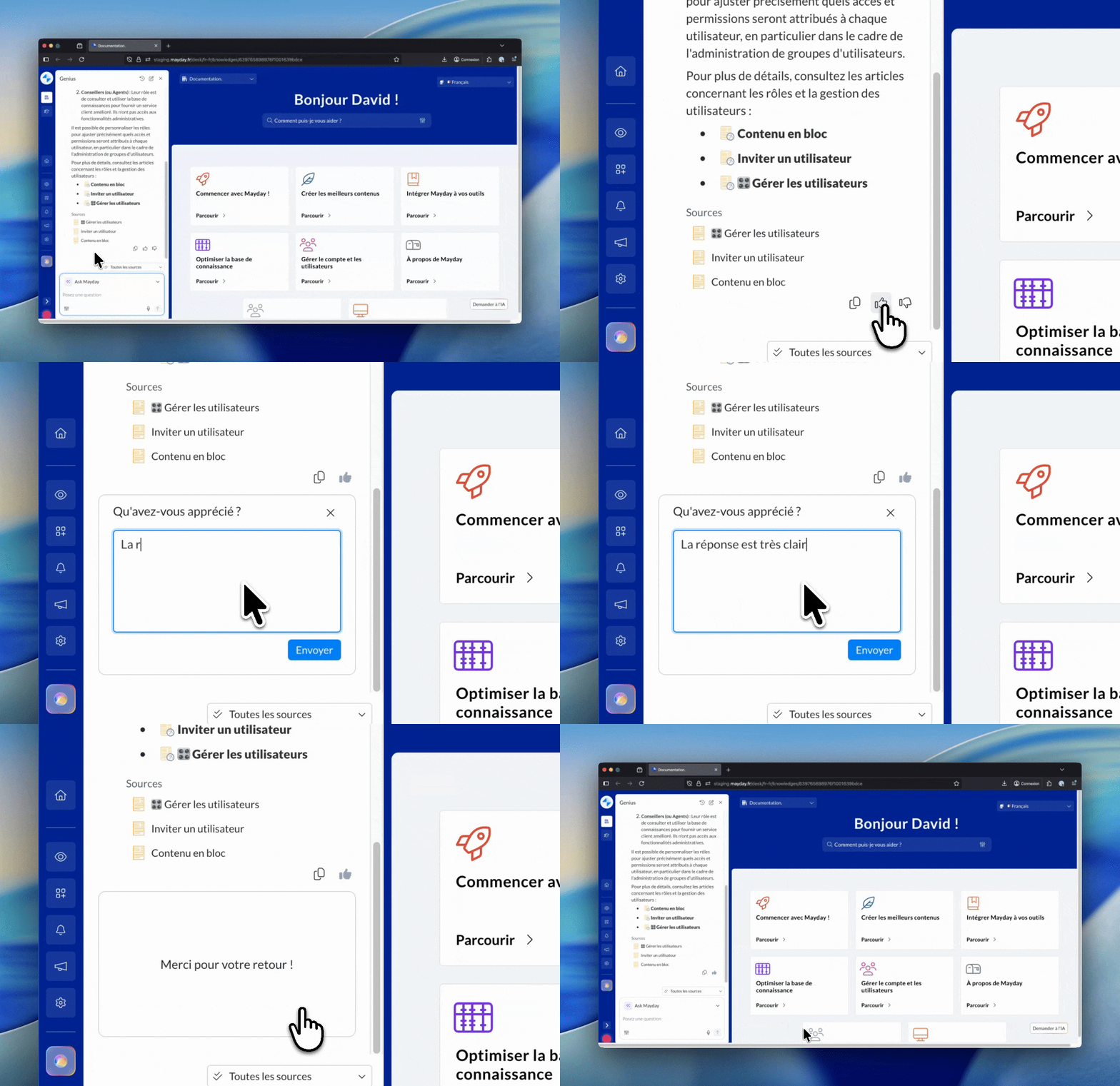
Feedback on AI agents allows you to indicate whether a response satisfied you or not, and to add a comment.
This feedback loop is the cornerstone of continuous improvement for AI agents: it enables administrators to optimize the customization of AI agents and Mayday to improve the AI agents overall, ensuring they constantly meet your expectations. 🔁
🤔 How does it work?
After an AI agent has provided a response, click 👍 if you are satisfied or 👎 if you are not, then add a comment to specify why.
Your feedback is recorded with the necessary context to be analyzed by your administrators and by Mayday.
Administrators access all this feedback via the AI agent export, which includes for each interaction: your question, the relevant AI agent, the response provided, your satisfaction (like/dislike) and your comments.
The more pertinent comments you leave, the more your administrators can adjust the customization of AI agents and continuously improve their quality.
📍 Where and for whom?
Where: in the Mayday agent interfaces where AI agents respond to you (Desk, Widget, Zendesk application). Feedback is available near the agent's response.
For whom (feedback): all users can indicate their satisfaction and leave comments.
For whom (analysis): account administrators access the feedback in the AI agent export (from the administration center) to analyze quality and further customize the AI agents.
🎯 Why is it important?
AI agents are customizable and must continually evolve to best meet your needs: your feedback guides these improvements.
Indicating when you appreciate or dislike a response allows Mayday and administrators to understand the actual satisfaction and to prioritize optimizations.
This feedback helps both to refine the customization of your account and to improve the AI agents overall.
📝 Best Practices
Leave a comment whenever it's pertinent, especially in the case of 👎, to explain what is missing, what is wrong, or what should be different.
If the response is useful but incomplete, specify what should be added to make it fully exploitable.
Mention the context (type of client, use case, channel) if it influences the correct response.