Introduction
Hey everyone 👋
The last three weeks have been marked by the development of new key features for the Mayday Academy 🤩
In particular, ultra-gamified learning paths will be arriving very soon, allowing your agents to learn in a fun and autonomous way, under the theme of the Dojo 🥷
Stayed tuned! Many other features are coming your way 👀
If you haven't booked your demo yet, contact your Mayday contact to learn more, or reserve your demo here!
In the meantime, we are pleased to announce some highly anticipated features by our customers that are now available:
A new editing experience with many innovative features
Display of redirection links for agents
The Mayday Copilot and Ask Mayday, now available in the Zendesk application
Let's discover all these new features 👇
✨ New features
✍ A brand new Editing experience with Mayday Editor v2
✨ NEW FEATURE | Many new features are available in the Mayday editor
For several months, we have focused our efforts on improving an essential Mayday feature: its editor. Taking into account your numerous requests, we have created a powerful, innovative, and tailored editor to your needs. We are pleased to announce that many new features are now available in the Mayday editor 👀
🪄 Improvements available
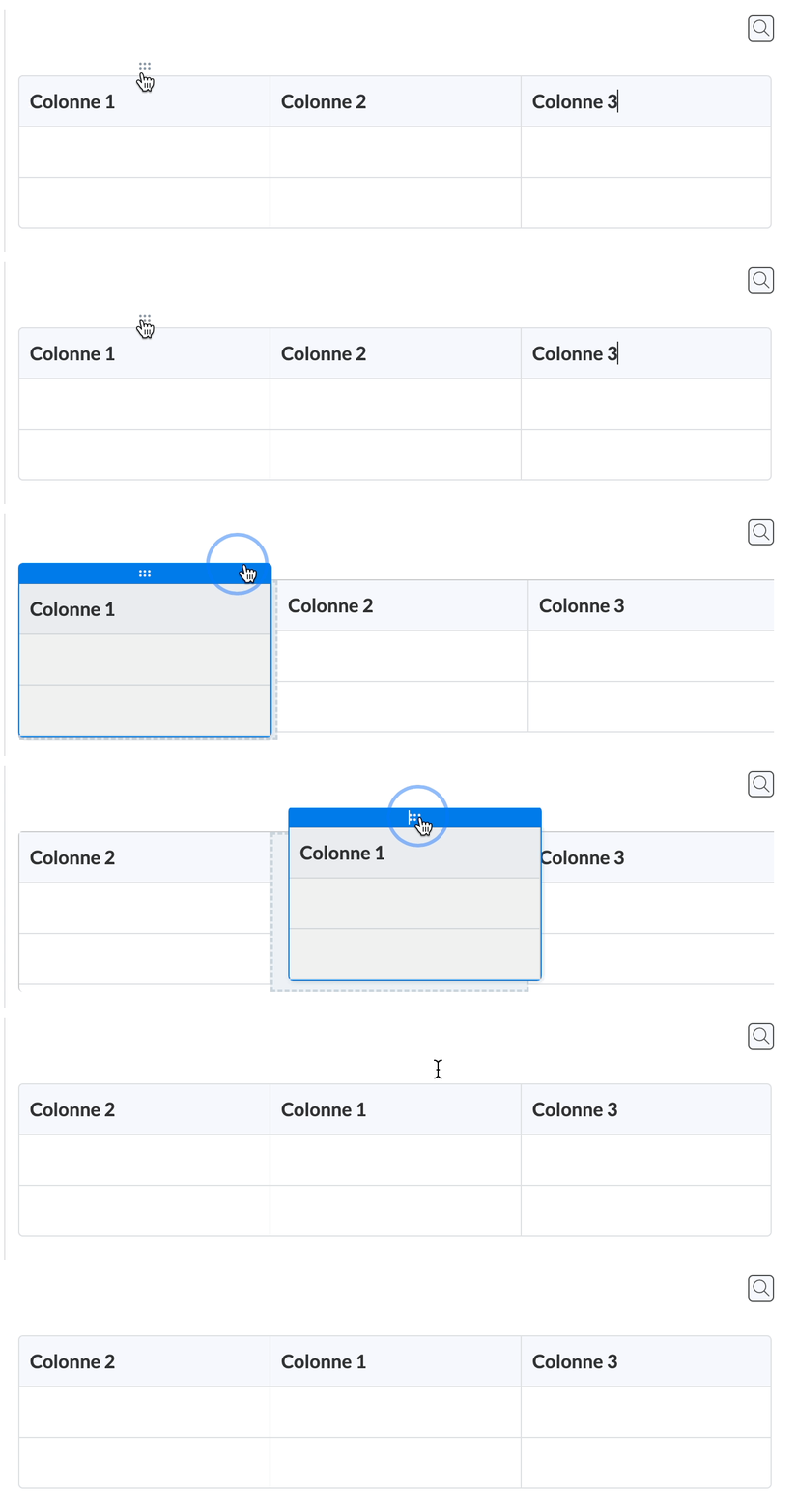
Tables: it is now possible to search for text within a table, display it in full screen, drag and drop rows or columns, or define multiple cells as headers. Similarly, resizing rows and columns has been made easier, and application bugs have been fixed.
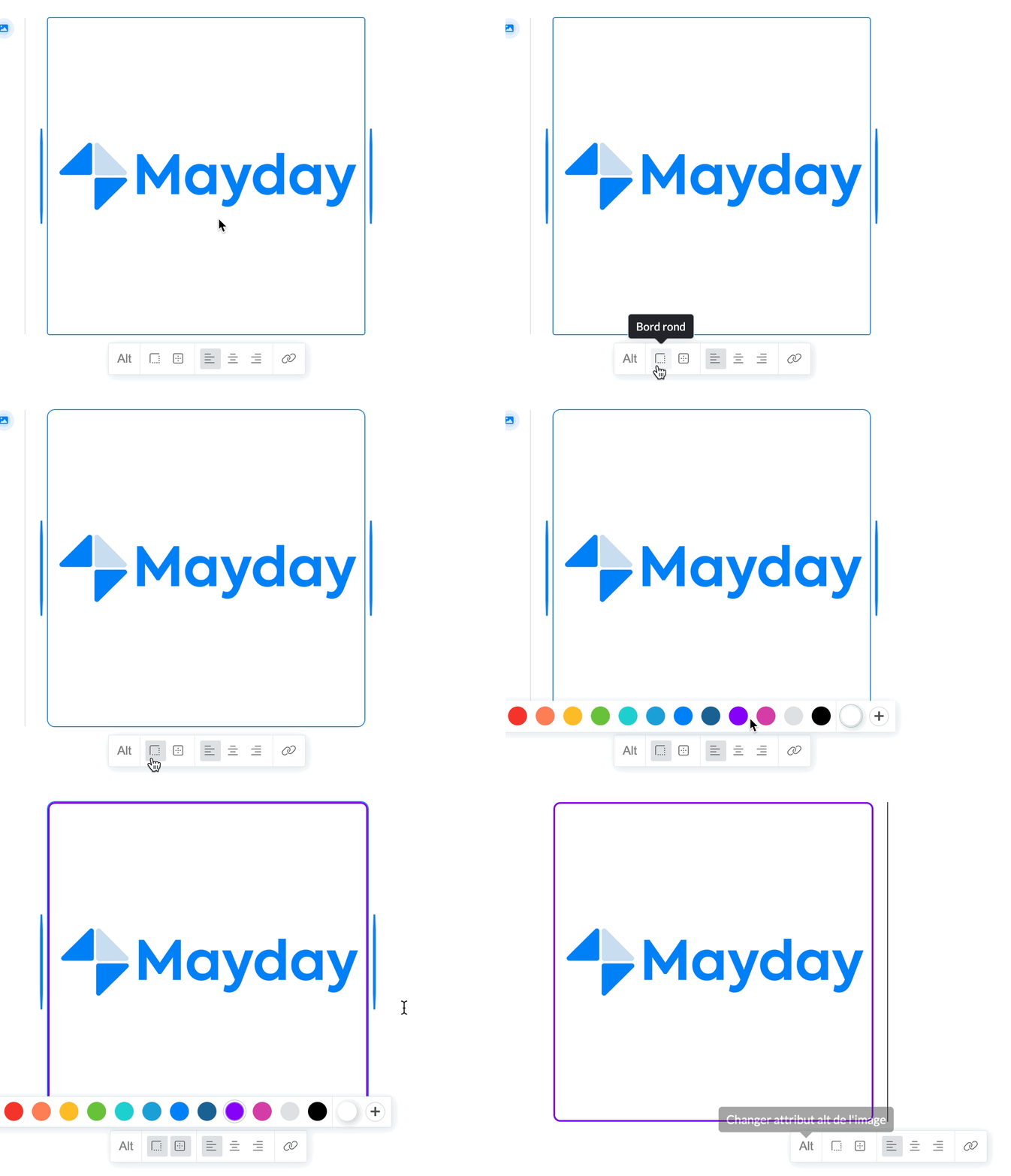
Images: The border of an image can now be made round, and a colored outline can be added.
Task lists: task lists are now available via the shortcut / from the Mayday editor.

Text color: It is now possible to apply a custom color to text or highlighting from the color selection, to, for example, apply the color of your company.

Text columns: Columns can now be created within the Mayday editor to put text, images or other side by side.

Text format: It is now possible to copy the style of text and paste it into another part of the text. Similarly, it is possible to remove the style of an entire text in a single click.

Lists and dropdown menus: Dropdown menus can now be titles (H1, H2, H3, H4) and vice versa. The creation of a dropdown title is possible via the shortcut /. Similarly, lists have been optimized to correct bugs on ordered lists, as well as improve the indentation of multi-level lists.

🤔 How to use them?
All these improvements are available from the Mayday editor, mainly via the shortcut "/", but also sometimes by selecting text for some of these features.
Enjoy this brand-new editing experience 🎉
🔗 Redirection links of content available on the agent side
✨ NEW FEATURE | Find redirection links on the agent side for content
Your knowledge base is alive and dynamic, with many highly related and complementary contents. That's why redirects have long been displayed in content editing. We are pleased to announce that these redirects are now available for your agents to read!
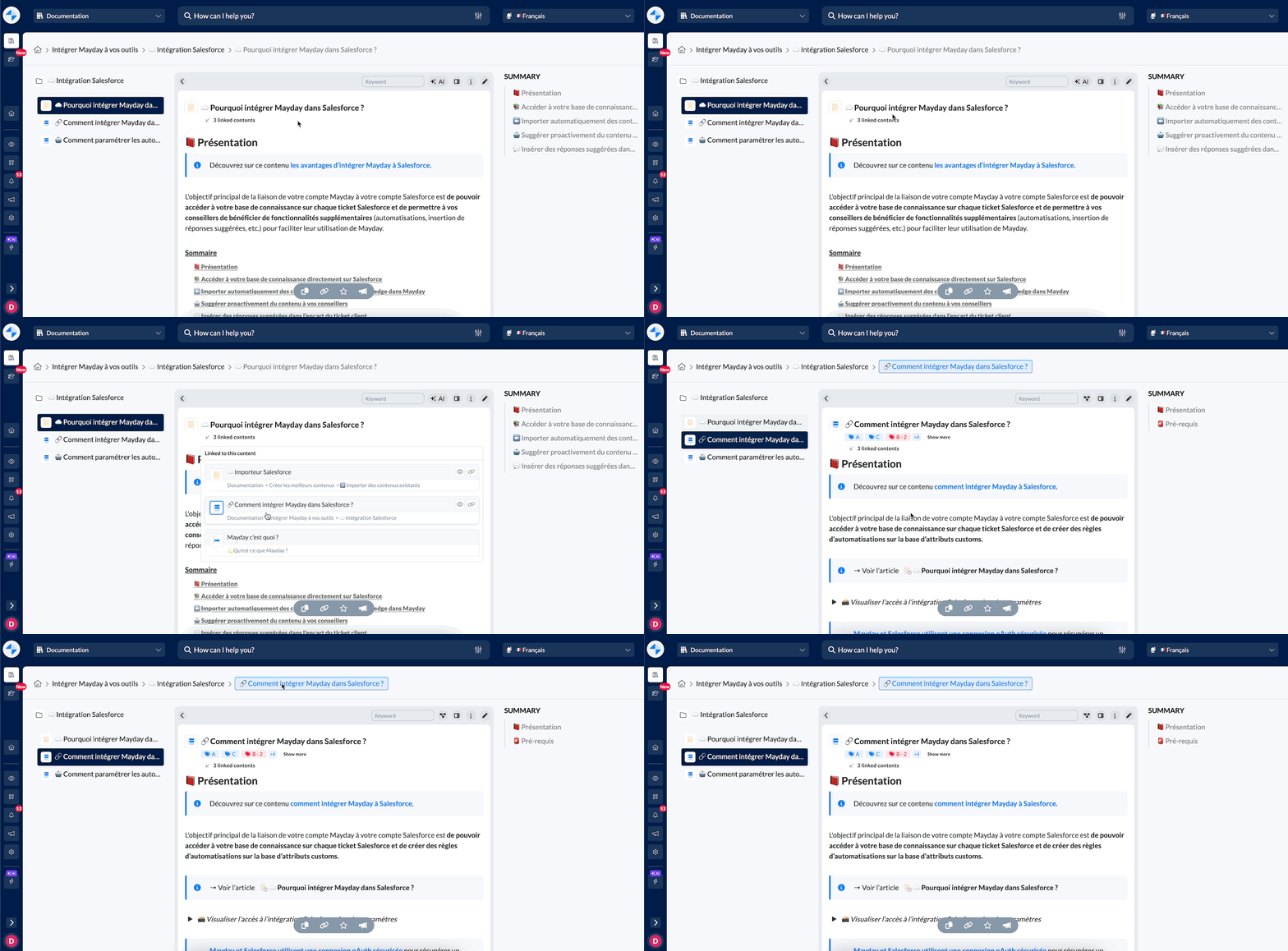
View the list of redirects and open one of the redirects directly from the dropdown menu
🪄 Use case
🤔 You want to consult content related to the content you are currently reading
🔎 You want to quickly see all the content in which the content you are viewing is mentioned, to find the information you are looking for
🤔 How to use it?
Below the title of a content, click on the "x related contents" information
View the list of redirects for the content being viewed
Open, if desired, one of these redirects
🤖 The Copilot and Ask Mayday are available on the Zendesk application
✨ NEW FEATURE | Benefit from the power of the Mayday Copilot on the Zendesk application
When dealing with Zendesk tickets, resolution time is essential. That's why we've integrated the Mayday Copilot, which assists you in resolving tickets with the power of AI. Your Mayday Copilot analyzes the ticket and its context, suggests relevant content, and writes a response for you!
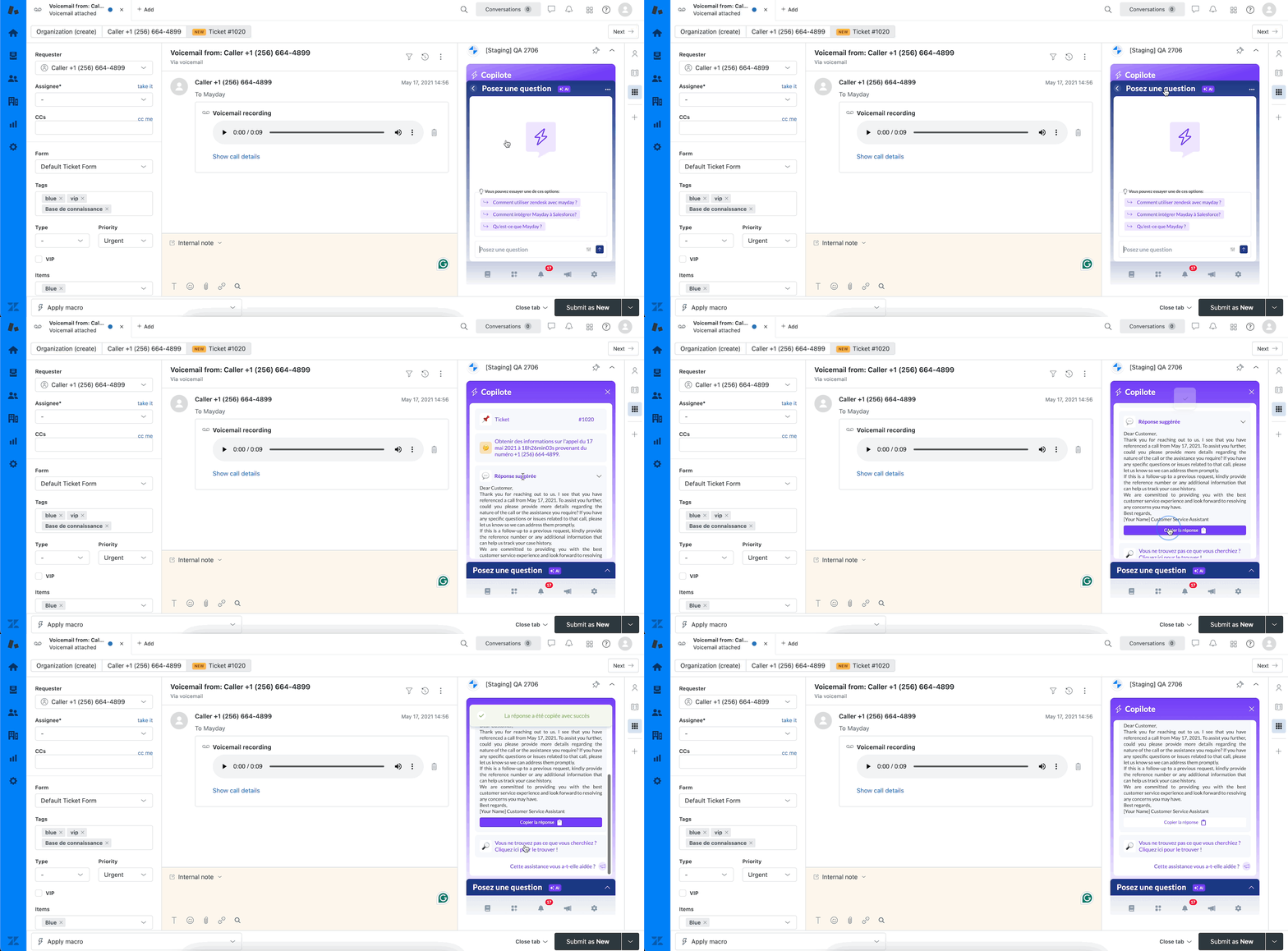
Trigger the Ask Mayday or open Mayday Copilot for help
🪄 Use case
🔎 You want to quickly find the information you need to handle a customer case
💬 You want to quickly answer the client with a detailed answer
🤔 How to use it?
Open a customer ticket in Zendesk
Open the Mayday application
✅ Your copilot has analyzed the ticket and provided you with the context, automatic and manual content recommendations, and even a recommended answer you can copy-paste!
🚀 Optimizations & Improvements
Mayday Hub | Performance optimizations
To improve the use of the Mayday Hub, we have optimized the loading performance of tasks, making their management easier even when the Hub contains many tasks.
In addition, we have removed the limit of 40 tasks in the archives of the Mayday Hub.
🪲 Bug fixes
👉 We have fixed the following bugs:
Search engine: the search sometimes failed depending on the length of the entered keywords.
Notifications: notification toasts have been removed to fix the intermittent bugs where they appeared and disappeared despite being closed. Instead, a badge indicates the number of new notifications on the icon of your Mayday widget.
Assigning feedback: it was impossible to assign a responsible person to feedback from the agents' side.
Deleted knowledge bases: deleted knowledge bases still appeared in the administration center and access restrictions.
Content duplication: sometimes, content duplication did not work properly even after displaying a successful duplication message.
Translation within a table: automatic translation of text within a table no longer worked.
Text improvement: sometimes, the text was translated instead of being improved via the functionality available in the Mayday editor.