Introduction 👋
Welcome everyone 👋
We hope the back-to-school season went well ☀
On our side, we are delighted to announce numerous Mayday updates, whether on Mayday Knowledge or the Mayday Academy 👀
Without further ado, here's a preview of the updates on 📚 Mayday Knowledge:
Discover a brand new interface of the Mayday Hub
Discover a brand new interface for Agent Notifications
Use new endpoints on the Mayday API
As for the 🎓 Mayday Academy:
Access the version history of your training modules and restore old versions
Visualize an introduction to your training paths
Get a quick overview of the modules in your training paths
Be notified when a module is added to a path you have already started
Enjoy new Academy notifications
Let's discover all these new features without further delay 👇
Mayday Knowledge Updates & News 📚
🎨 Discover the new interface of the Mayday Hub
Exceptionally, this feature will be available a few days after the release.
✨ NEW FEATURE | Enjoy a new interface of the Mayday Hub, redesigned to meet your needs!
During the last production release, we announced the introduction of views on the Hub.
In the next few days, we are pleased to inform you that the new interface of the Hub will be available!
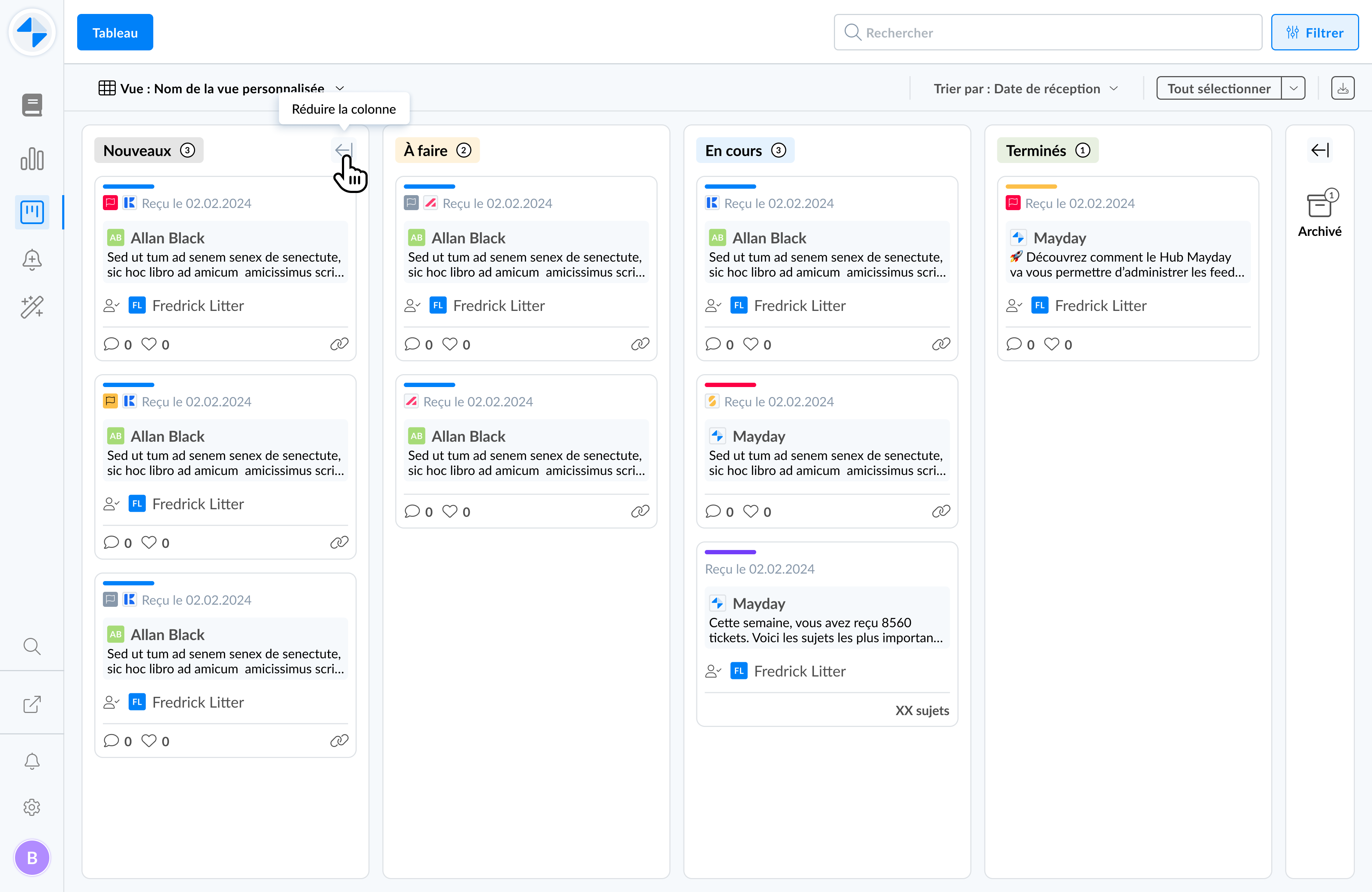
A brand new interface of the Mayday Hub
🤔 How to use the feature?
Access the Mayday Hub section and enjoy a brand-new visual interface.
Among the new features to note:
The color code indicates the type of task:
Blue: a feedback
Red: an obsolescence alert
Yellow: a Mayday information
Products are represented by icons:
 Mayday Knowledge
 Mayday Academy
 Mayday Selfcare
Search for a task using the search bar
The search is only performed on the content of a task and does not include its title.
Sort the Mayday Hub tasks
Based on the creation date: from the most recent to the oldest and vice versa
Based on the last update date: from the most recent to the oldest and vice versa
New filters are available:
Choose to apply the filters with an "AND" or "OR" rule:
"AND": the displayed tasks meet all the selected filters.
"OR": the displayed tasks meet at least one of the selected filters.
Filter by:
The knowledge bases
The author of the task (users, groups, roles, labels)
The responsible for the task (users, groups, roles, labels)
The creation date of the task
The task type (feedback, obsolescence alert, information)
The source of the task (Mayday Knowledge, Mayday Academy, Mayday Selfcare)
⏭ Upcoming:
Very soon, this new Hub interface will be enriched with new features:
A "priority" attribute for tasks, with a sorting option.
A "deadline" or "due date" attribute for tasks, also with a sorting option.
🎨 Discover the new interface of Agent Notifications
✨ NEW FEATURE | Enjoy a brand new interface for agent notifications, redesigned to meet your needs!
During the last production release, we announced a new notification sending flow for agents, including the ability to schedule a notification.
Today, we are delighted to announce that a brand new interface is now available to help you better manage your agent notifications.
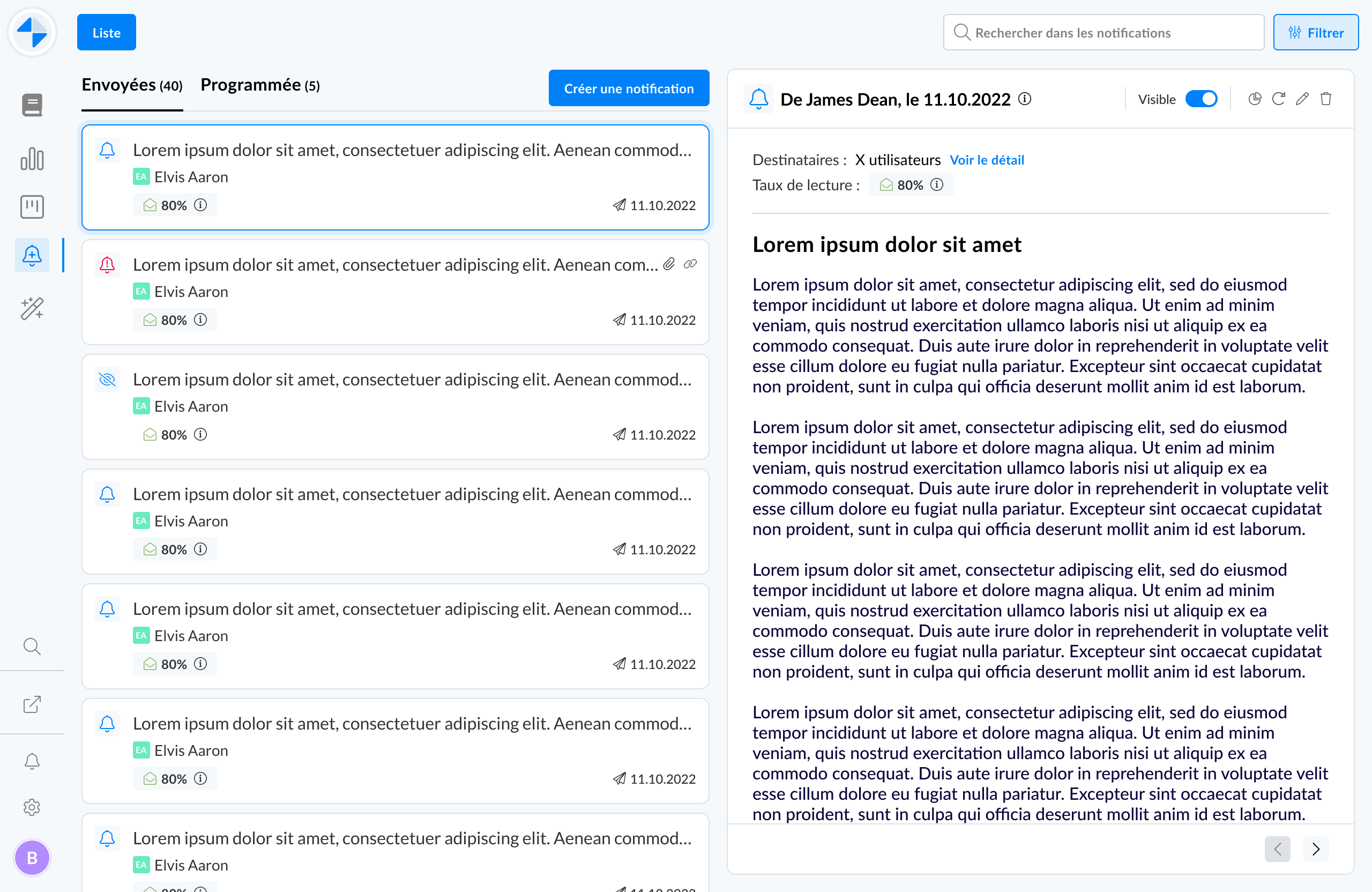
A brand new interface is available for agent notifications
🤔 How to use the feature?
Access the agent notifications section and discover a brand-new visual interface.
Among the new features:
Two tabs: one for sent notifications and another for scheduled notifications.
Sending notifications to user roles or labels: in addition to groups, you can now target user roles and labels.
Simplified drafting: drafting a notification is done directly on the notifications list, and no longer via a modal window.
⏭ Upcoming:
Very soon, this new agent notifications interface will be enriched with new features:
Edit a sent notification
Resend a sent notification
Filter the list of notifications
Access the read rate of an urgent notification
Search for a notification via a search bar
Export the list of notifications
Export the data of a notification (list of readers, etc.)
🚀 Optimizations & Improvements
Mayday API | User Administration Endpoints
For more information, please get in touch with us to obtain access to our complete technical documentation on the Mayday API.
When creating the Mayday API, we identified user administration as a crucial issue. We know that managing your Mayday users via the API represents a considerable time and productivity gain.
As a result, six new endpoints are now available:
GET userby Email, User ID, or External ID: This endpoint allows you to retrieve a user's information by providing their email, user ID, or external ID.GET users: This endpoint allows you to retrieve the list of users. You can refine the query with parameters such as creation date, group IDs, roles, labels, etc.DELETE userby Email, User ID, or External ID: This endpoint allows you to delete a user by providing their email, user ID, or external ID.GET groups: This endpoint allows you to retrieve the list of user groups, including the group names and their respective IDs.GET roles: This endpoint allows you to retrieve the list of user roles, including the role names and their respective IDs.GET user-labels: This endpoint allows you to retrieve the list of user labels, including the user label names and their respective IDs.
Mayday Editor | Advanced Editing Features within Tooltips
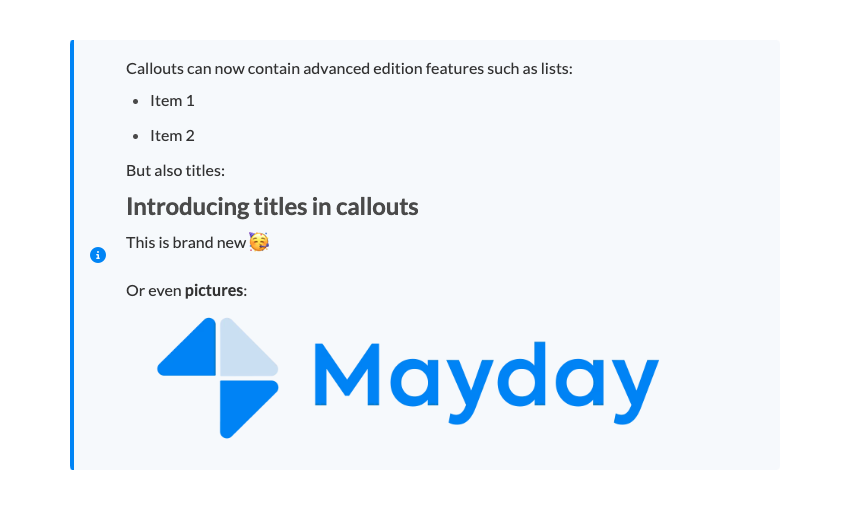
Tooltips within the Mayday editor are evolving! It is now possible to include all the features available in the Mayday editor, such as titles, images, files, tables, and much more.
Agent Notifications | The "Close" button becomes "Read"
To optimize notification read rates and allow an agent to confirm that they have read a notification, the button previously labeled "Close" becomes "Read".
🪲 Fixes
👉 We have fixed the following bugs:
Recipient loading time when sending a notification: Following the latest production release and the redesign of the notification-sending system, the loading time for the list of recipients was sometimes too long.
"View Task" button: The "View Task" button was no longer displayed in notifications related to Hub tasks.
"View Content" button: The "View Content" button was no longer displayed in notifications related to Mayday content.
Content imported from Notion: When using the Notion importer, it sometimes happened that a content became non-editable after its desynchronization from Notion. In addition, line breaks sometimes appeared in the editor after this desynchronization.
Search engine: Relevant results sometimes did not appear in the search center.
Feedback display issue: On the Hub, it sometimes happened that certain feedbacks were not displayed, sometimes randomly, sometimes after applying filters, on roles for example.
Mayday Academy Updates & News 🎓
🎨 New features in training courses
✨ NEW FEATURE | Access the version history of your modules, view and restore old versions
🌟 You can now access the entire version history of your training modules and find old modified versions if you wish. You can view and restore them.
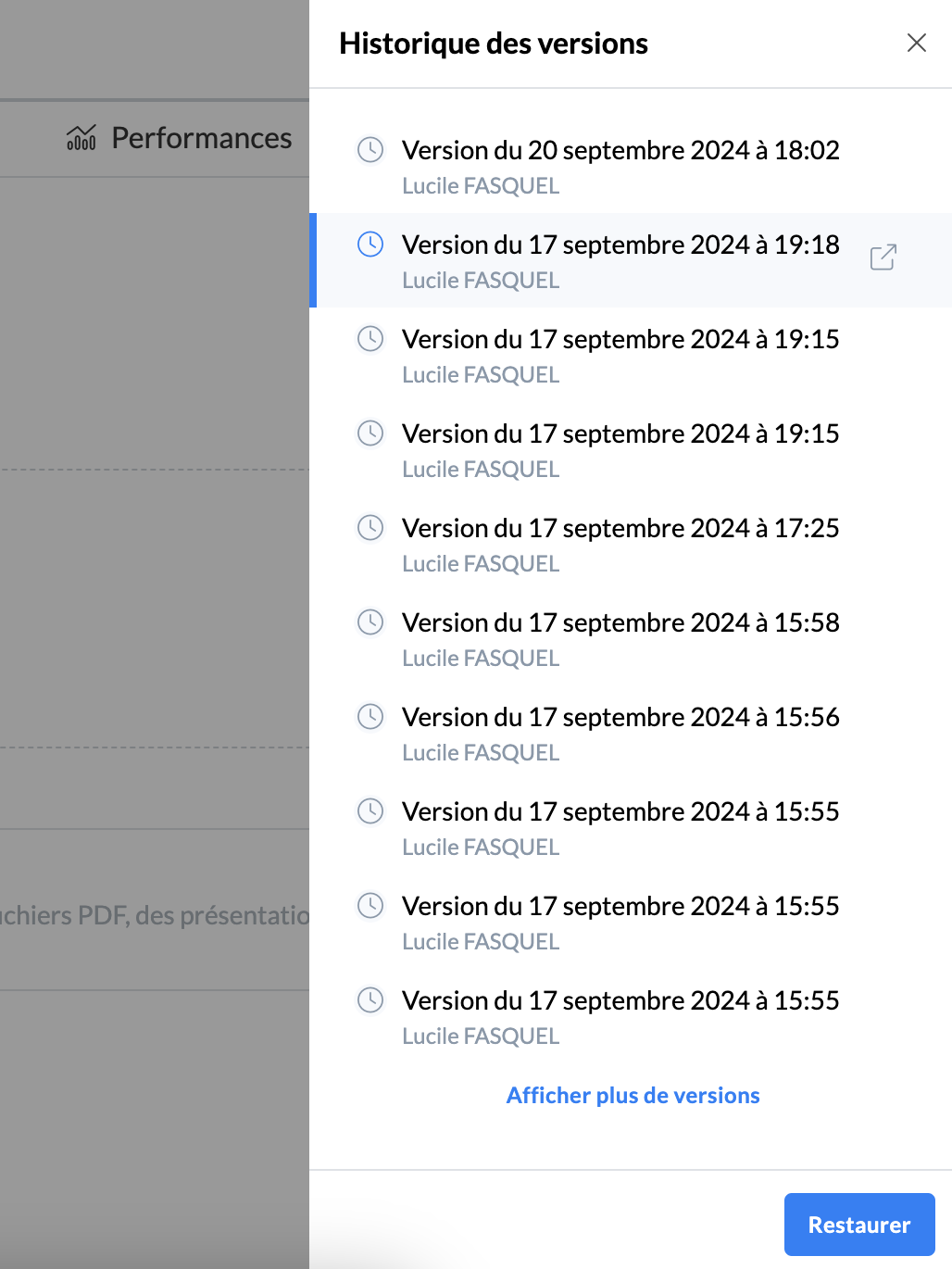
Mayday Academy Admin Interface - Module - Version History
✨ How to use it?
Go to the module in question on the admin interface
Click on the new button with an arrow next to "Assign the module"
📸 Screenshot
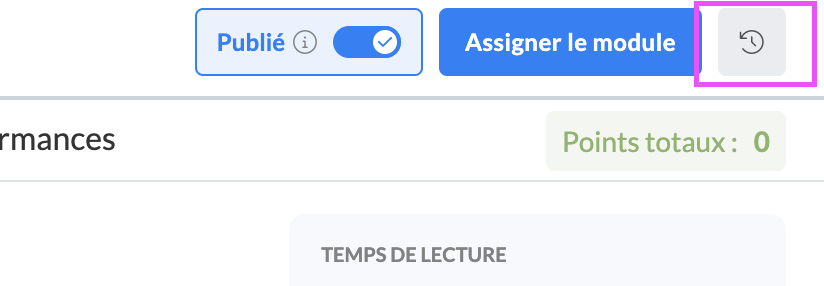
View the list of versions
Each new version is created when the module is modified and the administrator has clicked on "Save and Publish" at the top right of the interface.
📸 Screenshot
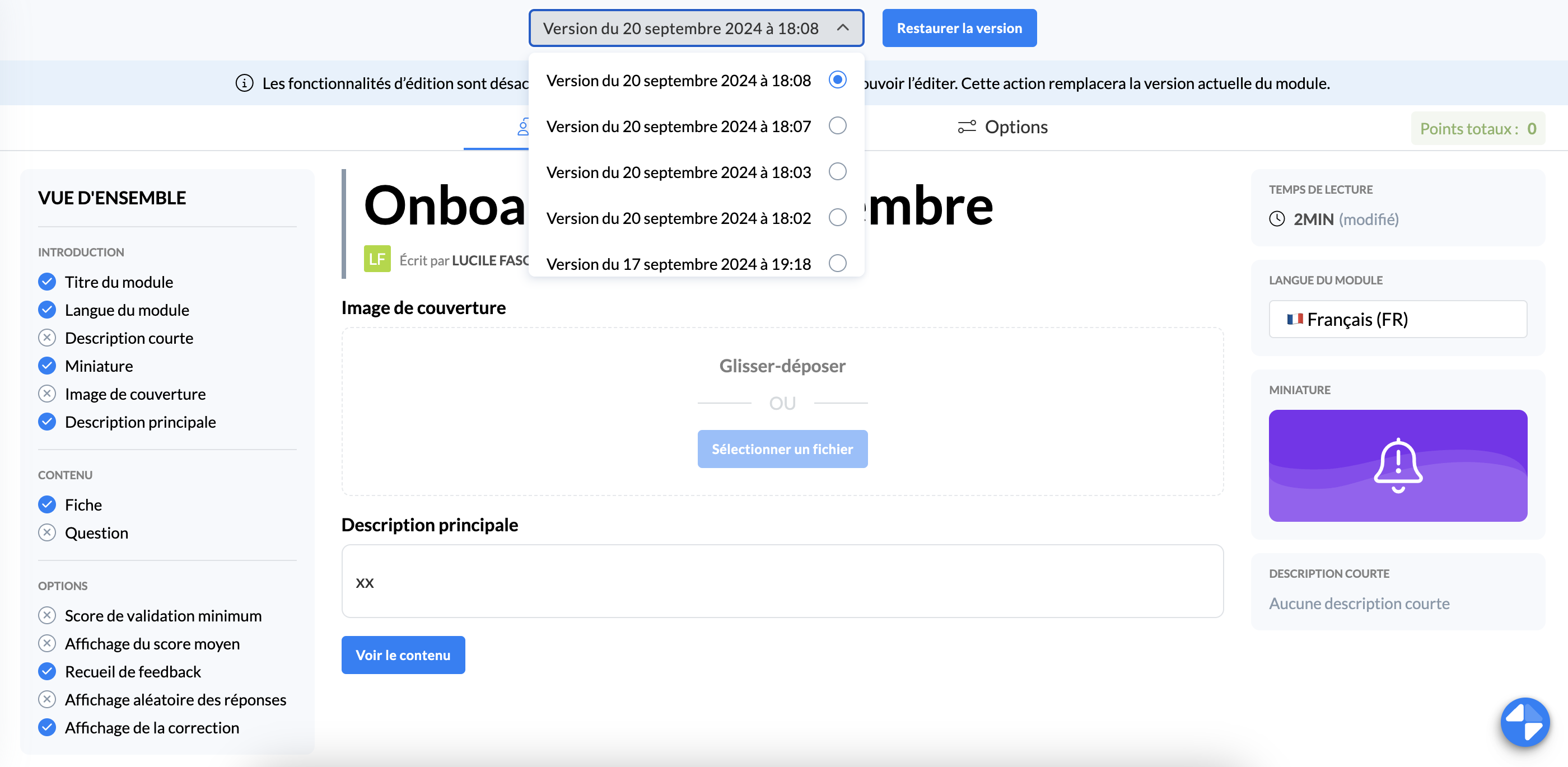
Restore the version directly from this view or view the version by clicking on the button next to the title of the version in question
You can switch versions from this view to simplify the visualization of differences between versions.
📸 Screenshot
✨ NEW FEATURE | Your agents can see an introduction to the course with details of its content and sequencing
🌟 Your learners can see at a glance what to expect within the training you have assigned to them.
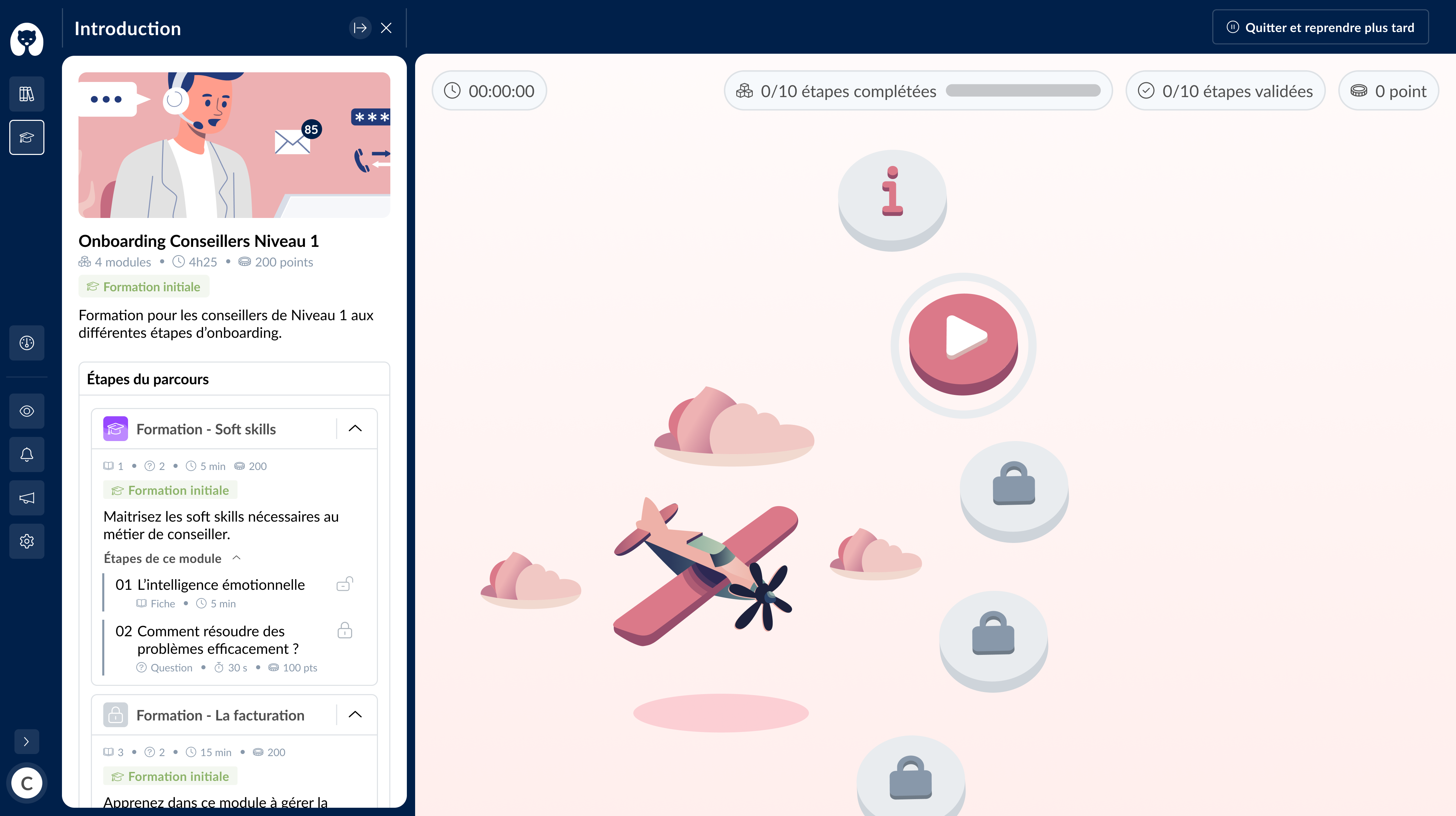
Mayday Academy Course Map - Introduction and Steps
✨ How to use it?
Start the course from the home page
Once on the course map, click on the "i", the first step of a course
The course introduction with the different steps that compose it unfolds to the left of the screen
✨ NEW FEATURE | Your agents can have an overview of the module steps of a course from the map!
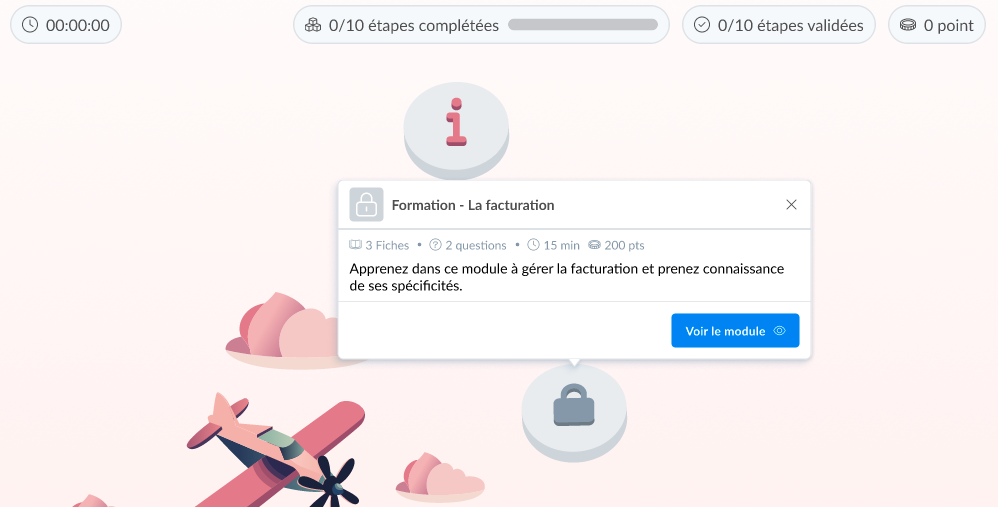
Mayday Academy Course Map
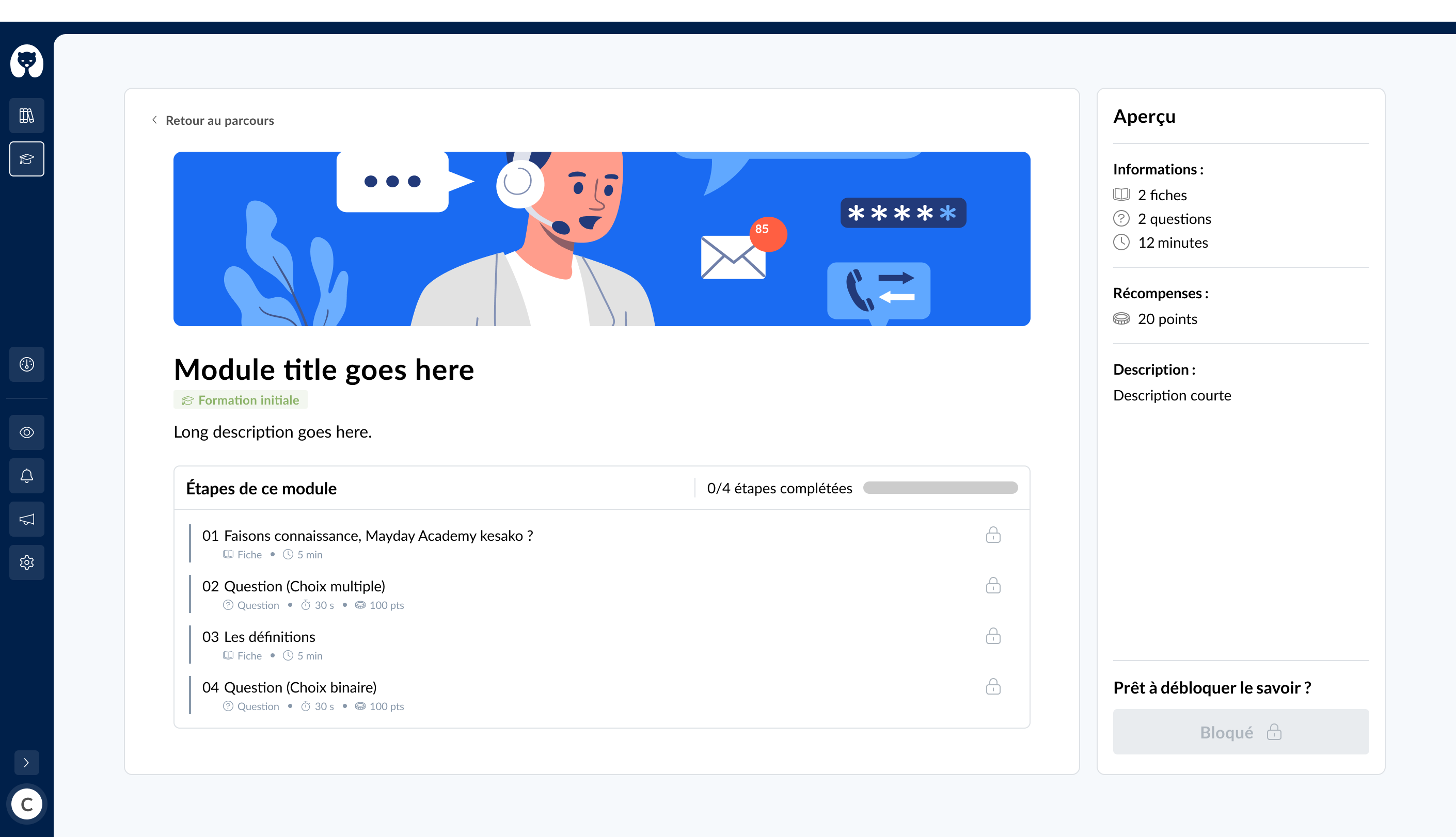
Mayday Academy Course Map - Module Detail
🤔 How to use it?
Start the course from the home page
Once on the course map, click on the different steps, and view the module details before starting it as well as its progress if it has already started
The module detail is also accessible for blocked modules
✨ NEW FEATURE | Your agents are informed when a module is added to an already assigned and started course.
🆕 When your agents have already started a course and a new module is added, if this module precedes their current step, they will be informed on their home page and their course map.
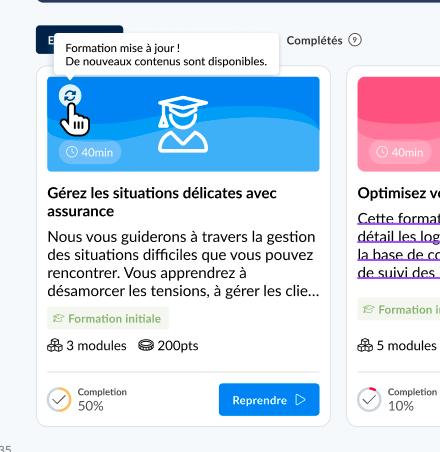
Mayday Academy Learners Home Page - New module added
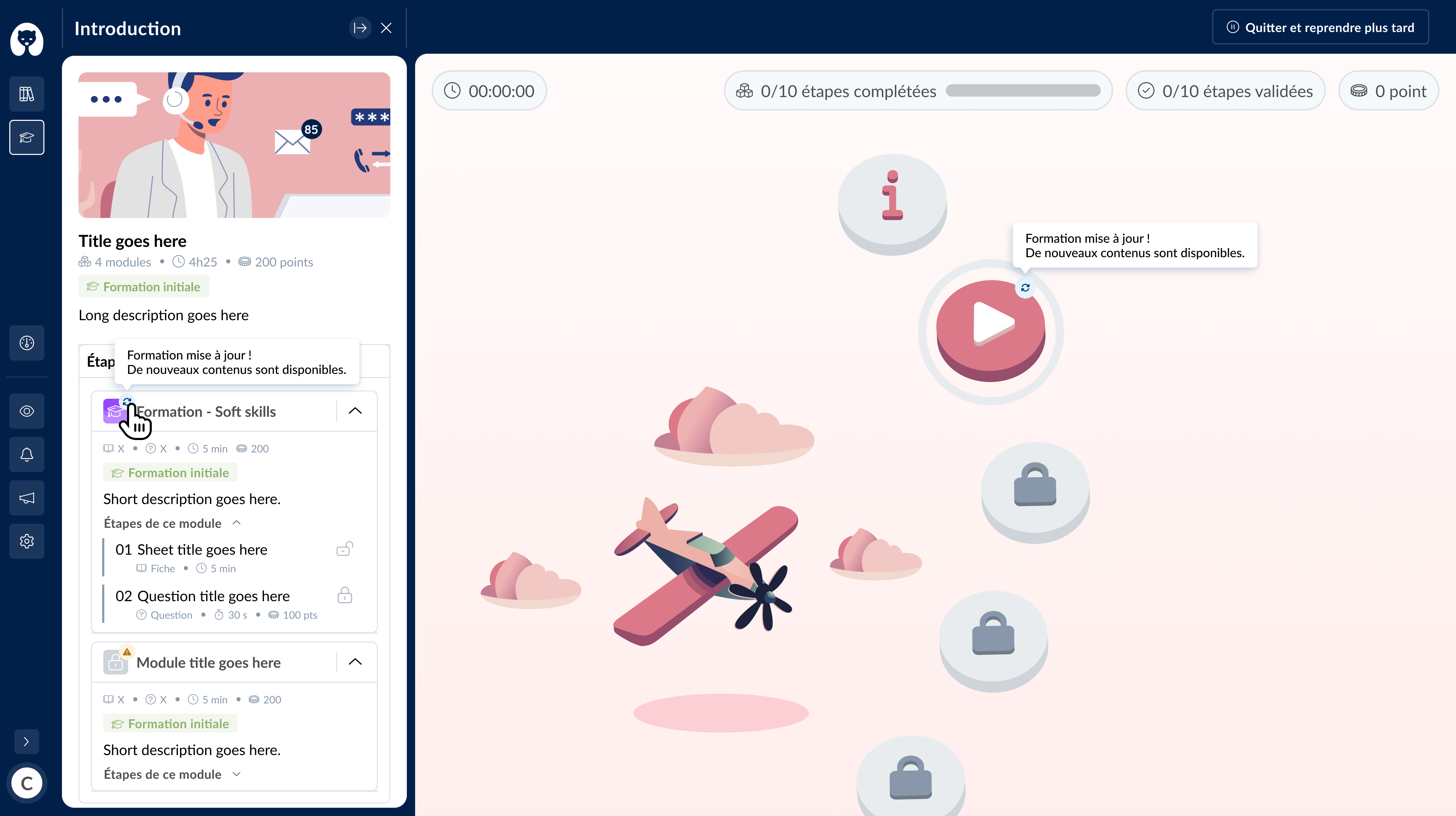
Mayday Academy Course Map - New module added
📩 Configure and receive key notifications on the Mayday Academy
✨ NEW NOTIFICATION| Receive a notification when you are mentioned in a training (module or course)
🪄 New available notifications:
Notification when mentioned in a training (module or course)
Notification when receiving feedback on a training (module or course)
🤔 How to configure them?
In the "Alerts and Notifications" section of the Mayday settings
Either at the "Hub" section
Or at the "Academy" section
Enable or disable the notification in question and the communication channel you want.
Everything is ready! The people concerned will receive the notifications in the admin or learner notification section.
🪲 Fixes
👉 We have fixed the following bugs:
Binary questions on the Academy: when you modify a question of a module in binary answer choice format, if you change the answer choices from Yes / No to "True / False", the answers are updated correctly.