👋 Introduction
Welcome everyone 👋
This week, your AI ticket guide, Admin search, and shared elements are taking it to the next level. You'll also find three new API endpoints, an upgrade to the Selfcare technical foundation, and the automatic assignment of course modules.
⭐ On the agenda:
🔍 Admin Search: new filter design, result sorting, and filtering by knowledge base or dates.
🔗 Shared Elements: language selector and alerts, usage list through the inserted element, and automatic link conversion for administrators.
🔌 New API endpoints: create tasks, export your usage logs, and view content metrics via three new endpoints.
🤖 Ticket analysis in one action: analysis and generated response streamlined into a single click, activated when needed.
⚙ AI agent settings: checkboxes for settings are gone. Define your preferences directly in your prompt for a more flexible experience.
🧑🏫 Automatic assignment of your courses: automatically assign all modules in a journey with a single click.
🤘 A new technical foundation for our Selfcare: optimized performance and deployments!
Let's dive in 👀
📚 Mayday Knowledge
✨ Notable improvements!
🔍 Revamped admin search engine
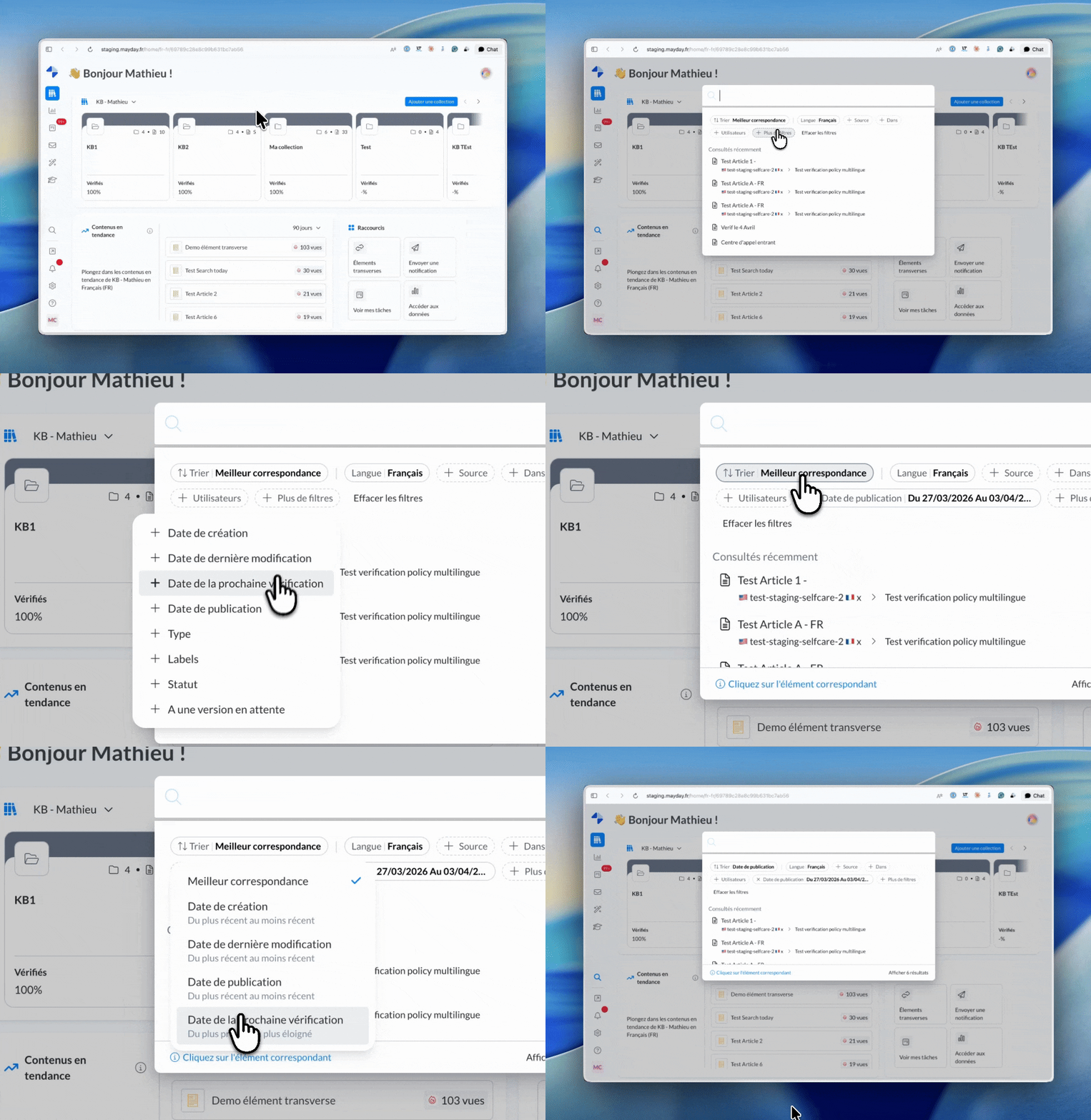
The search functionality in the admin interface is revamped with a new filter design, results layout, and recently viewed contents.
You also have the following new options to refine your search:
Date of the next review
Date of publication
For a draft version
For more details, check out the dedicated documentation:
🔗 Shared Elements: numerous improvements!
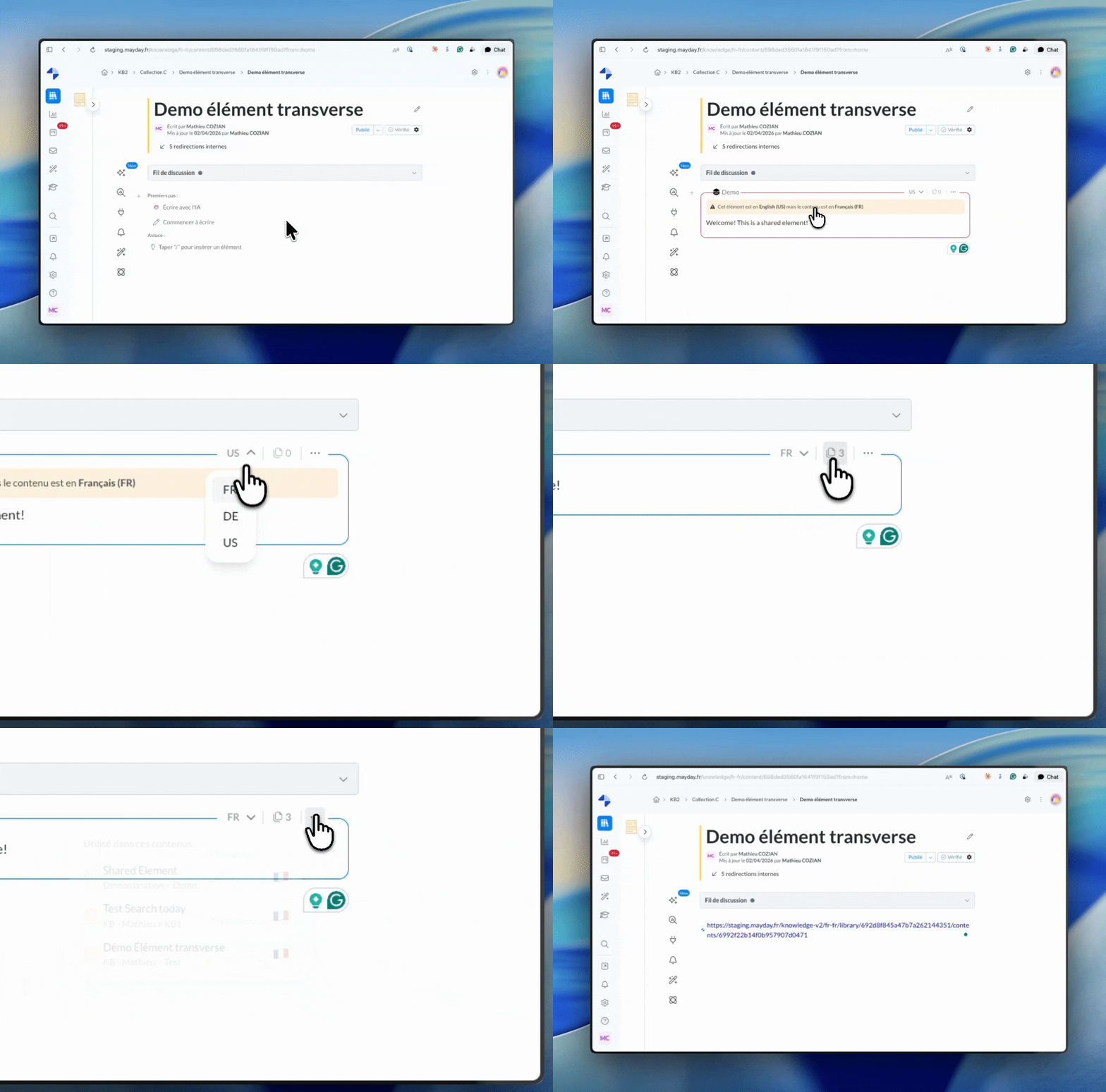
Shared elements have been enriched with several enhancements:
Language selector: switch the language of a shared element directly from the editor.
Language alert: an alert appears if the shared element is in a different language than the hosting content.
Automatic conversion: pasting a shared link into the editor automatically converts it into an active block.
Usage: view the list of all contents using an element directly from the inserted block.
For more details, check out the dedicated documentation:
🔌 New API endpoints
Three new endpoints are available in the Mayday API to connect Mayday to your tools and automation workflows:
Create tasks: Programmatically create tasks in the Mayday Hub and integrate this action into your tools.
For instance, trigger the creation of a task in the Mayday Hub when a task is created in JIRA
Retrieve usage logs: export the history of actions performed in Mayday over a given period.
View content metrics: retrieve KPIs for the performance of specific content over a defined period.
For more details, check out the dedicated documentation: API Documentation
🤖 Mayday AI
✨ Notable improvements!
🤖 Ticket analysis gets more seamless: analysis and generated response in one click!
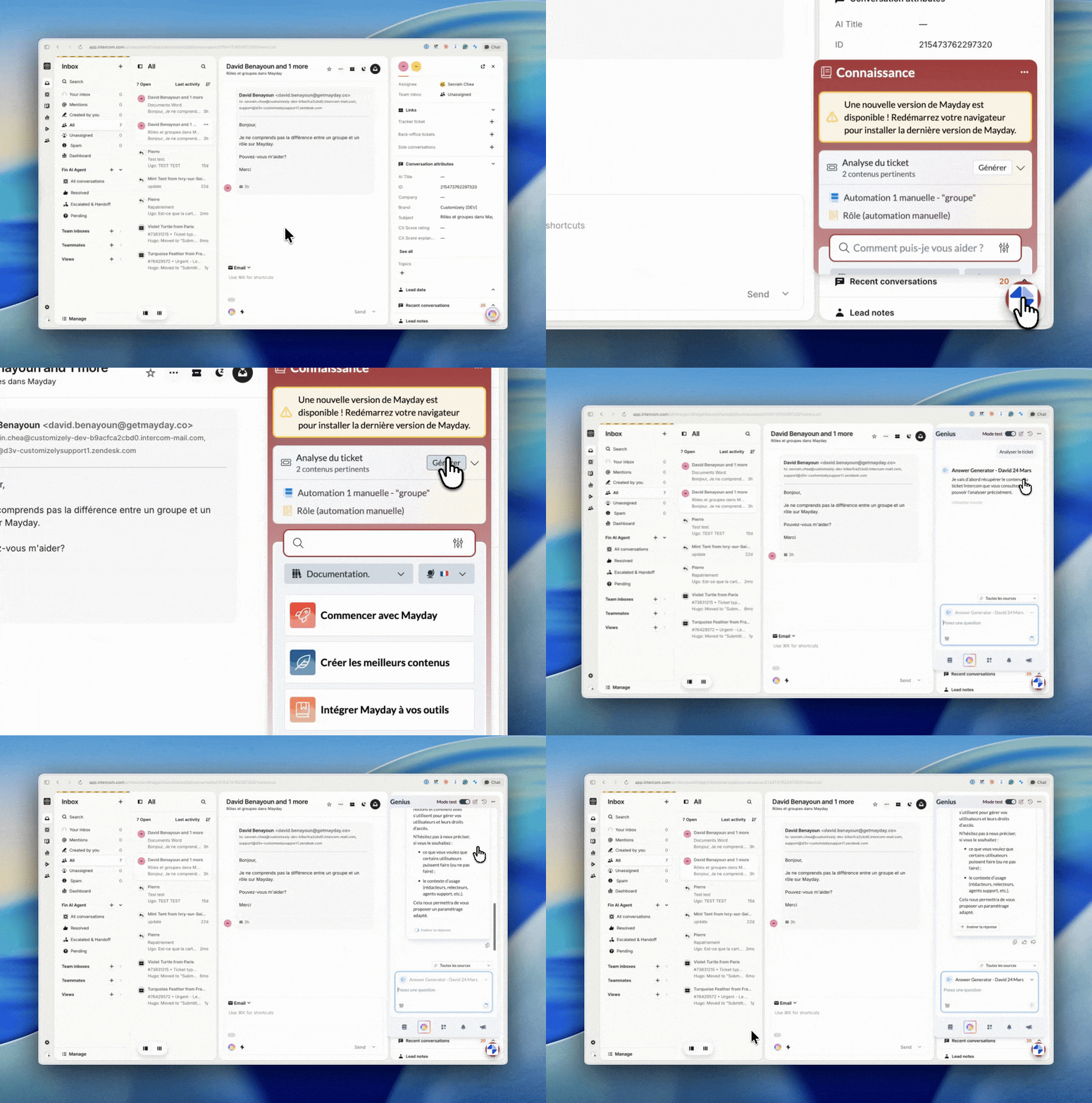
Previously, opening a ticket automatically triggered an AI analysis, followed by a second action to generate the response. These two steps are now combined into a single action, activated only at your initiative. The ticket analyzer waits for your signal, then delivers everything at once.
⚙ AI agent settings: forget checkboxes, embrace the prompt!
In the settings of your AI agent (Settings > AI Agent > Sources > Customer ticket analysis), the checkboxes for enabling or disabling individual features have been removed. From now on, you simply indicate in your prompt what you'd like to achieve during the analysis.
Do you need a ticket summary? AI recommendations? Sentiment analysis? Or a generated response to be inserted? Just specify it in your prompt and add any instructions or details about the expected format and content of the output.
No worries about the transition: Mayday handles the migration of your prompts so that your already configured AI agents remain fully operational as soon as the production upgrade occurs. No action is required on your part.
🎓 the Mayday Academy
✨ Automatic assignment of your courses takes a step further
🧑🏫 Simplified module assignment: We're making life easier for you to optimize how you manage your journeys!
Automatic assignment of a journey by attributes (roles, groups, labels) now applies to all its modules. No extra clicks needed, the platform takes care of everything.
🌐 Mayday Selfcare
✨ A new technical foundation, a more performant Selfcare, and instant deployments
We've worked hard over the past few months on a core project: a complete overhaul of our technical foundation for an entirely new Selfcare experience!
What are the real impacts?
⚡ Instant display: No more waiting times to test and view modifications to settings. Changes now appear immediately.
🛠 Zero friction: Updates are deployed more quickly and seamlessly, without requiring users to manually refresh their pages.
📱 Smooth everywhere: Impeccable navigation, even for users with old smartphones or very poor connections (slow 3G/4G).
📈 SEO boost: Enhanced readability for search engines that perfectly process the HTML code pre-generated by the server.
🔒 Enhanced security: All our business logic stays hidden and secure on our servers, away from browsers, and access controls are tightened.
📅 Deployment: Migration of your Selfcare to this new foundation is planned progressively over the coming months.