👋 Introduction
Welcome everyone ✨
February is off to a flying start, and the whole team is excited to give you a preview of an evolution that will transform your experience on Mayday.
2025 promises to be grand with new features tailored just for you. But the real star on the horizon is the future Mayday Copilot.
Imagine: specialized AI agents, highly customizable, capable of meeting your needs in the blink of an eye. An intelligent assistant that adapts to you and boosts your productivity, across all your tasks within Mayday.
And the best news? This copilot is coming very soon...
But in the meantime, we couldn't leave you without something new! Starting today, enjoy AI to write your notifications in an instant, directly from Mayday.
While waiting for what's next, let's discover together the latest updates 👇
🌐🎓 📚 The latest across all products
⚙ Mayday Admin
📤 Optimized notification writing by a specialized AI agent
✨ NEW FEATURE | Write your agent notifications with a dedicated AI agent!
With the AI notification writing agent, easily generate messages tailored to your needs from a simple prompt. Writing a notification becomes child's play!
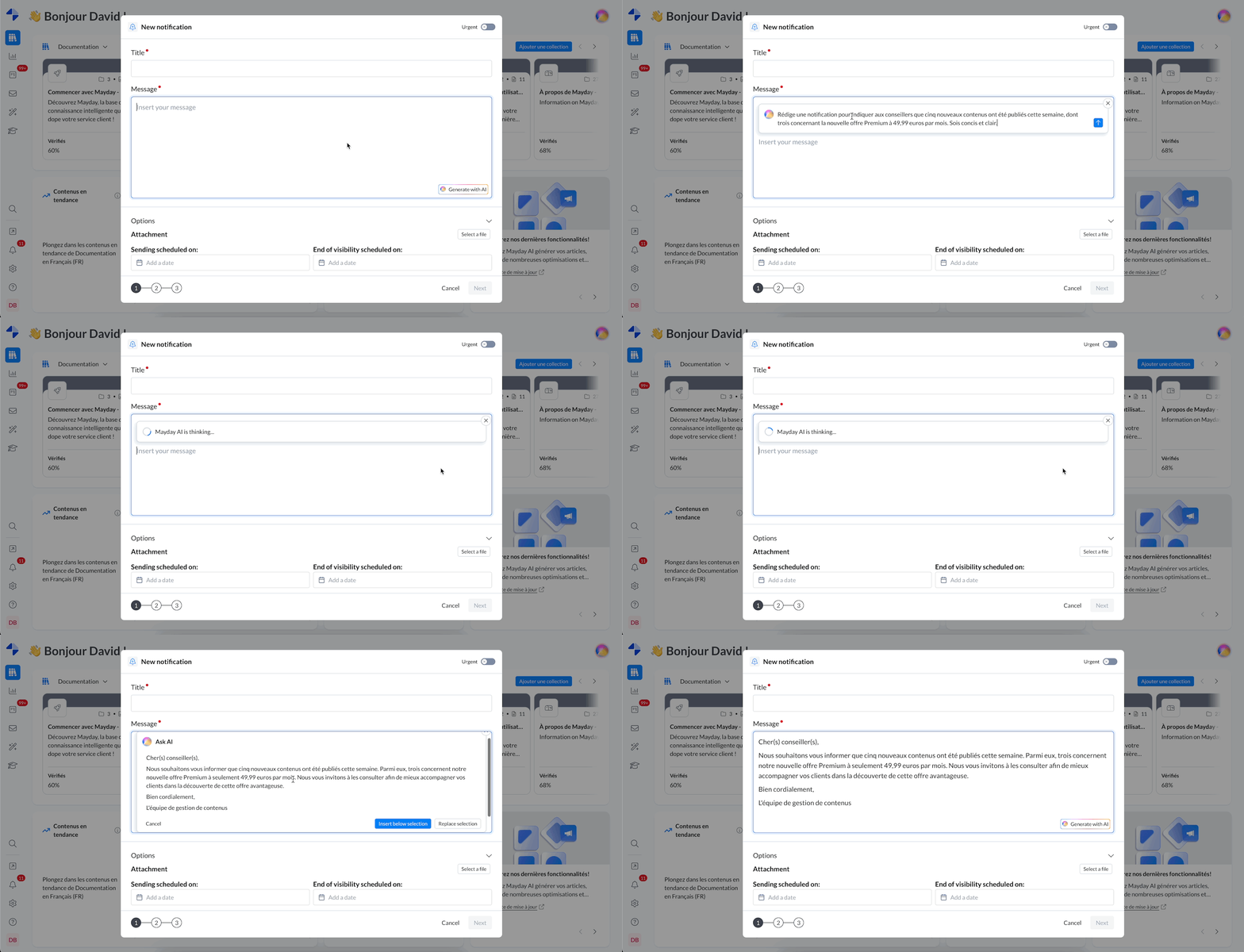
Writing a notification thanks to the specialized AI agent.
🎯 Why use this feature?
🤖 A specialized AI: The notification generation agent is designed to help you write notifications quickly and efficiently from your instructions.
⚡ A considerable time saver: Write notifications tailored to your requests in seconds.
✍ Customization tailored to you: The AI agent adapts to your tone and needs, offering you tailored writing.
🤔 How to use this feature?
1⃣ Access the notification editor and click on “Generate with AI”.
2⃣ Simply describe what you want, and let the agent write.
3⃣ Approve or adjust the proposed content according to your needs. ✅
🚀 And after?
🔼 Soon accessible via the copilot: The AI agent will be directly integrated into the copilot, allowing you to interact with it to adjust and personalize your notifications in real-time (request modifications, adaptations, etc.).
⚙ Customization to come: Soon, you will be able to configure this agent according to your preferences, so it writes your notifications more precisely and tailored to your needs.
📚 What’s new on Mayday Knowledge?
🪲 Fixes
👉 We have fixed the following bugs:
Navigation in the knowledge base: loading the tree structure could be very long, even infinite.
Redirection on draft versions: it was possible to create redirection steps in draft versions of guides, which should not be allowed.
User list in a filtered view of the Hub: when configuring a filtered view, some users did not appear in the filter list.
Label assignment: mass label assignment did not apply correctly to multiple contents.
Importing Word documents: images were lost during import.
Importing Notion content: links were not retained during import.
Content restoration: some content could not be restored from archives, without explanation.
Aliases: it was impossible to delete aliases in content templates.
Copy-pasting Mayday content: after pasting Mayday content into the Axonaut tool, message editing was blocked.
🎓What’s new on the Mayday Academy?
⚙ Mayday Admin
⭐ Generate training content in a few clicks with AI
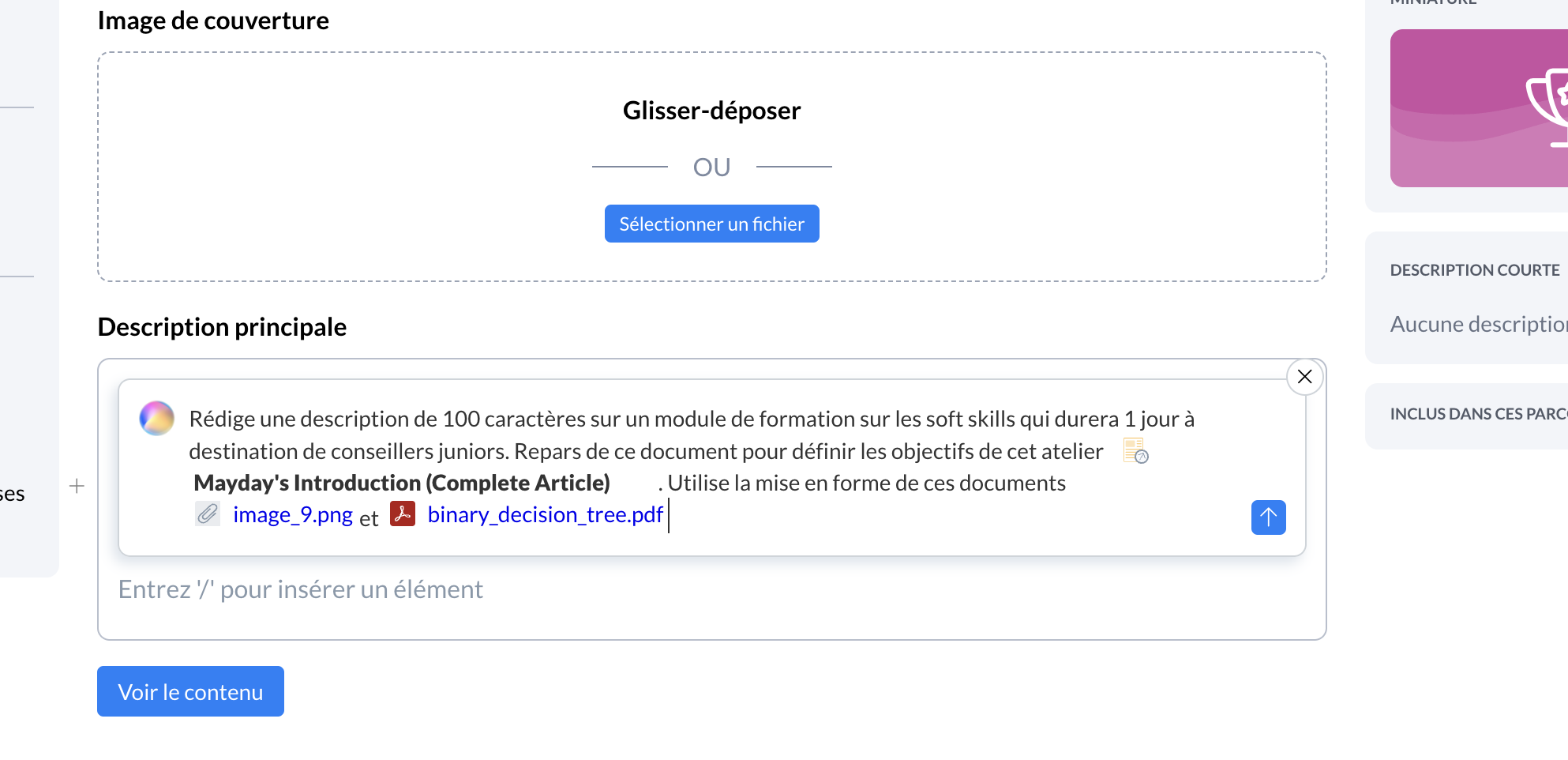
Use our “ask AI” feature with Mayday AI on the Academy to generate your sheets or descriptions of your modules:
Based on a free prompt that you write as you wish
Based on a document you can import (pdf, jpg, etc.)
Based on an existing article or guide in your knowledge base
🤔 How to use this feature?
1⃣ In the Academy editor, type “/” then click on “Ask AI”
Screenshot
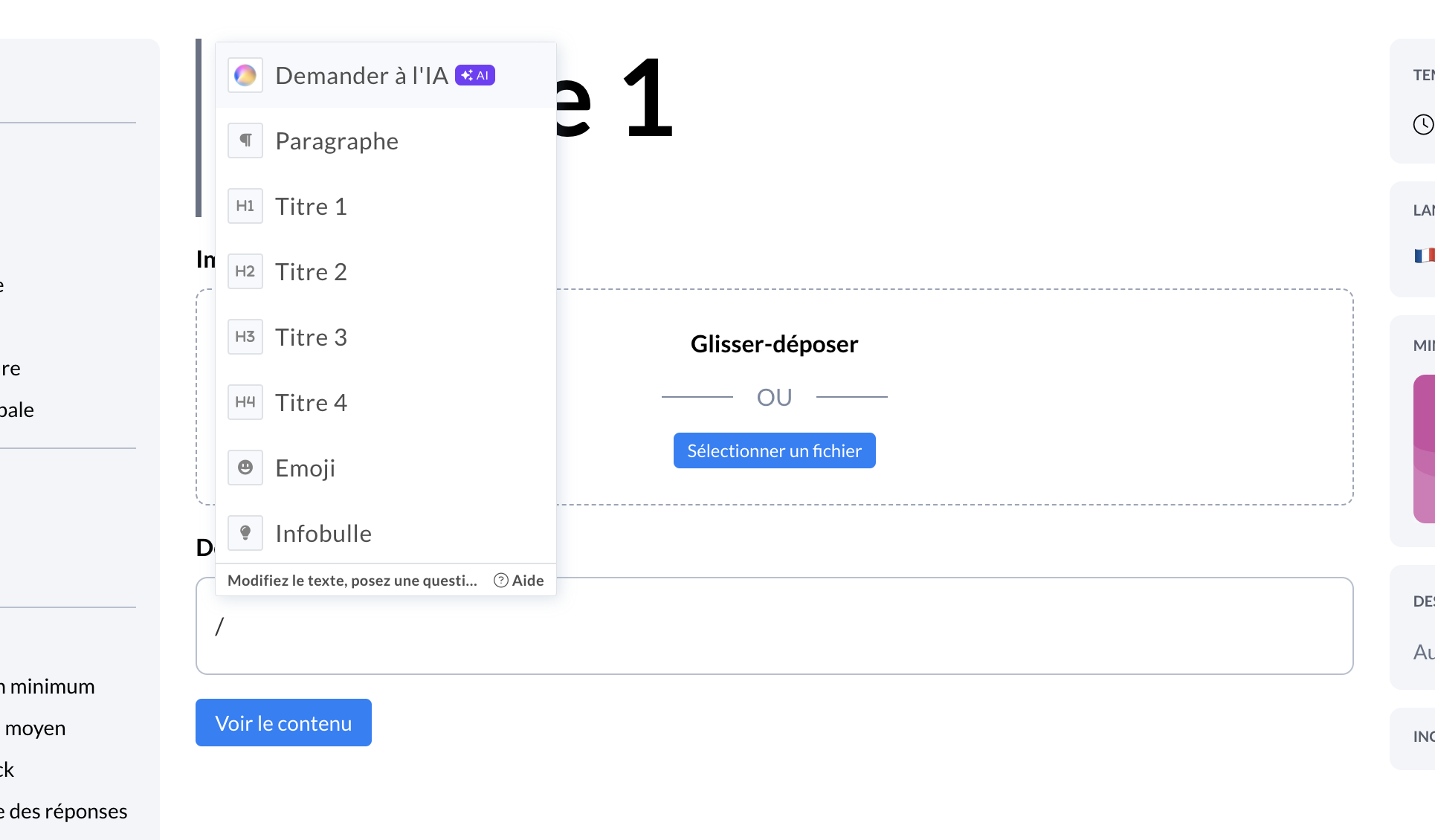
2⃣ Write what you want to generate
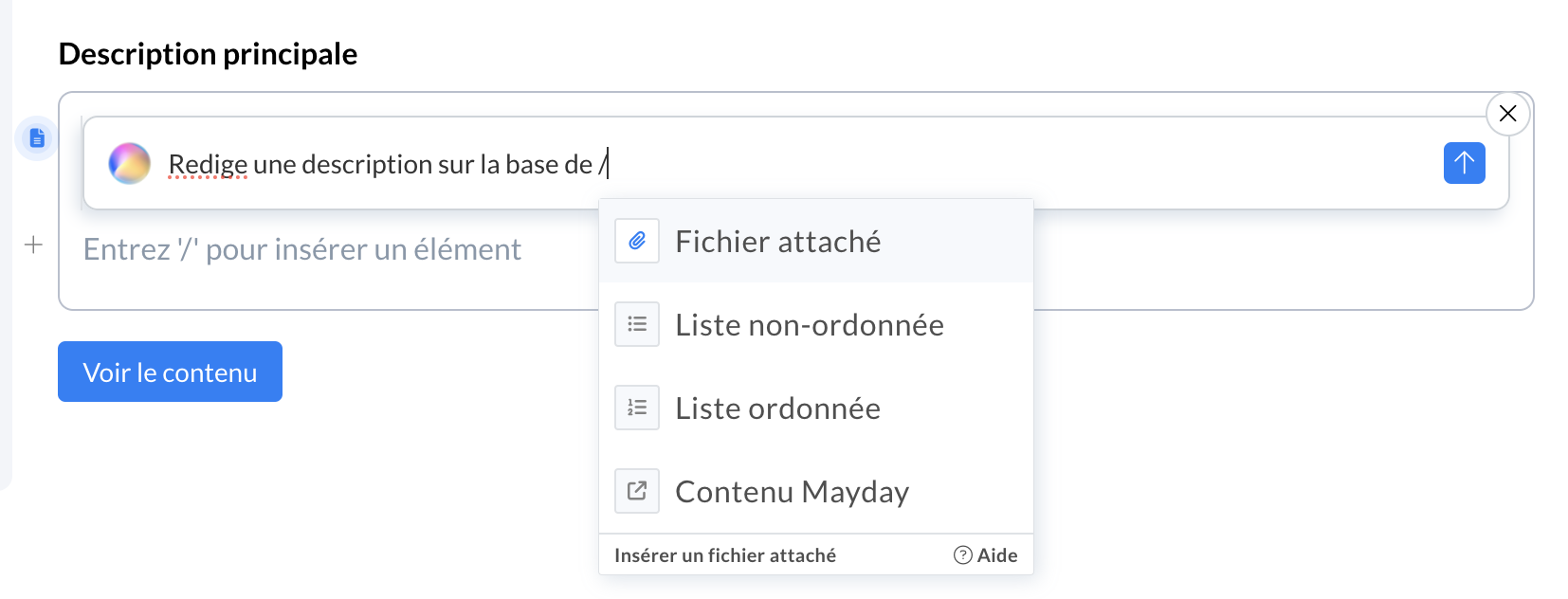
To use existing content to generate these new contents, type in the prompt “@” then click on the existing article/guide
Screenshot
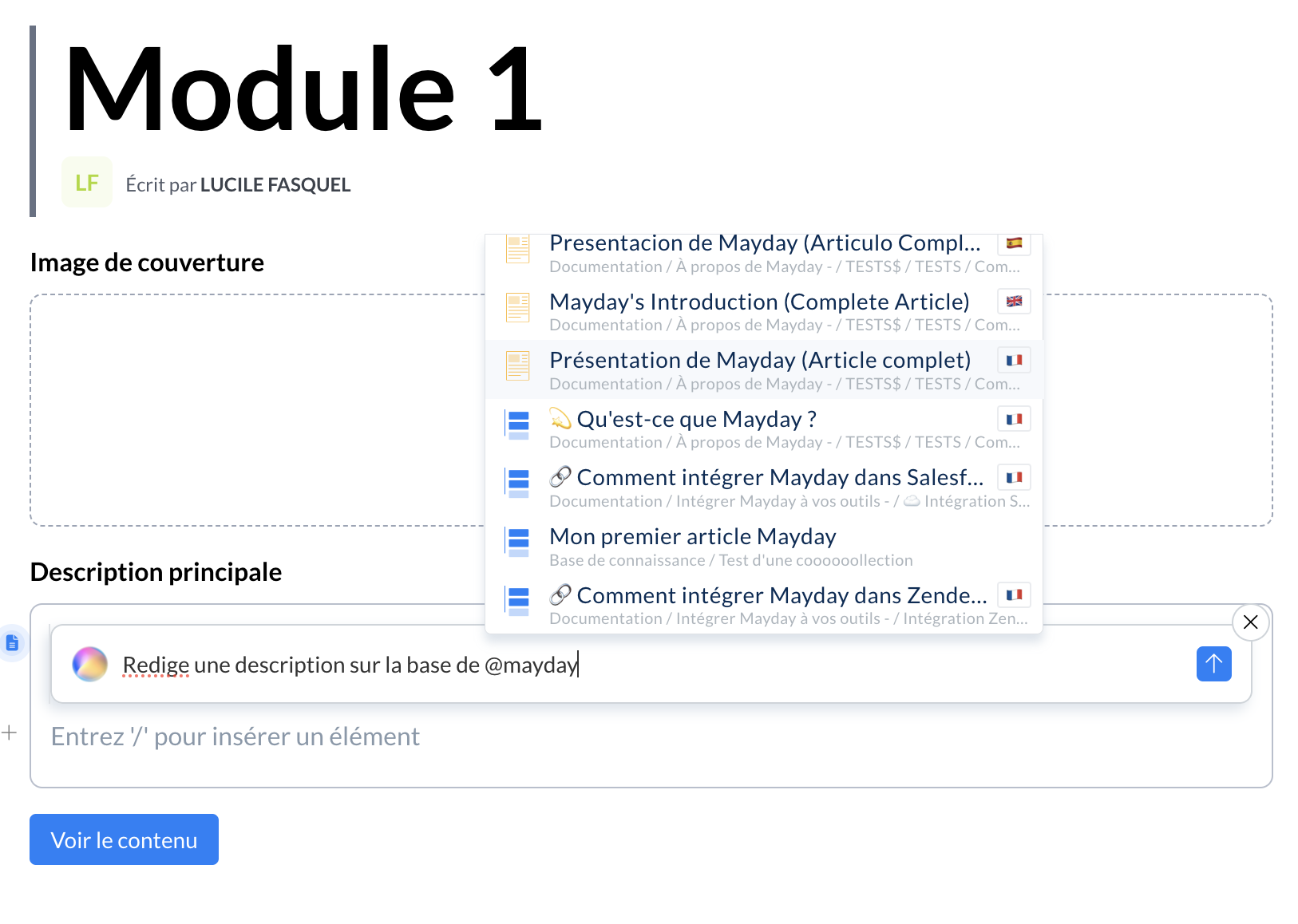
To use content imported from your computer, type “/” in the prompt then on “Attached file” and select the document you want to use (pdf, jpg, etc.)
Screenshot
3⃣ Click the send button at the bottom right of the prompt box (blue button with the white arrow) and the content will be generated automatically. You can then integrate it or not into your module
Screenshot
🚀 Coming soon
⭐ With Mayday AI, you will soon be able to generate quizzes based on one or more slides of your modules on The Mayday Academy!
👩🏫 Our teams are actively working on the Blended Learning feature.
You will soon be able to create and schedule workshops in-person or online synchronously with a group of learners and a facilitator.
🪲 Fixes
👉 We have fixed the following bugs:
Display of courses for learners: some courses did not display correctly on the learners' homepage
🌐 What’s new on Mayday Selfcare?
🚀 Coming soon
Our teams are actively working on adding conversational capabilities to our Selfcare widget available on the Mayday admin interface. ✨
You will soon be able to ask all your questions if you do not want to search the documentation!