👋 Introduction
Welcome everyone 👋
The entire Mayday team joins me in wishing you a wonderful holiday season. It has been a pleasure to support you throughout 2025, and we look forward to continuing this adventure with you in 2026! 🎉
To end the year on a high note, we have prepared one last series of new features for you to discover right now. 👀
On the agenda ⭐:
🎨 Many visual improvements across the entire Mayday admin platform
💬 Suggested replies now centralized within an agent plugin
🤩 Significant improvements to AI content creation and other features!
🇨🇵 The ability to create your training modules in multiple languages!
⏳ The display of the timer on your learners' modules is now a customizable option
🖇 Display your Canva files in your training modules
Let's discover all this 👀
🤩 Global New Features
🎨 Many improvements across the platform!
—
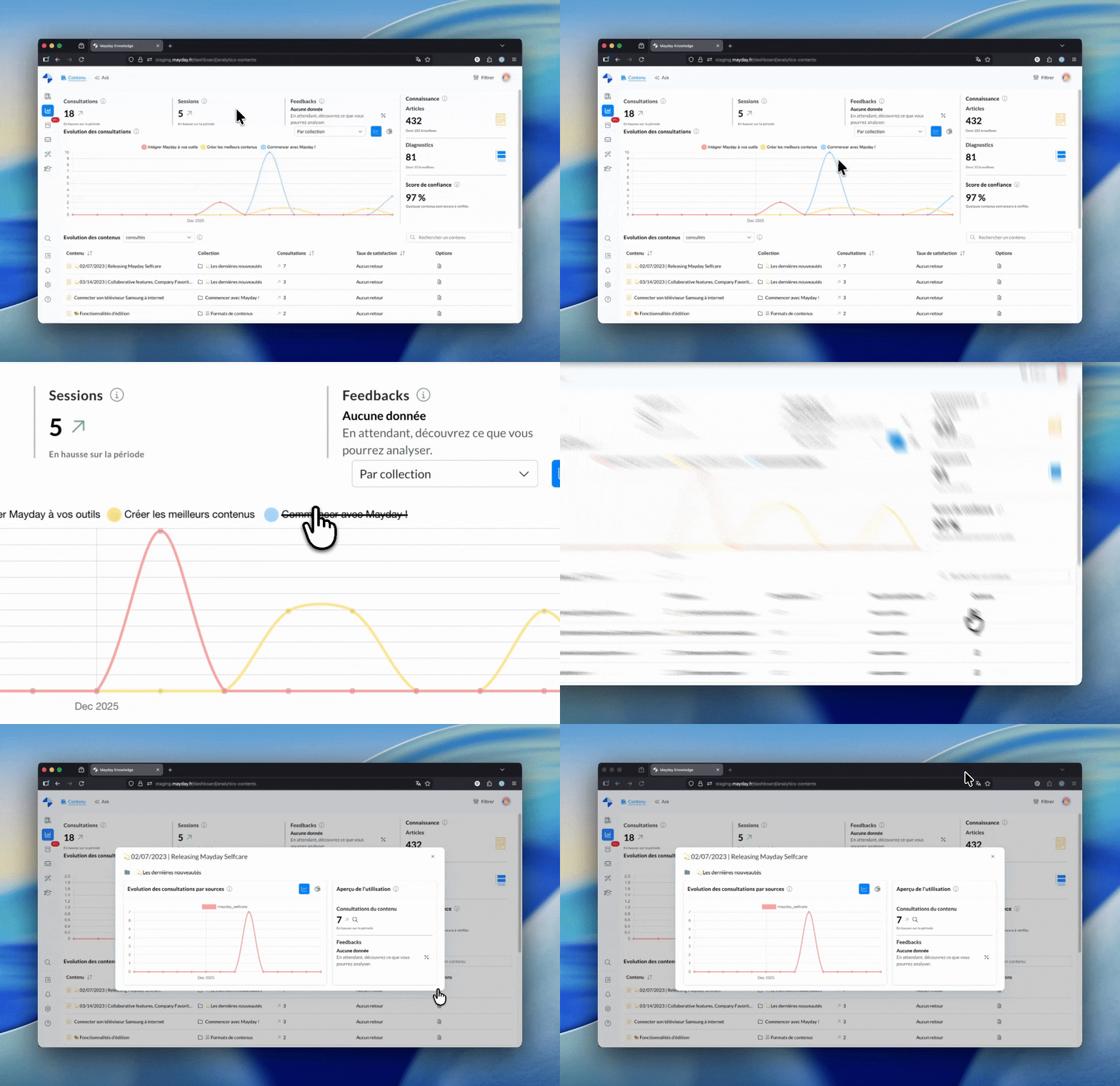
Over the past few weeks, we have made major technical optimizations under the hood. The goal? To strengthen Mayday's robustness and lay the groundwork to roll out your future requested features even faster.
These changes come with a refreshed interface to make your experience smoother and more enjoyable. You will notice significant visual changes, especially in:
🗂 Navigation in the knowledge bases (Admin side)
✍ The Mayday editor, for even more efficient writing
📊 The Admin Dashboard, for easier tracking
⚙ Admin preferences
And other areas, mainly in the admin center
A quick note of caution
Structural changes of this scale can sometimes lead to minor unexpected issues. If you encounter any unusual behavior or a visual bug, please let us know: our teams are ready to respond quickly!
💬 Your Template Answers, right at your fingertips
—
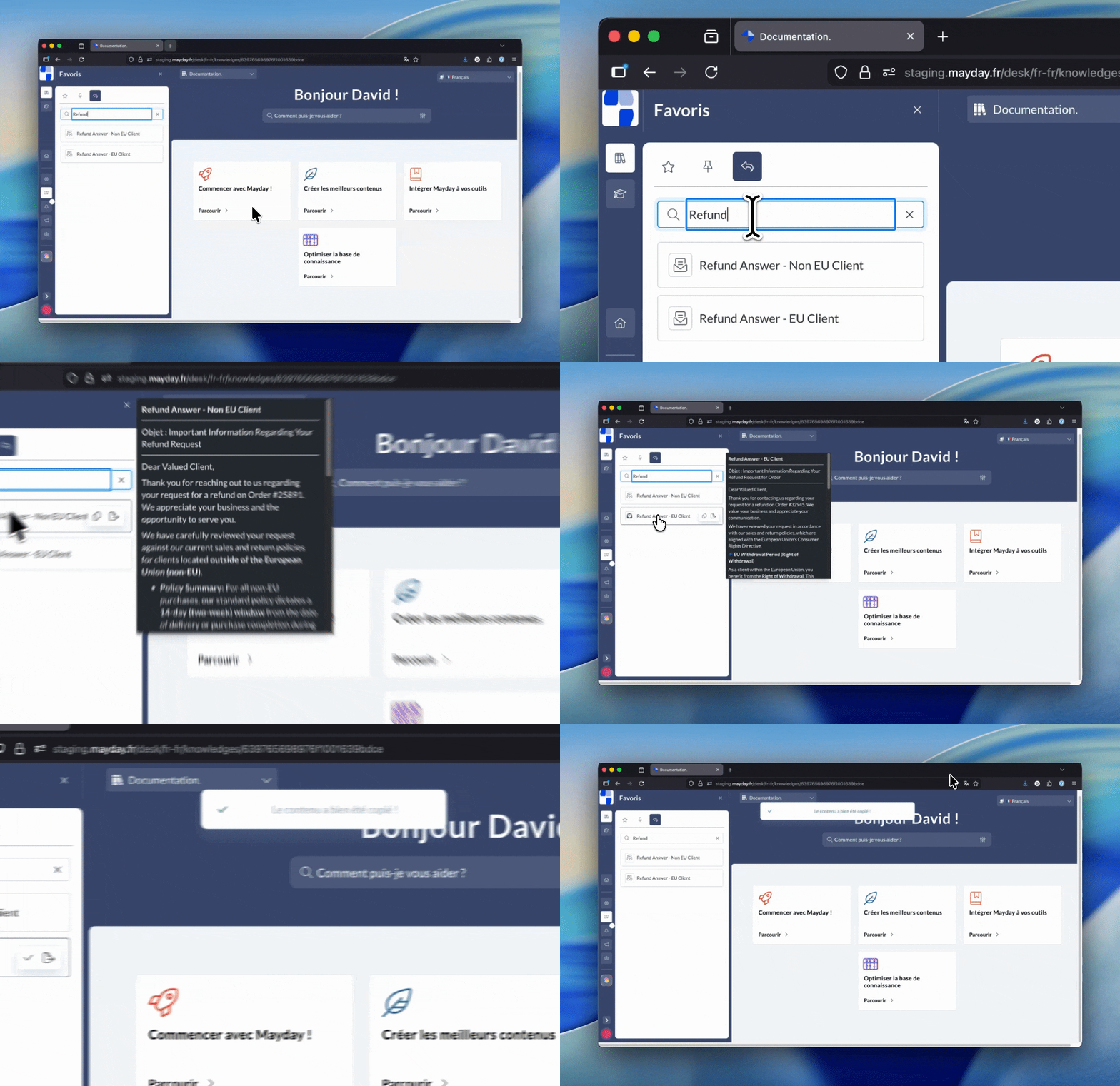
We know that Template Answers are your best allies for ensuring service quality and managing your DMT. However, storing them in scattered notes on your computer carries risks (outdated information, errors, etc.).
That's why we've created a new plugin, available on all agent platforms (Mayday Desk, Widget, Zendesk, etc.). It now centralizes all the Template Answers found in your published Mayday content.
What this changes for you:
🔍 Powerful search: Instantly find a reply using the search engine (which scans titles and content) or through classic navigation.
👀 Quick preview: Simply hover over an item with your mouse to read its content.
📋 One-click copy: Insert the reply directly into your conversation.
📄 Full access: A dedicated button lets you view the template reply in detail if needed.
Activation required (Admin side)
For this feature to appear on agent interfaces, it must be activated manually. Go to admin preferences (the feature is disabled by default) and enable it.
Check out the dedicated documentation to discover this new feature:
📚 Mayday Knowledge
✍ Admins on Mayday
😄 Significant improvements!
🤖 Simplified AI content creation
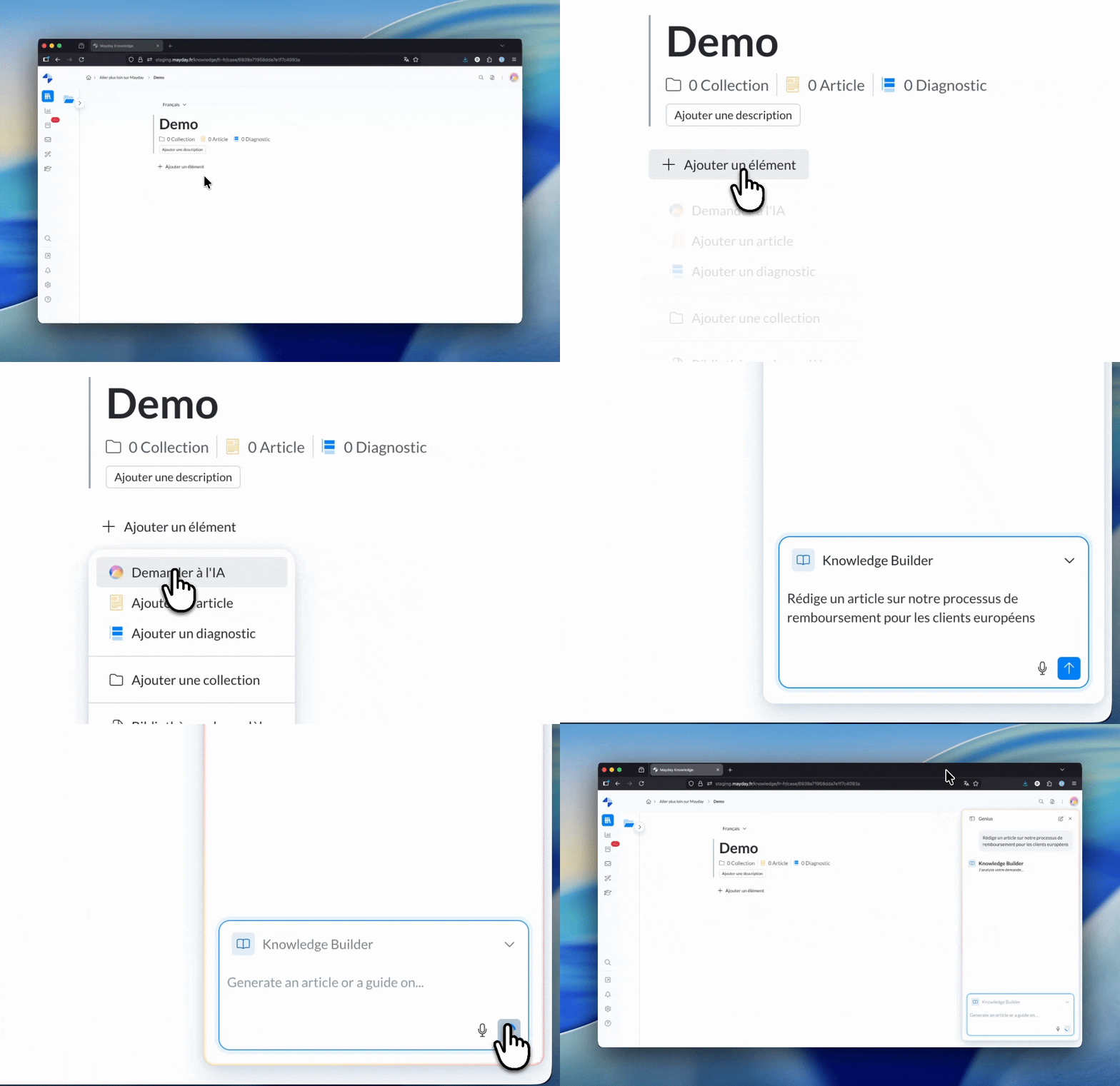
The Knowledge Builder, one of our flagship AI Agents, already lets you generate ready-to-use content in seconds. Today, we're making it even more intuitive to use.
New access points
You can now instantly launch the Knowledge Builder from two strategic locations:
The creation menu: By selecting the new “Create with AI” option when adding content.
Blank content: From the empty state (the home screen) of a blank content, a smart recommendation will suggest using AI to structure your article.
Prerequisites
To access these shortcuts, your organization must have activated the Mayday AI Agents and you must have access rights to the Knowledge Builder via your user role.
🗑 Hide the delete button for content or a collection
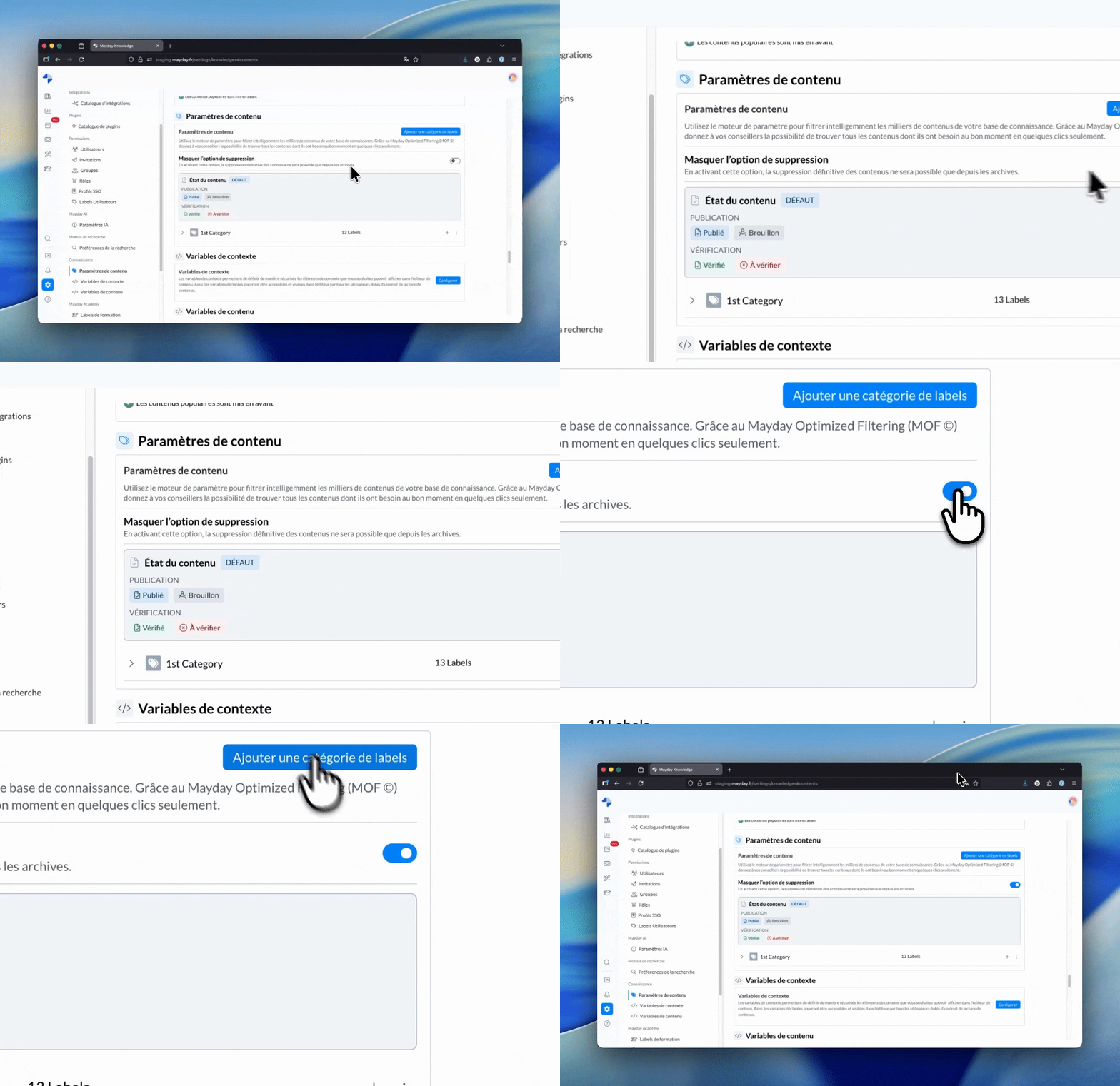
By default, users with the necessary rights can permanently delete content or a collection directly from the navigation interface. To secure your knowledge bases and avoid accidental deletions, a new security option is now available.
By enabling this preference, you disable the ability to delete an item from the standard view. The permanent delete option then becomes available only from the archives.
New secure deletion flow:
When this option is active, deletion becomes a two-step process: you must first archive the content, then go to the archives to permanently delete it. This mechanism adds an extra validation step that greatly reduces the risk of accidental content loss.
Check out the dedicated documentation to discover this new feature:
🐞 Some fixes!
We have fixed the following issues:
Dashboard search: Fixed an issue preventing the search for content or users via the search engine within the Dashboard.
Notification preferences: Restored the communication channel icons that were no longer displaying in the admin settings.
Breadcrumb (Editor): The breadcrumb above content is now clickable again during editing.
Plugin restrictions: Fixed a saving issue when modifying role-based access restrictions on a plugin.
Content duplication: Removed the error message that appeared incorrectly, even though the content was duplicated correctly.
Version history: Content versions written by deleted users now display correctly in the history.
User export: Users without a label are now properly included in export files.
👥 Agents on Mayday
🐞 Some fixes!
We have fixed the following issues:
Notification badge: The unread notification indicator has been restored. It now appears as a simple visual badge (without a counter) when you have pending notifications.
Content labels (Search): Fixed a display issue for content labels in search results in many cases.
🎓 Mayday Academy
🇨🇵 Create your Mayday modules in multiple languages
You can now create several language versions of the same module to offer a learning experience tailored to each learner.
💡 Result: easily manage multiple languages for each of your modules and automatically offer the best version according to the learner's language.
📬 How does it work?
Set up your languages: define the available languages for your Academy from your Academy settings.
Create your module: design your module in the default language you want.
Write your content: fill in all the slides of your module.
Generate language versions : create a version in the additional language(s) of your choice.
Translate the content: translate each slide manually or via our integrated AI feature in the editor.
Publish: publish the translated versions to make them available to the relevant learners.
🎓 Learner experience
Learners are assigned to all language versions of a module.
If there is a version in the user's language, that one will be displayed by default. Otherwise, the learner will see the version in the module's default language.
When a module is available in several languages, the learner can choose the language at the start.
📸 Screenshot
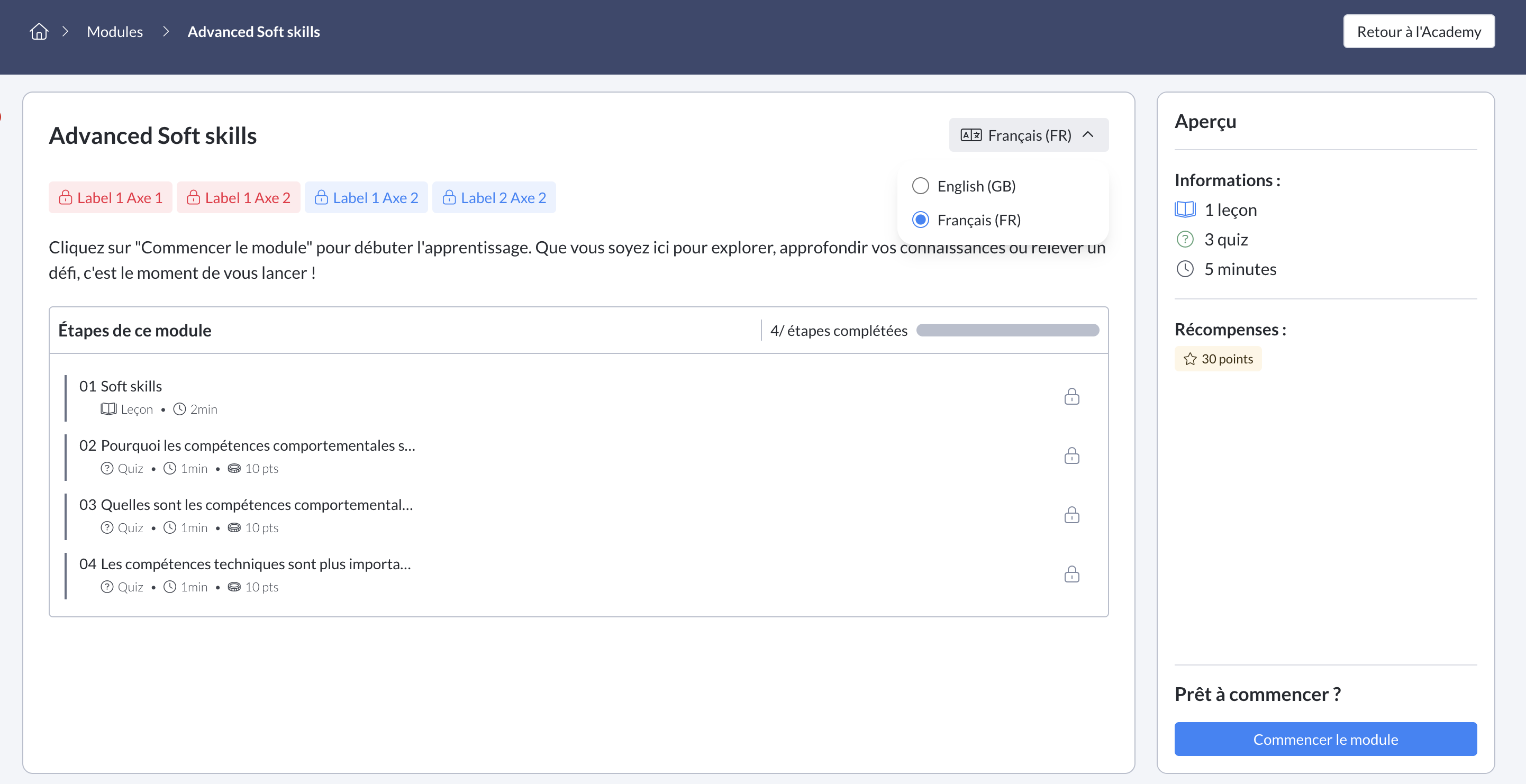
Learner view, on the introduction of a the Mayday Academy module
Once the module has started, the language can no longer be changed. If there is a retry, the module will have to be restarted in the initially chosen language.
🔄 Uniform module structure
The structure of a module must remain identical for all its language versions. Any deletion or addition of a slide, whether a lesson or a quiz, will automatically be applied to all created versions.
✨ Coming soon:
Full automatic translation of your modules thanks to AI. No more translating slide by slide: soon you'll be able to generate your language versions in one click.
⏳ Customizable timer option
You can now choose whether or not to display the timer to learners when completing a module.
💡 Result: you can now adapt the experience according to your educational needs.
🖇 Canva file support
You can now embed your Canva files in your the Mayday Academy modules to enrich your content and simplify their creation and layout.
😄 An improvement you might like!
📝 Improved display of long questions in quizzes
Long questions now automatically display on multiple lines in the admin interface, for clearer reading and more comfortable quiz setup.
🌐 Mayday Selfcare
👉 New features coming soon
Our teams are currently working on implementing AI agents that will enhance the performance of your Selfcare ASK AI. They will offer even more flexibility and customization options to better meet your needs.