👋 Introduction
Welcome everyone 👋
This week, your AI ticket analysis, Admin search, and cross-cutting elements are taking it to the next level. Also, discover three new API endpoints, an improvement to the technical foundation of Selfcare, and the automatic assignment of modules within learning paths.
⭐ On the agenda:
🔍 Admin Search: new filter design, result sorting, and filtering by knowledge base or dates.
🔗 Cross-cutting elements: language selector and alerts, usage list through inserted elements, and automatic link conversion for administrators.
🔌 New API Endpoints: create tasks, export usage logs, and consult content metrics via three new endpoints.
🤖 Ticket analysis in one action: analysis and generated response combined into one click, triggered when you need it.
⚙ AI agent settings: checkbox settings swapped for direct preference definition within your prompt for a more flexible experience.
🧑🏫 Automatic assignment for your training: automatically assign all modules from a path in one click.
🤘 A new technical foundation for our Selfcare: improved performance and deployments!
Let’s discover all of this 👀
📚 Mayday Knowledge
✨ Significant improvements!
🔍 Redesigned administrator search engine
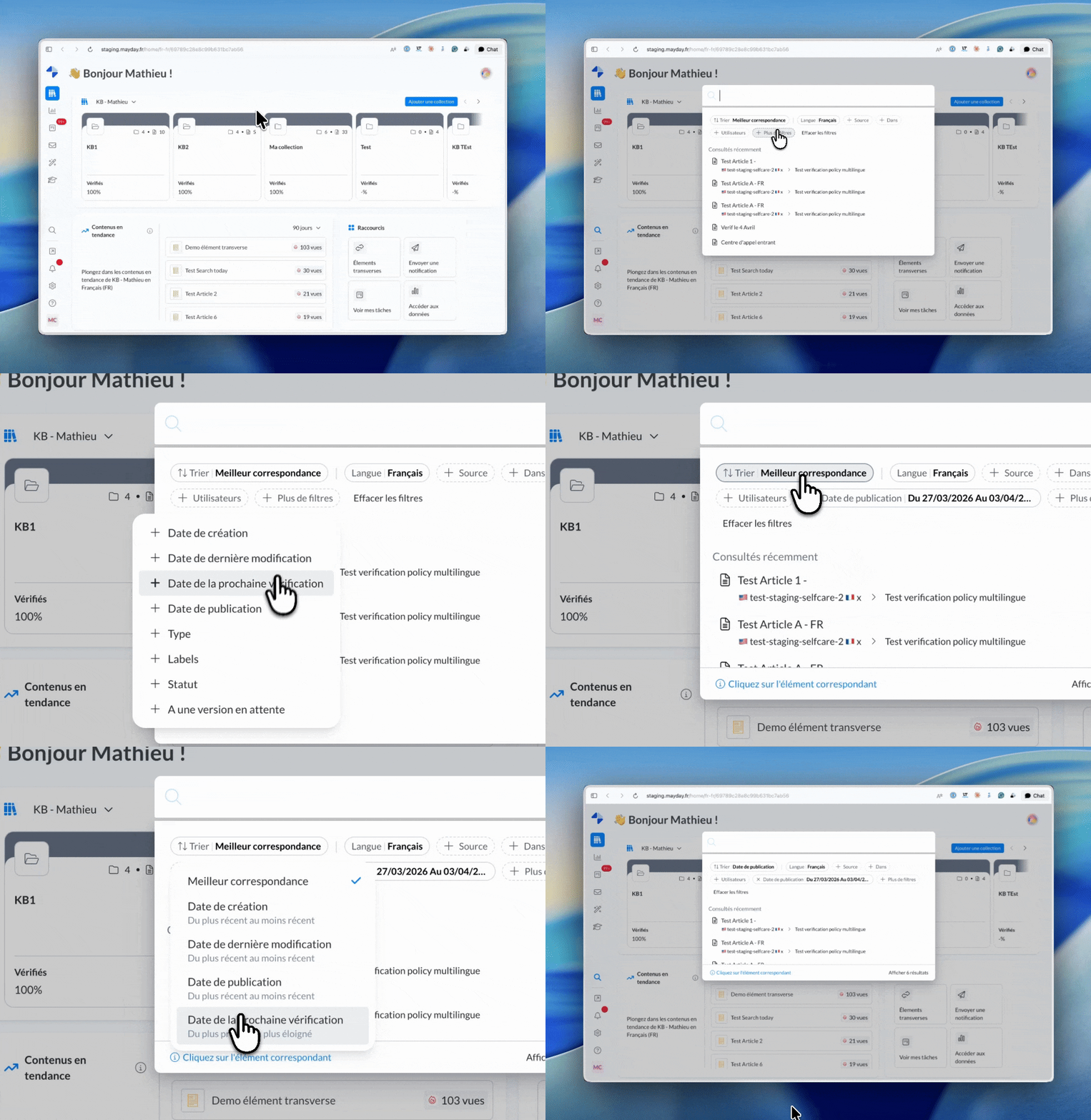
The search within the administration interface has been revamped with a new design for filters, results, and recently consulted content.
You also have the following new options to filter your search:
Date of the next review
Date of publication
To a draft version
To learn more, refer to the dedicated documentation:
🔗 Cross-cutting elements: many improvements!
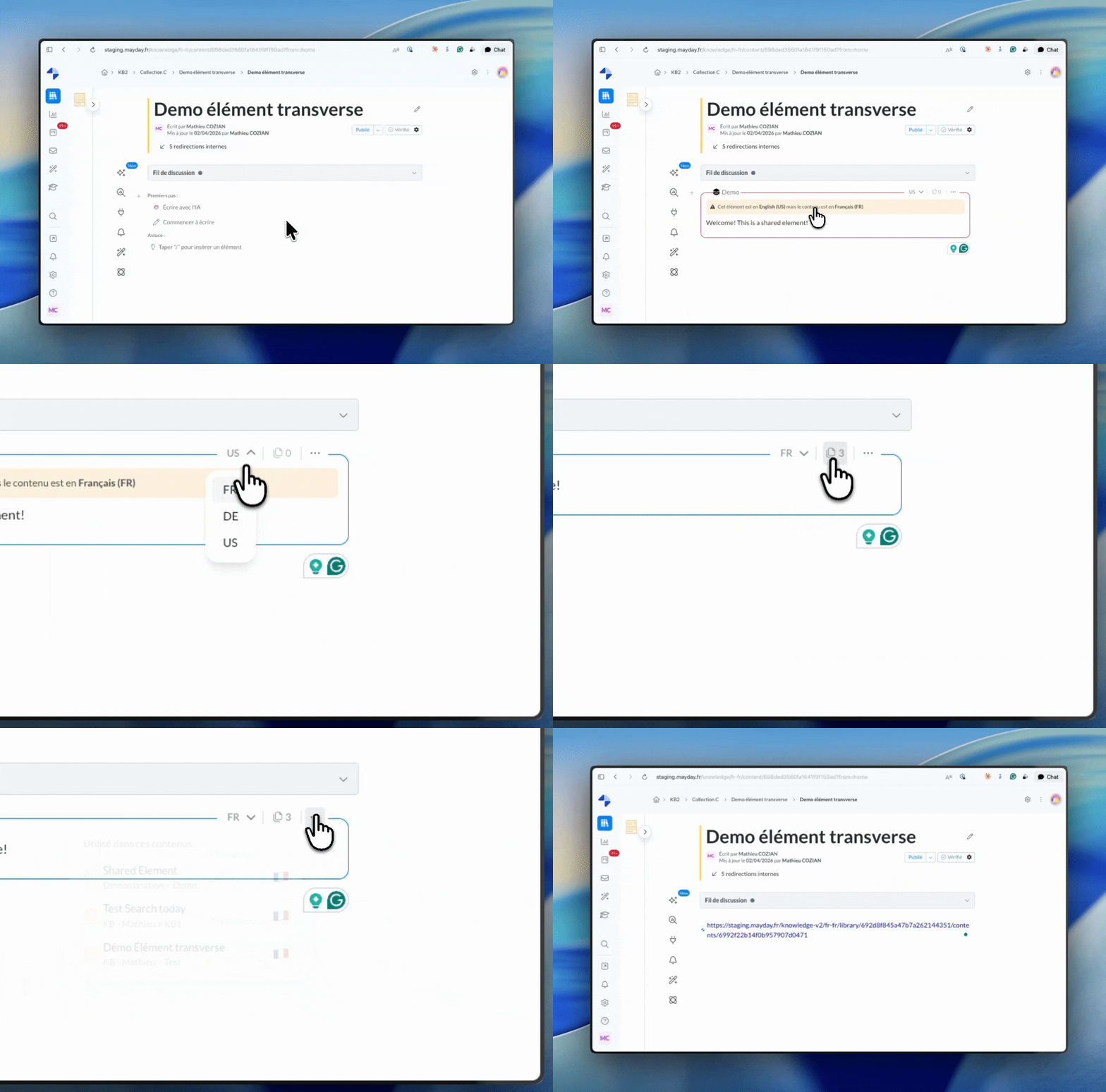
Cross-cutting elements have been enriched with several enhancements:
Language selector: change the language of a cross-cutting element directly from the editor.
Language alert: an alert appears if the cross-cutting element is in a different language than the host content.
Automatic conversion: pasting a link for a cross-cutting element in the editor automatically converts it into an active block.
Usage: see the list of all content using an element directly from the inserted block.
To learn more, refer to the dedicated documentation:
🔌 New API Endpoints
Two new endpoints are available in the Mayday API to connect Mayday to your tools and automations:
Retrieve usage logs: export the history of actions performed in Mayday for a given period.
View performance metrics for content: retrieve KPIs for the performance of specific content over a given period.
To learn more, refer to the dedicated documentation: API Documentation
🤖 Mayday AI
✨ Significant improvements!
🤖 Ticket analysis is now smoother: analysis and generated response in one click!
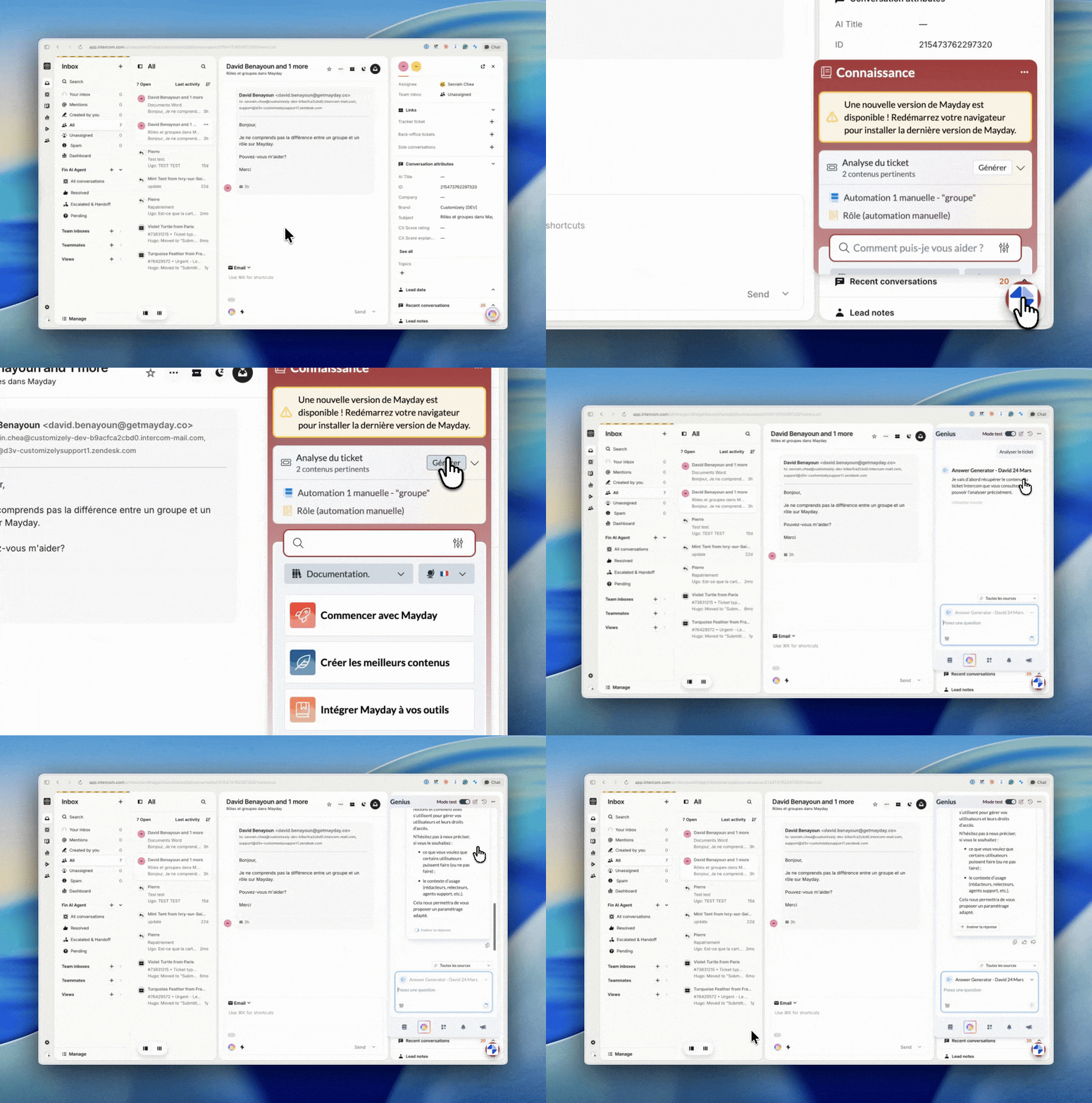
Previously, opening a ticket automatically triggered an AI analysis, followed by a second action to generate the response. These two steps are now combined into one action, triggered solely at your initiative. The ticket analyzer waits for your signal, then delivers everything at once.
⚙ AI Agent Settings: no more checkboxes, prompts are the way!
Within your AI agent settings (Settings > AI Agent > Sources > Client Ticket Analysis), the checkboxes used to individually enable or disable functionalities have been removed. Now, you indicate directly in your prompt what you want during the analysis.
Want a ticket summary? AI recommendations? Sentiment analysis? A generated response for insertion? Simply specify this in your prompt, along with any instructions or details about the format and content of the expected output.
No worries about the transition: Mayday handles migrating your prompts to ensure your already configured AI agents remain fully functional upon production release. No action is required on your part.
To learn more, refer to the dedicated documentation:
🎓 the Mayday Academy
✨ Automatic assignment of your training goes even further
🧑🏫 Simplified module assignment: We’re making it easier for you to optimize the management of your paths!
The automatic assignment of a learning path by attributes (roles, groups, labels) now applies to all its modules. No additional clicks required; the platform takes care of everything.
🌐 Mayday Selfcare
✨ A new technical foundation, a more performant Selfcare, and instant deployments
We’ve worked hard over the past few months on a foundational project: a revamp of our technical foundation for a brand-new Selfcare!
What concrete impacts?
⚡ Instant display: No more waiting to test and visualize each change in settings. Your modifications now appear immediately.
🛠 Zero friction: Updates are deployed faster and seamlessly, without users needing to manually refresh their page.
📱 Smooth everywhere: Impeccable navigation, even for users with old smartphones or very poor connections (low 3G/4G).
📈 SEO boost: Improved readability for search engines, which perfectly interpret the pre-generated HTML code from the server.
🔒 Enhanced security: All our business logic remains hidden and secure on our servers, away from browsers, with strengthened access control.
📅 Deployment: Migration of your Selfcare to this new foundation is planned gradually over the next few months.