👋 Introduction
Welcome everyone 👋
A new production deployment brings exciting updates for managing your content in the Mayday Academy and their access.
Here's what's new ⭐ :
🔐 Three-level access model: Define precisely the Academy access level for each role—Administrator, Learner, or No Access.
📚 Labels for pathways: Expand content categorization by associating labels with your pathways, similar to modules.
🏷 Content restriction: Control which modules and pathways each role can view and edit using a label-based rights system.
🎛 Mayday AI interface control: Hide the microphone and conversation history directly from the AI Agent Hub.
Let's take a closer look 👀
🎓 Mayday Academy
🔐 Define precisely the Academy access level for each role
You can now choose the Mayday Academy access level for each role: No Access, Learner, or Administrator. For administrator roles, three permissions refine the rights granted: Editing, Assignment, and Content scopes.
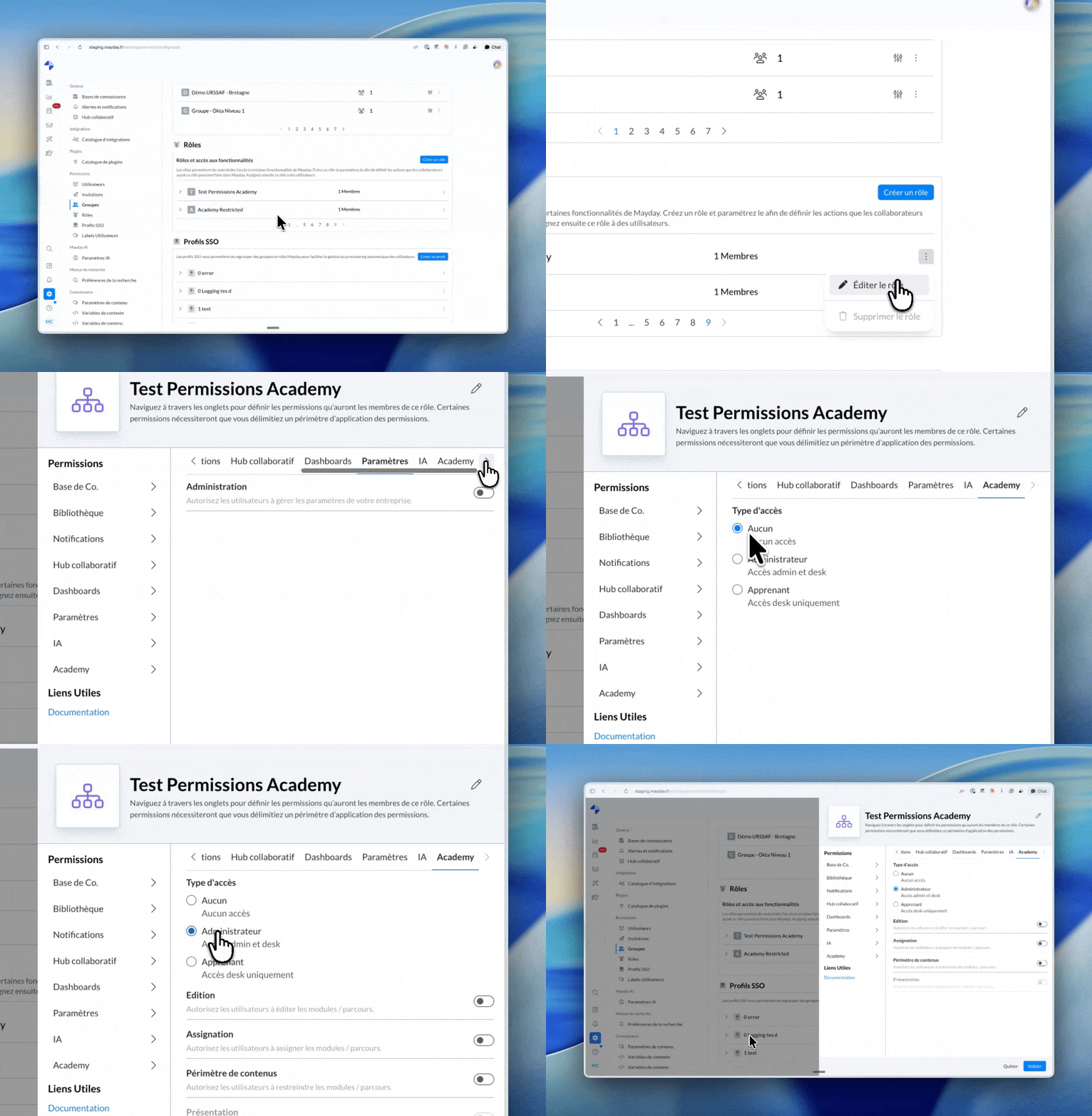
ℹ Refer to the dedicated documentation to learn more about this update:
📚 Pathways can now be labeled
You can now associate labels with your pathways, just as you've already been doing for your modules. This is a key step for organizing your catalog and applying consistent content scopes across all your Academy resources.
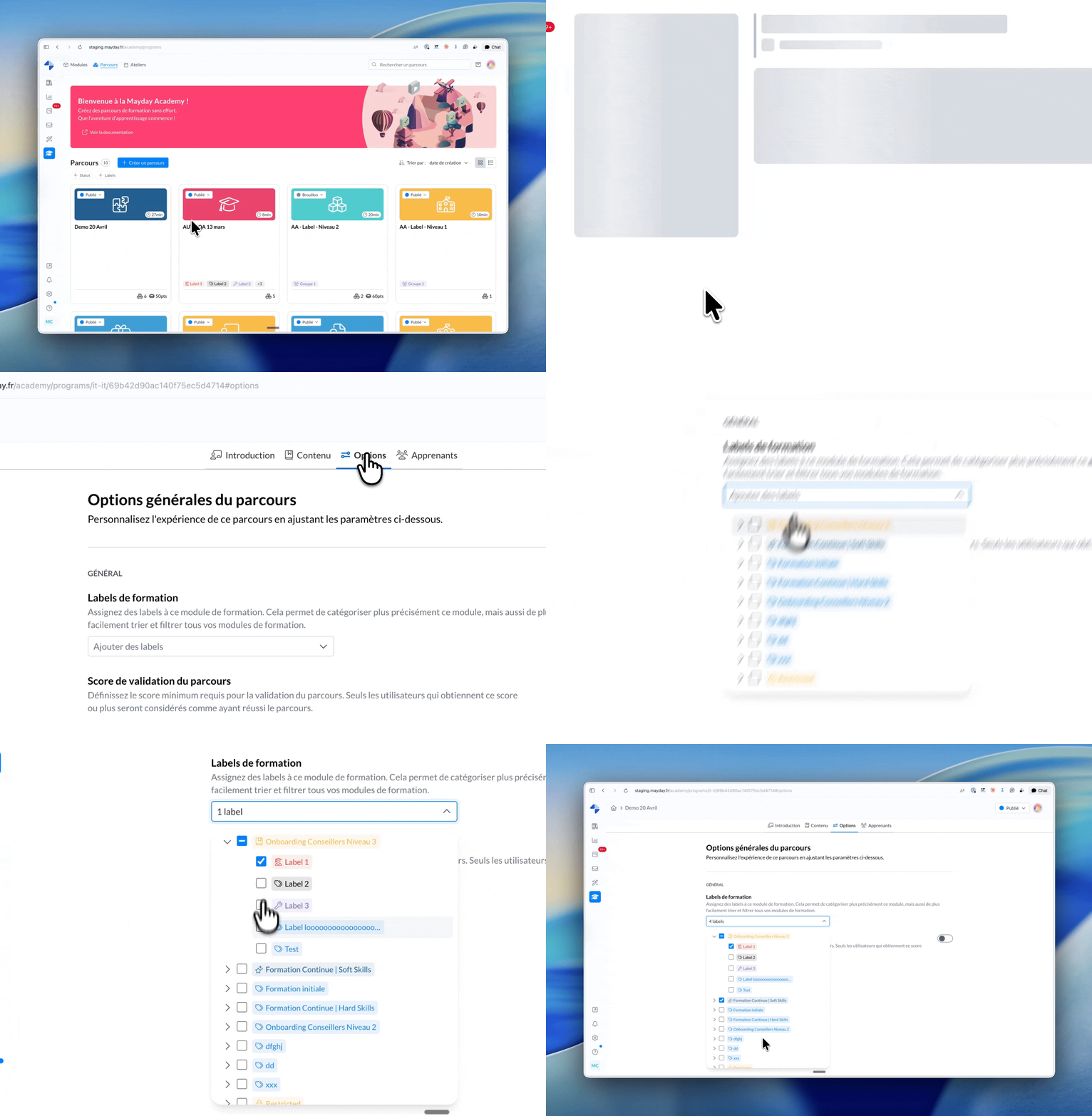
🏷 Manage Academy content access with detailed control using labels
You can now restrict which modules and pathways are accessible to each administrator role through a label-based rights system.
Set distinct content scopes for modules and pathways with an inheritance logic that simplifies management on a larger scale.
ℹ Refer to the dedicated documentation to learn more about this update:
🤖 Mayday AI
🎛 Hide the microphone and conversation history in Mayday AI
Two new settings are available in the configuration of the AI Agent Hub. Enabled by default, they apply across all Mayday AI platforms: Desk, Zendesk, and Widget.
Display microphone: Hide the microphone button in the Mayday AI interface.
Display conversation history: Hide the conversation history component in the Mayday AI interface.
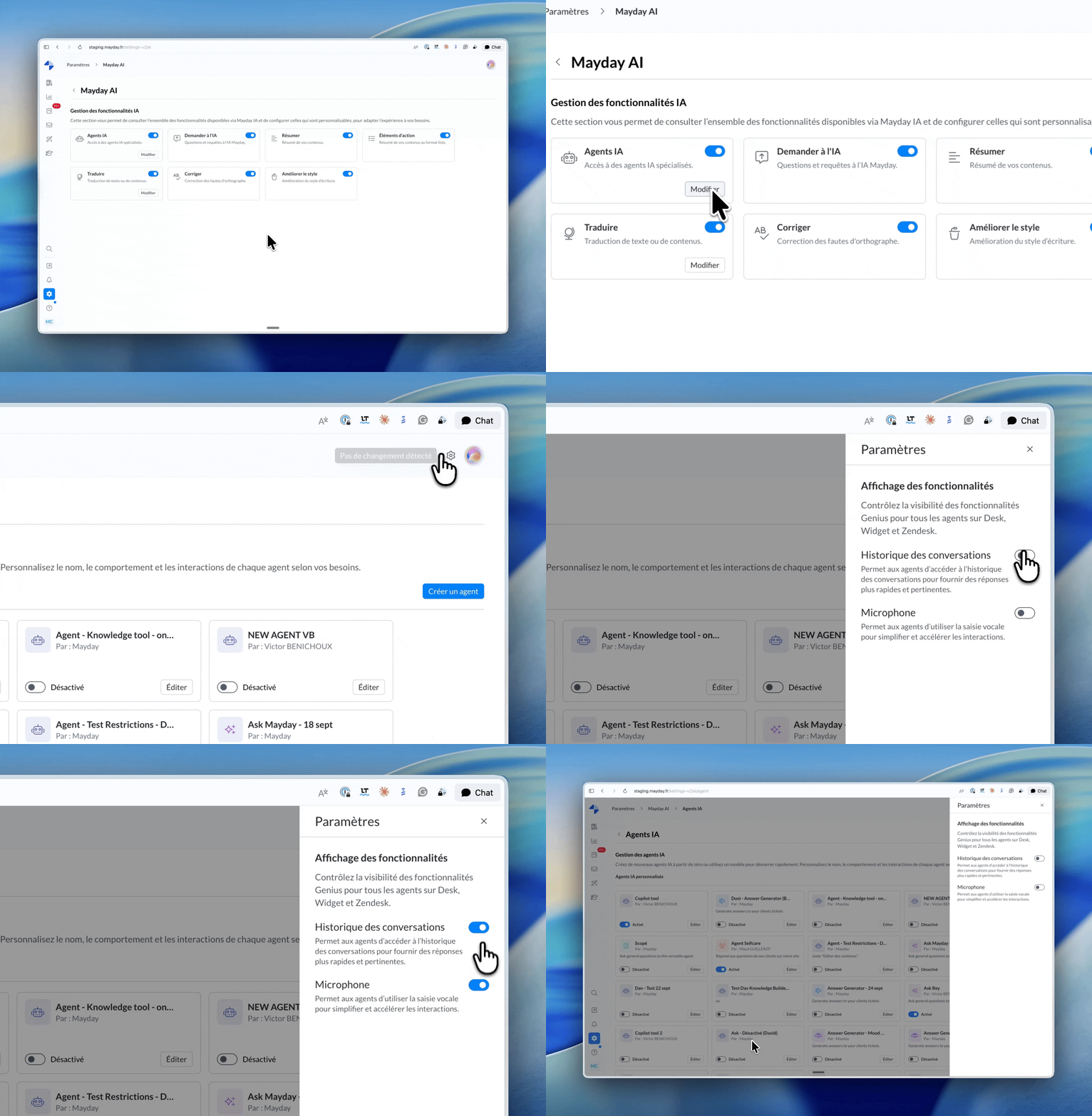
Refer to the dedicated documentation to learn more about this update: